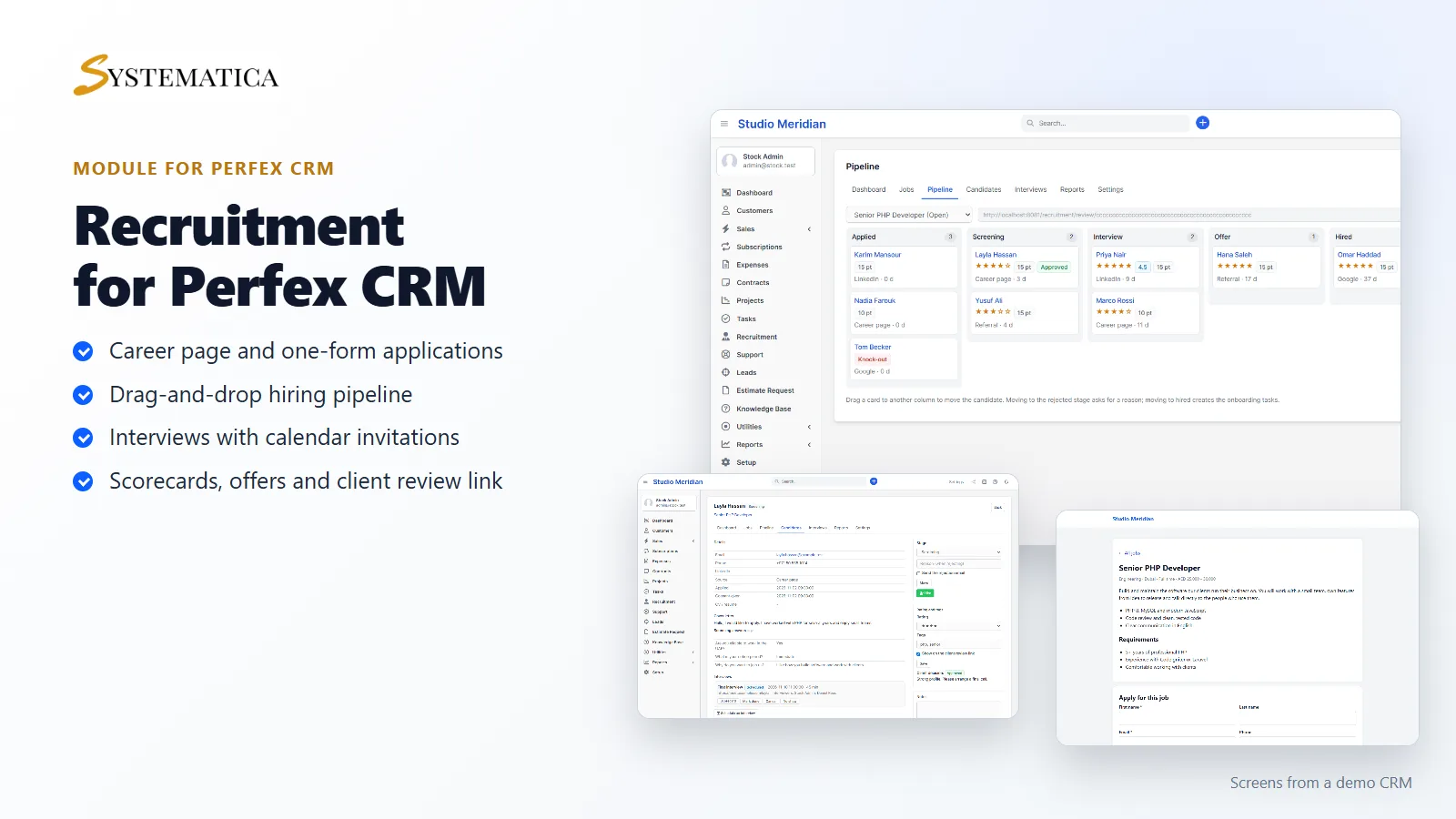
The Perfex CRM recruitment module that takes you from a job post to a signed-off hire without leaving your CRM. Recruitment adds a career page, one-form applications, a drag-and-drop hiring pipeline, interviews with calendar invitations, scorecards, offers and onboarding tasks to Perfex CRM. Recruitment agencies can share candidates with a client through a private review link.
A career page and one-form applications
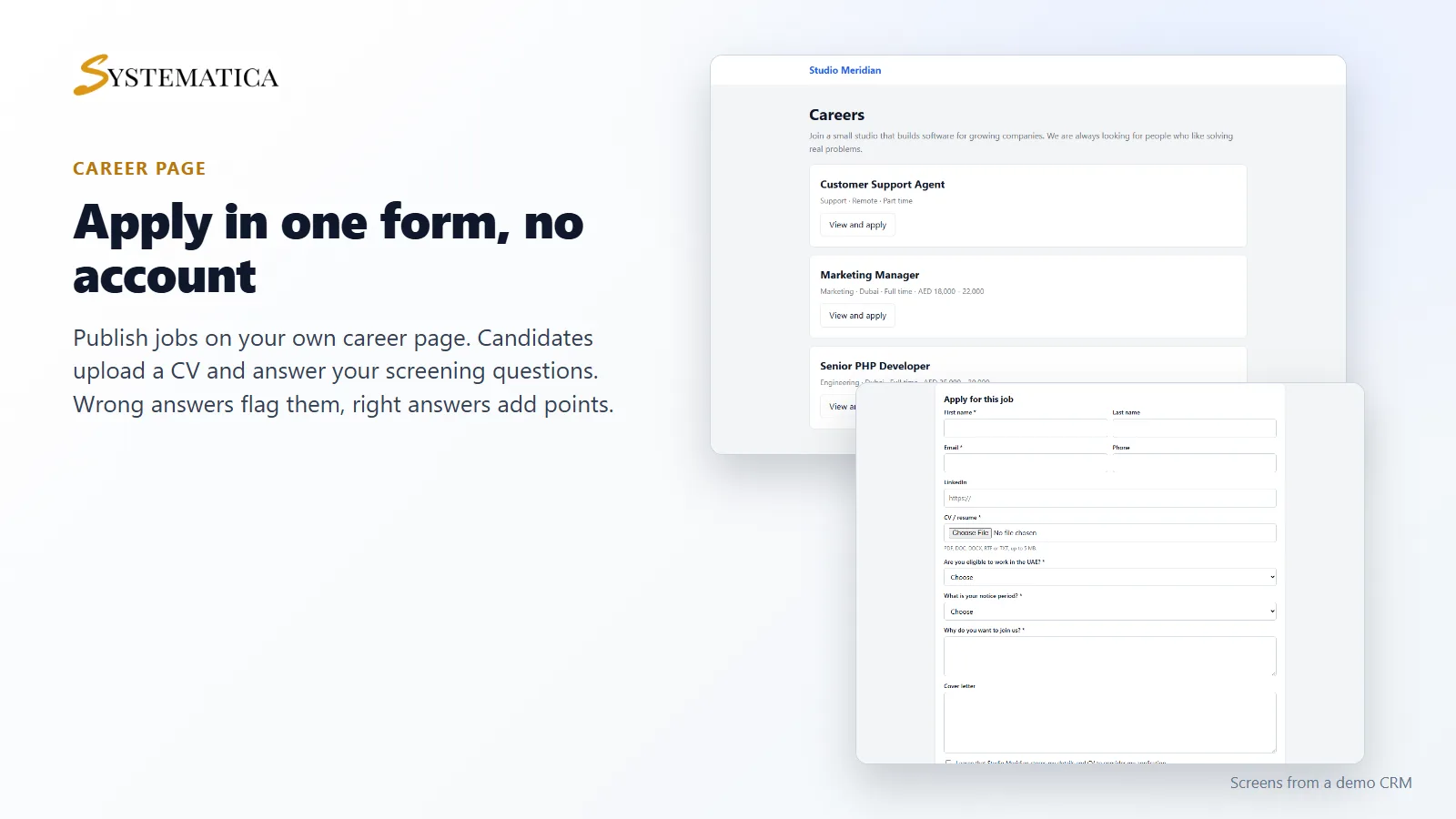
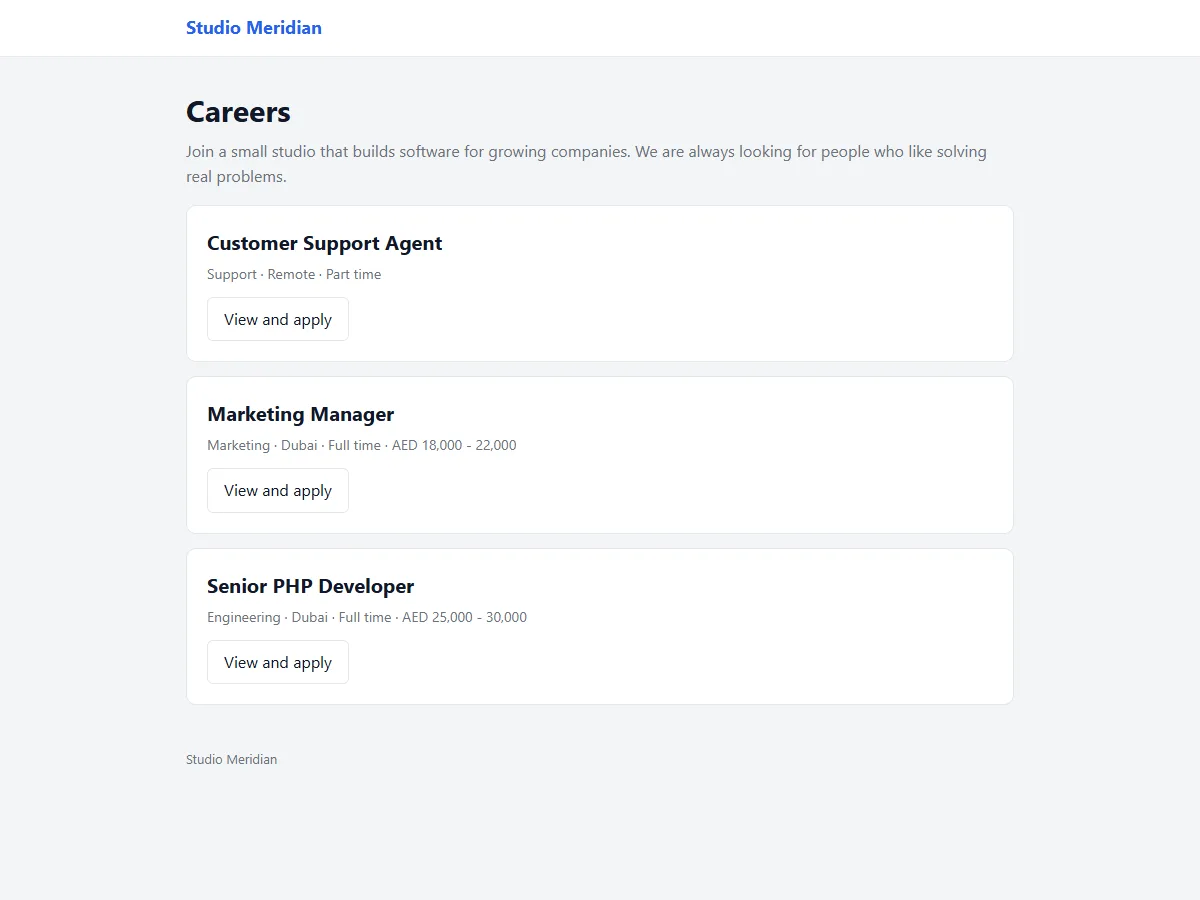
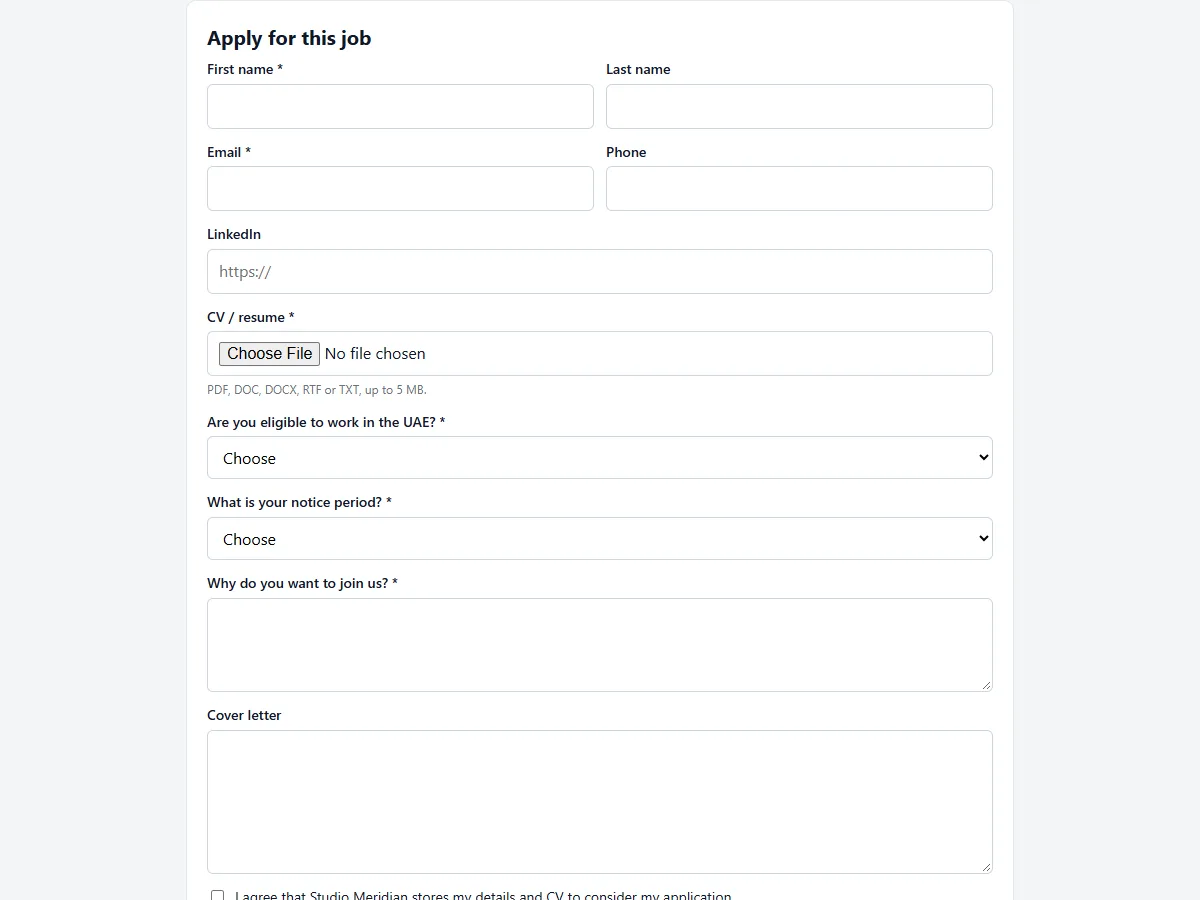
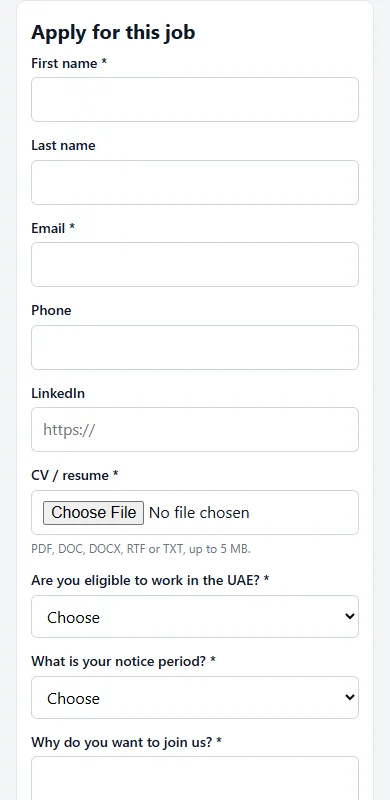
Create a job, set it to Open and it appears on your own career page. Candidates apply in one form: name, email, phone, CV and your screening questions. They do not need an account. You get an email for each application and the candidate gets a confirmation.
Screening questions with points and knock-outs
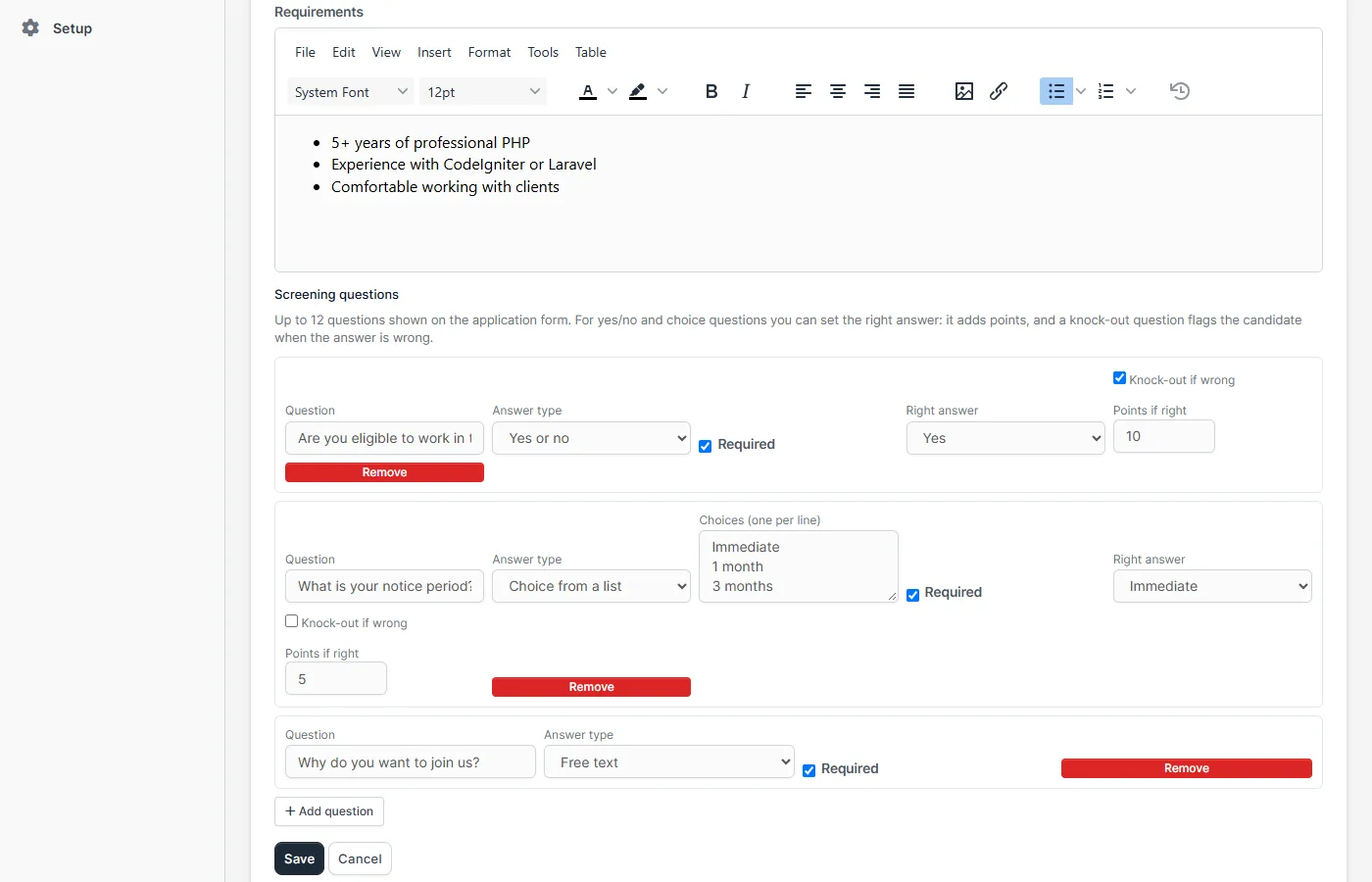
Each job has its own questions: free text, yes or no, or a choice from a list. For yes/no and choice questions you can set the right answer. A right answer adds points. A wrong answer on a knock-out question flags the candidate, so you see at a glance who does not meet a must-have such as a work permit. The module never rejects anyone by itself: you decide.
A hiring pipeline you can drag
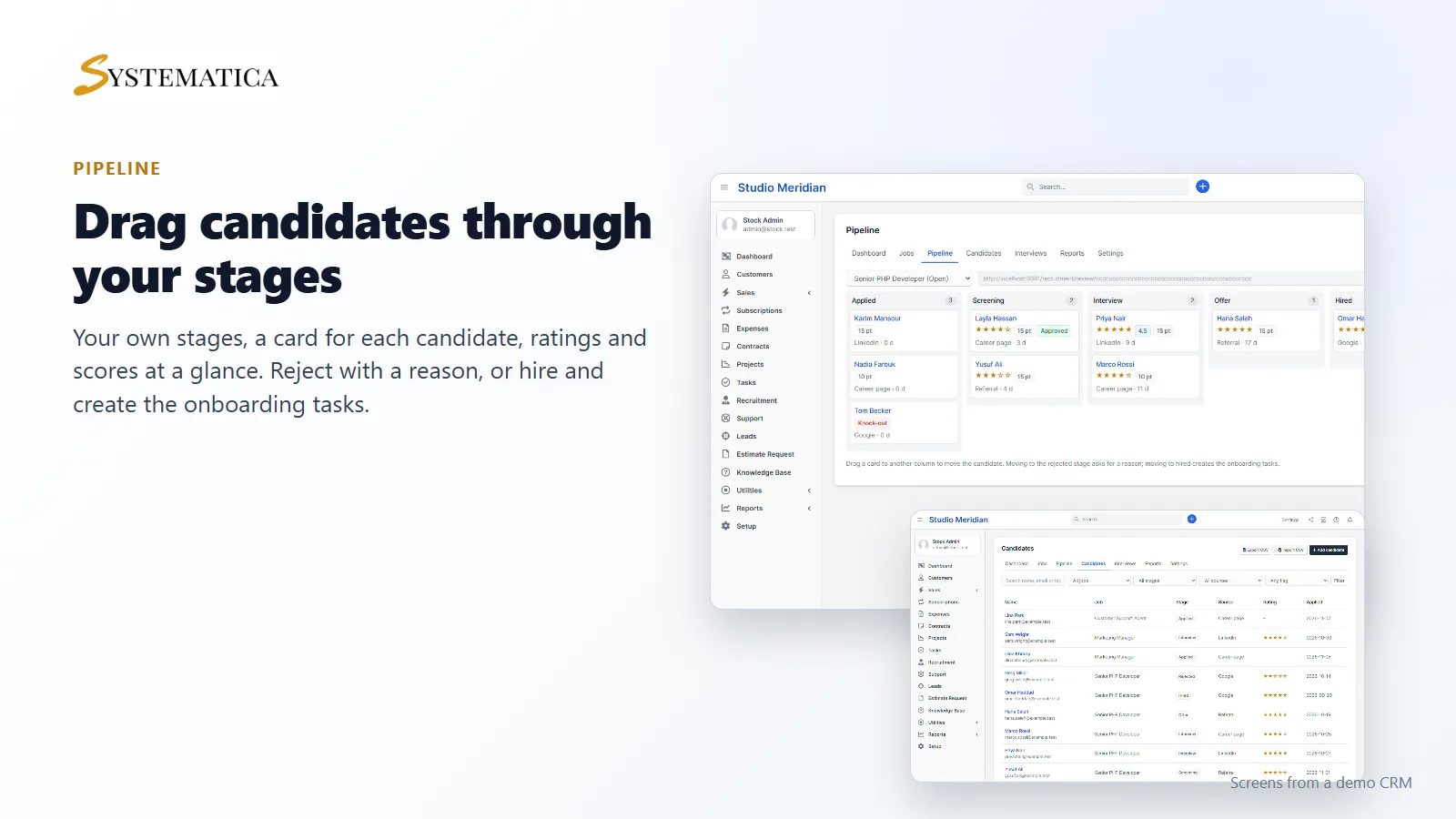
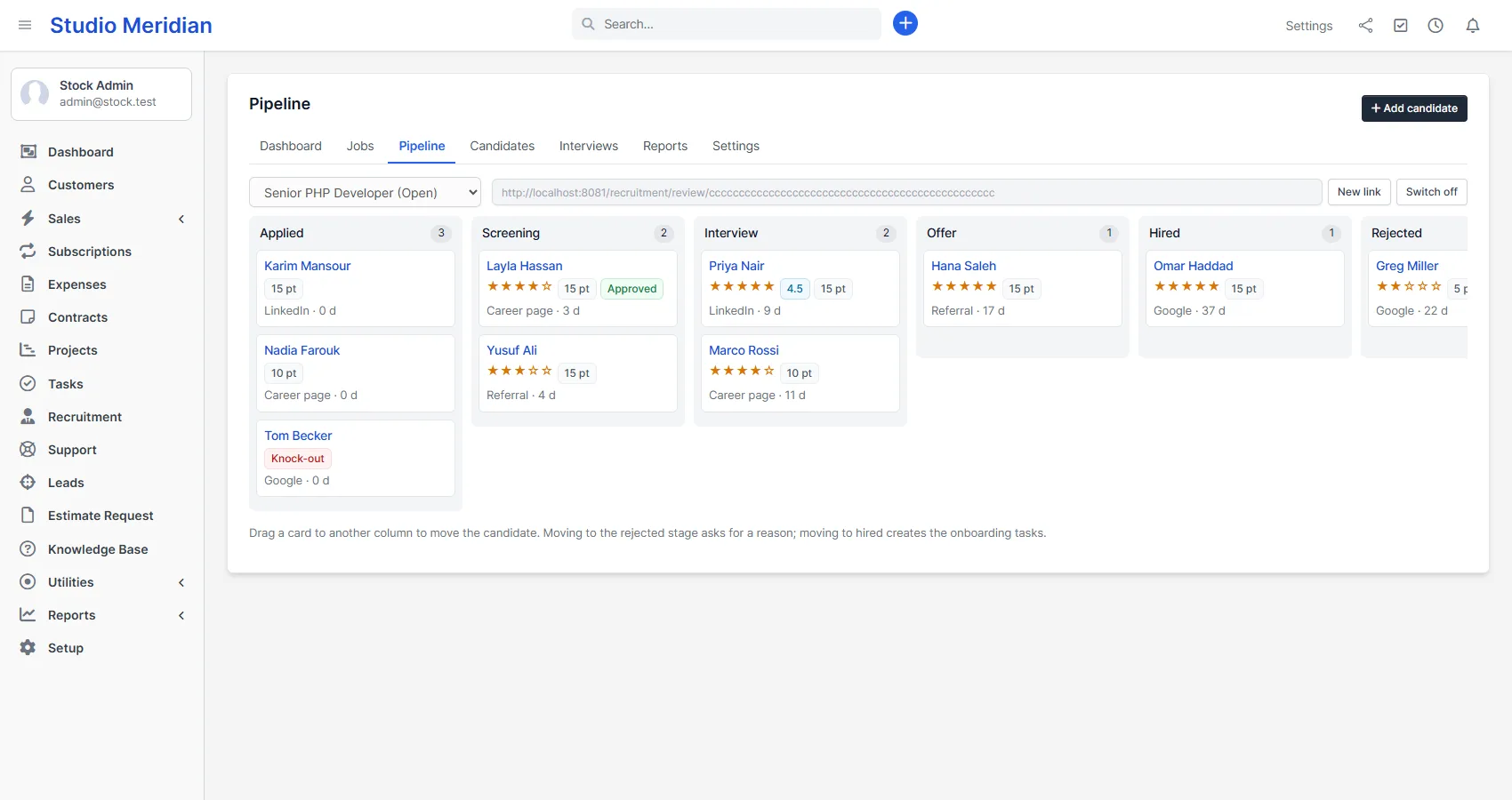
Every job has a board with your stages. Drag a card to move a candidate. Ratings, tags, screening points and interview scores show on the card. Moving a candidate to Rejected asks for a reason and offers to send the rejection email. Moving to Hired creates your onboarding tasks in Perfex CRM. You can rename, add, move and delete the middle stages.
Everything about a candidate on one page
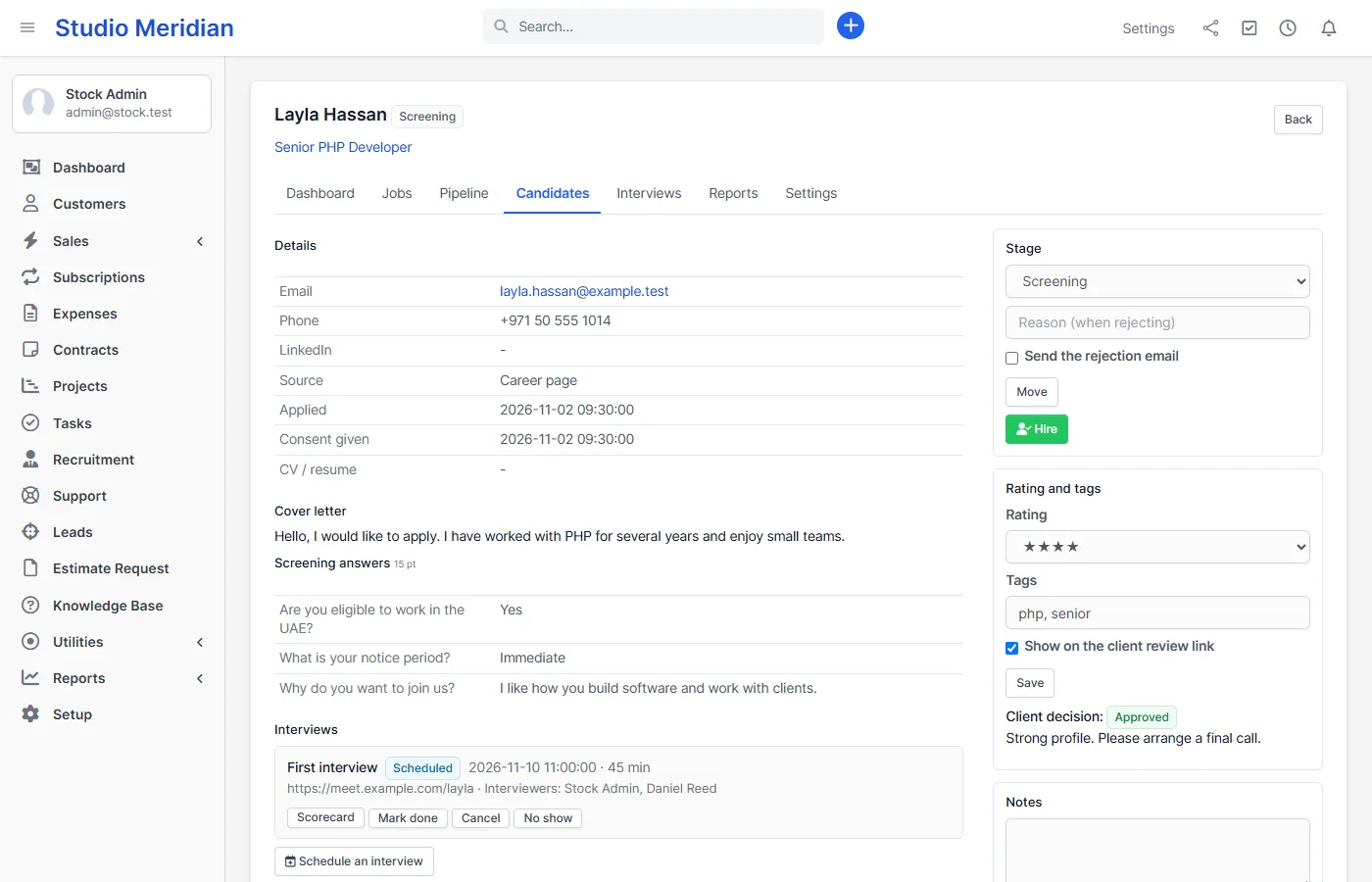
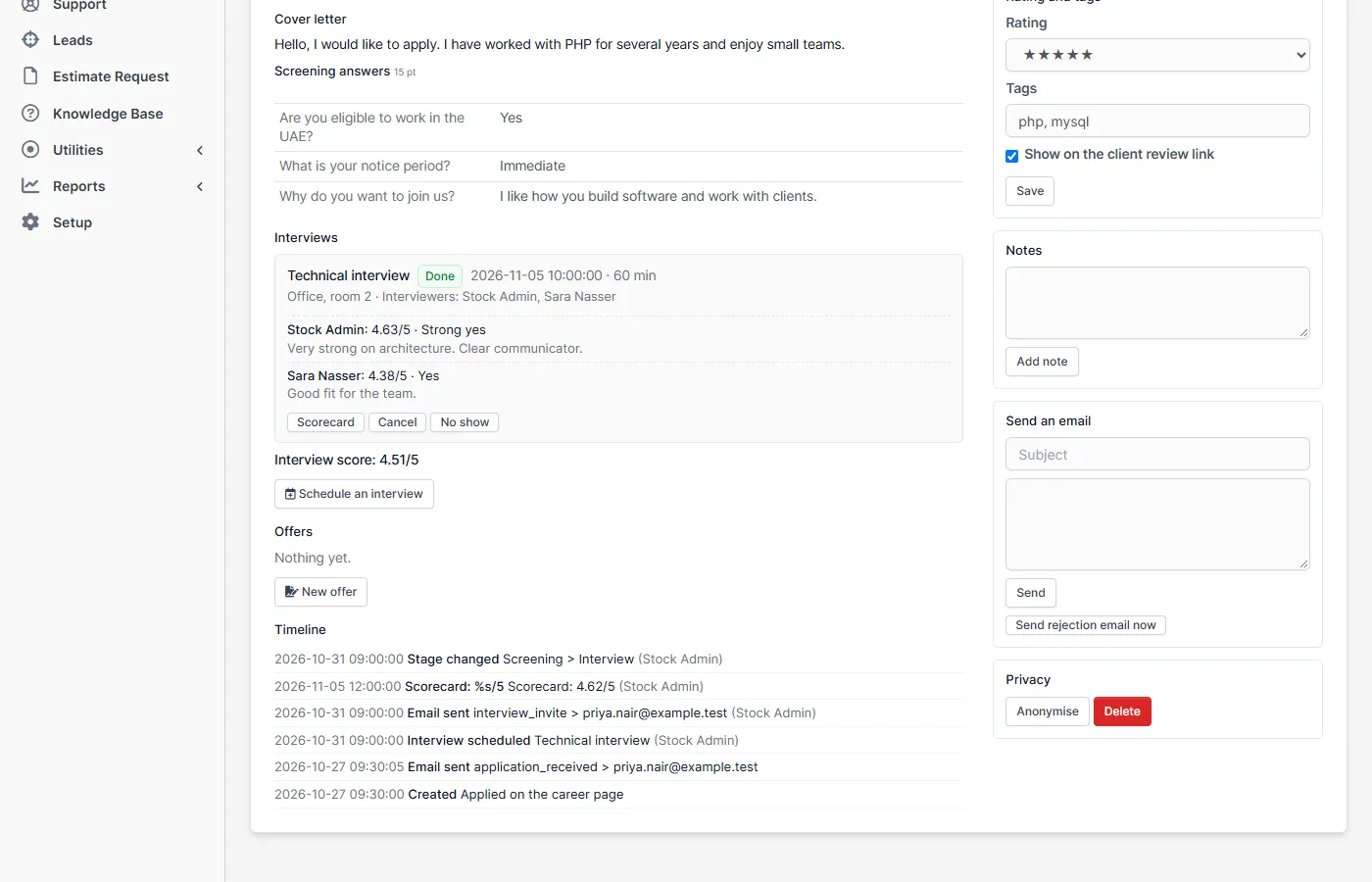
The candidate page shows the details, the CV download, the answers, rating, tags and notes, and a timeline of everything that happened, including every email the module sent (or could not send). You can email the candidate from here, schedule an interview, write an offer, hire, anonymise or delete.
Interviews with calendar invitations and scorecards
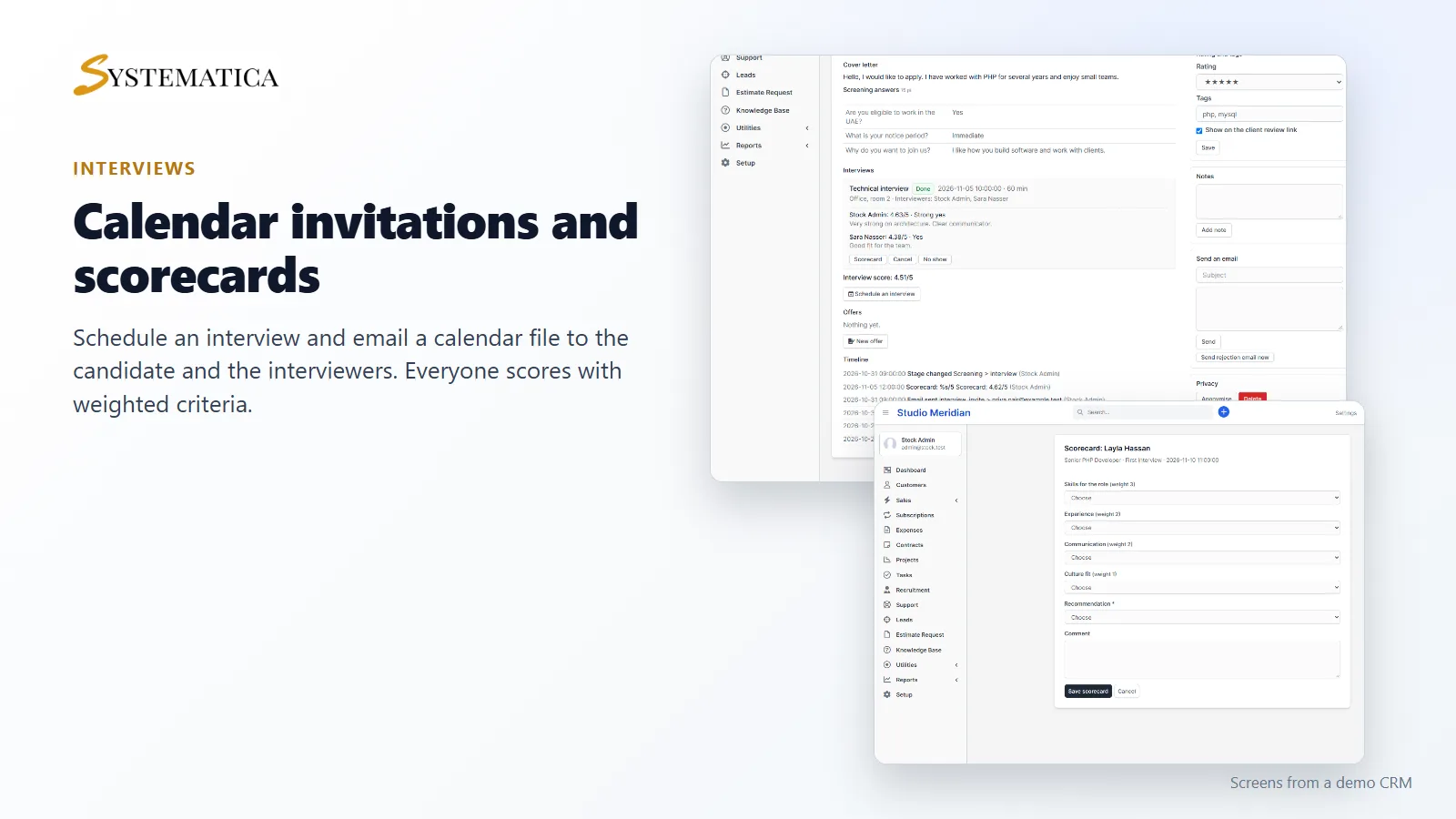
Schedule an interview with a date, time, place or meeting link and choose the interviewers. The candidate and the interviewers get an email with a calendar file (.ics) that opens in Google Calendar, Outlook and Apple Calendar. Interviewers get a reminder the day before. After the interview each interviewer fills in a scorecard: 1 to 5 for each criterion you define, each with its own weight, plus a recommendation. The candidate page shows the weighted average and every recommendation.
Offers and onboarding
Write the offer letter from a template, send it by email as a PDF and mark it accepted or declined. When you hire, the module creates one Perfex CRM task for each line of your onboarding checklist, with due dates and the person responsible.
A private review link for clients and managers
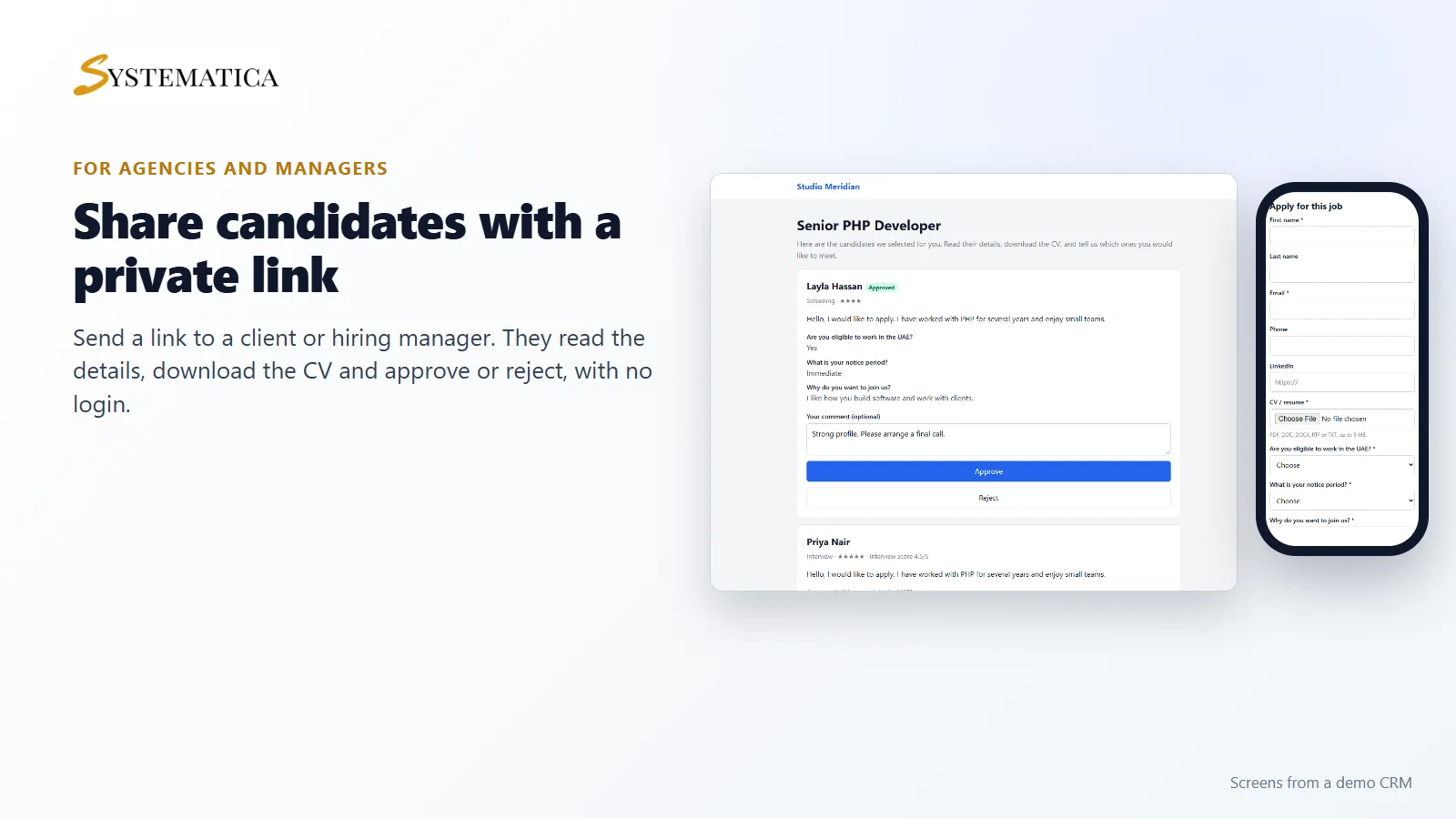
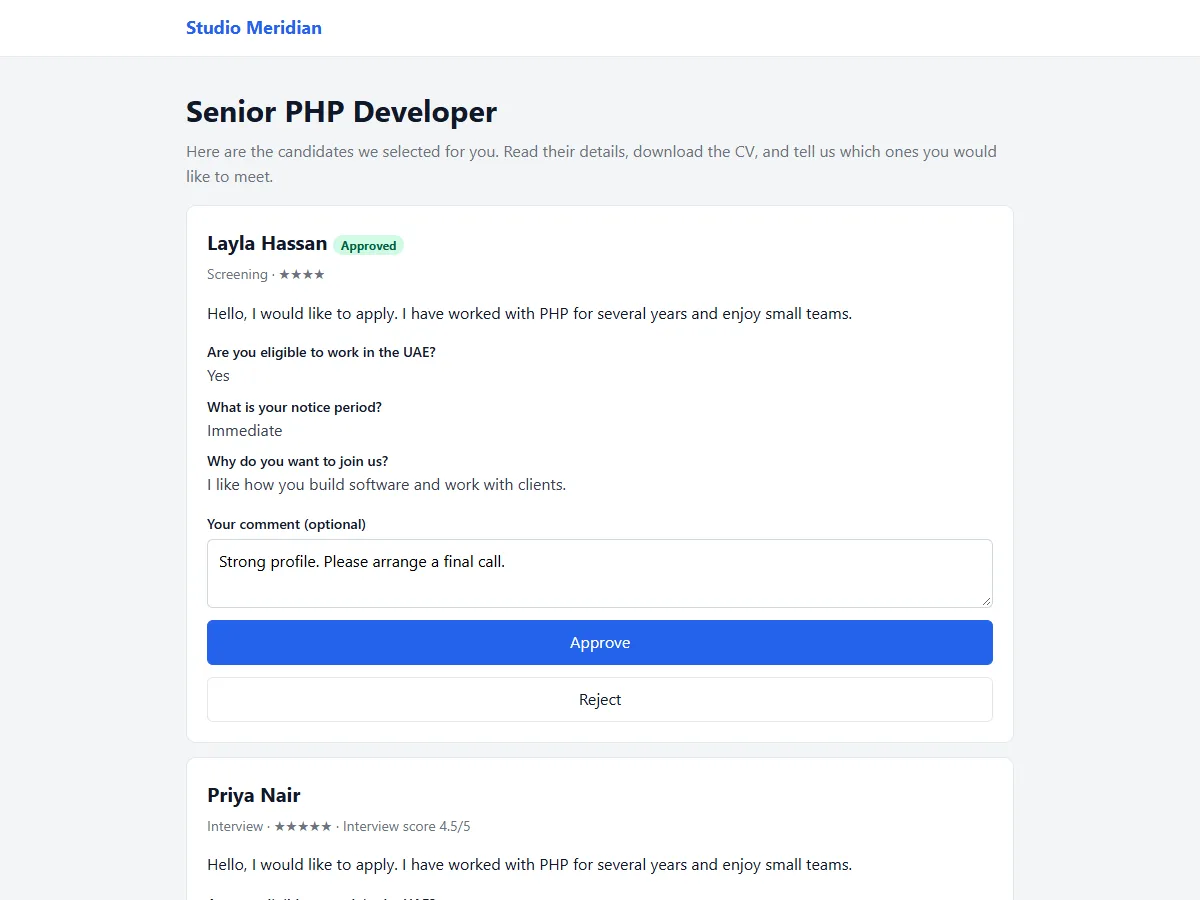
On a job’s pipeline page create a private link and tick the candidates you want to share. A client or hiring manager opens the link, with no login, reads the details, downloads the CV and approves or rejects with a comment. You see the decision on the candidate and get an email. It is made for recruitment agencies and for hiring managers who do not use the CRM.
Email templates, reports and privacy
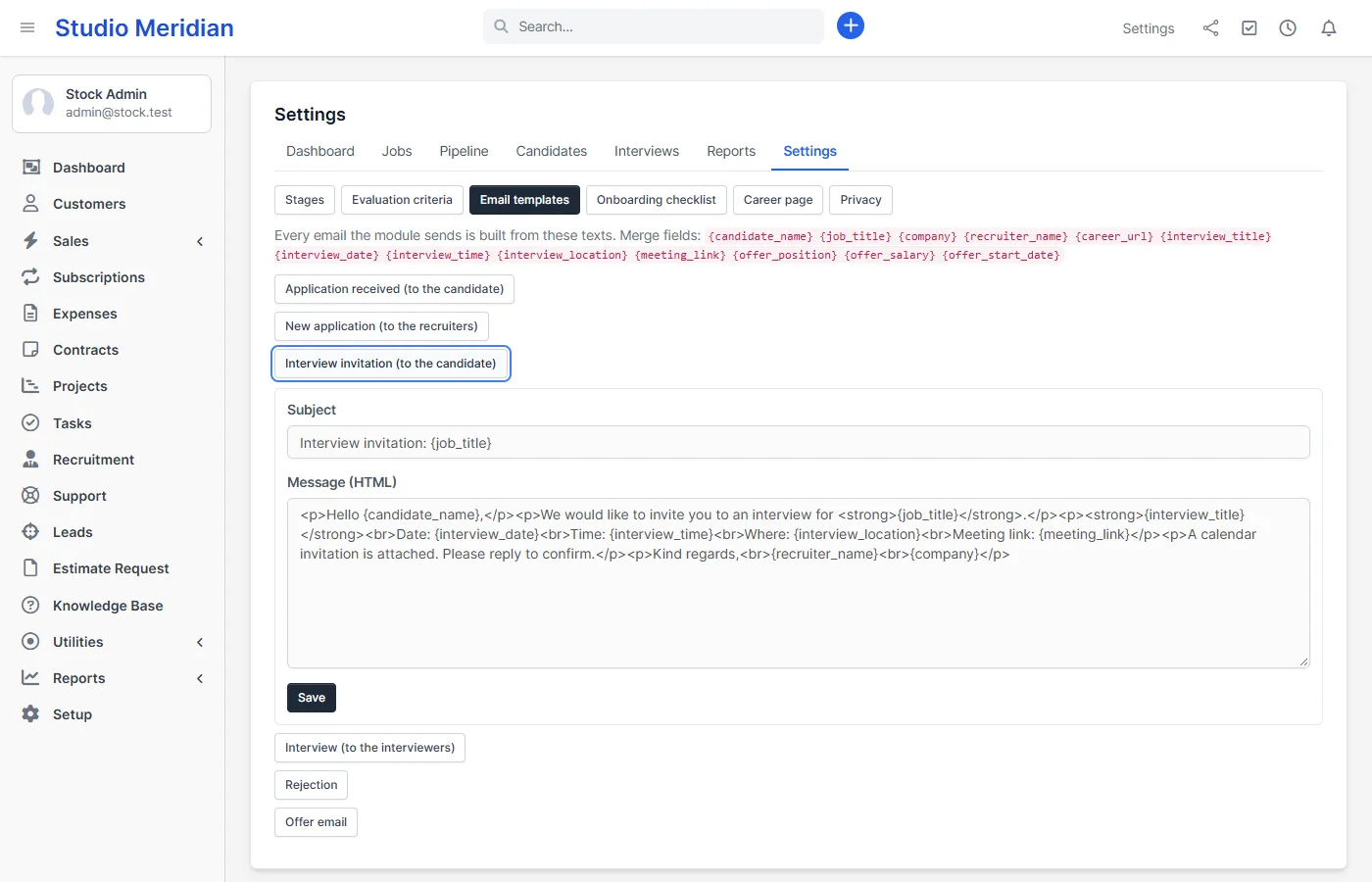
- Email templates: six texts you can edit, with merge fields. The invitation text can be changed too. Every email is written on the candidate timeline as sent or failed.
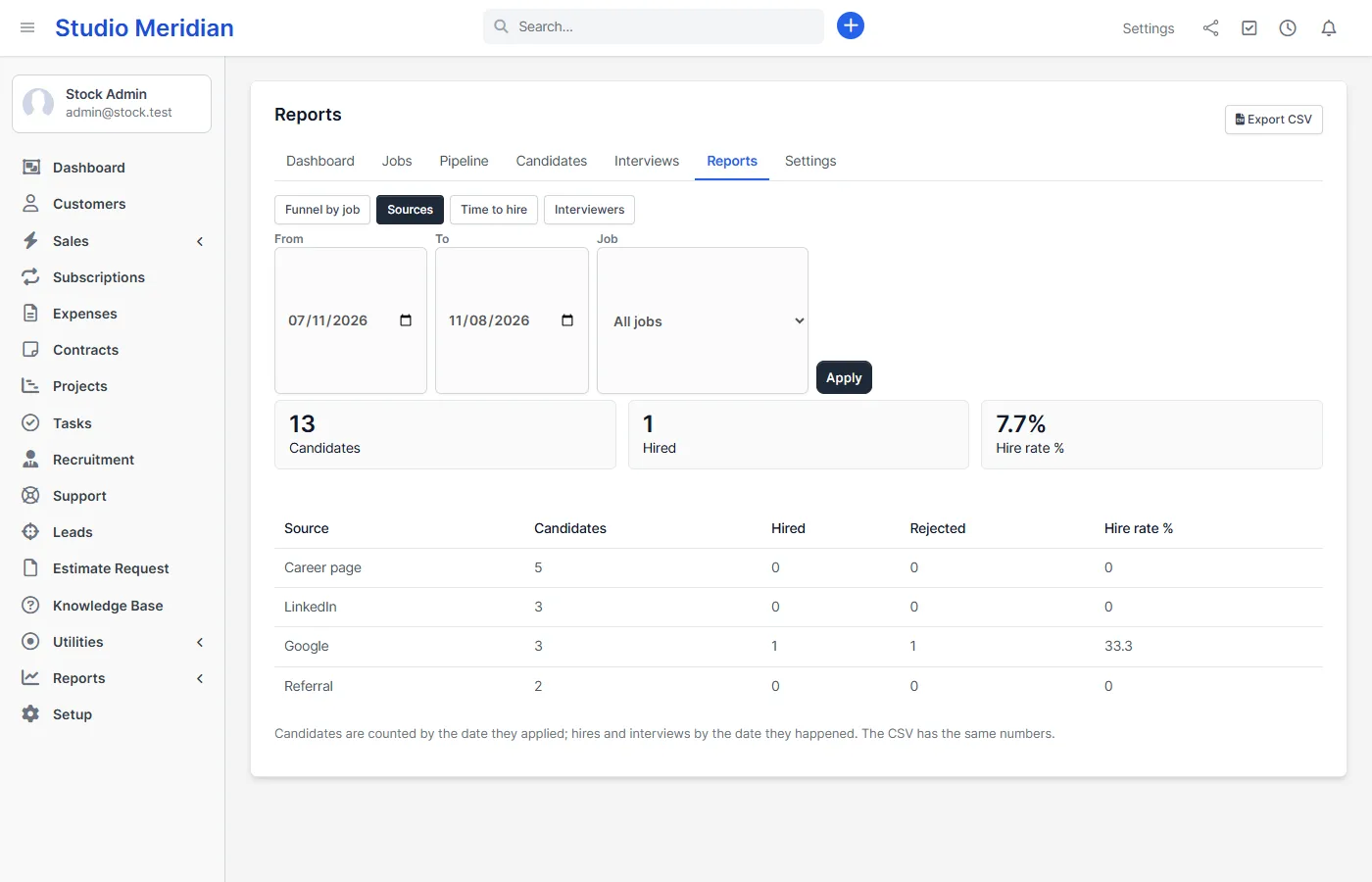
- Reports with CSV: funnel by job and stage, sources and hire rate, time to hire and interviewer load.
- Import and export: import candidates from a CSV with duplicate detection and export the filtered list.
- Privacy: consent on the form, anonymise or delete one candidate, and anonymise old rejected candidates automatically after a number of days you choose.
- Rights: view, create, edit, delete, interviews, offers, reports and settings. An interviewer sees only their own interviews and scorecards.
Set it up
- Upload the module under Setup > Modules and activate it.
- Open Recruitment in the sidebar and enter your license key.
- Open Settings, check your stages and email texts, then create your first job.
Requirements
- Perfex CRM 3.4 (tested on 3.4.1 with PHP 8.3)
- PHP with the sodium and GD extensions, which Perfex CRM already needs
- Working email settings, because applications, invitations, rejections and offers are sent by email
- The Perfex CRM cron job, for interview reminders, closing jobs by date and automatic anonymising
- A connection from your server to systematica.app over HTTPS when you activate the license
Good to know
- Version 1.0 has no candidate login portal. Candidates apply and receive emails.
- Dragging cards works with a mouse. On a phone or tablet you change a candidate’s stage from the candidate page.
- Calendar files are sent by email. There is no two-way sync with Google or Outlook.
- Offers are PDF letters sent by email. For legally signed offers you can use our separate E-Signature module.
- The career page and emails are in English. Job texts use whatever language you write them in.
- CVs are stored on your own server in
uploads/recruitmentand served only through the CRM to staff with the right. On an nginx server, block that folder in your server settings. - The pictures show a demo CRM with sample data.
License, support and updates
After purchase you receive a license key by email. One license key activates the module on one website. To move it, deactivate the license under Recruitment > Recruitment license and activate it on the new site. You get 1 year of use, support through our ticket system and free updates through your Systematica account. Recruitment works inside Perfex CRM, which you need to own. Looking for more guides? See the Perfex CRM documentation.
Frequently asked questions
Do candidates need an account to apply?
No. A candidate fills in one form on your career page with their details, CV and answers. They get a confirmation email.
Can I use the Perfex CRM recruitment module as a recruitment agency?
Yes. Link a job to a client, share selected candidates through the private review link, and let the client approve or reject with a comment. The client does not log in and sees only the candidates you share for that job.
Does it send calendar invitations?
Yes. Interview emails to the candidate and the interviewers include a calendar file that opens in Google Calendar, Outlook and Apple Calendar.
Can I change the email texts?
Yes. All six emails, including the interview invitation and the rejection, can be edited with merge fields, and you can go back to the default text at any time.
How does it handle privacy?
The form records consent. You can anonymise or delete a candidate by hand, and rejected candidates can be anonymised automatically after a number of days you set. CVs are served only to staff with the right.