
Perfex CRM addons are extra modules that add features the core CRM does not have, such as WhatsApp chat, payroll, online booking or inventory. You upload a module, activate it, and a new menu appears in your admin area. This guide shows how to choose Perfex CRM addons by the problem they solve, in what order to add them, and how to test one before your team depends on it.
What Perfex CRM addons add to the CRM
The core CRM covers leads, customers, estimates, invoices, projects, tasks and tickets. Addons sit on top of that and reuse the same client records, so nothing has to be copied between systems. An addon can add a screen, a report, a button inside an existing page, or a background job such as a reminder.
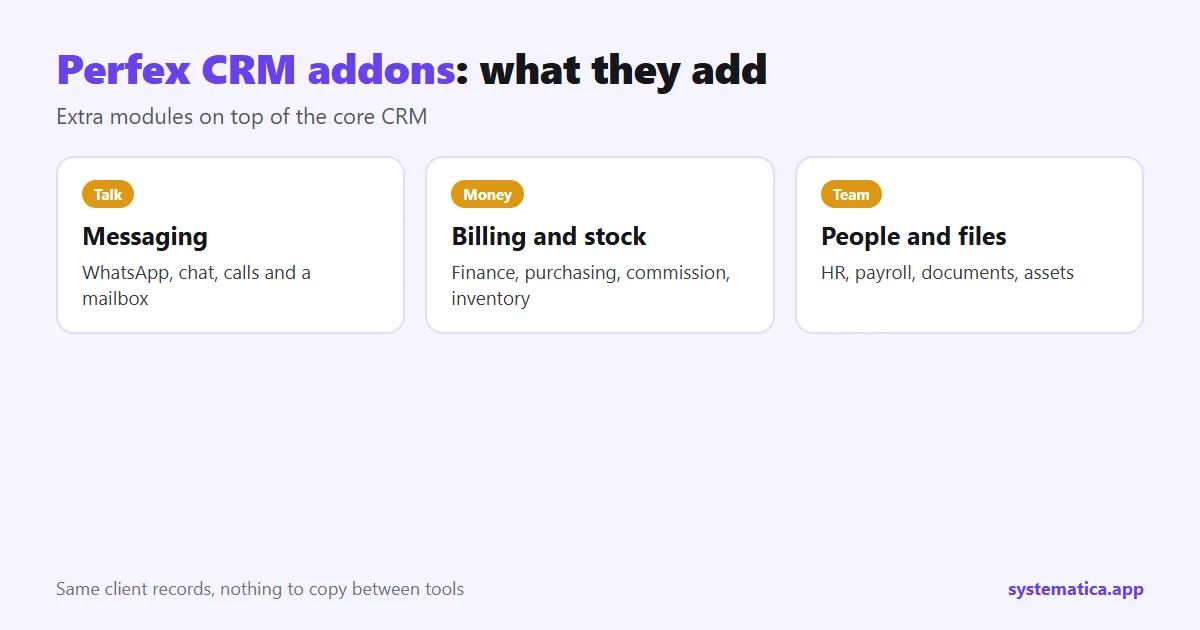
You will also see them called add-ons, modules, extensions or plugins. In Perfex CRM they are the same thing. For the wider picture, read Perfex CRM extensions, plugins and addons and our list of the best Perfex CRM modules. This page is different: it helps you pick the right one for your situation.
Pick Perfex CRM addons by the problem they solve
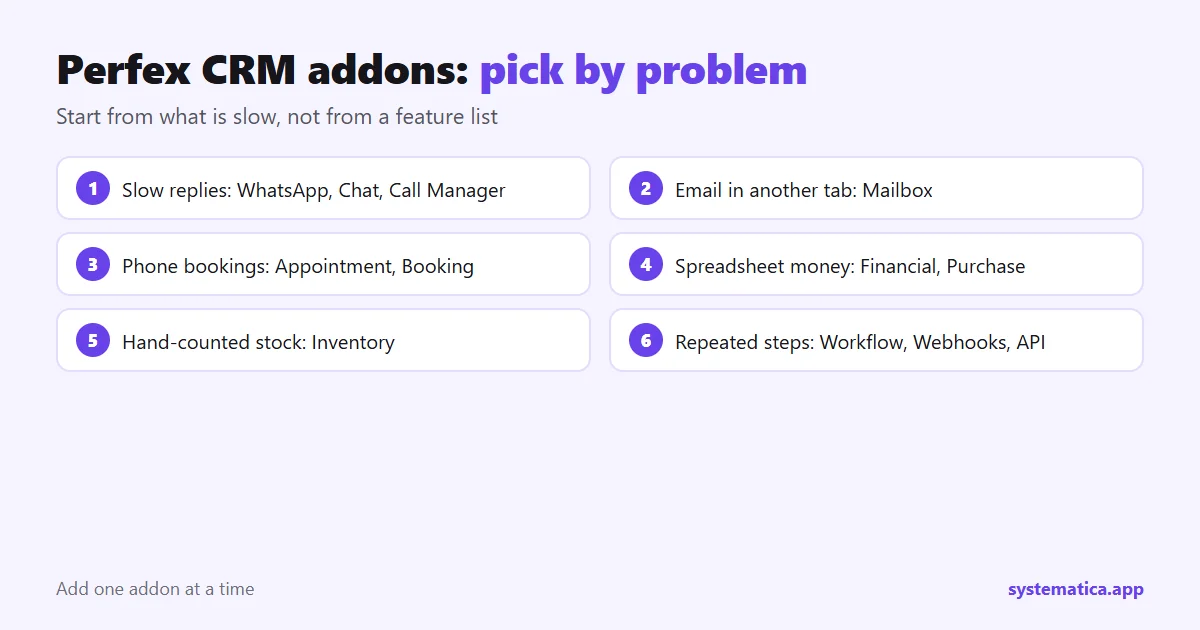
Do not start from a feature list. Start from the part of your week that is slow, and match it to an addon.
- Customers want quick answers. WhatsApp for Perfex CRM, Chat and Call Manager keep conversations next to the client record.
- Email lives in another tab. Mailbox brings the inbox into the CRM.
- Bookings are done by phone. Appointment Manager and Booking System let clients pick a time themselves.
- Money is tracked in spreadsheets. Financial Management, Purchase Management and Sales Commission cover the accounting side.
- Stock is counted by hand. Inventory Management tracks items and warehouses.
- Staff admin is scattered. HR Management, HR Payroll and Timesheets and Leave put people data in one place.
- Files and papers are everywhere. Document Management, File Sharing, Assets Management and PDF Customizer.
- Repeated manual steps. Workflow Rules, Webhooks and REST API connect the CRM to other tools.
- The look and menu need to fit your brand. Theme Studio and Custom Links.
- You want to run the CRM for other businesses. SaaS Module.
You can browse every one of these in the Systematica module shop.
The order to add Perfex CRM addons
Add one at a time. A good order for most teams is:
- The channel your clients already use. For many that is WhatsApp or email.
- The money module. Billing and cost tracking pay for themselves fastest.
- Automation. Once the data is clean, rules save the most time.
- Everything else. HR, assets and design tweaks can wait.
Each addon adds database tables, settings and menu entries. Adding five on the same day makes it hard to find the cause when something looks wrong.
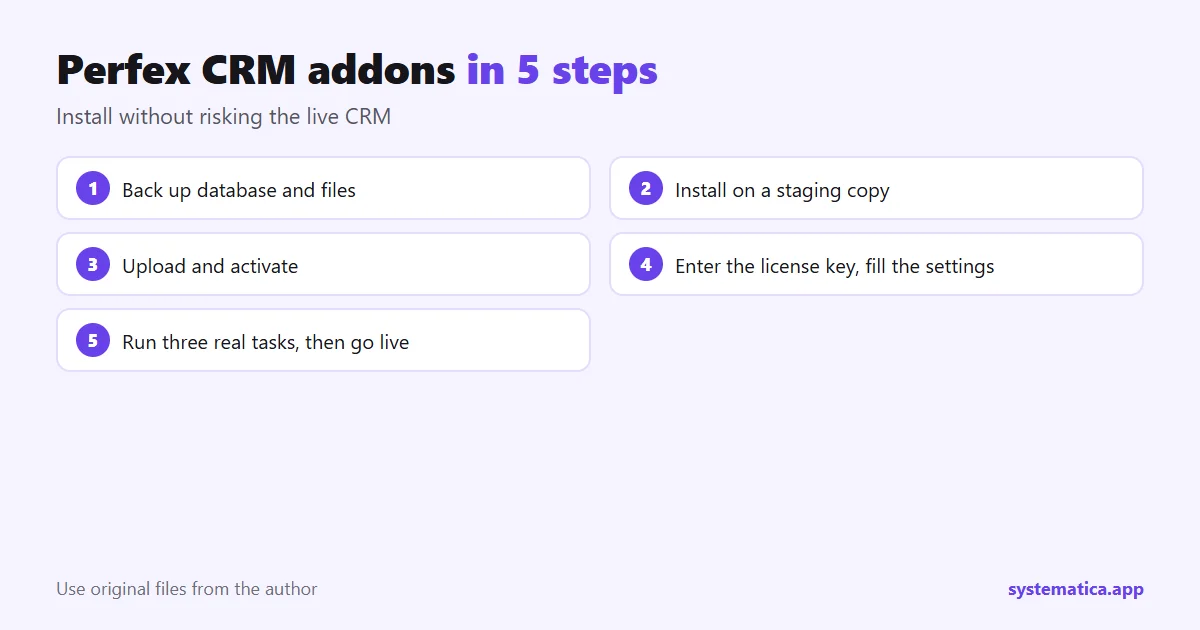
How to install and test Perfex CRM addons in 5 steps
- Back up first. Save the database and the files folder. Our installation guide explains where they live.
- Use a copy. Install on a staging copy of your CRM, not the live one.
- Upload and activate. Go to Setup, then Modules, upload the zip file and click Activate.
- Enter the license key if the addon asks for one, then open its settings and fill in the basics.
- Run three real tasks. Do the jobs your team does every day. If they work, repeat the install on the live CRM.
What to check before you buy Perfex CRM addons
- Version. Confirm it supports your Perfex CRM version. Ours need Perfex CRM 3.4 or newer.
- Documentation. Good addons have setup steps you can read before paying.
- Updates and support. Ask how long support lasts and how updates are delivered.
- Original files. Avoid copies from unknown sites. They can hide malware and never get updates. See why nulled modules are risky.
- Hosting. Heavy addons need enough memory and a current PHP version: Perfex CRM hosting.
What Perfex CRM addons cost
Most addons are a one-time payment per installation, and the CRM itself comes from the official Perfex store. Add the price of each addon to the license and your hosting to get the real total. We break the numbers down in Perfex CRM pricing. Start with one addon, measure the time it saves, and only then buy the next.
Frequently asked questions
What are Perfex CRM addons?
They are modules you upload to Perfex CRM to add features the core system does not have, such as WhatsApp chat, payroll, booking or inventory.
Are Perfex CRM addons the same as plugins?
Yes. Perfex CRM addons, modules, extensions and plugins all mean the same thing: a package you install under Setup, then Modules.
How many addons can I install?
There is no fixed limit, but every addon uses server resources and adds settings. Install only what your team uses, and one at a time.
Will an addon break my CRM?
A well-made addon should not change core files. Back up and test on a copy first, so any problem stays off your live CRM.
Where can I buy Perfex CRM addons?
Buy from the author. You can start with the Systematica module shop, which lists each addon with its documentation.