REST API for Perfex CRM lets other software read and write the data in your CRM. A website form can create a lead, an automation tool can read invoices, and your accounting app can look up customers. You create an API user for each connection, give it a token and decide exactly what it may do.
What you get with REST API for Perfex CRM
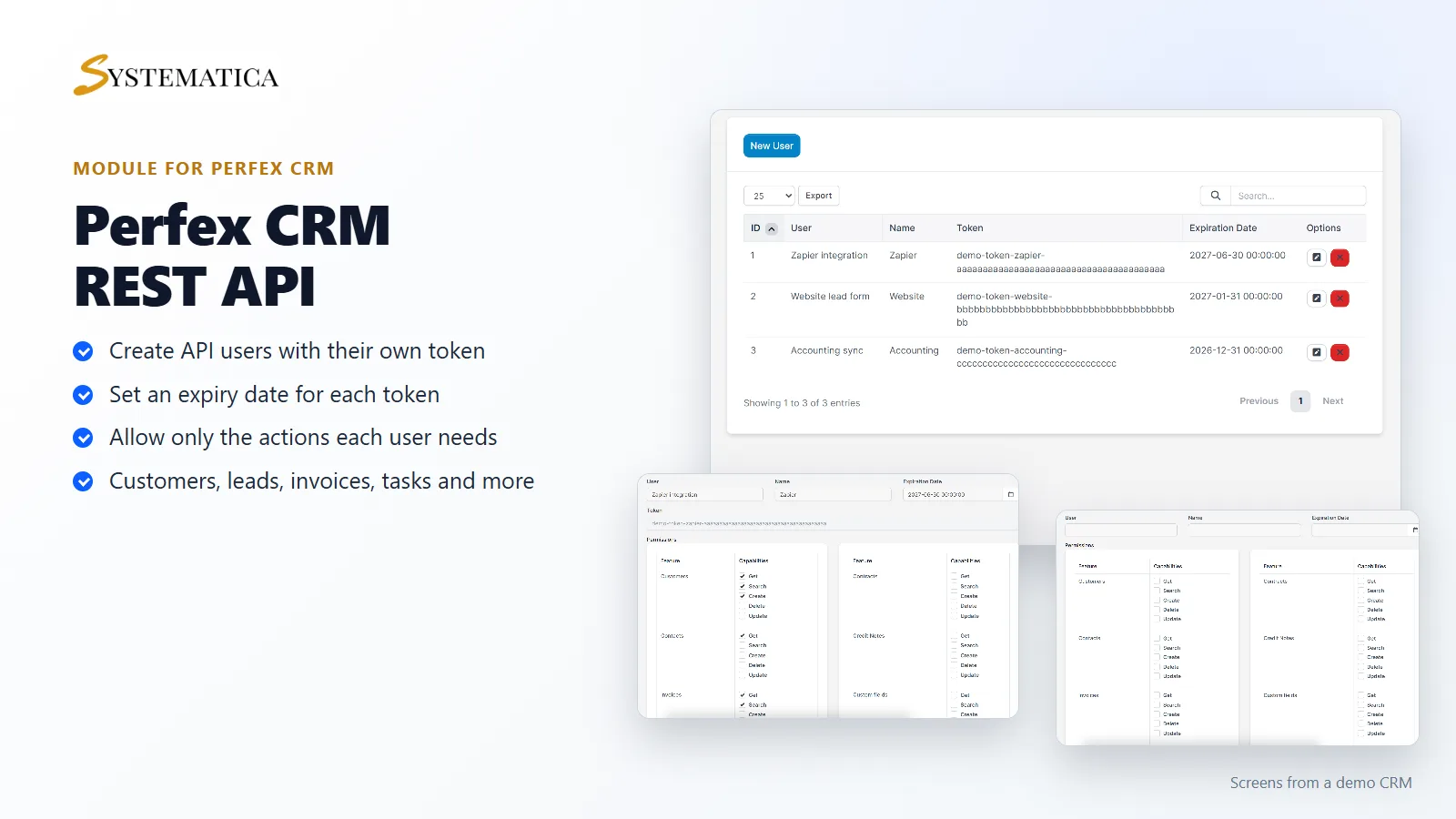
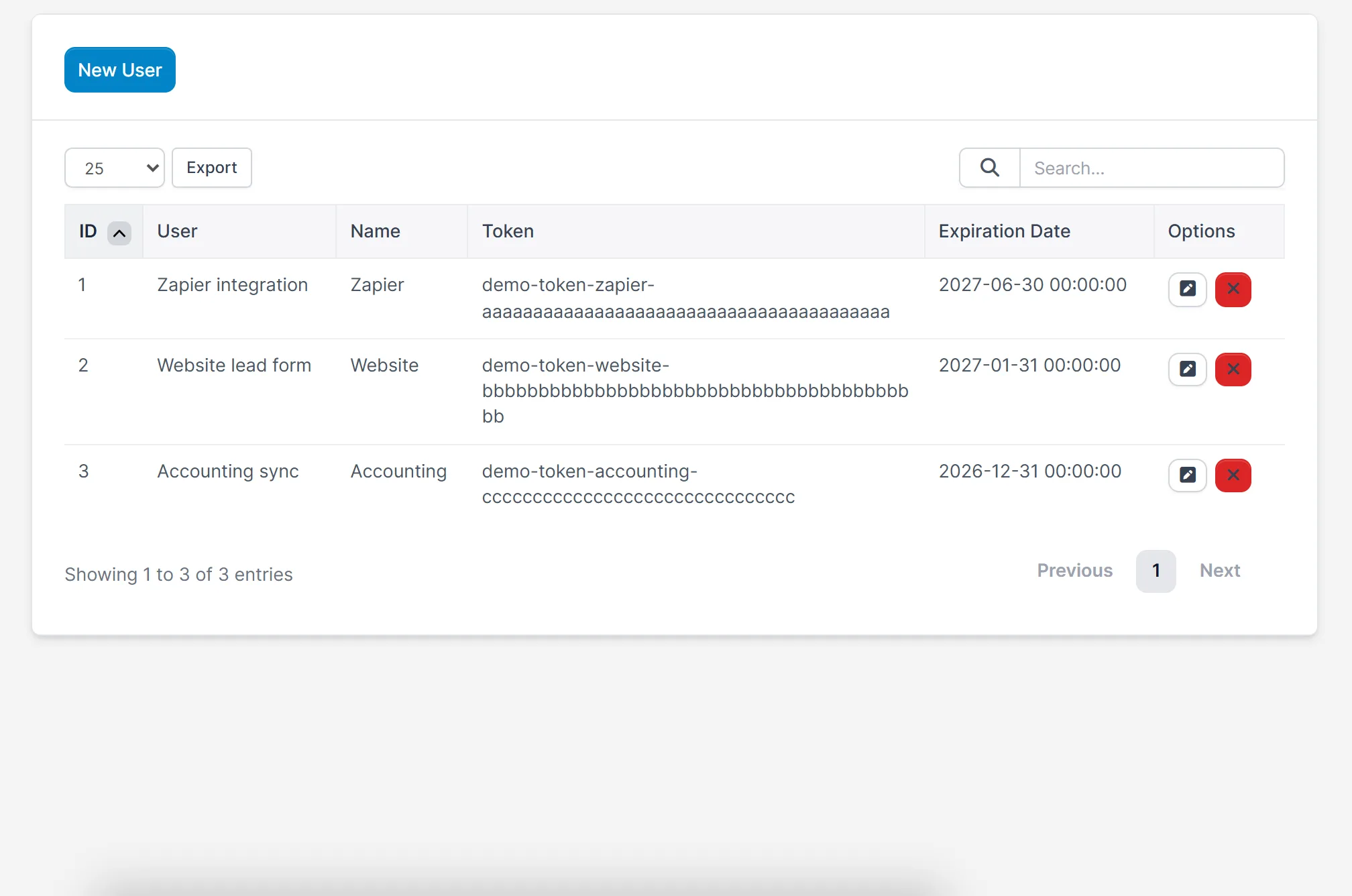
- API users, each with a name, a token and an expiry date
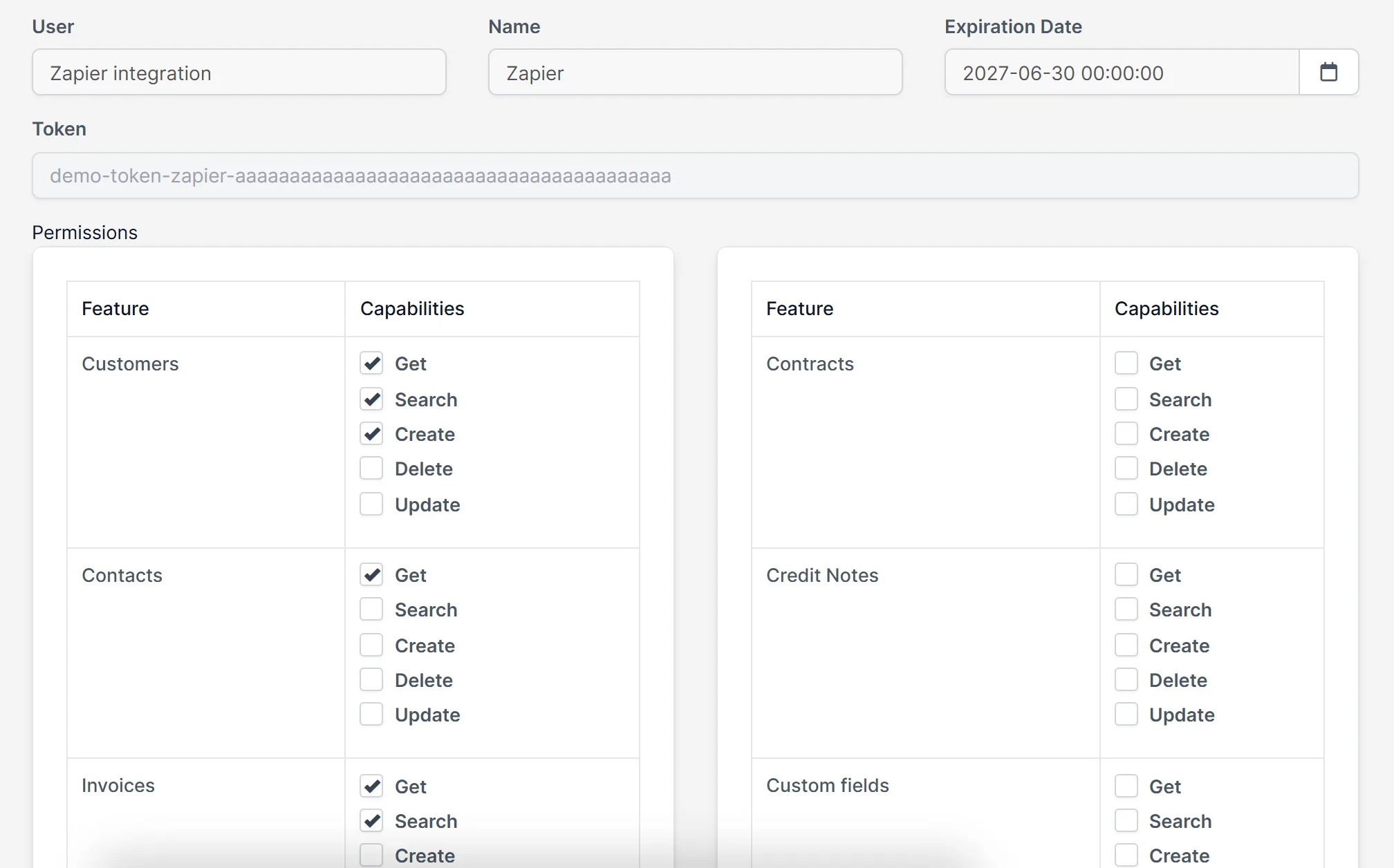
- Permissions per user and per feature: get, search, create, delete and update
- Endpoints for customers, contacts, leads, invoices, payments, credit notes, estimates, proposals, contracts and subscriptions
- Endpoints for projects, milestones, tasks, timesheets, tickets, expenses, items, staff, calendar events and custom fields
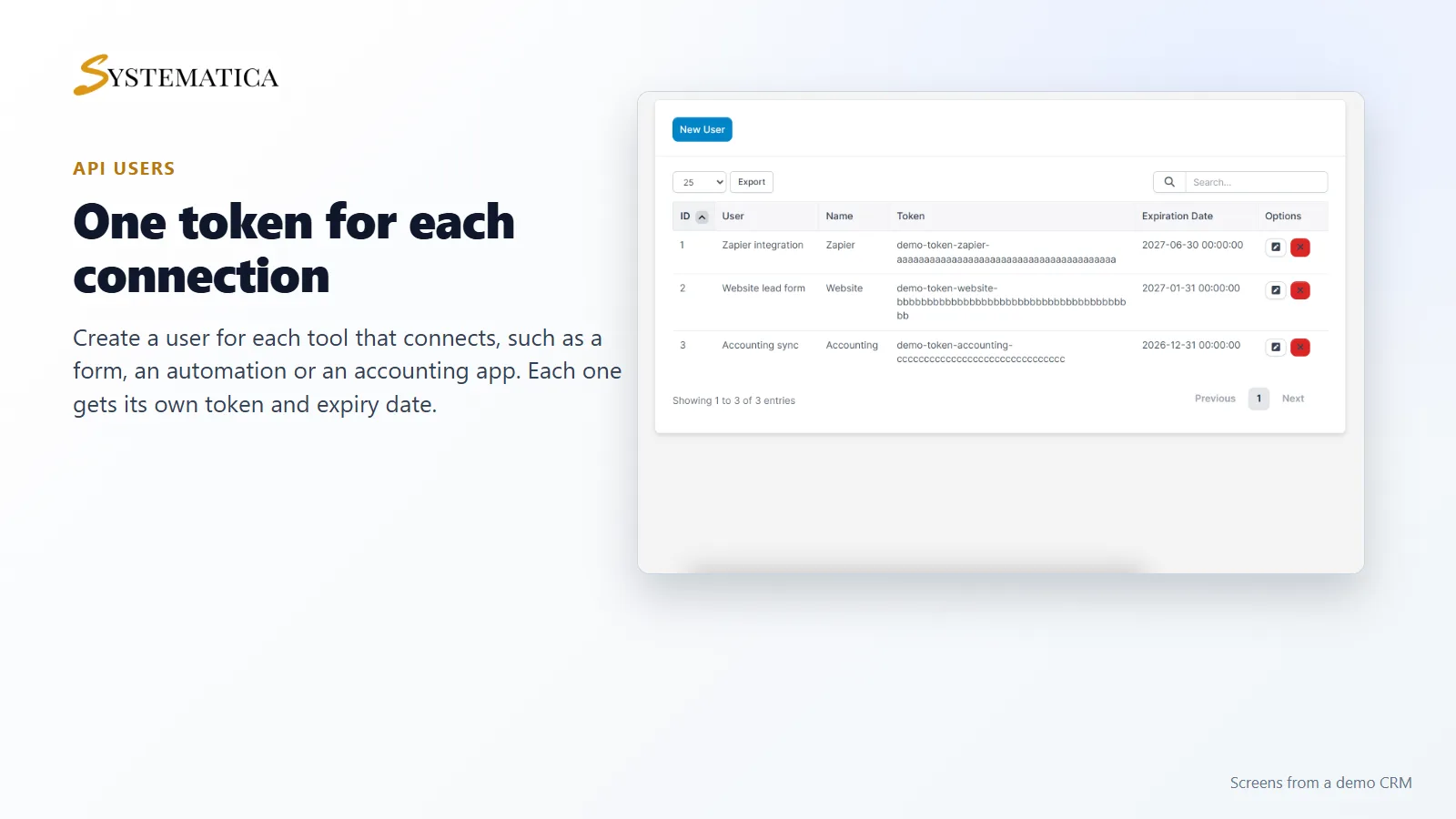
- A list of all API users with edit and delete
- An API documentation page inside the module
One API user for each connection
Create a separate user for every tool that connects. Give it a name, set an expiry date and keep its token private. If one tool is retired or its token leaks, you delete that user and the others keep working. REST API for Perfex CRM lists all users, tokens and expiry dates on one screen.
Give each user only the access it needs
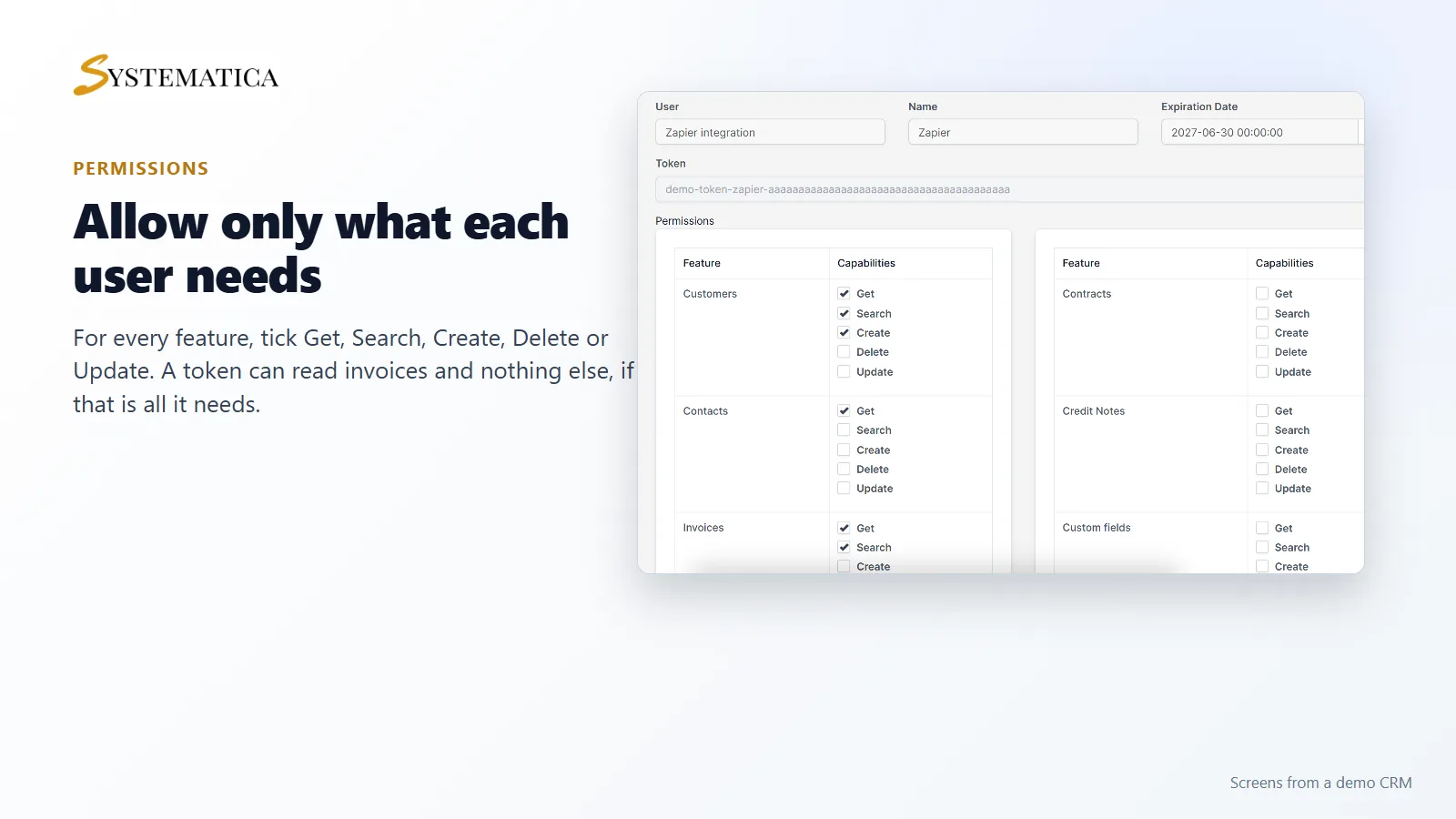
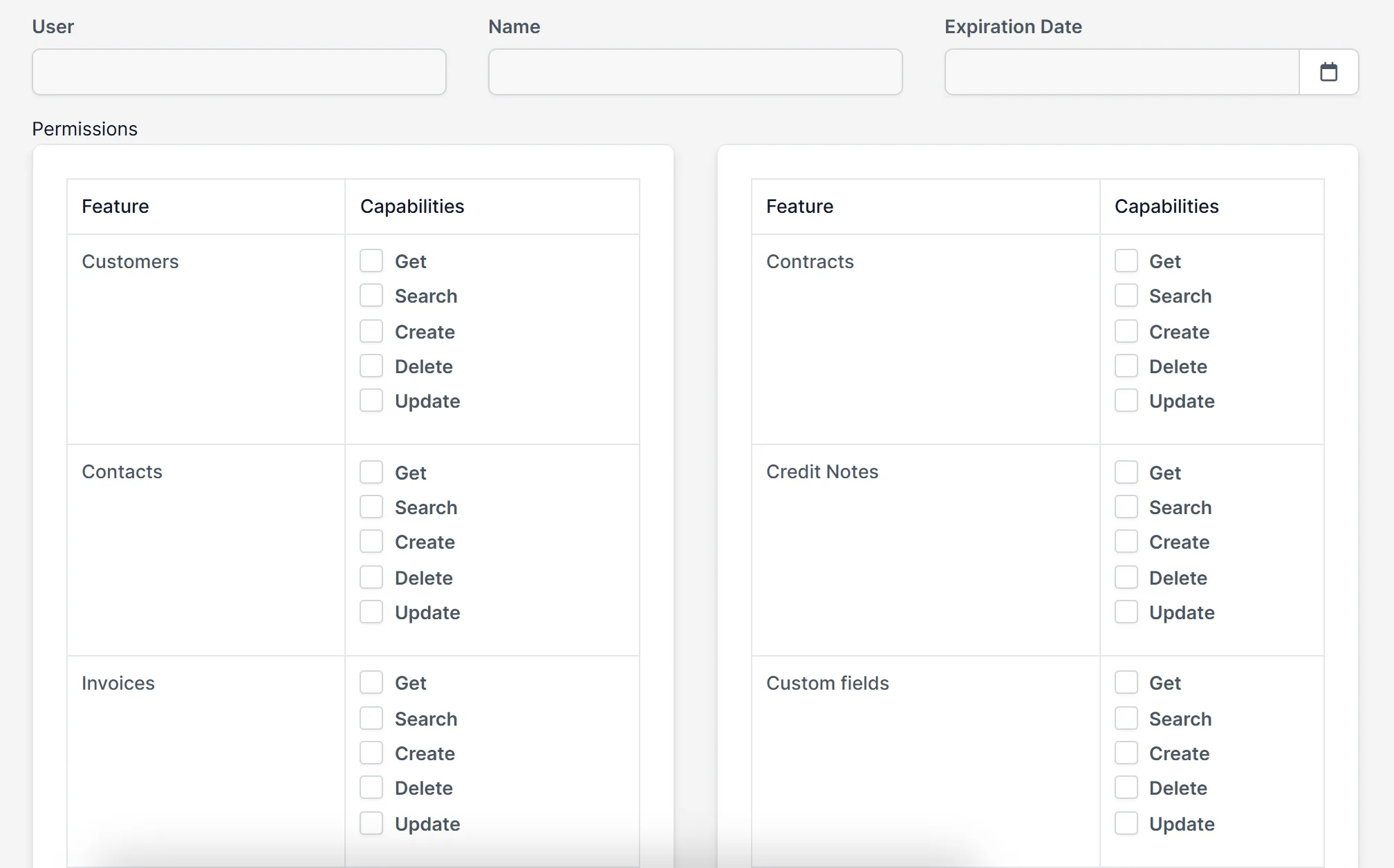
Permissions in REST API for Perfex CRM work per feature. A website lead form may only need to create leads. A reporting tool may only need to get invoices and payments. Tick the boxes that apply and leave the rest empty, so a token can never do more than you intended.
Features you can reach through the API
The module has a controller for each of these areas of your CRM: customers, contacts, leads, invoices, payments, credit notes, estimates, proposals, contracts, subscriptions, projects, milestones, tasks, timesheets, tickets, expenses, items, staff, calendar and custom fields. The capabilities offered differ by feature. For example, some features offer only list and search.
Set up the API
- Upload the module under Setup > Modules and activate it.
- Open Perfex API > License and enter your license key.
- Open Perfex API > API Settings and click New User.
- Enter a name and an expiry date, and tick the permissions.
- Save, then copy the token into the tool that will connect.
- Read the module’s documentation page for the request format of each endpoint.
Requirements
- Perfex CRM 3.4 or newer (tested on 3.4.1)
- HTTPS on your CRM address, so tokens are not sent in the clear
- A connection from your server to systematica.app over HTTPS
Good to know
- The screens in the pictures are from a demo CRM. The tokens shown are samples.
- REST API for Perfex CRM is used with software that can send web requests. It is not a ready-made connector for any one app.
- Treat tokens like passwords. Give each tool its own, with an expiry date.
License, support and updates
After purchase you receive a license key by email. One license key activates the module on one website. To move it, deactivate the license under Perfex API > License and activate it on the new site. You get 1 year of use, support through our ticket system and free updates through your Systematica account. REST API for Perfex CRM runs inside Perfex CRM, which you need to own.
Frequently asked questions
What does REST API for Perfex CRM do?
It gives other software controlled access to your CRM data through web requests, using tokens that you create and limit.
Which data can the API reach?
Customers, contacts, leads, invoices, payments, projects, tasks, tickets, expenses, staff and more. The full list is on this page.
Can I limit what a token can do?
Yes. Each API user has its own permissions per feature: get, search, create, delete and update.
Do tokens expire?
Each API user has an expiration date that you set.
Can I use one license on more than one website?
One license key activates the module on one website. You can move it by deactivating it on the old site and activating it on the new one.
Need help with this module?
Every license is valid for 1 year and includes support through our ticket system and free updates. To keep using the module after that, renew your license.