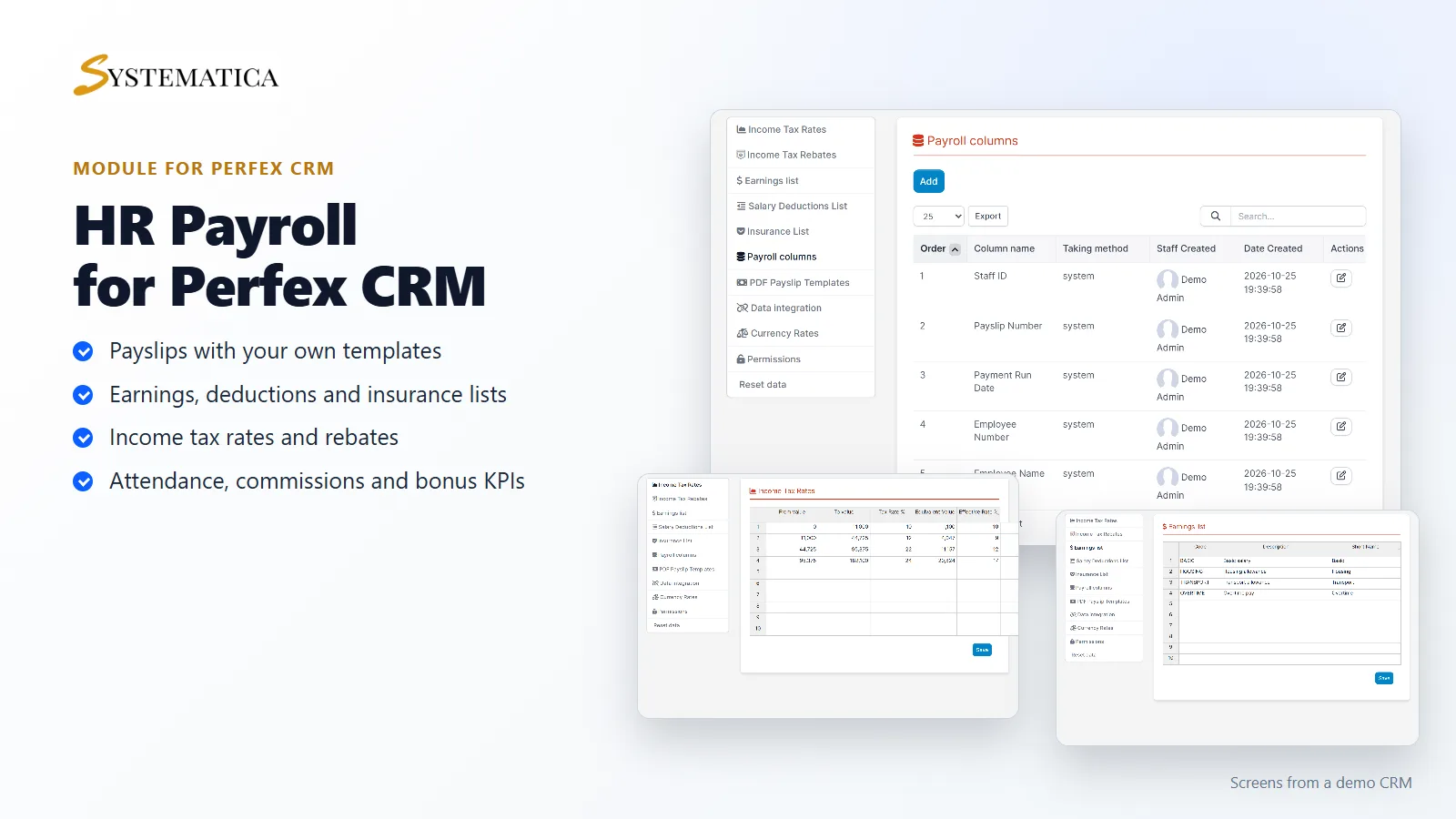
The HR Payroll Module for Perfex CRM helps you pay your employees from inside your CRM. You keep lists of earnings, deductions and insurance, set your income tax brackets, choose the columns of your payslip and create payslips by month. Attendance, commissions and bonus KPIs feed into the same place. You stop rebuilding the payroll spreadsheet every month.
What you get with the HR Payroll Module for Perfex CRM
- An employees screen with payroll data for a chosen month, filtered by department, role and staff
- Attendance, commissions, deductions, bonus KPIs and insurance screens
- Payslips by month, with payslip templates and PDF payslip templates
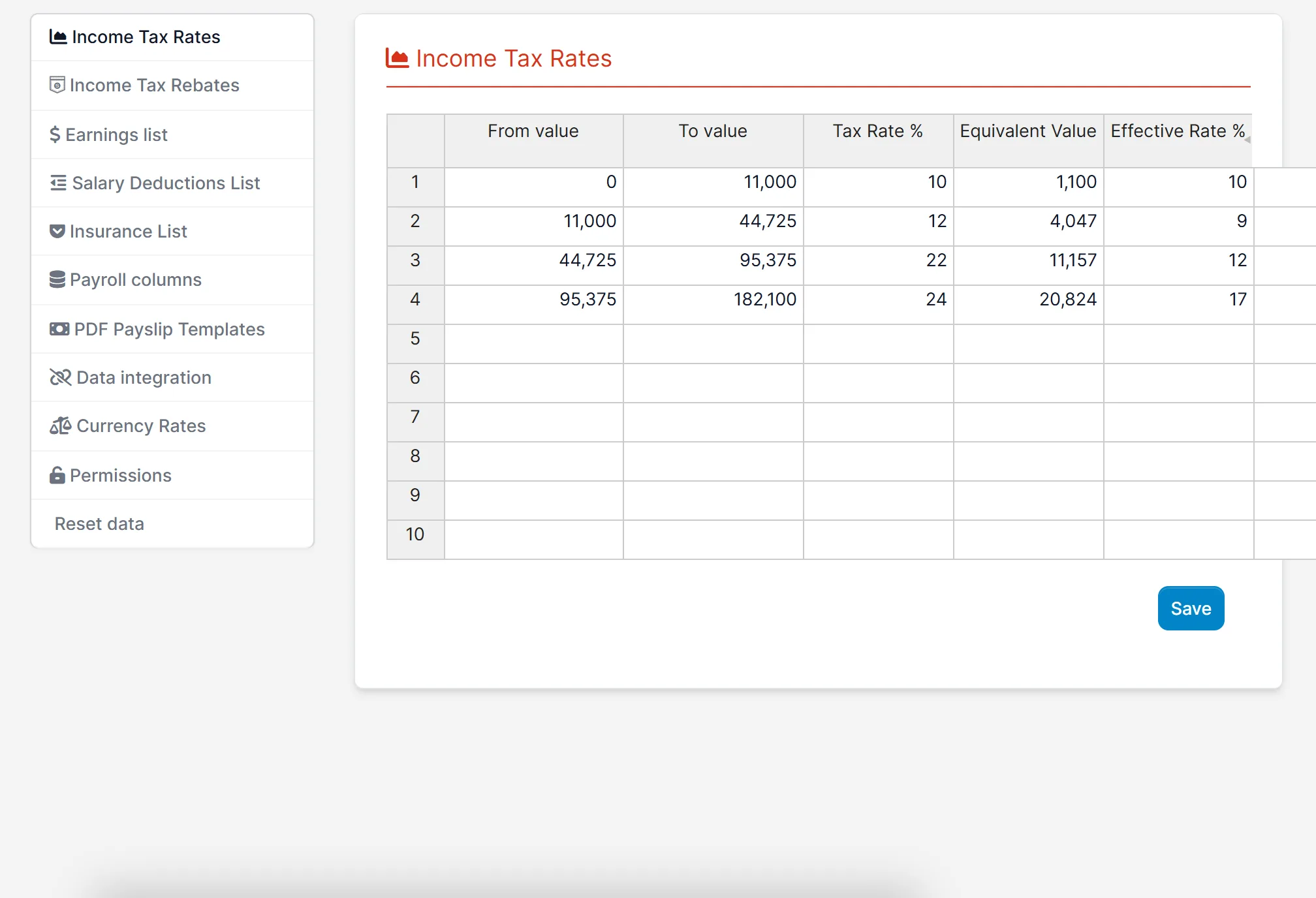
- Income tax rates, income tax rebates and an income taxes screen
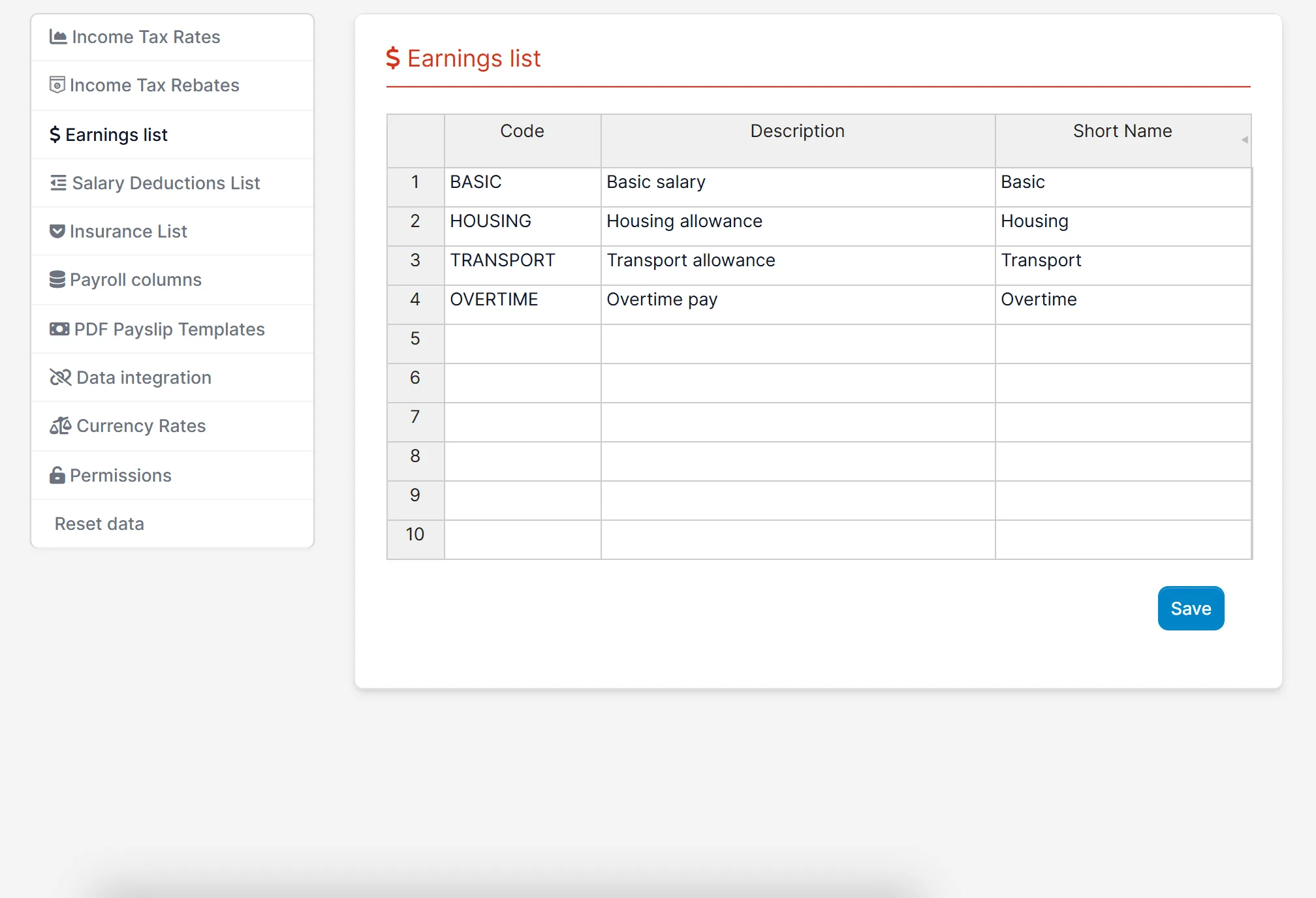
- An earnings list, a salary deductions list and an insurance list that you define
- Payroll columns: system columns such as staff ID, payslip number, employee name and department, and columns you add
- Currency rates and data integration settings
- Permissions and a reset data option
- Payroll reports
Set up earnings, deductions and tax
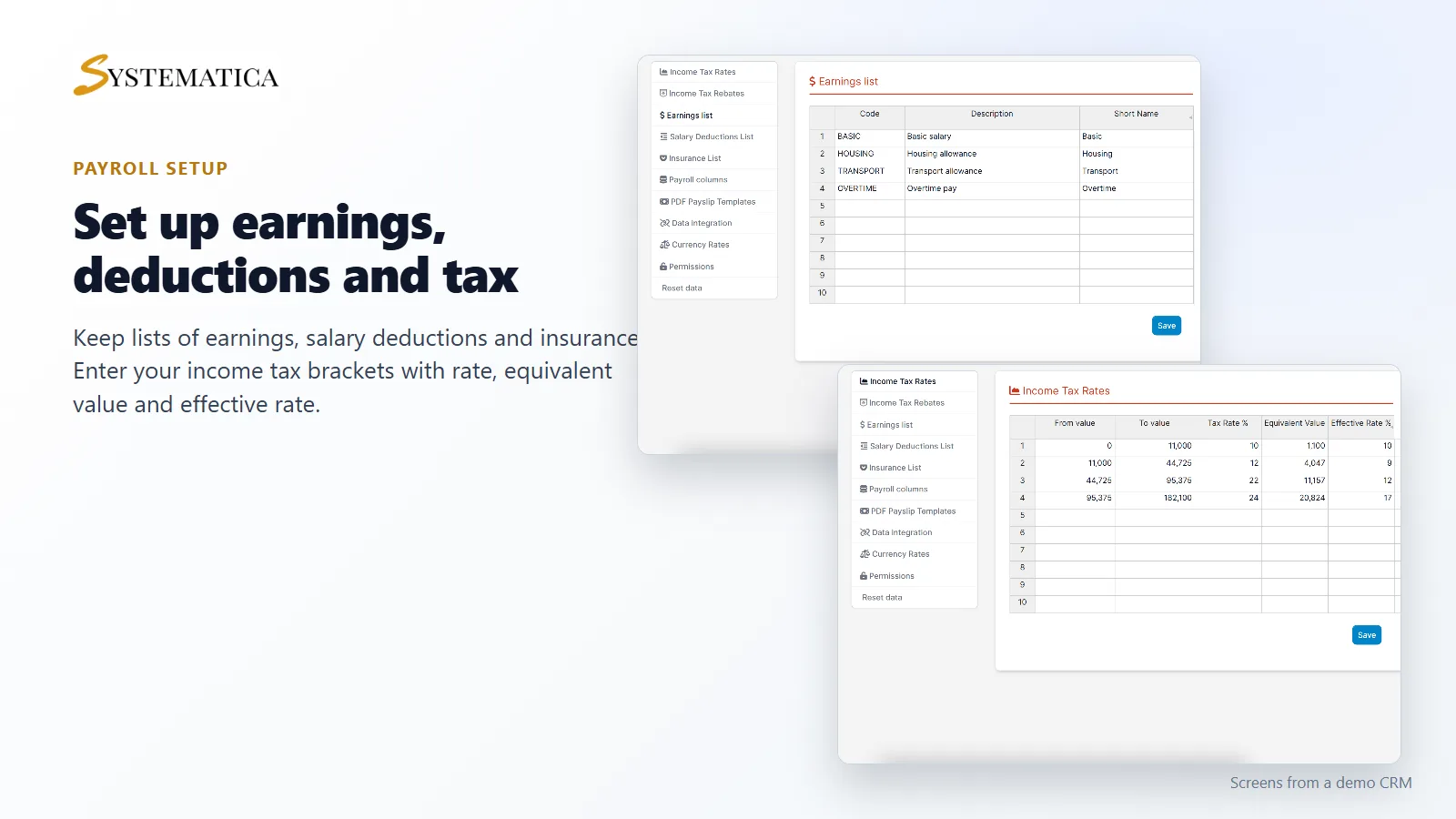
Start with the lists in the settings. Add the earnings you pay, such as basic salary, housing and transport, and mark whether each one is taxable. Add salary deductions with a rate and a basis, and insurance types with their rates. Then enter your income tax brackets: from value, to value, tax rate, equivalent value and effective rate. The HR Payroll Module for Perfex CRM uses these lists when it builds payslips.
Choose the columns of your payslip
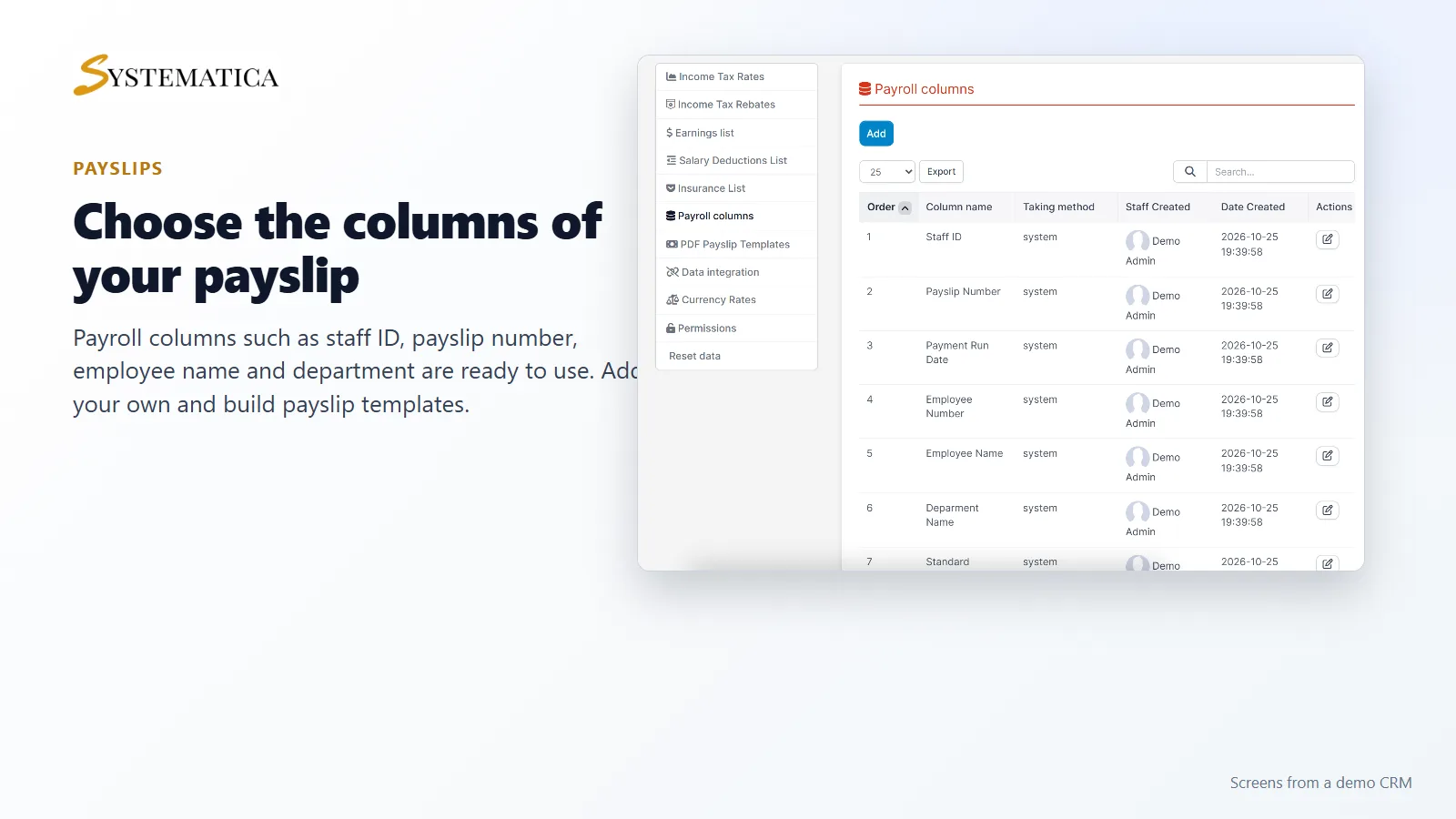
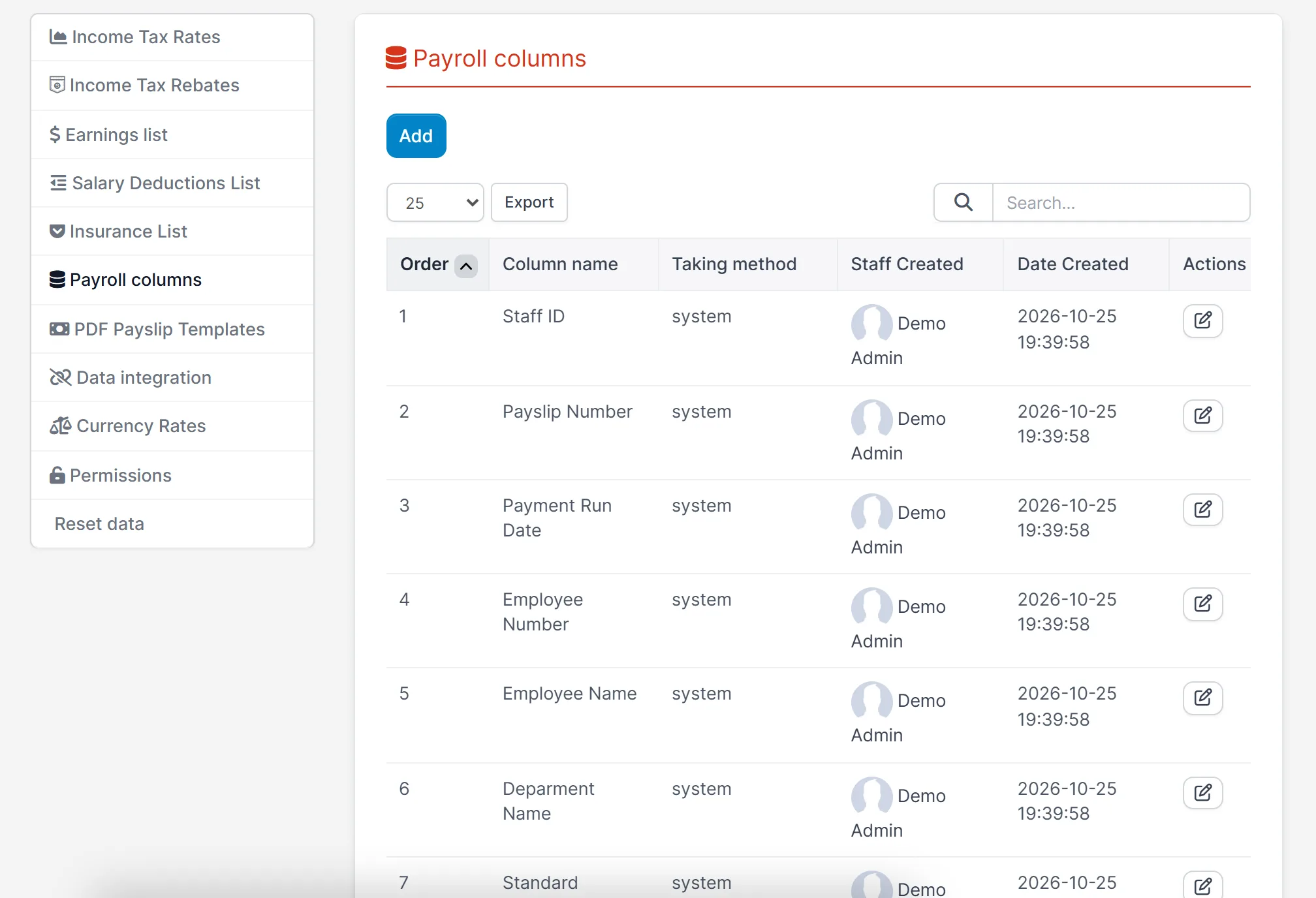
The payroll columns screen lists every column that can appear on a payslip. Staff ID, payslip number, payment run date, employee number, employee name and department are there from the start. Add your own columns, set the order, and build a payslip template from them.
Employees and payslips by month
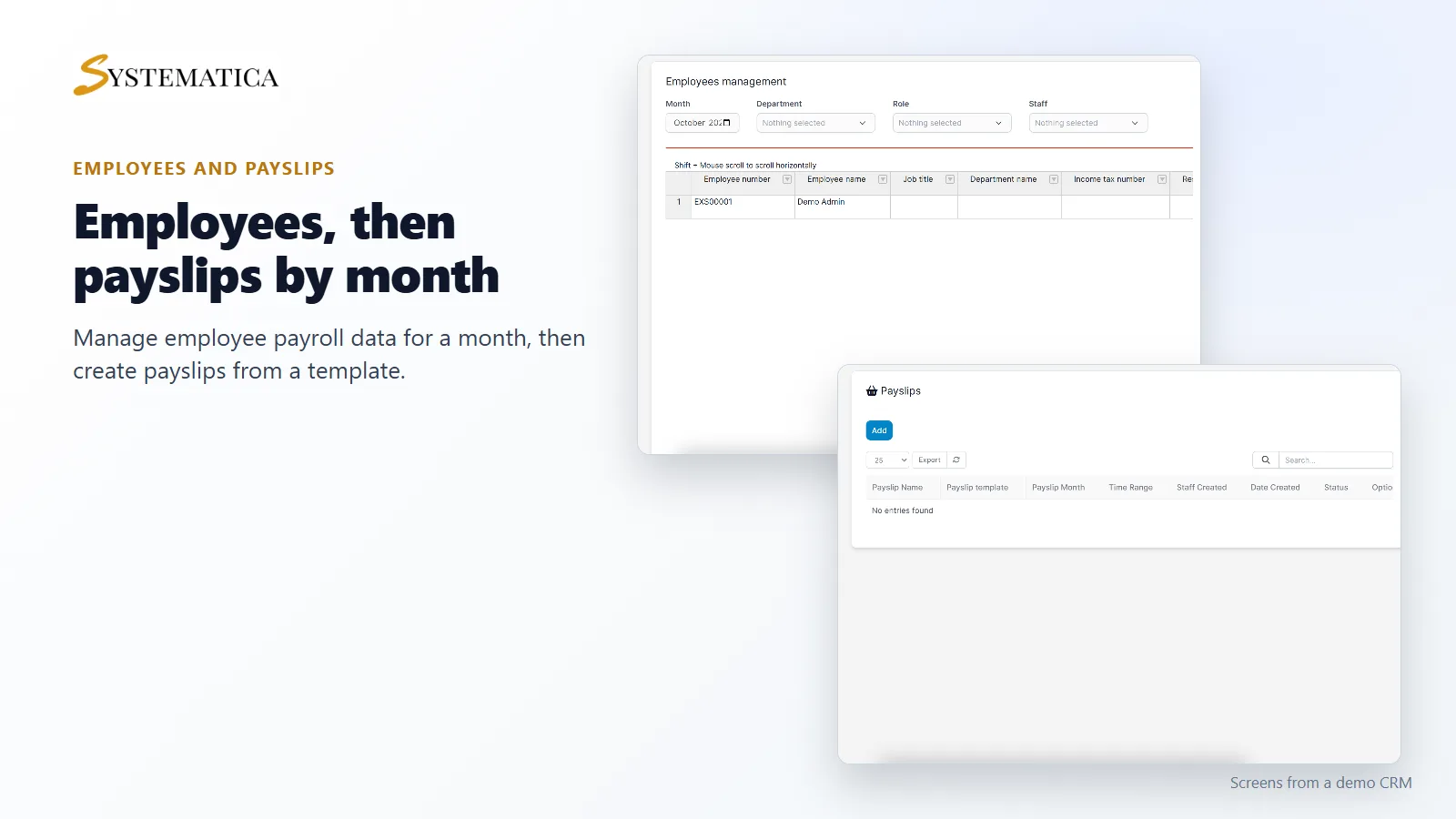
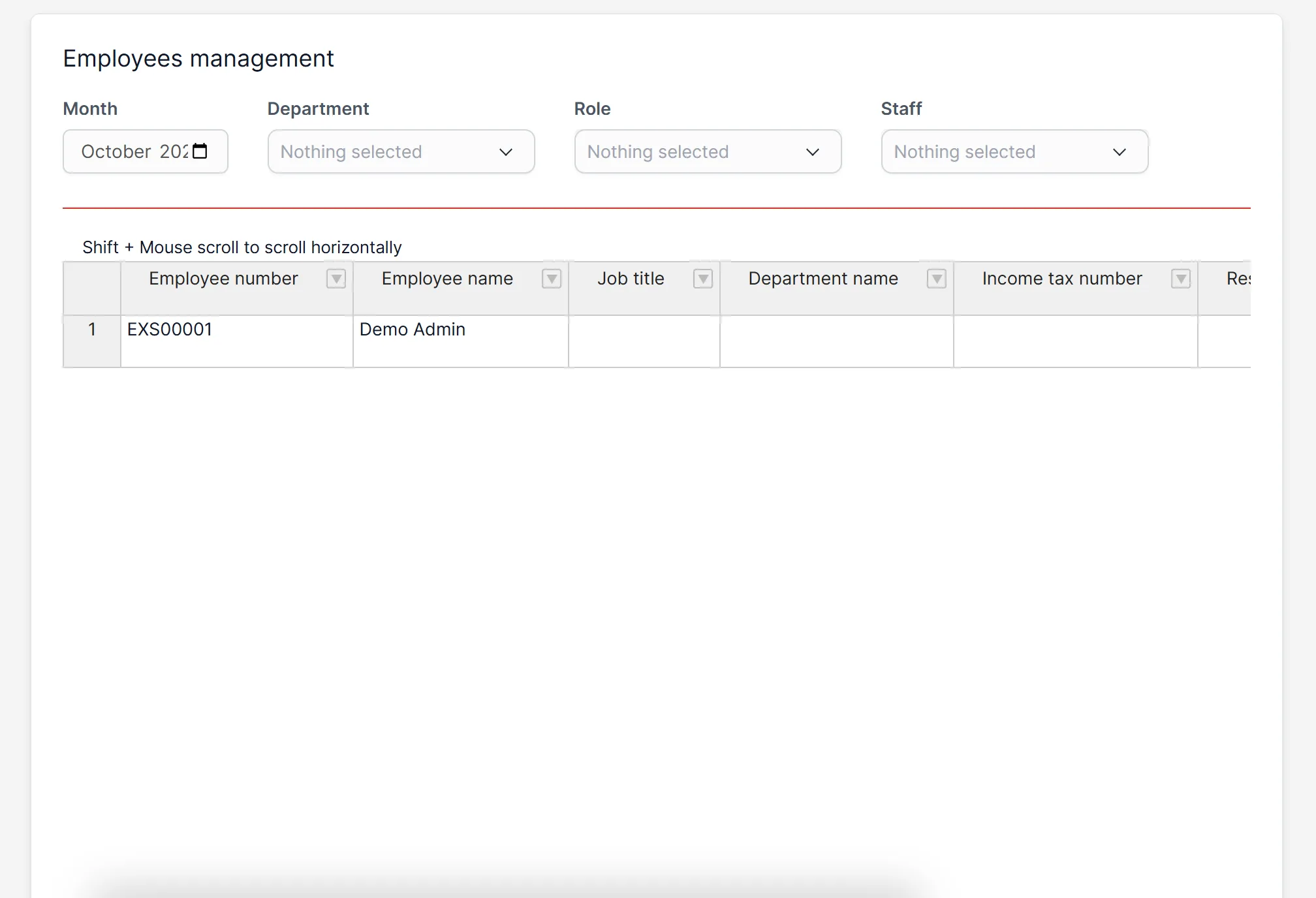
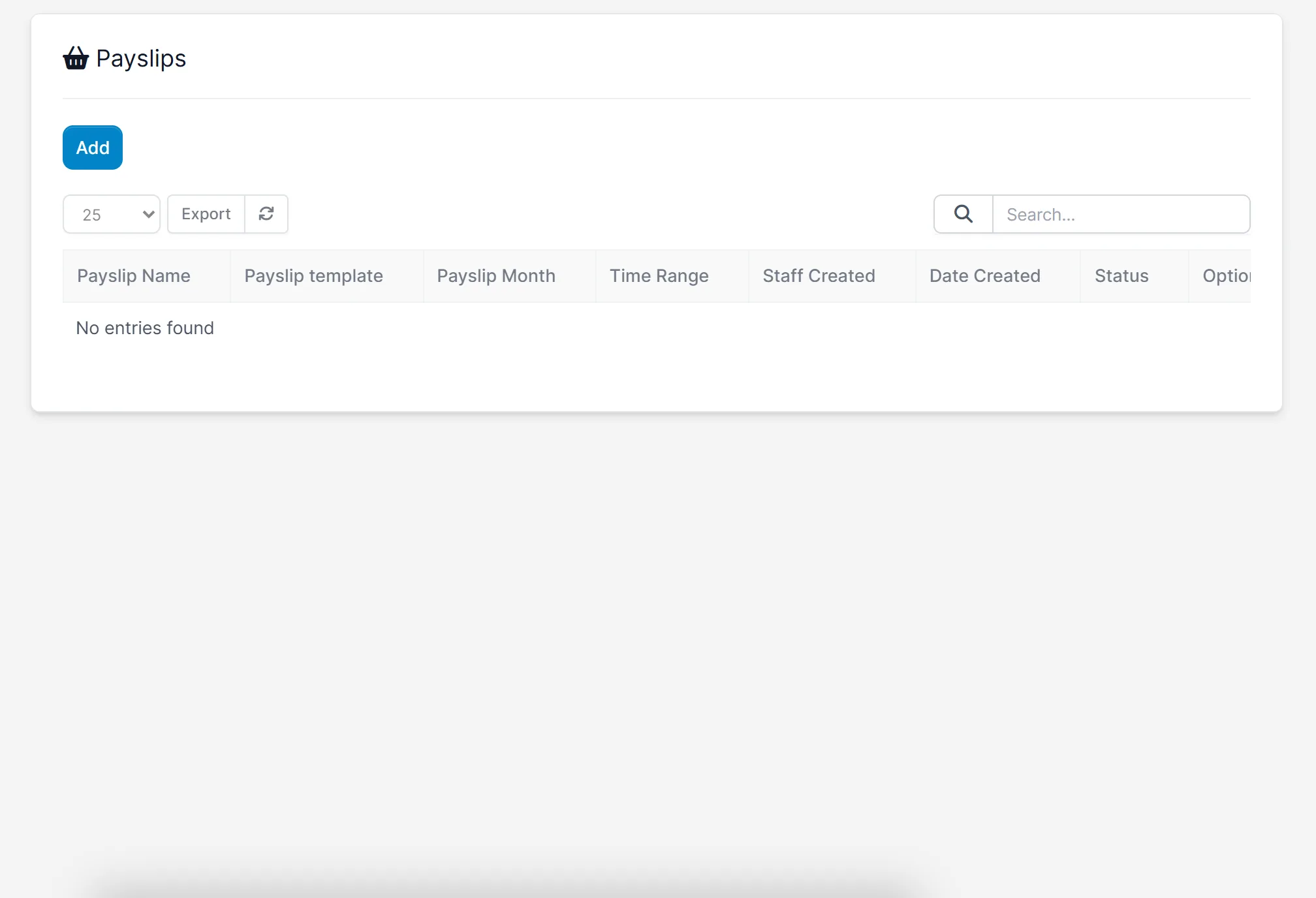
The employees screen of the HR Payroll Module for Perfex CRM shows the payroll data of each employee for a month: employee number, name, job title, department and income tax number, with more columns to scroll to. The payslips screen lists the payslips you create, with the template, month, time range, who created it and the status.
Set it up
- Upload the module under Setup > Modules and activate it.
- Open HR Payroll > License and enter your license key.
- Open Settings and fill in the earnings, deductions, insurance and income tax lists.
- Check the payroll columns and create a payslip template.
- Open Payslips, click Add and create the payslips for a month.
Requirements
- Perfex CRM 3.4 or newer for the HR Payroll Module for Perfex CRM (tested on 3.4.1)
- Staff records in your CRM
- A connection from your server to systematica.app over HTTPS
Good to know
- The screens in the pictures are from a demo CRM with sample tax brackets and earnings.
- Tax rates, deductions and insurance differ in each country. You enter your own, and you stay responsible for checking the results against your local rules.
- The HR Payroll Module for Perfex CRM calculates from the data you set up. It does not pay salaries or send money.
License, support and updates
After purchase you receive a license key by email. One license key activates the module on one website. To move it, deactivate the license under HR Payroll > License and activate it on the new site. You get 1 year of use, support through our ticket system and free updates through your Systematica account. The HR Payroll Module for Perfex CRM runs inside Perfex CRM, which you need to own.
Frequently asked questions
What does the HR Payroll Module for Perfex CRM do?
It lets you define earnings, deductions, insurance and tax brackets and create payslips for your employees by month inside Perfex CRM.
Can I design my own payslip?
Yes. Choose the payroll columns, create a payslip template and use a PDF payslip template for the printout.
Does it include tax tables for my country?
No. You enter your own income tax brackets, rebates, deductions and insurance rates.
Does it pay my staff?
No. It prepares the numbers and payslips. You pay your staff the way you do today.
Can I use one license on more than one website?
One license key activates the module on one website. You can move it by deactivating it on the old site and activating it on the new one.
Need help with this module?
Every license is valid for 1 year and includes support through our ticket system and free updates. To keep using the module after that, renew your license.