
- What the error looks like
- Fix 1: Use the Forgot Password link
- Fix 2: Check the email address
- Fix 3: Check that your account is active
- Fix 4: Make sure the system can send email
- Fix 5: Ask another administrator to set a new password
- Fix 6: Ask your host if nobody can sign in
- How to avoid a Perfex CRM forgot password problem
- Perfex CRM forgot password FAQ
- Quick checklist: Perfex CRM forgot password
- Summary
If you see “Invalid email or password” on the sign-in page, do not panic. A Perfex CRM forgot password problem is almost always fixed in a few minutes with the built-in reset link, as long as your system can send email. This guide was tested on Perfex CRM 3.4.1 and walks through six fixes, in the order that solves most cases.
What the error looks like #
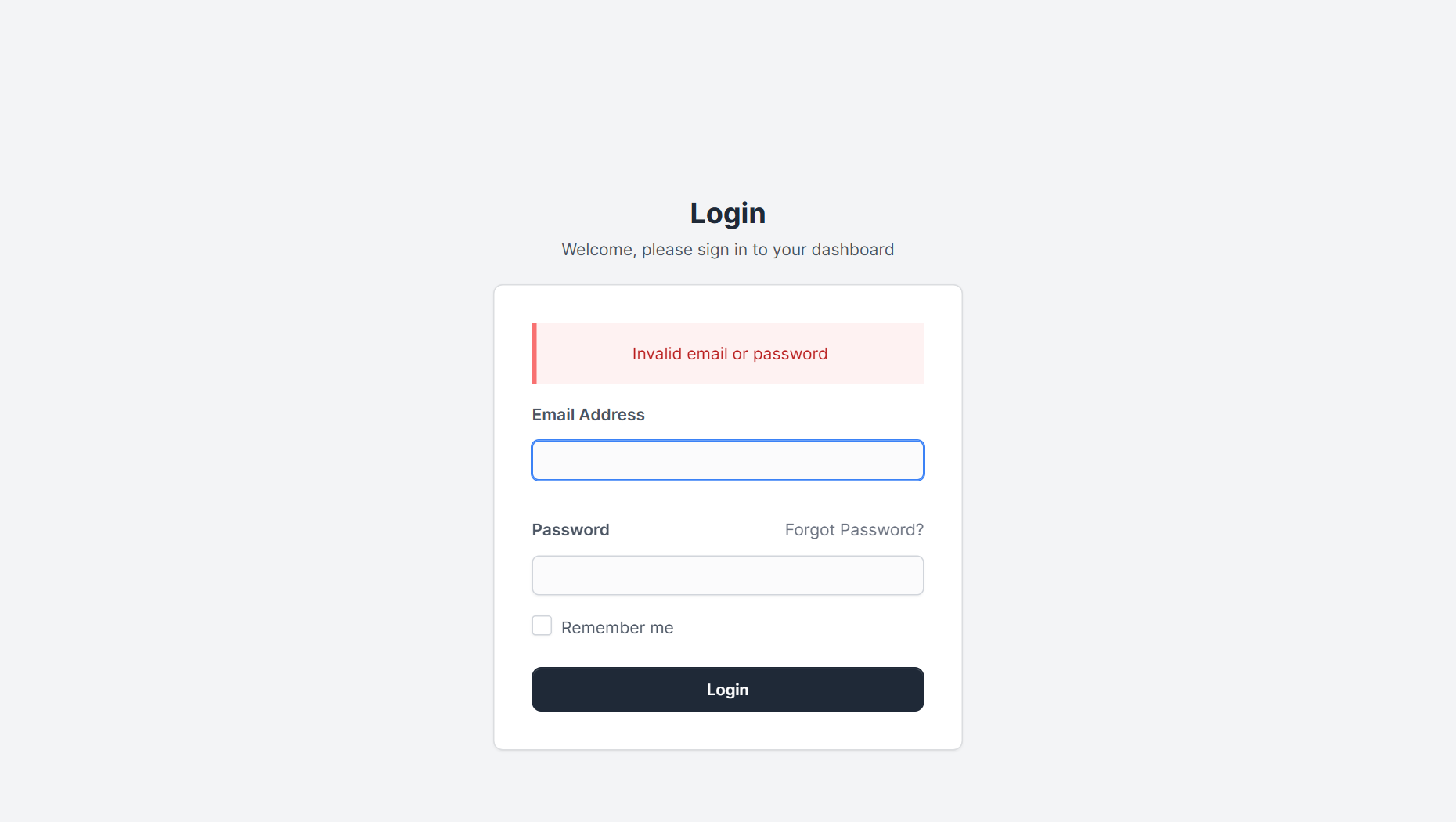
When the email or the password is wrong, the login page shows a red box with the message Invalid email or password. It does not say which of the two is wrong, on purpose. Check three things first: you use the right sign-in address (the staff admin address, not a customer address), the Caps Lock key is off and your browser did not fill in an old password.
Fix 1: Use the Forgot Password link #
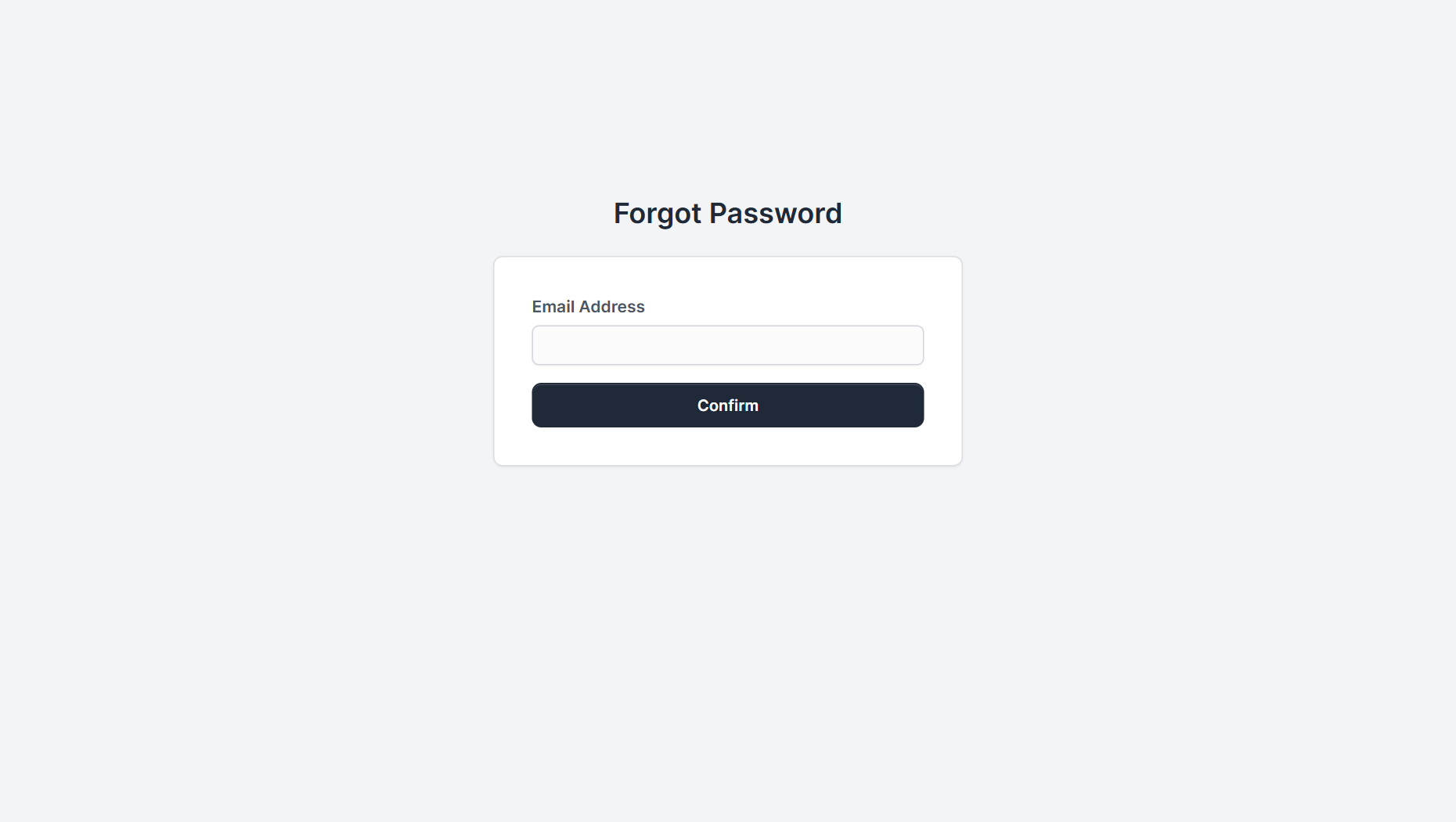
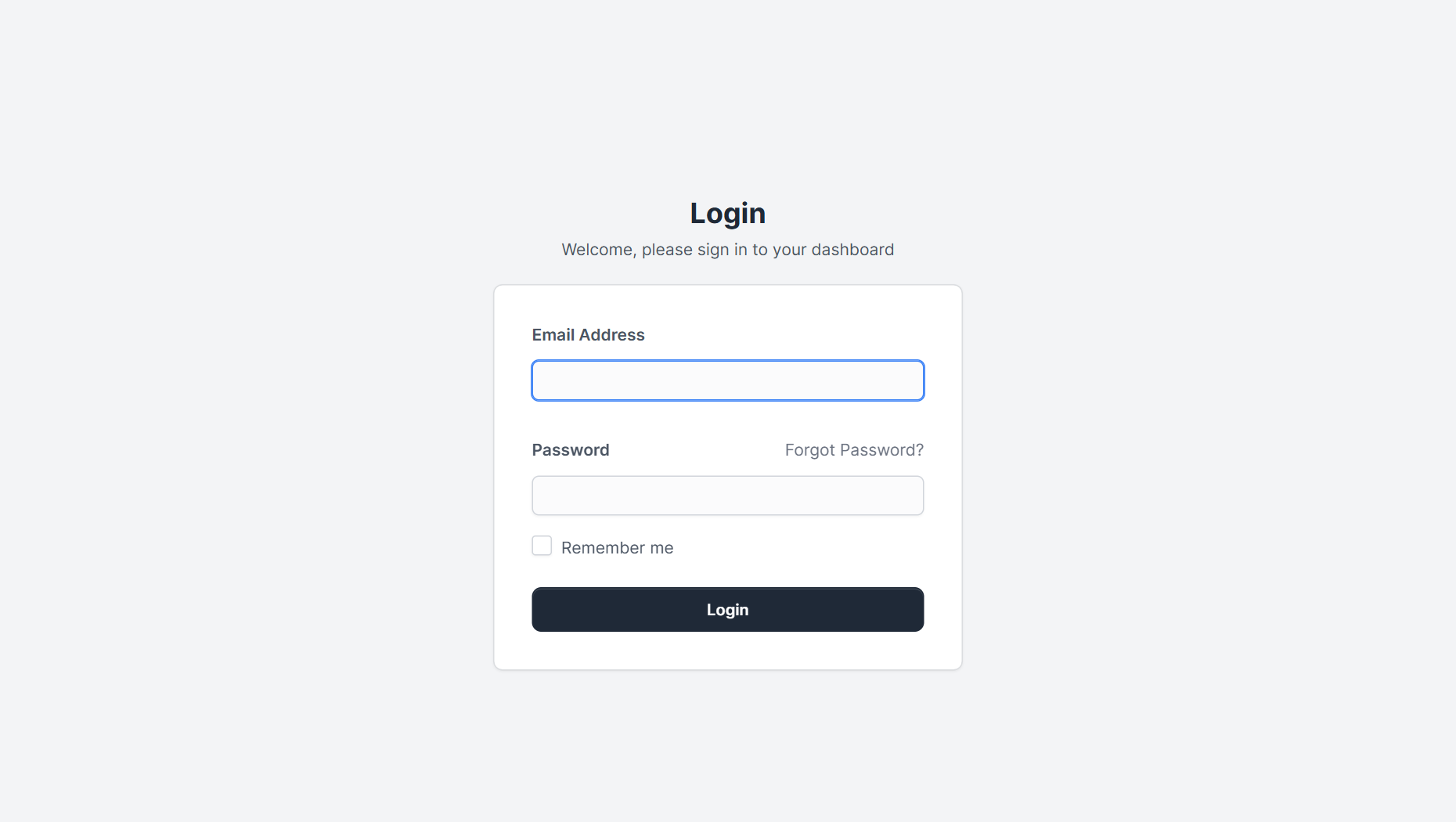
On the login page click Forgot Password? next to the password field. Enter your email address and click Confirm. Perfex CRM sends you a message with a link to set a new password. This is the standard way to reset admin password access.
Fix 2: Check the email address #
The reset message goes only to the exact email address saved on your staff profile. If you typed a different address, no email is sent. Try the other addresses you might have used, such as your company email and your personal email.
Fix 3: Check that your account is active #
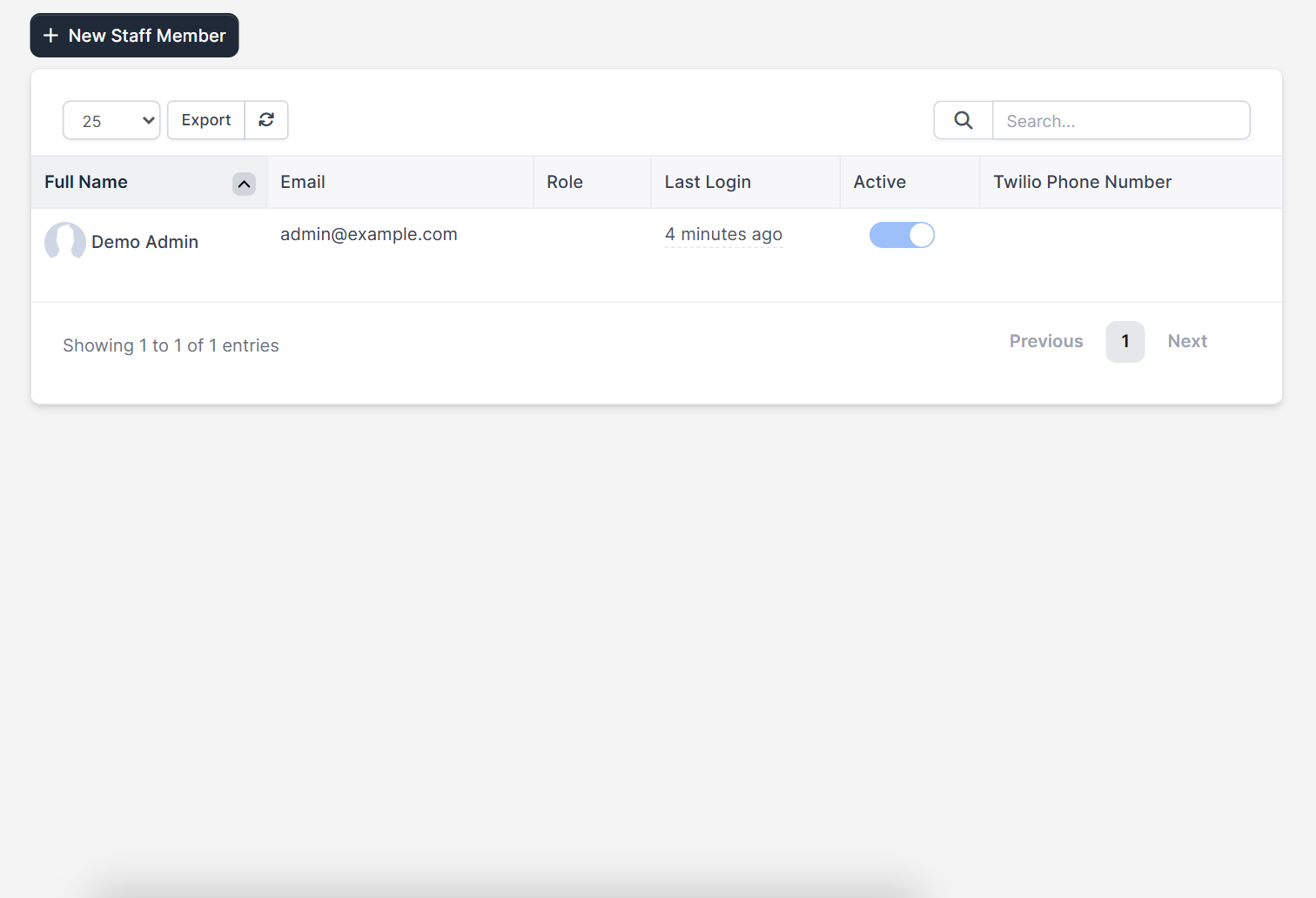
If another administrator can sign in, ask them to open Setup > Staff and check that the Active switch is on for your account. An inactive account cannot sign in, and it can also not use the reset link. They can also confirm that your email address is correct. See how to add a Perfex CRM staff member for the profile fields.
Fix 4: Make sure the system can send email #
The reset link is an email, so a broken email setup means no link. Open Setup > Settings > Email and check the SMTP settings. If you cannot sign in at all, ask your host or developer to check the mail setup. Read Perfex CRM SMTP settings and what to do when Perfex CRM email is not sending. Also look in the spam folder and give the message a few minutes to arrive.
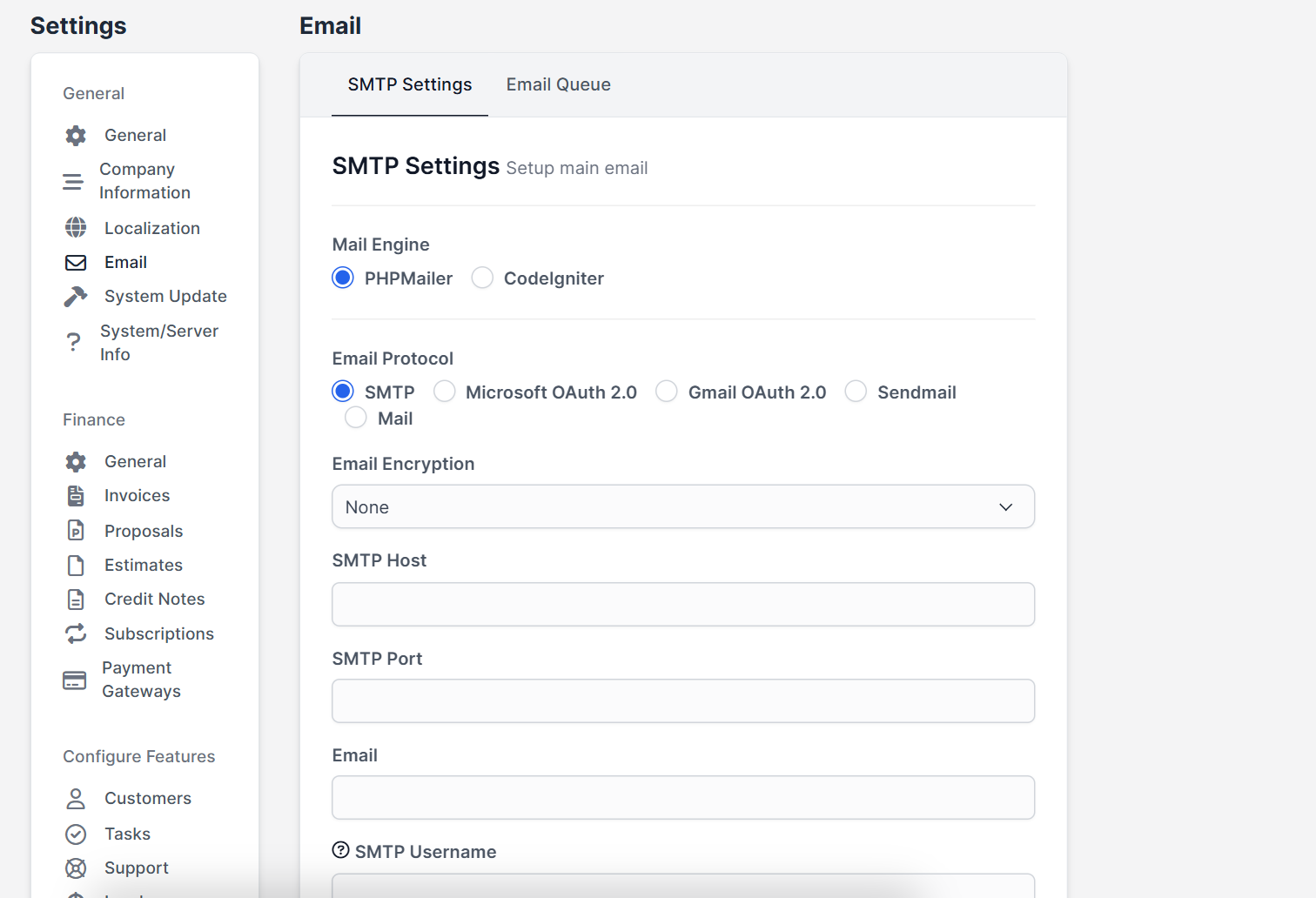
Fix 5: Ask another administrator to set a new password #
An administrator can open your staff profile and set a new password for you. This works even when email is broken. After you sign in, change the password again so that only you know it. Use a long password that you do not use anywhere else.
Fix 6: Ask your host if nobody can sign in #
If you are the only administrator and email is not working, your hosting provider or developer can reset the password directly in the database. Do this only with a database backup, and never share the database login in a public ticket. After you are back in, fix the email settings and add a second administrator so that you are never locked out again.
How to avoid a Perfex CRM forgot password problem #
- Keep at least two administrators.
- Use a password manager to store logins.
- Test the reset link once a year, together with your email settings.
- Do not share one login between several people. Create separate accounts and use Perfex CRM roles and permissions to limit access.
- Keep your site on HTTPS so passwords are not sent in clear text.
Perfex CRM forgot password FAQ #
How do I reset my admin password in Perfex CRM? #
Click Forgot Password on the login page, enter your staff email address and confirm. Open the email and follow the link to set a new password.
Why do I not get the reset email? #
The email address may not match your profile, your account may be inactive or your email settings may be broken. Check the spam folder as well.
Can a customer reset a password too? #
Yes. Customers have their own sign-in page with a reset link. See Perfex CRM customer portal.
Is it safe to reset the password in the database? #
It is safe only when done by someone who knows how, with a backup. Use the reset link or another administrator first.
Quick checklist: Perfex CRM forgot password #
- Keep two administrators so one Perfex CRM forgot password request never locks you out.
- Test the reset link once a year.
- Write down which email address belongs to each staff account.
Summary #
A Perfex CRM forgot password problem is usually solved with the reset link, a correct email address and working email settings. If that fails, ask another administrator or your host. To reset admin password access safely, keep two administrators and test your email setup. You can read more on the official Perfex CRM website. Handle every Perfex CRM forgot password request the same way and you will never lose access for long. Review how a Perfex CRM forgot password request is handled in your team, so everyone knows the steps.


