
Perfex CRM subscriptions let you bill a customer on a repeating schedule through Stripe, so you do not have to create the same invoice every month. This guide, tested on Perfex CRM 3.4.1, shows what you need, how to connect Stripe, how to create a Stripe subscription in Perfex CRM and what to check afterwards.
What Perfex CRM subscriptions do #
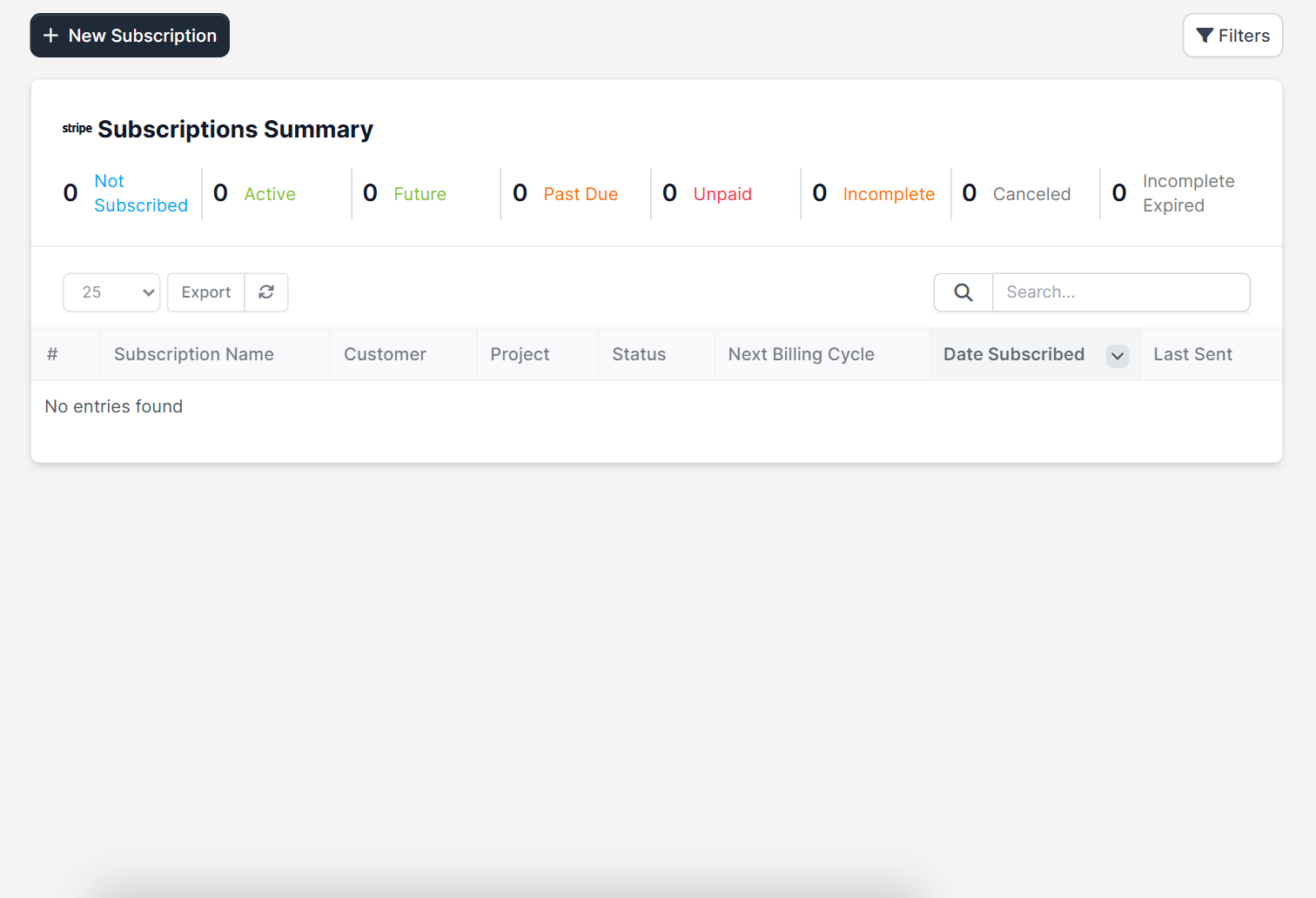
A subscription ties a customer to a billing plan that you create in Stripe. Stripe collects the payment on each cycle, and Perfex CRM shows the status of every subscription in one list, with the customer, the project, the next billing date and the last time it was sent. The list has a summary at the top that counts subscriptions by status: Not Subscribed, Active, Future, Past Due, Unpaid, Incomplete, Canceled and Incomplete Expired.
If you only need to repeat an invoice on a schedule without Stripe, read Perfex CRM recurring invoices instead. Subscriptions are the better fit when the customer pays by card and you want Stripe to handle the retries.
Before you start #
- A Stripe account with your API keys. Perfex CRM subscriptions work only through Stripe.
- HTTPS on your CRM address. Stripe Checkout needs a secure address, see Perfex CRM HTTPS.
- A product and a recurring price (a billing plan) created in the Stripe dashboard. Perfex CRM reads the plans from your Stripe account.
- The Perfex CRM cron job running, see Perfex CRM cron job.
The official Perfex CRM help page about subscriptions adds two limits: each subscription supports only one line item, and trial periods are not supported.
Step 1: Add your Stripe keys #
Open Setup > Settings > Finance > Payment Gateways and click the Stripe Checkout tab. Choose Active, give the gateway a label, then paste your Stripe Publishable Key and Stripe API Secret Key. There are also fields for a fixed fee and a percentage fee, and a payment description for the Stripe dashboard. Click Save Settings.
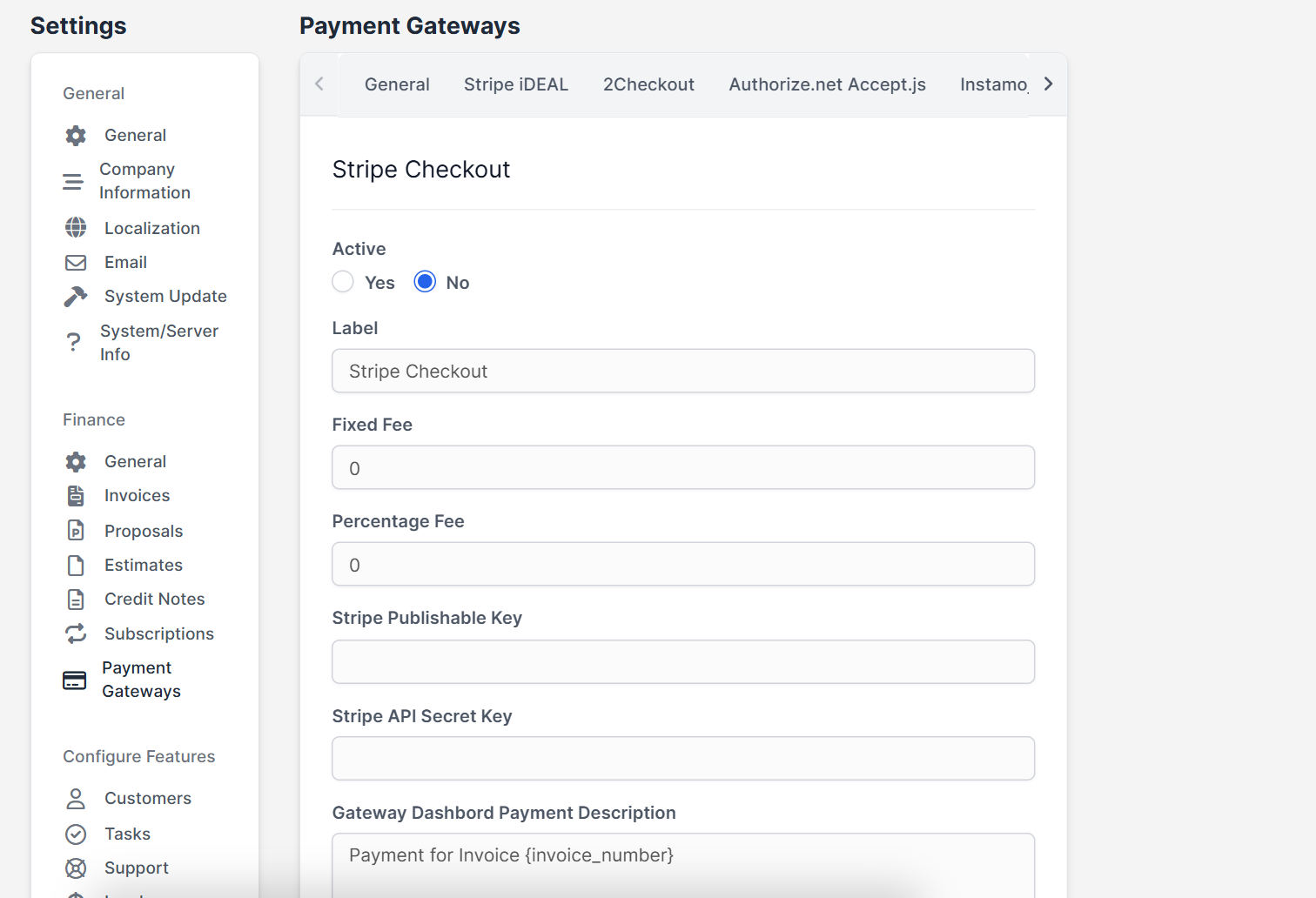
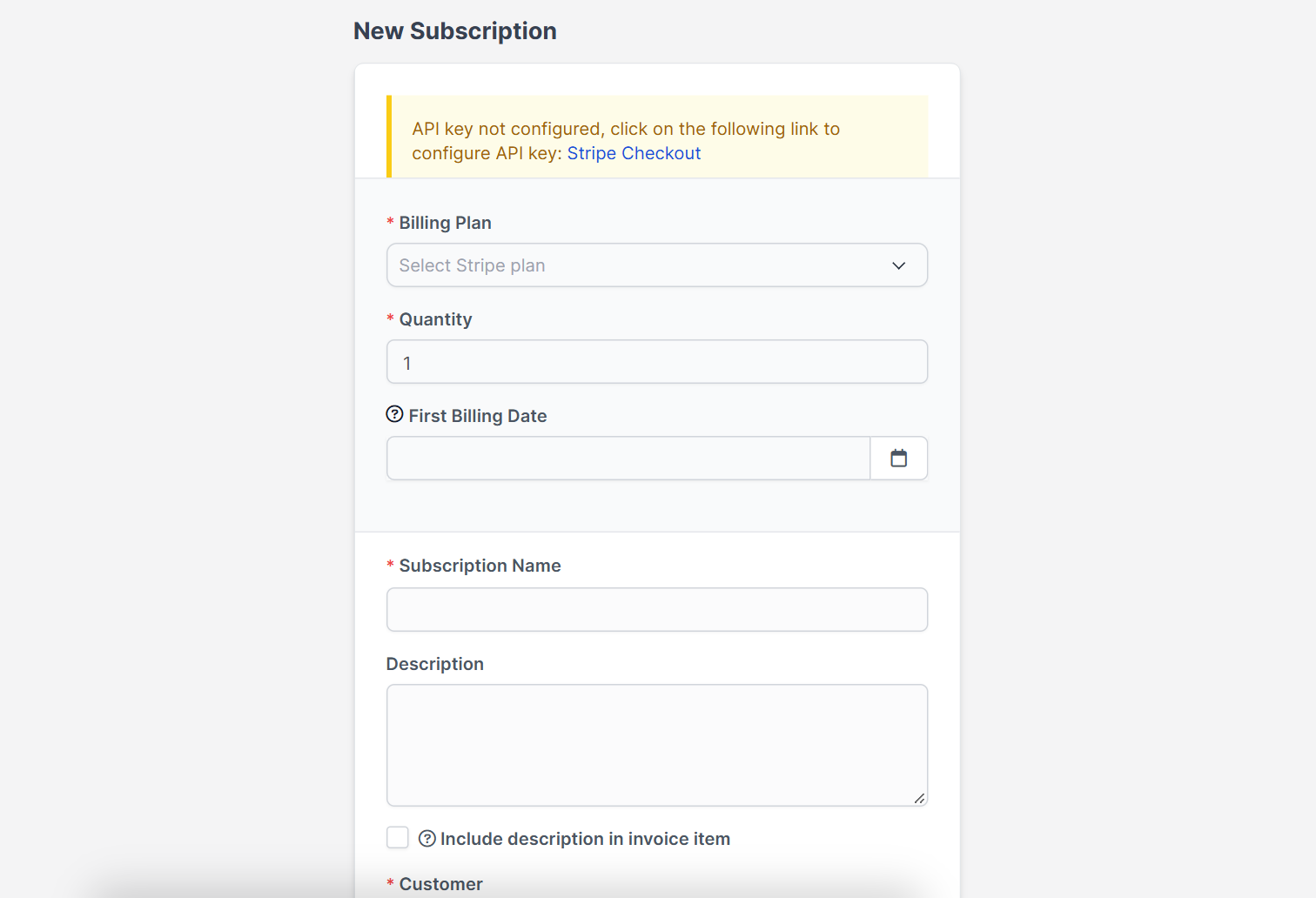
Until the keys are saved, the New Subscription screen shows a yellow notice that says the API key is not configured, with a link to the Stripe Checkout settings.
Step 2: Create the plan in Stripe #
In the Stripe dashboard create a product and add a recurring price, for example 29 USD every month. Keep one price per product, because a Stripe subscription in Perfex CRM supports one line item. Perfex CRM will list this plan in the next step.
Step 3: Create the subscription #
Open Subscriptions in the main menu and click New Subscription. Fill in the form:
- Billing Plan: choose the Stripe plan.
- Quantity: how many units of the plan the customer buys.
- First Billing Date: when the first payment is taken.
- Subscription Name and Description. Tick Include description in invoice item if the customer should see the text on the invoice.
- Customer and Currency.
- Tax 1 (Stripe) and Tax 2 (Stripe), taken from the tax rates you made in Stripe.
- Terms & Conditions that the customer reads before subscribing.
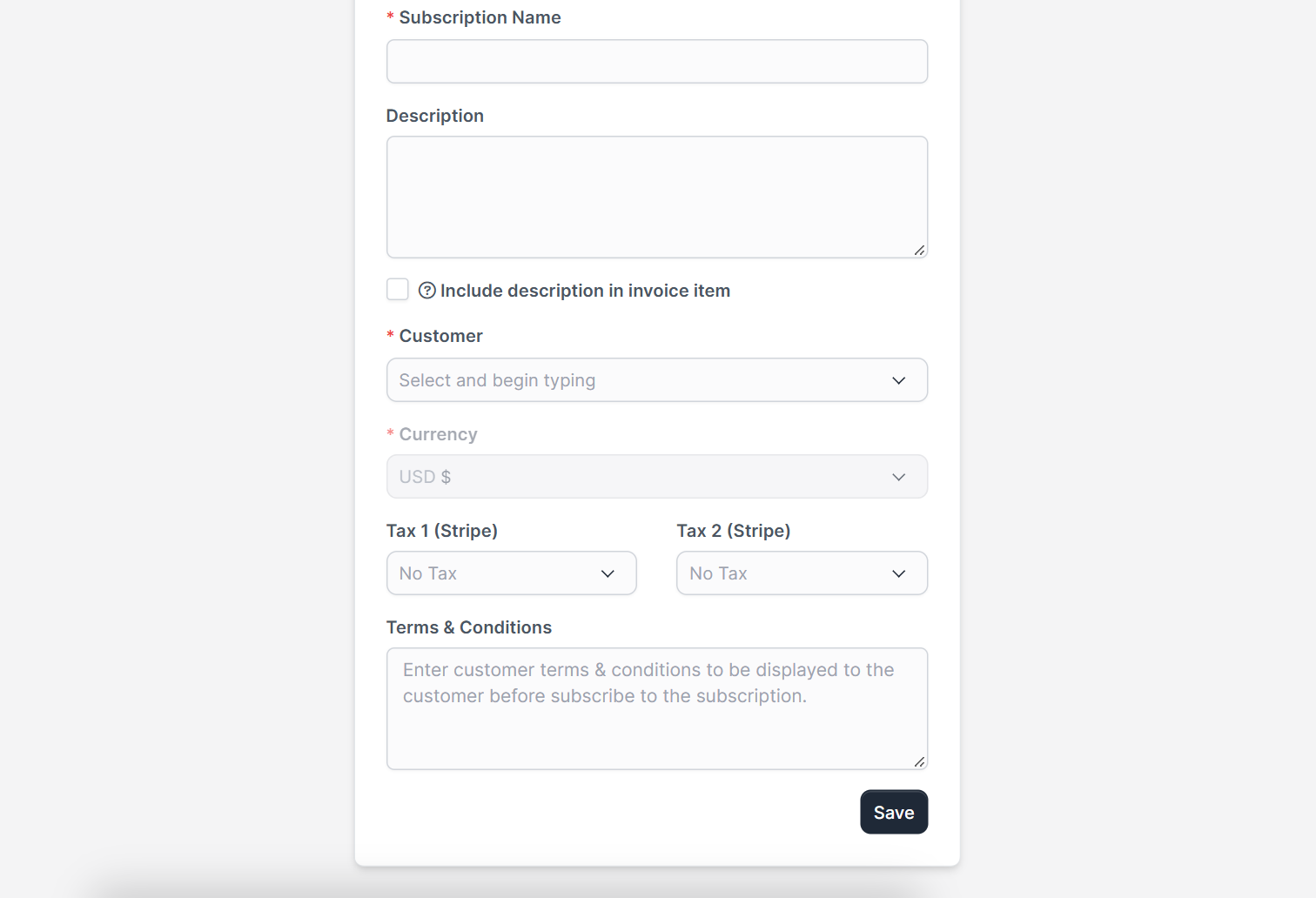
Click Save. The subscription starts as Not Subscribed until the customer completes the Stripe checkout from the customer area.
Step 4: Choose what Perfex CRM sends after payment #
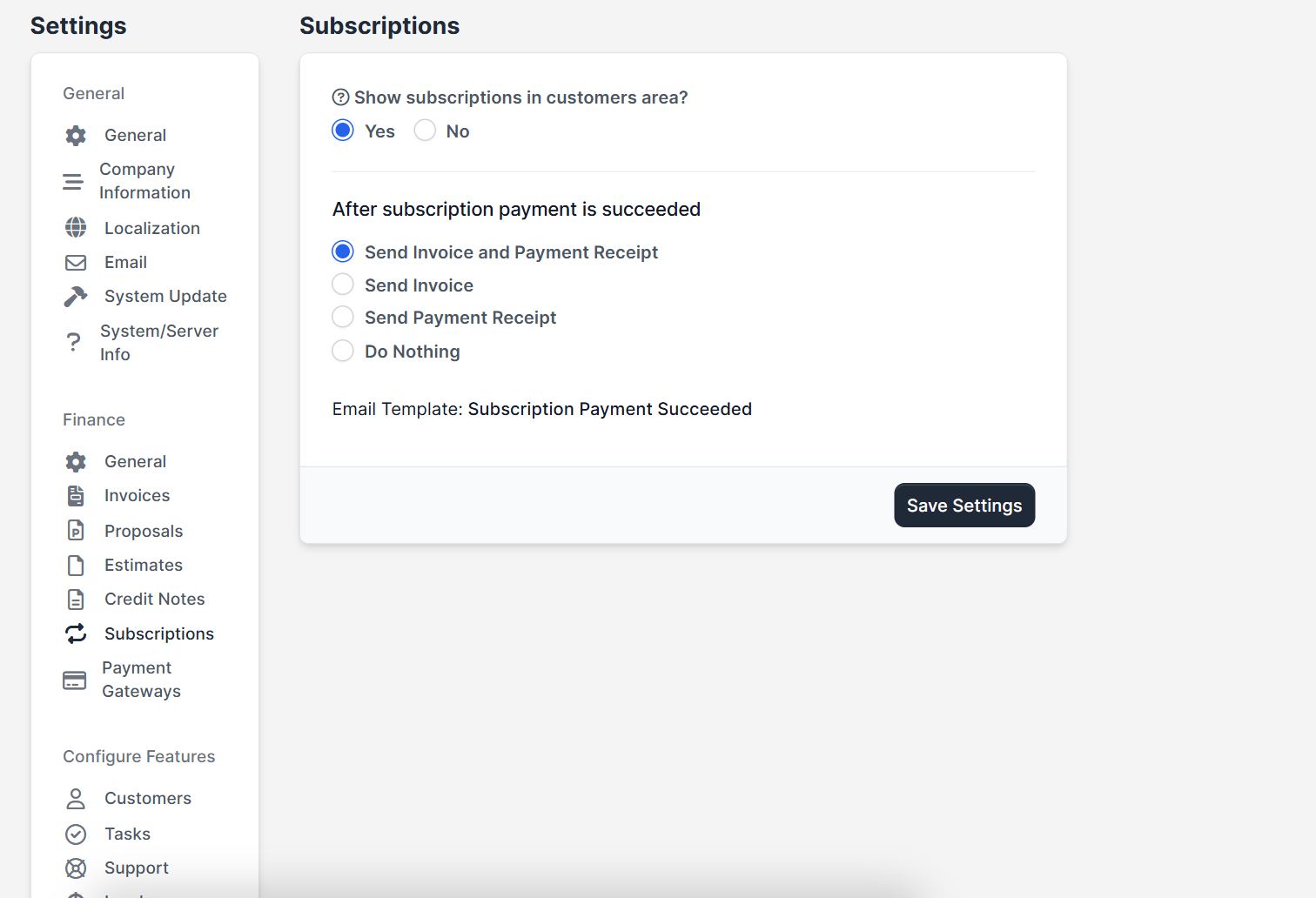
Open Setup > Settings > Finance > Subscriptions. Choose whether subscriptions show in the customers area, and what happens after a subscription payment succeeds: send the invoice and the payment receipt, only the invoice, only the receipt, or nothing. The text of the message comes from the email template Subscription Payment Succeeded, which you can edit under Setup > Email Templates.
Tips for Perfex CRM subscriptions #
- Test with Stripe test keys first, then delete every test subscription before you switch to live keys.
- Keep your books tidy with the Financial Management module, which links invoices and payments to your accounts.
- Create a follow-up task when an invoice is fully paid with Workflow Rules.
- For payment problems read Perfex CRM payment methods not showing.
The screenshots come from a demo CRM without Stripe keys, so the subscription list is empty and the notice about the API key is visible. Creating a live Stripe subscription was not tested here.
Frequently asked questions #
Do Perfex CRM subscriptions need Stripe? #
Yes. Subscription payments run through Stripe, so you need a Stripe account and its API keys in the Stripe Checkout settings.
How are Perfex CRM subscriptions different from recurring invoices? #
A subscription is billed by Stripe on each cycle. A recurring invoice is created by Perfex CRM itself on a schedule and the customer pays it like any other invoice.
Can I offer a free trial with a Stripe subscription? #
According to the official Perfex CRM help, trial periods are not supported for subscriptions.
Where are the subscription settings? #
Open Setup, then Settings, then Finance, then Subscriptions. The Stripe keys are under Payment Gateways, in the Stripe Checkout tab.


