Purchase Management for Perfex CRM takes your buying process from request to payment inside Perfex CRM. Your team keeps vendors, purchase requests, quotations, purchase orders and vendor invoices together, with approvals, status and reports. You always see what was asked for, what was ordered and what you still owe.
What you get with Purchase Management for Perfex CRM
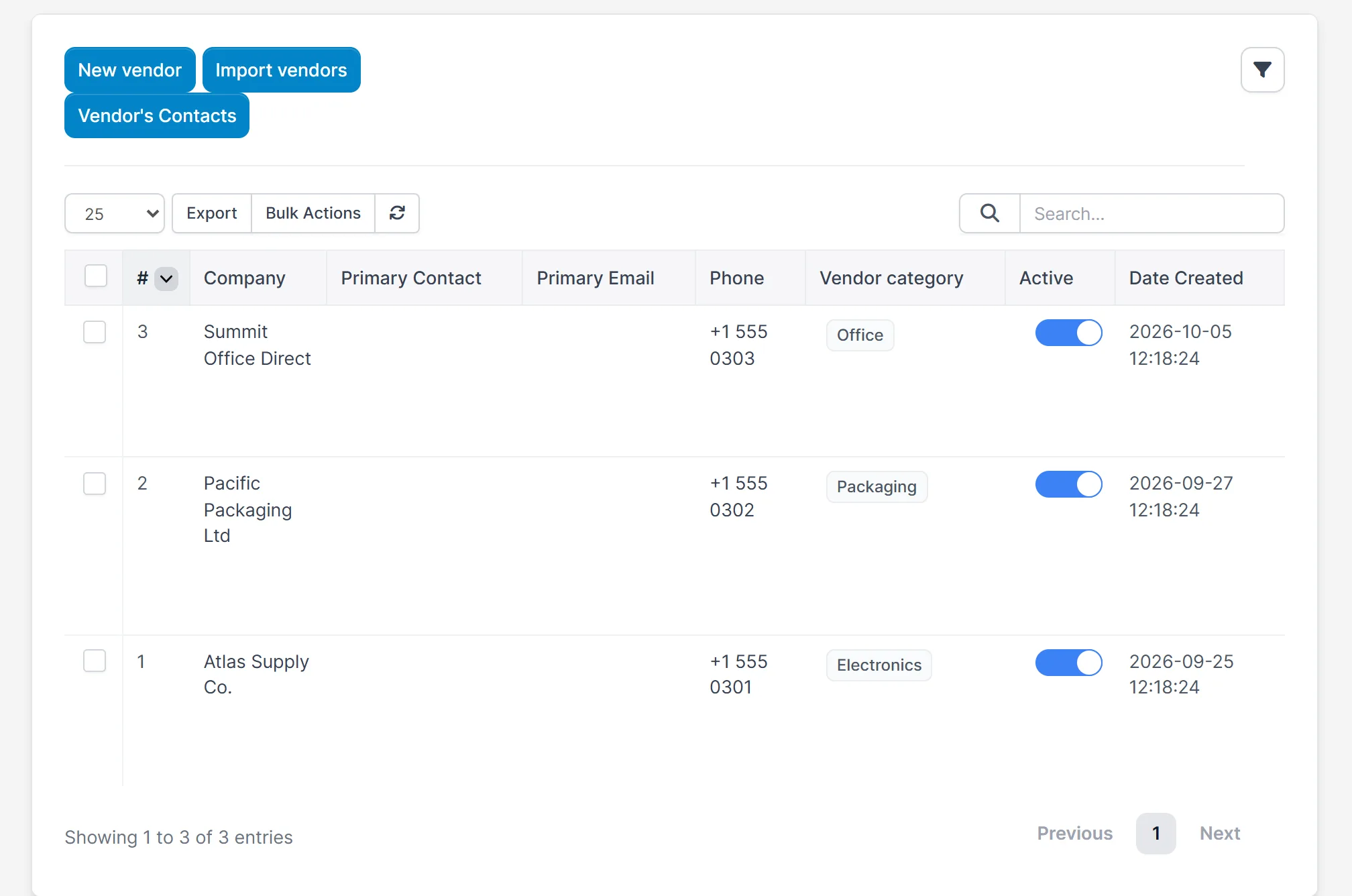
- A vendor list with categories, contacts and payment terms, and an import for vendors
- Items and vendor items, with import for items
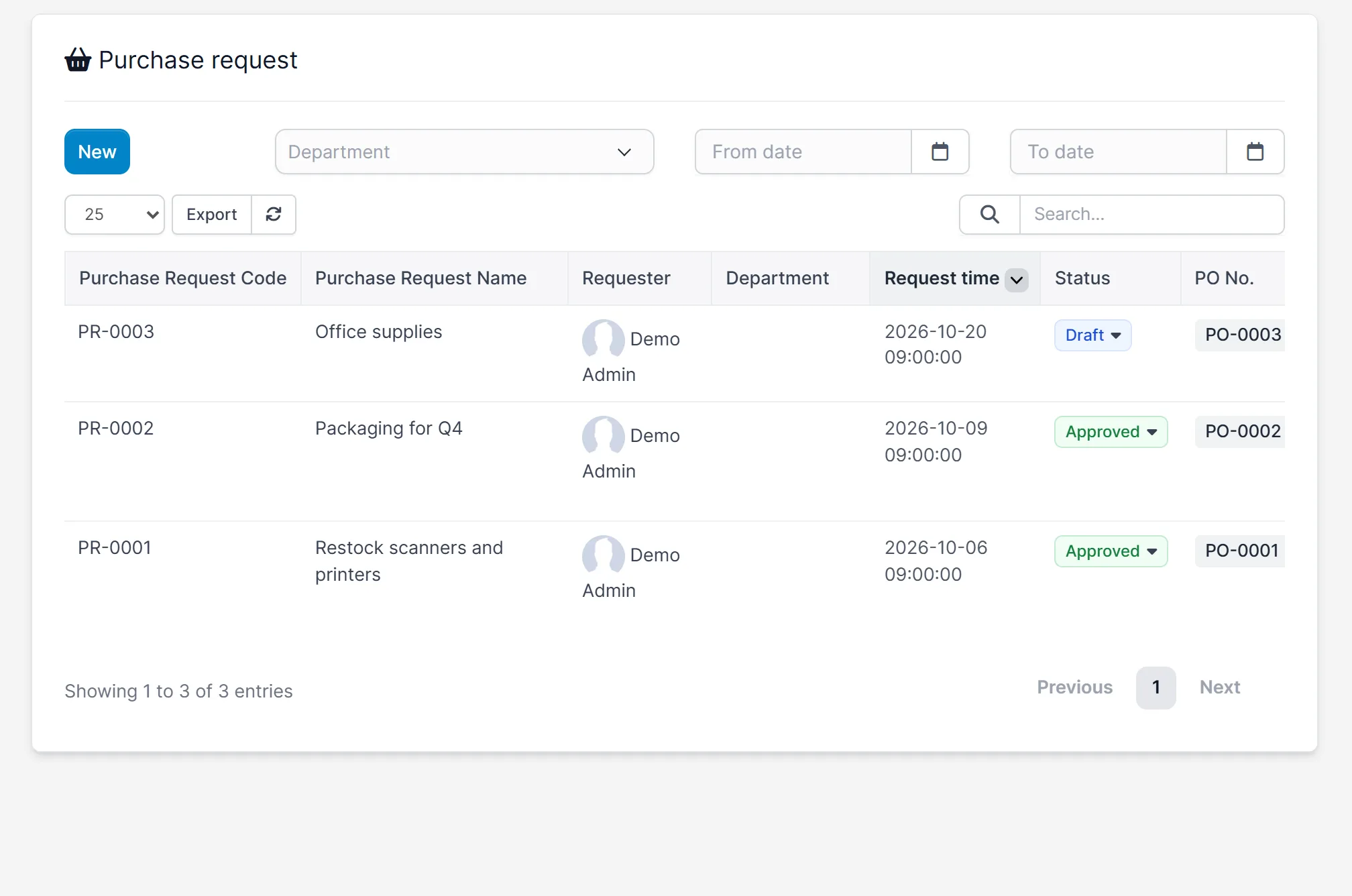
- Purchase requests with status and the purchase order linked to each one
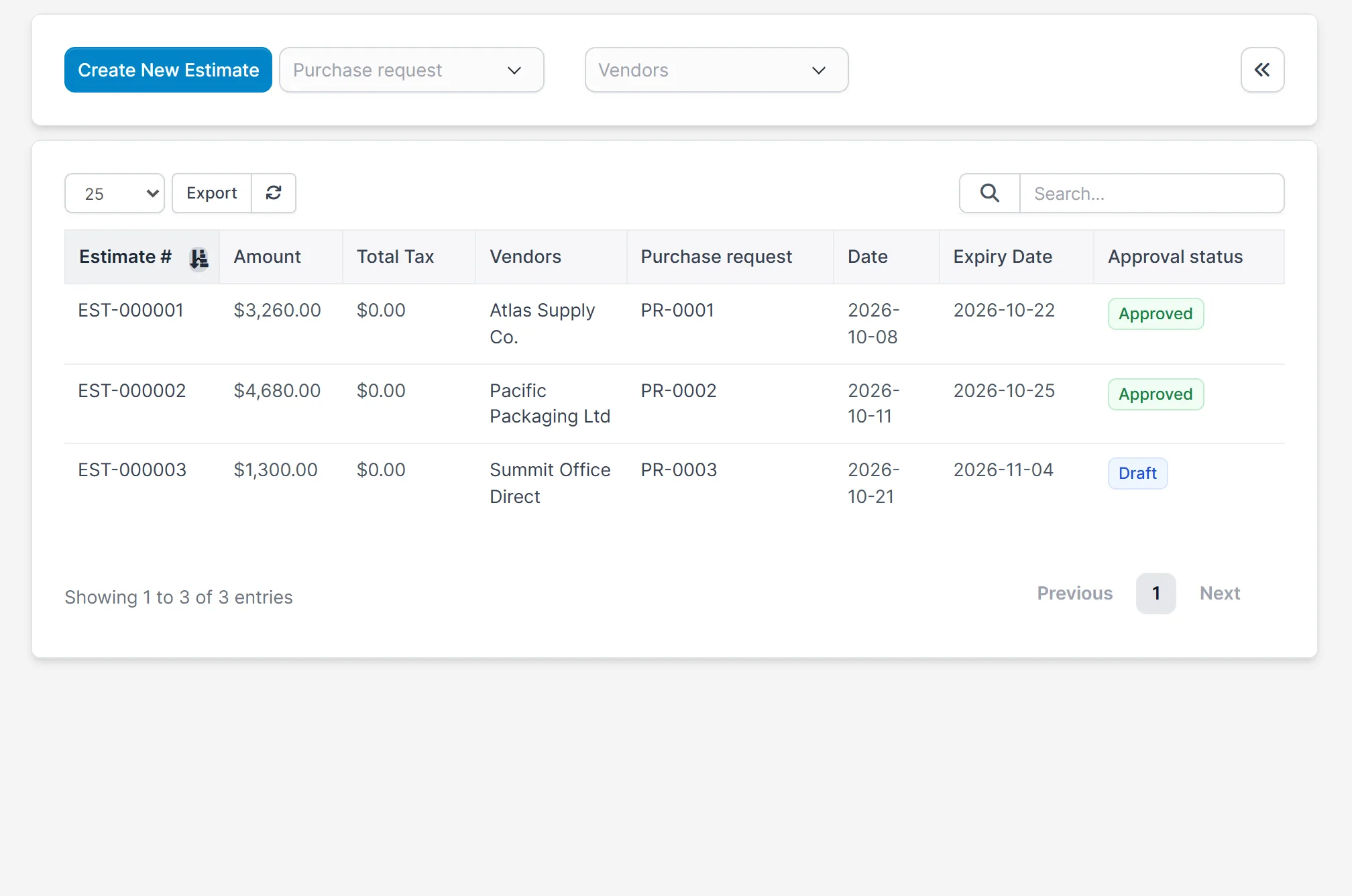
- Quotations from vendors for a purchase request, with an approval status
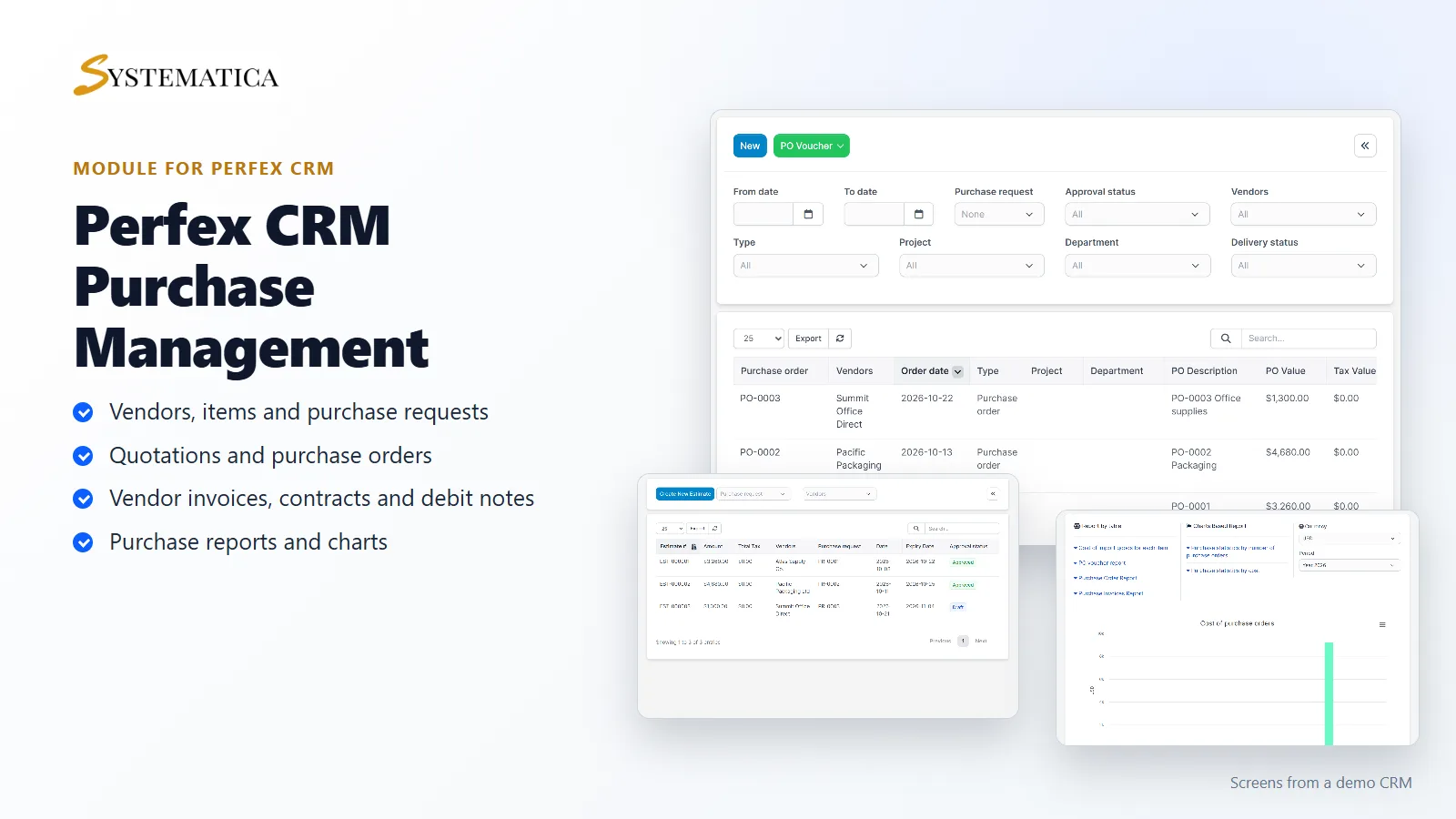
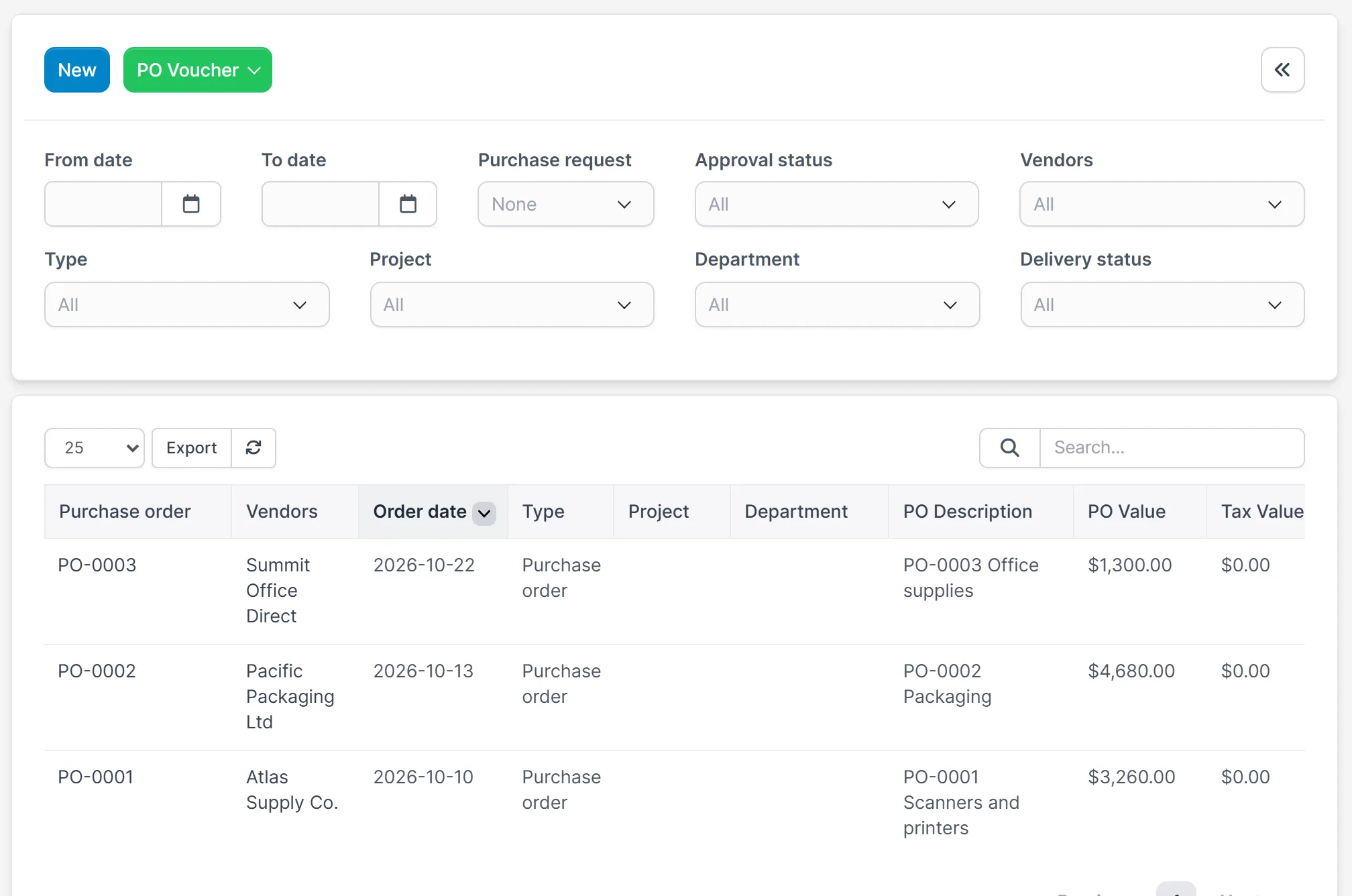
- Purchase orders with vendor, date, value and approval and delivery filters
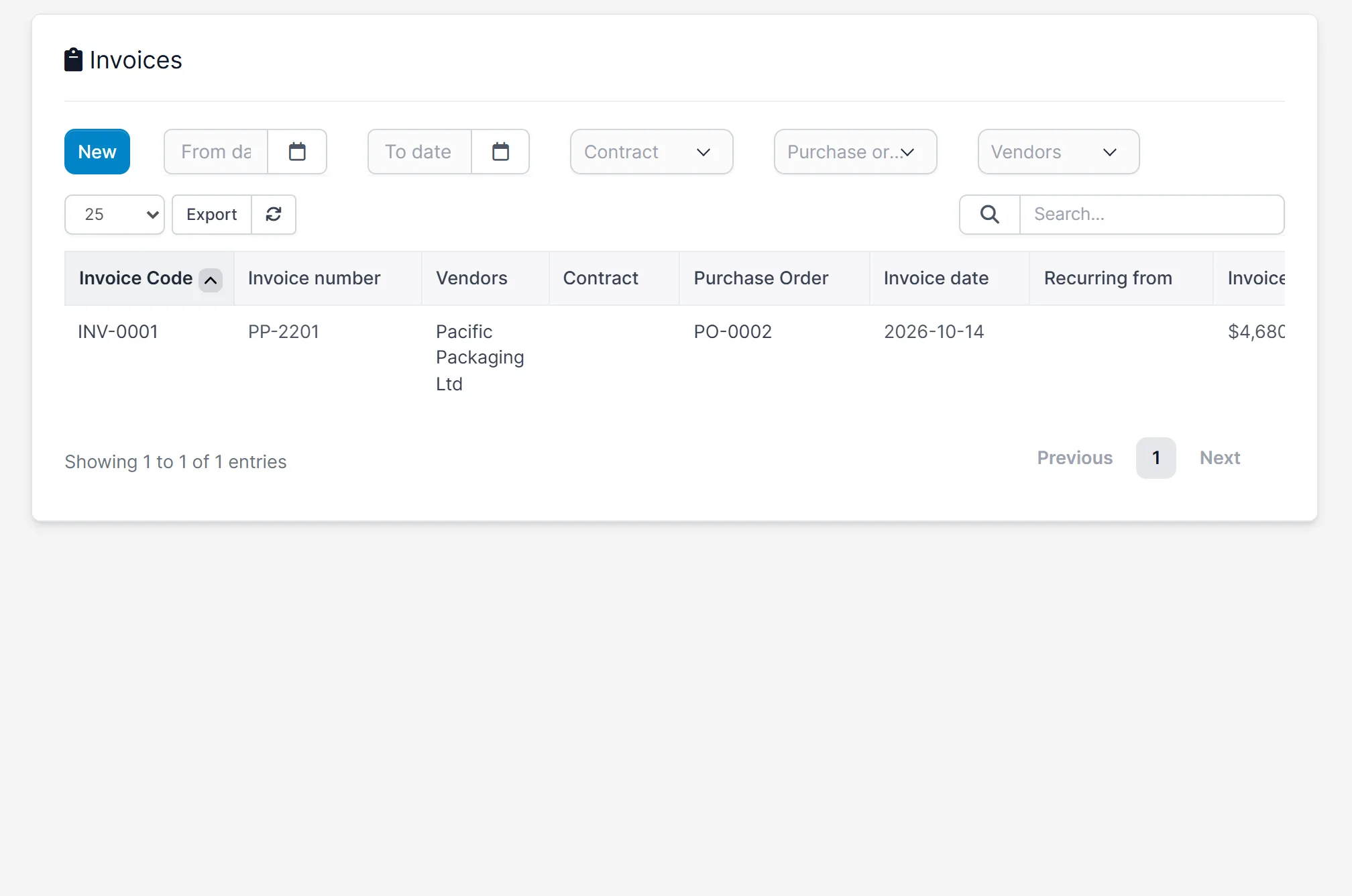
- Vendor invoices linked to a purchase order
- Contracts, order returns and debit notes
- Approval settings for the documents that need sign-off
- Reports by table and by chart for purchase cost and order counts
Vendors and purchase requests
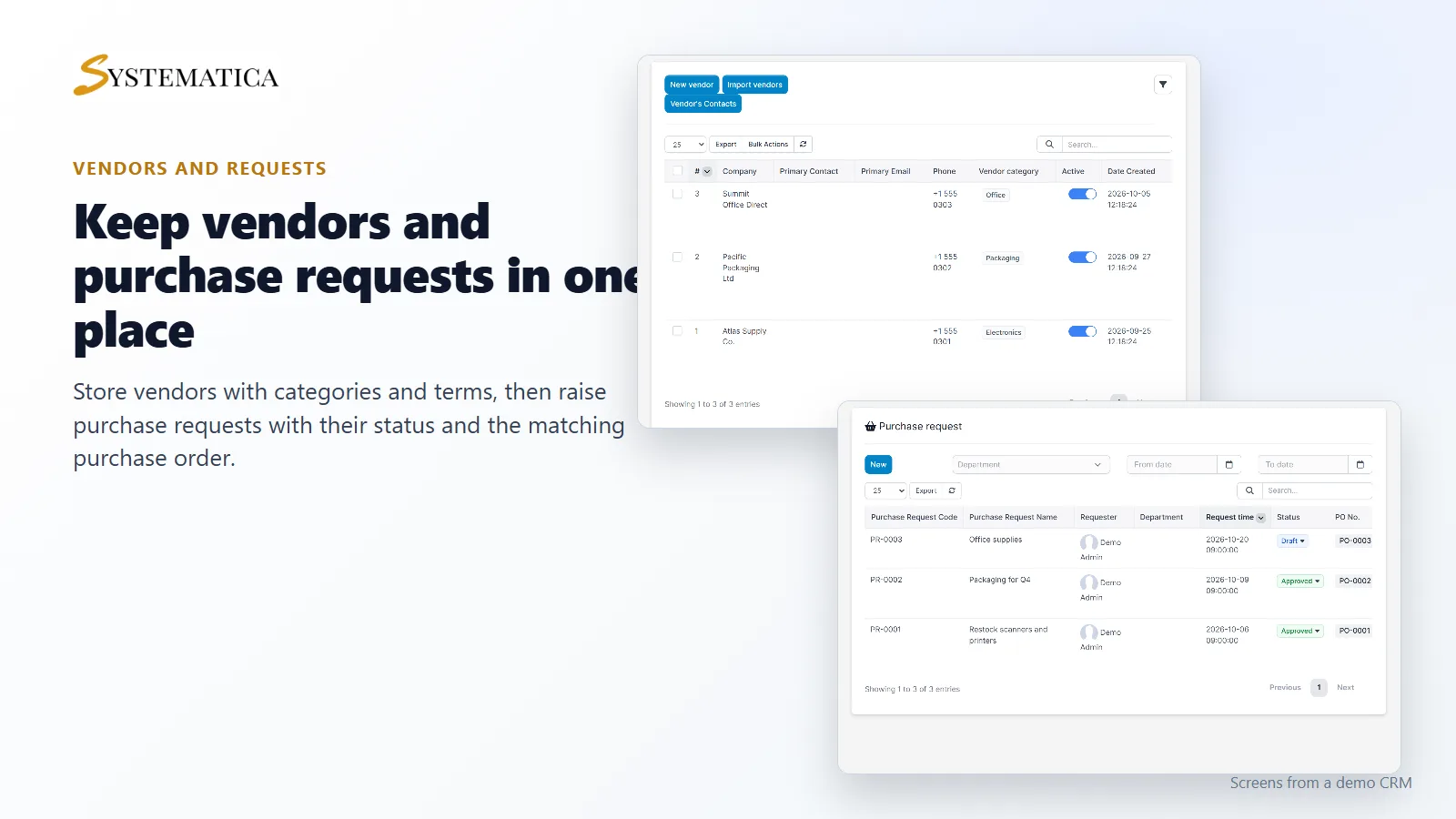
With Purchase Management for Perfex CRM you add each vendor once, with a category, phone, address and payment terms. When someone needs something, they raise a purchase request. The list shows the request code, name, requester, date, status and the purchase order it became.
Quotations and purchase orders
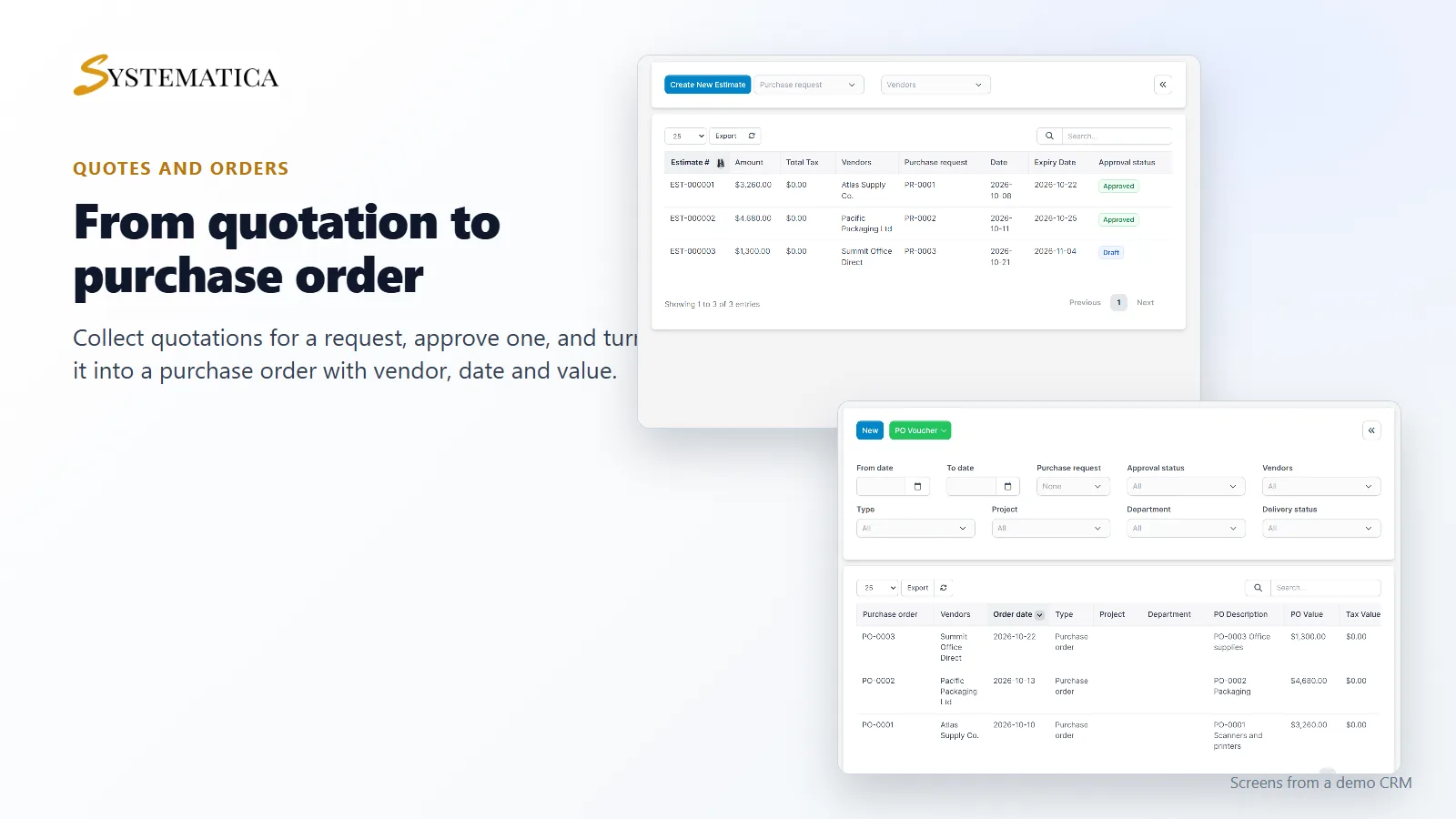
Ask vendors for a quotation against a purchase request and compare the amounts. When you approve one, you turn it into a purchase order. The purchase order list can be filtered by date, request, approval status, vendor, type, project, department and delivery status.
Vendor invoices
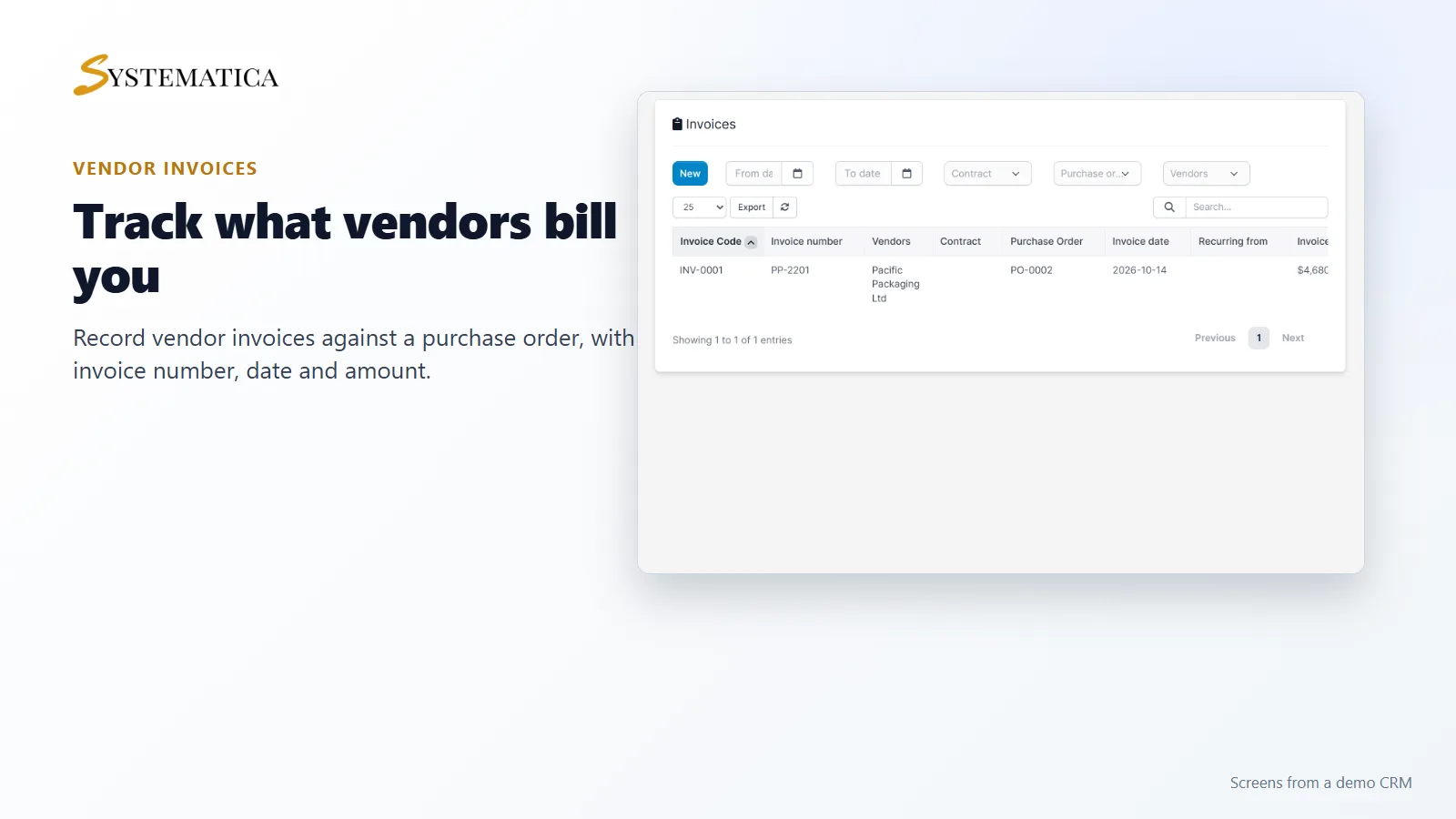
Record the invoice a vendor sends you against the purchase order it belongs to. Each invoice keeps its own code, the vendor’s invoice number, the date and the amount. You can also keep contracts with your vendors in the same module.
Items for purchasing
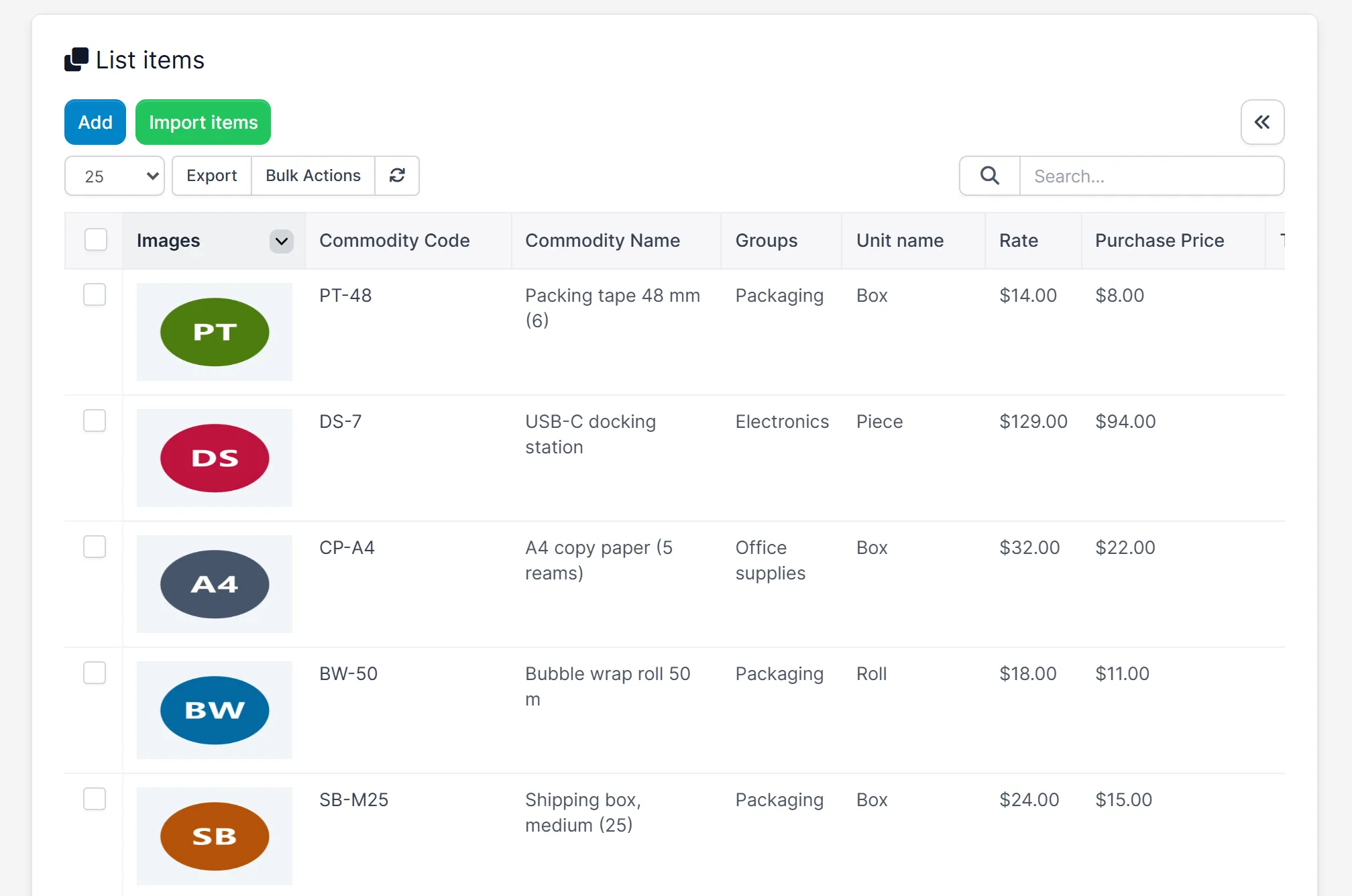
The item list shows each item with its picture, code, group, unit, sale rate and purchase price. You can add items one by one or import them, and link items to the vendors who supply them.
Purchase reports and charts
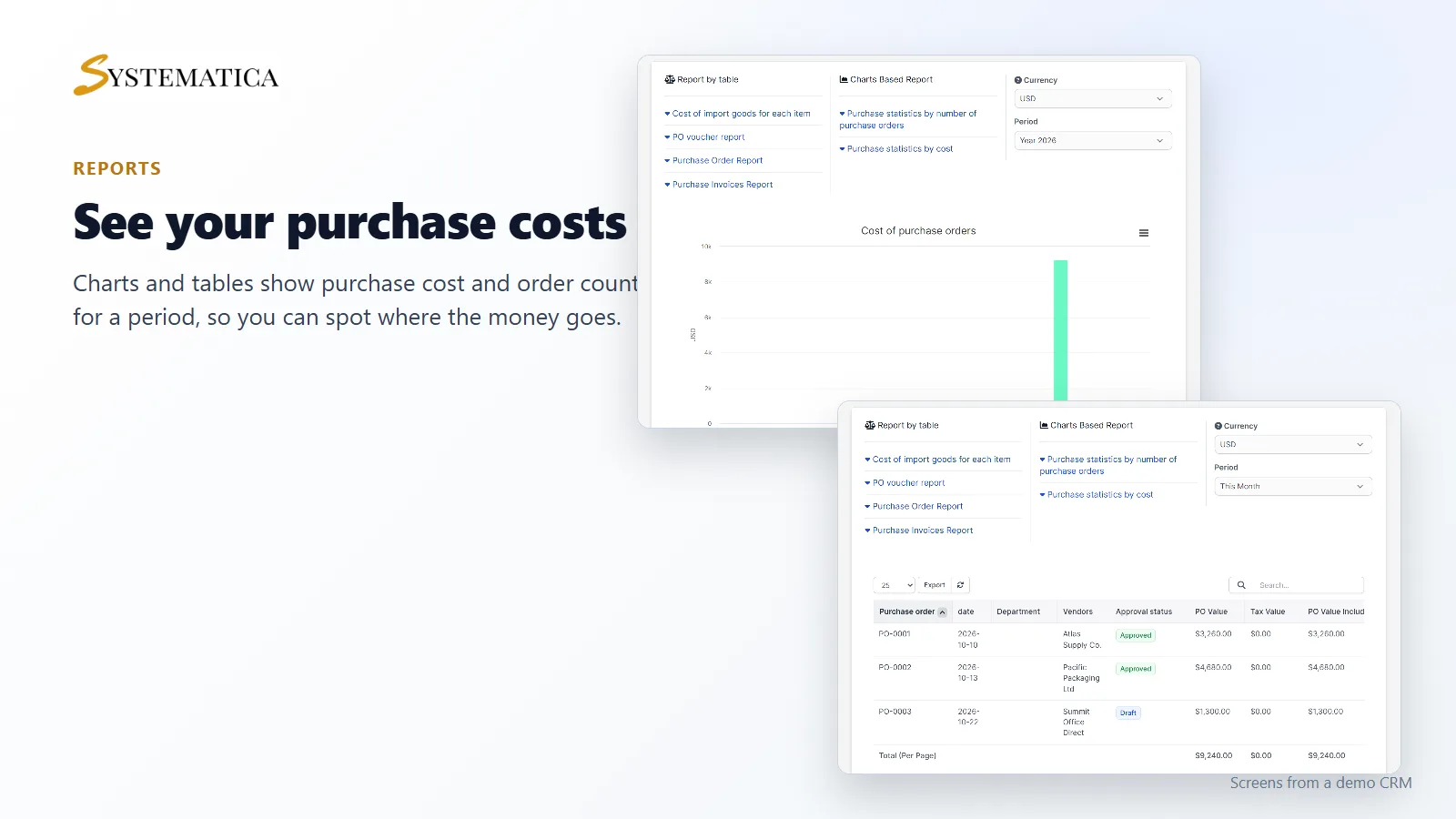
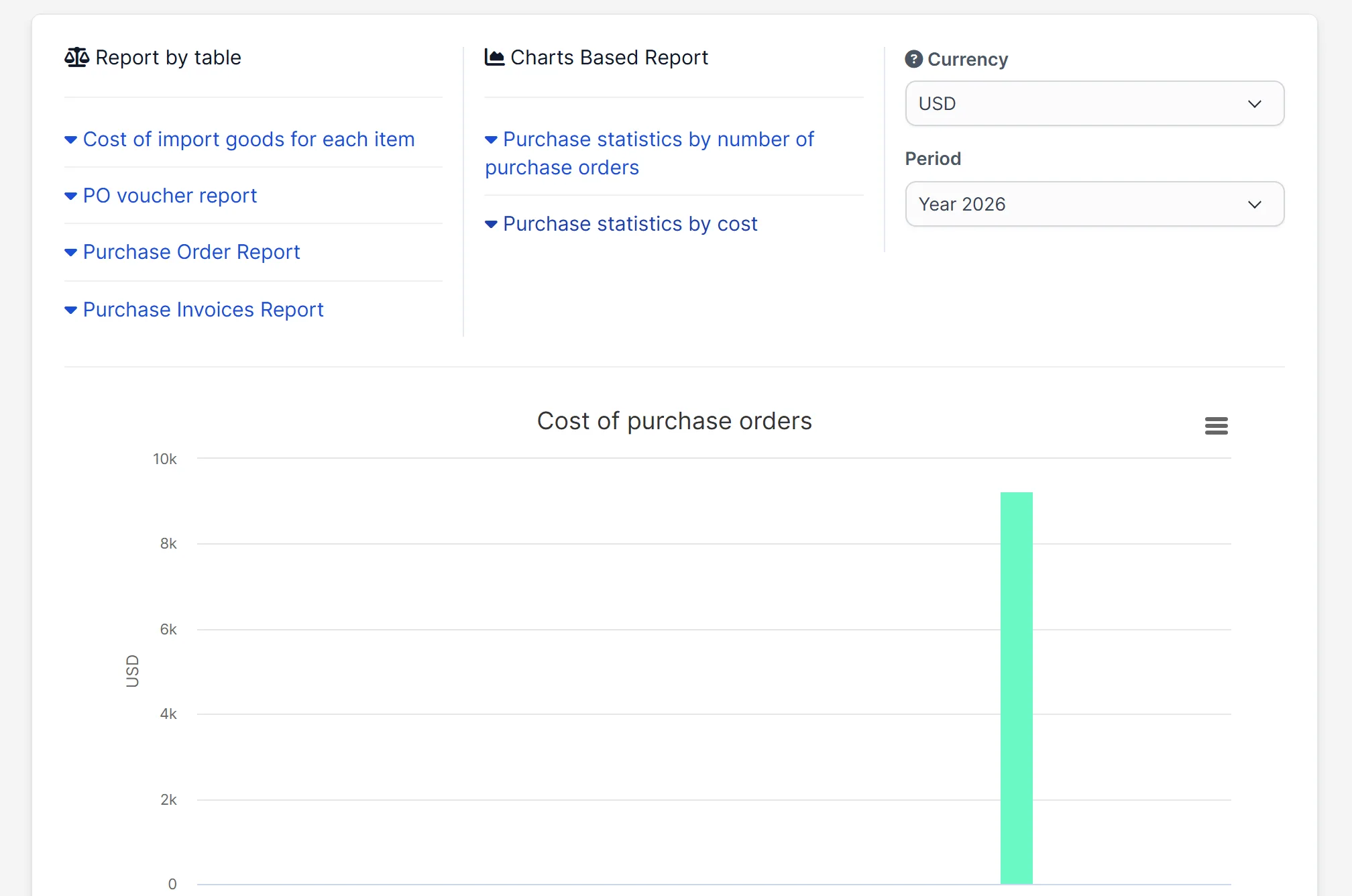
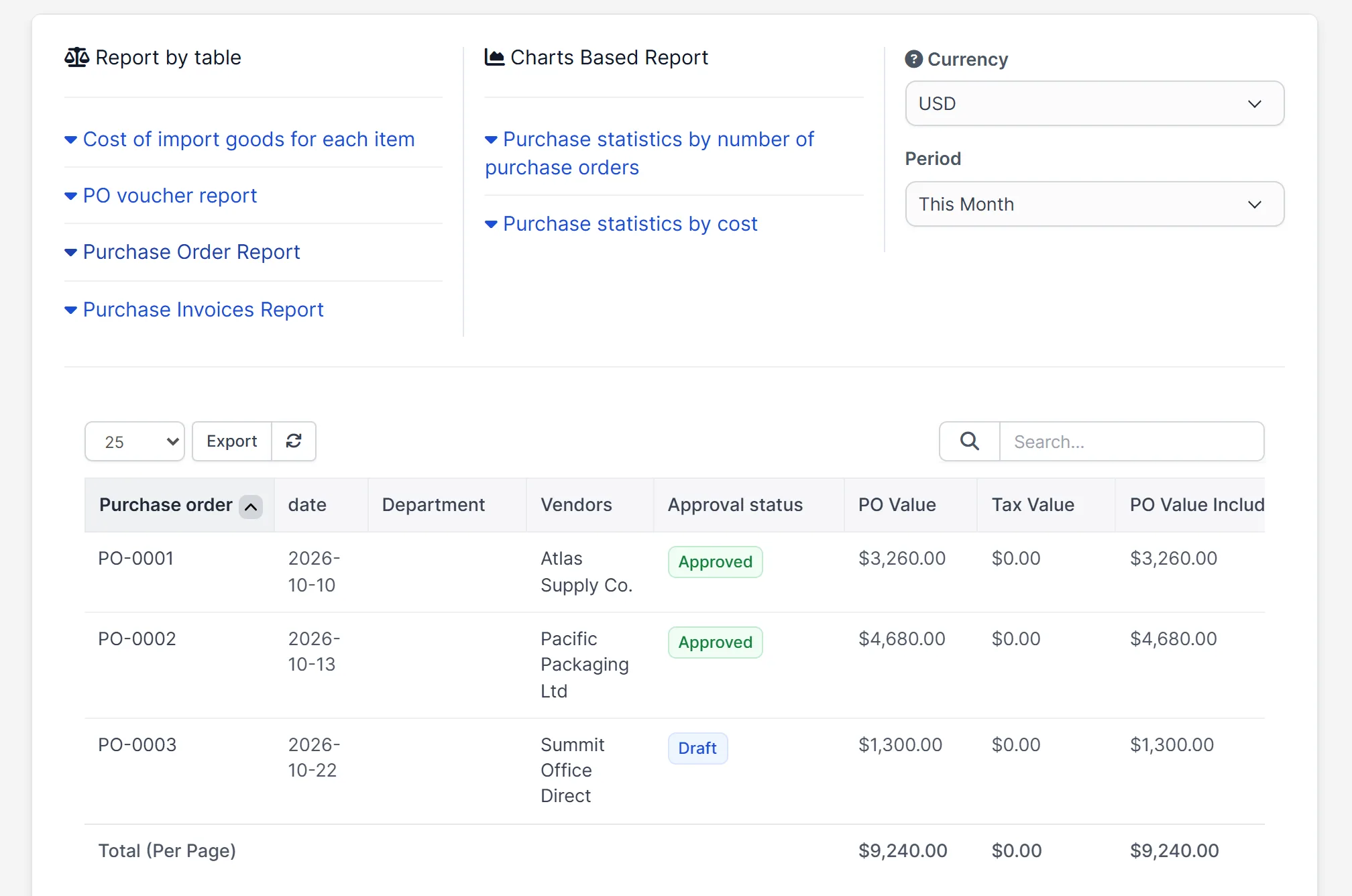
Purchase Management for Perfex CRM includes report tables for the cost of imported goods for each item, the purchase order voucher, the purchase order report and the purchase invoices report. Two charts show purchase statistics by number of orders and by cost, for a period and a currency you choose.
Set it up
- Upload the module under Setup > Modules and activate it.
- Open Purchase > License and enter your license key.
- Open Purchase > Setting and set up numbering, units and approvals.
- Add your vendors and your items.
- Create a purchase request, ask for a quotation, then create the purchase order.
Requirements
- Perfex CRM 3.4 or newer (tested on 3.4.1)
- A connection from your server to systematica.app over HTTPS
Good to know
- The screens in the pictures are from a demo CRM with sample data.
- Purchase Management for Perfex CRM is used by staff in the Perfex CRM admin area.
- Reports show the data you enter in requests, orders and invoices.
License, support and updates
After purchase you receive a license key by email. One license key activates the module on one website. To move it, deactivate the license under Purchase > License and activate it on the new site. You get 1 year of use, support through our ticket system and free updates through your Systematica account. Purchase Management for Perfex CRM runs inside Perfex CRM, which you need to own.
Frequently asked questions
What does Purchase Management for Perfex CRM do?
It lets you manage vendors, purchase requests, quotations, purchase orders, vendor invoices and purchase reports inside Perfex CRM.
Can I create a purchase order from a quotation?
Yes. A purchase order can come from a quotation, which in turn comes from a purchase request, so you can follow the chain.
Can I import vendors and items?
Yes. The vendor list and the item list both have import buttons.
Which reports are included?
Four table reports and two chart reports. They cover cost per item, purchase orders, purchase invoices and statistics by number of orders and by cost.
Can I use one license on more than one website?
One license key activates the module on one website. You can move it by deactivating it on the old site and activating it on the new one.
Need help with this module?
Every license is valid for 1 year and includes support through our ticket system and free updates. To keep using the module after that, renew your license.