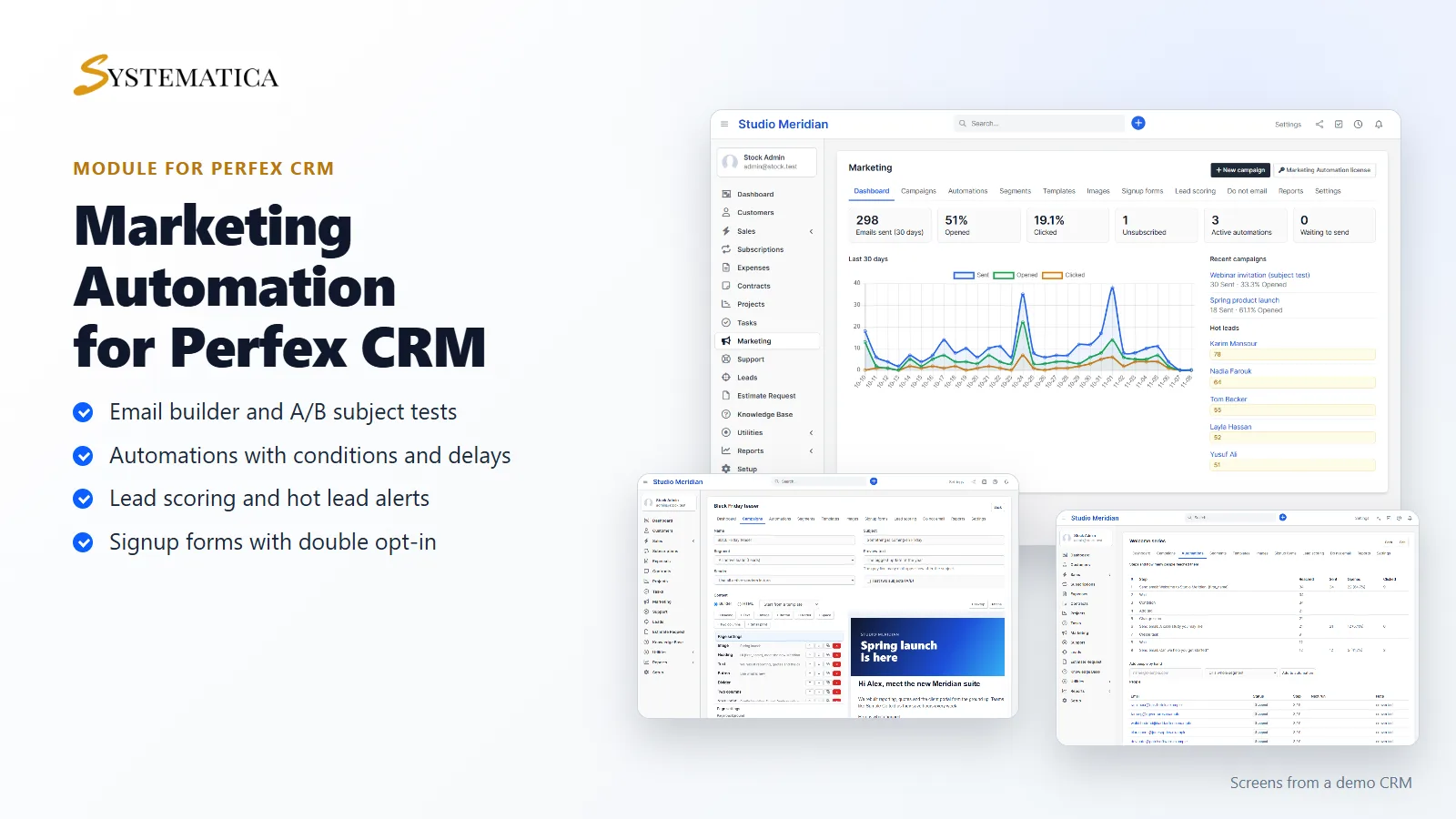
The Perfex CRM marketing automation module for email campaigns, follow-up workflows and lead scoring, all inside your CRM. Marketing Automation adds segments of leads and customers, a block-based email builder, campaigns with A/B subject tests, open and click tracking, automations with delays and conditions, signup forms with double opt-in and an unsubscribe list that every email respects. It is Perfex CRM email marketing without a second tool, a second contact list or a monthly fee per subscriber.
Segments of leads and customer contacts
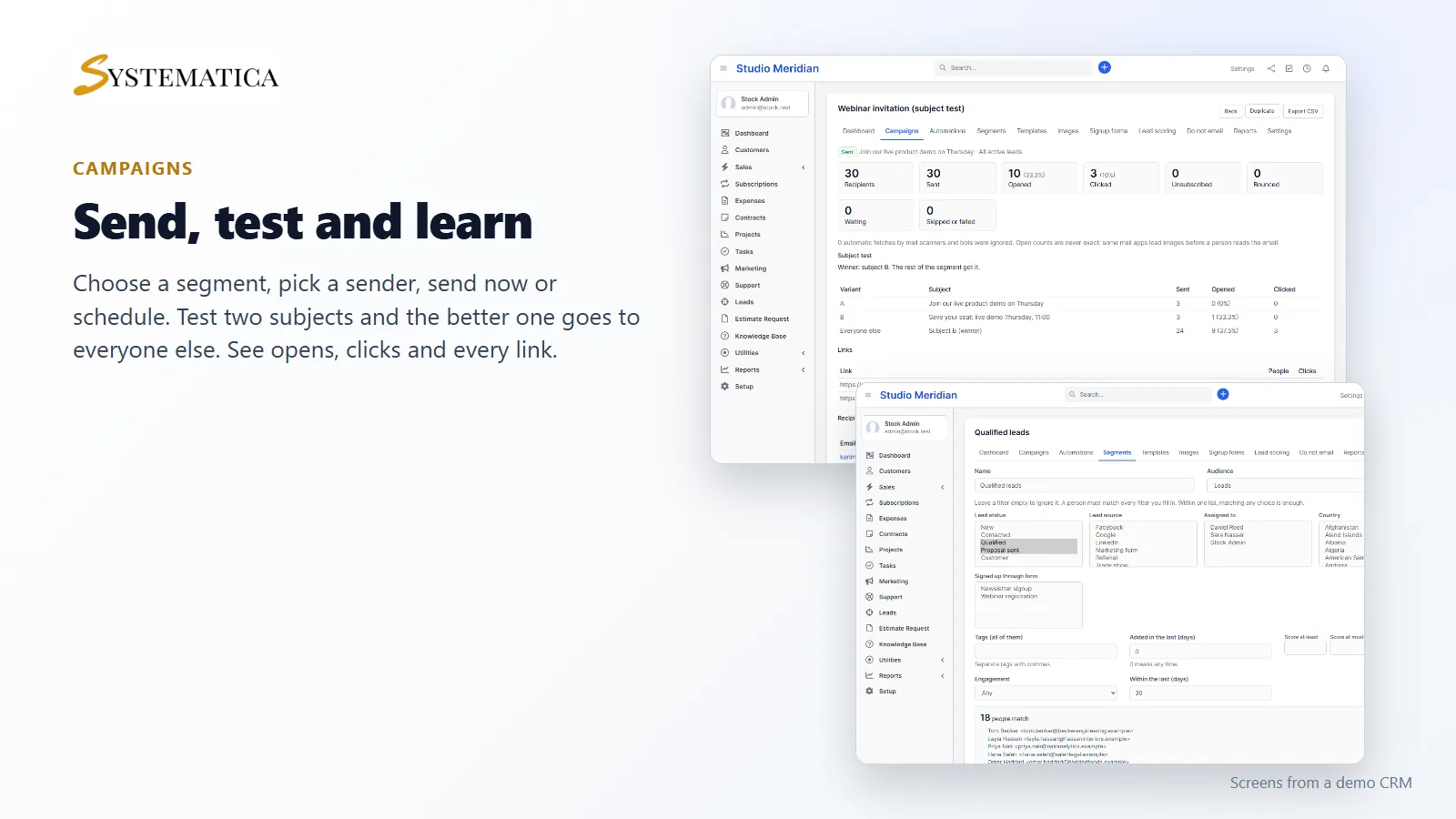
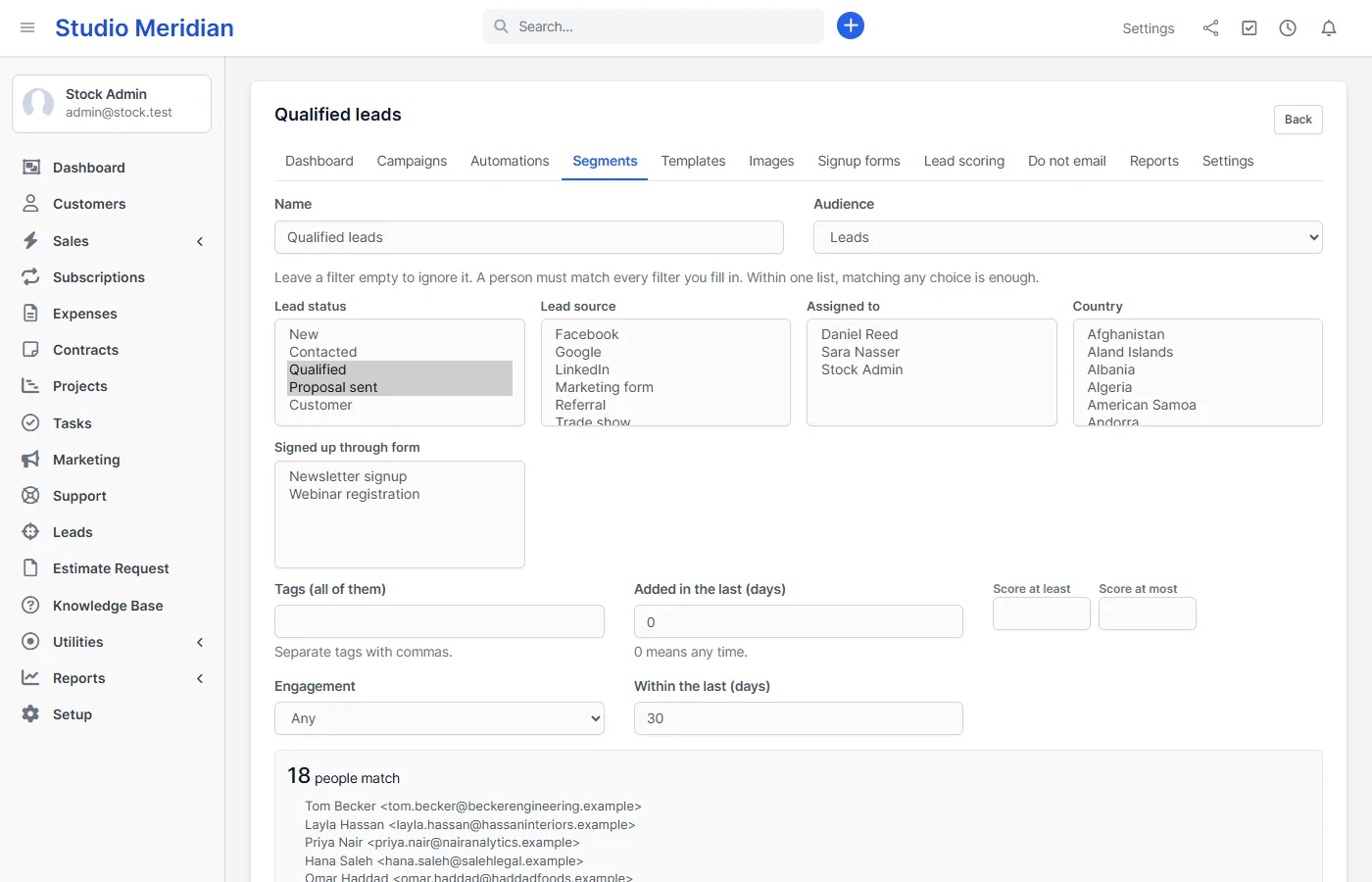
Save a list of people with filters: lead status, source, assigned staff, country, customer group, tags, how long ago they were added, lead score, whether they opened or clicked a recent email, and which signup form they used. The count updates while you edit, and you see a sample of names. People on your do not email list, lost or junk leads and invalid addresses are always left out, and one address is counted once.
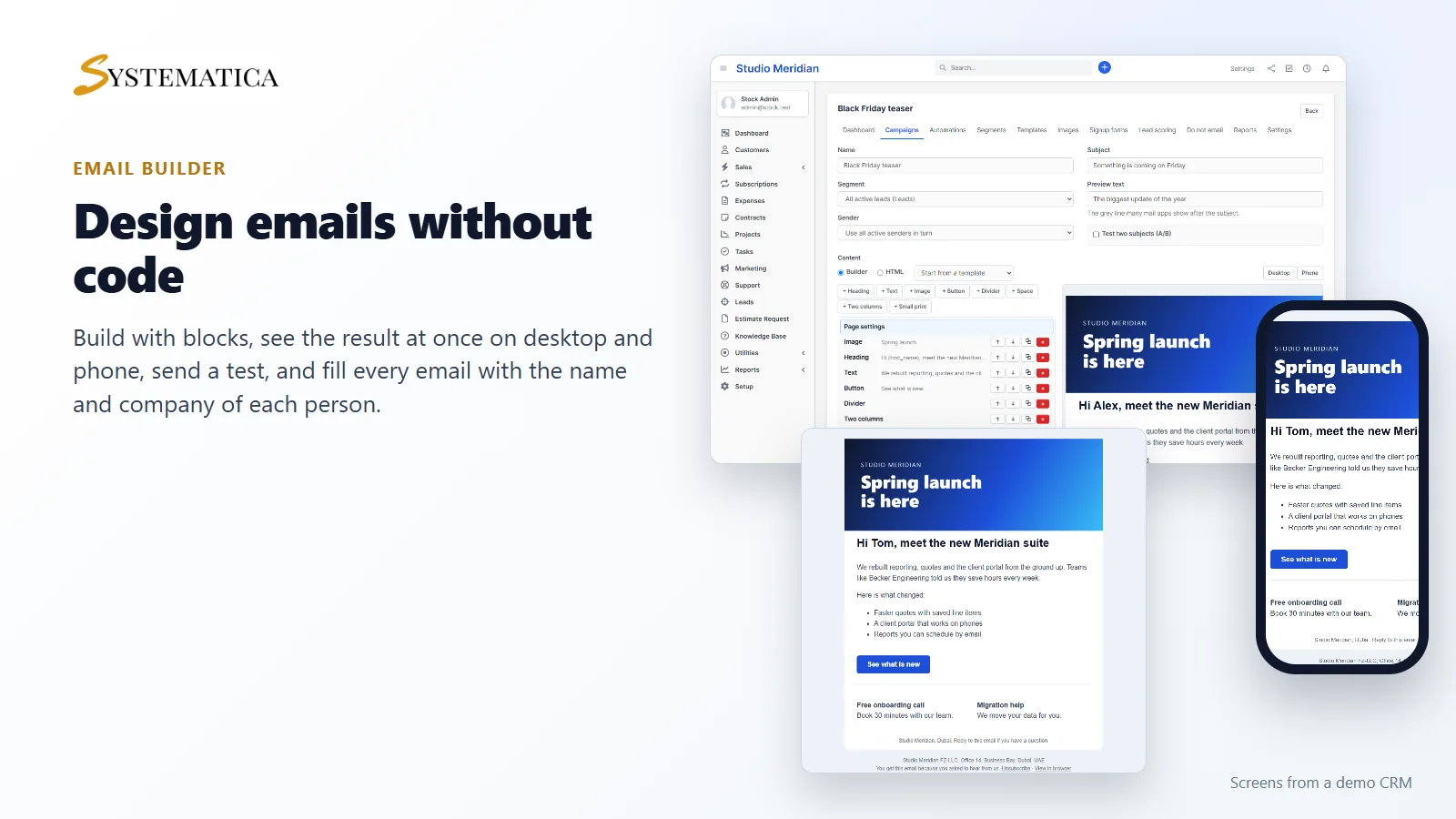
An email builder that works on phones
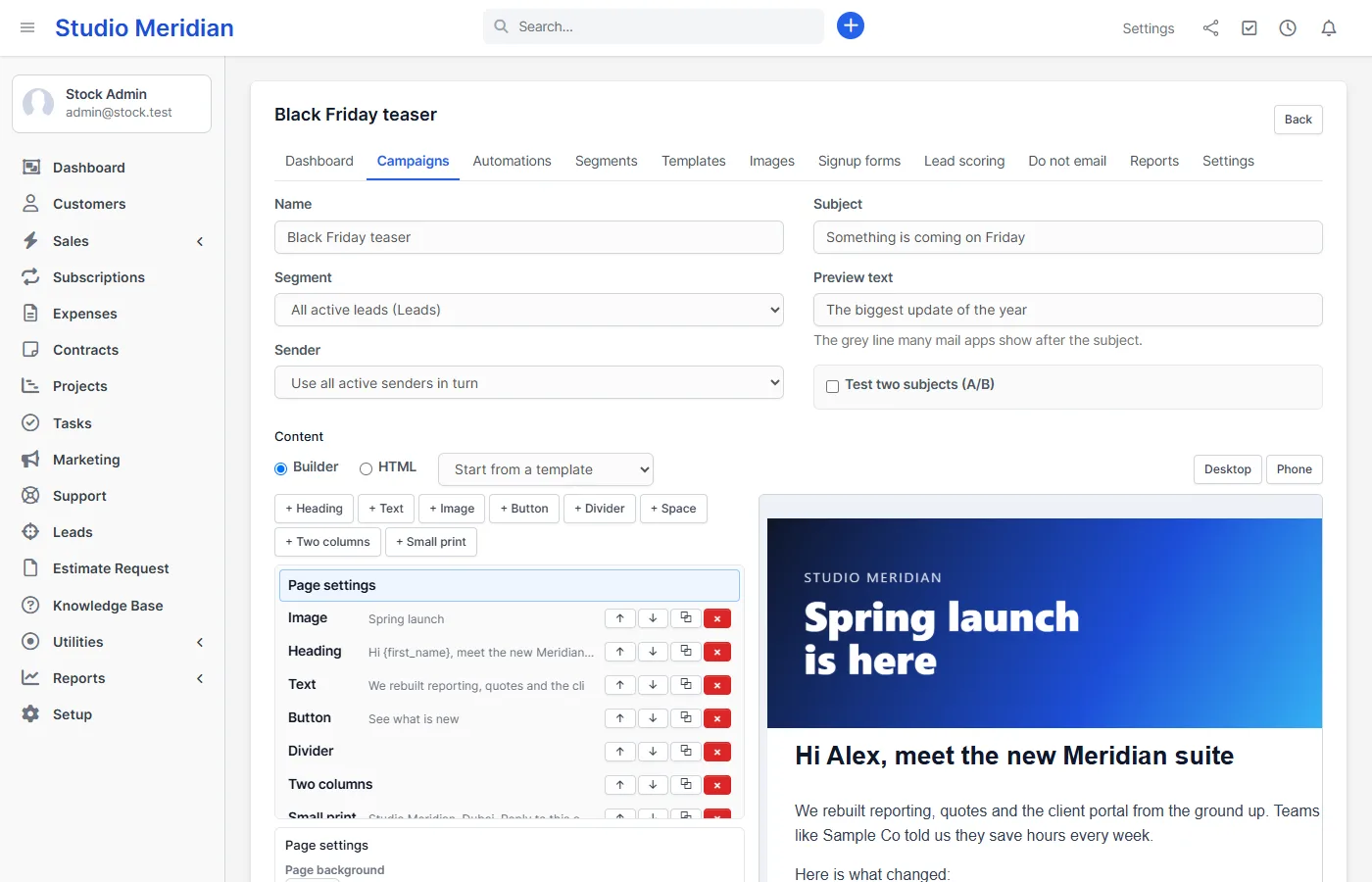
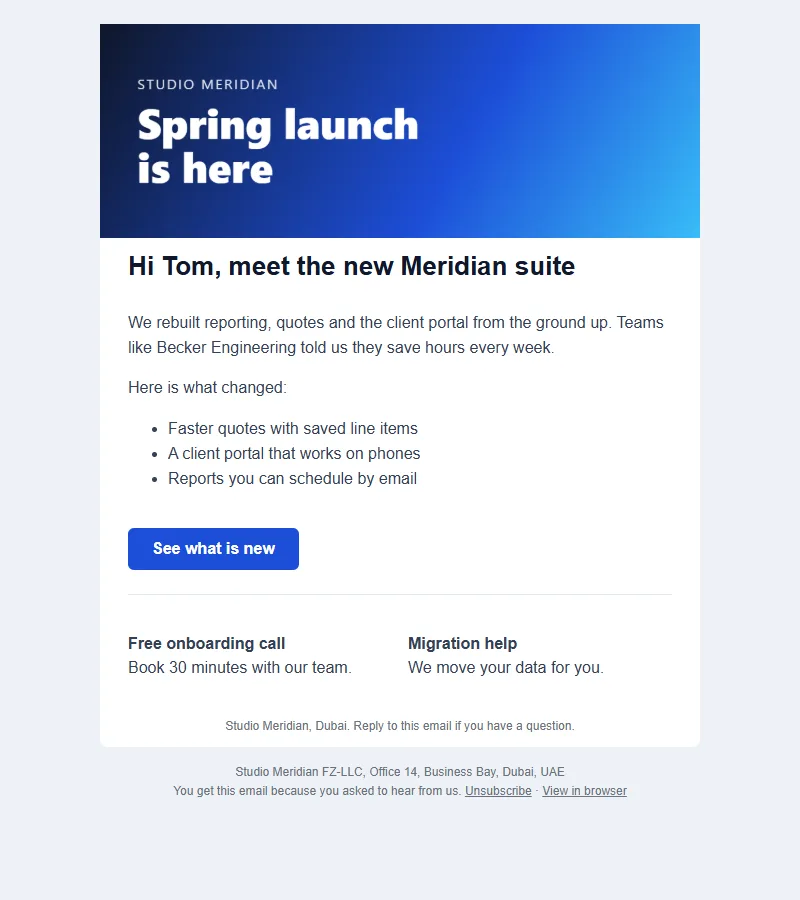
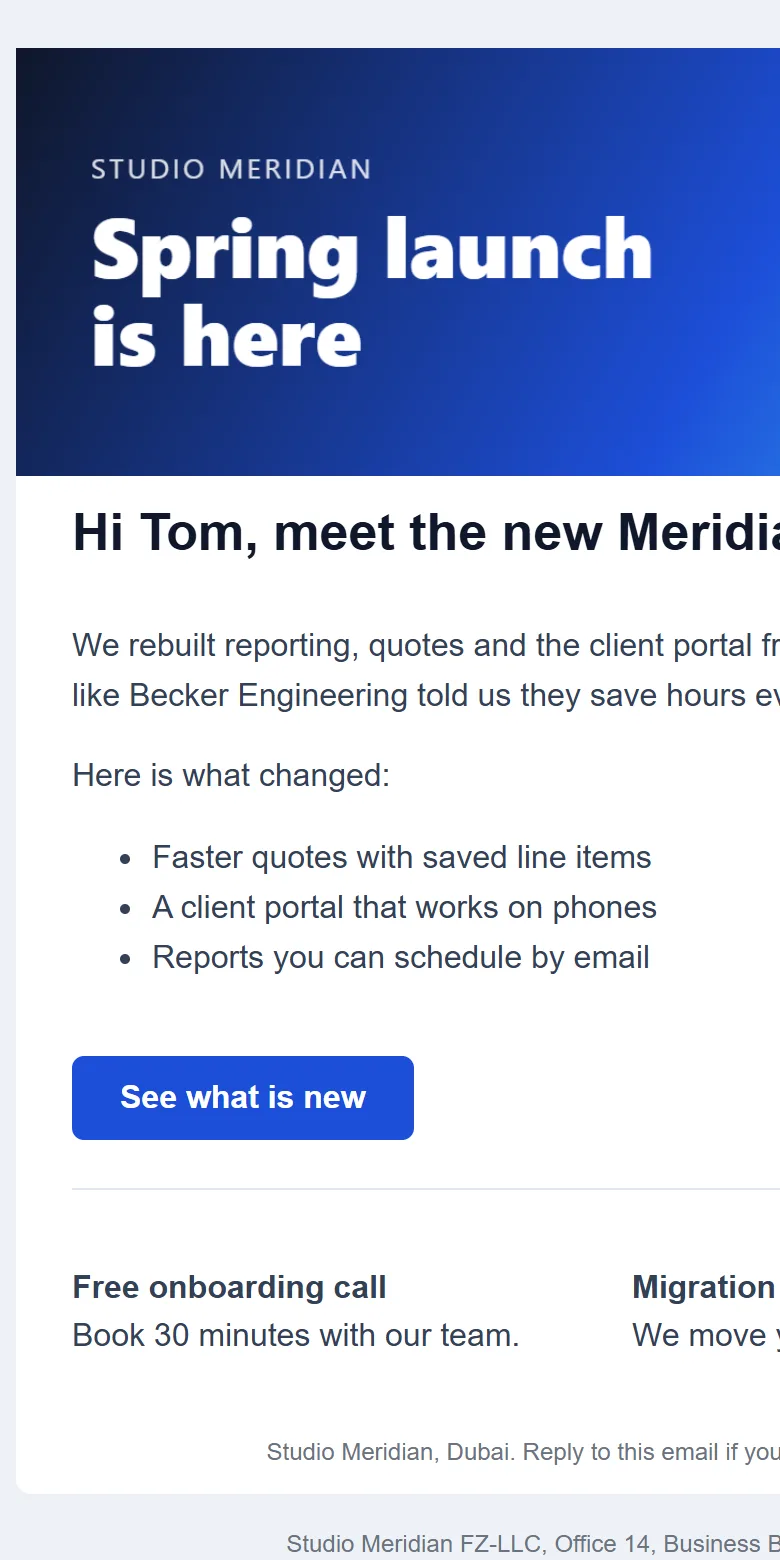
Build with blocks: heading, text, image, button, divider, space, two columns and small print. Change colors, fonts and width. The preview updates as you type and switches between desktop and phone. Send a test to any address before you send for real. Save designs as templates and keep your images in a library. If you already have email HTML, paste it in HTML mode; scripts and event attributes are removed. Fill each email with the person’s name, company and more using merge fields.
Campaigns with A/B subject tests
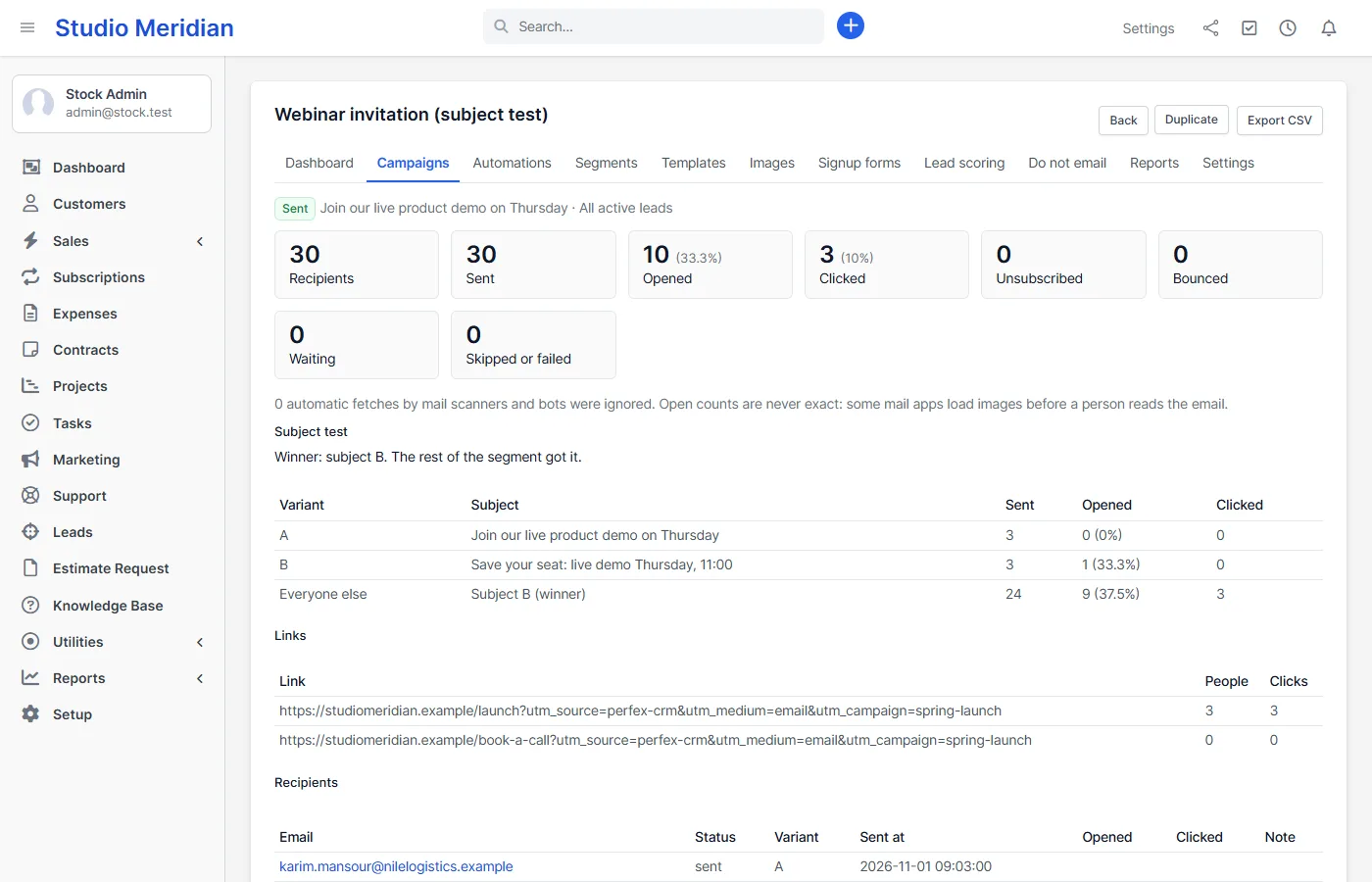
Choose a segment and a sender, then send now or schedule. Turn on the subject test: a share of the segment gets subject A or B, and after the wait you set, the subject with more opens goes to everybody else. The campaign report shows sent, opened, clicked, unsubscribed and bounced, every link with its click count, and each recipient. Add UTM tags to links in one field. Pause, resume, cancel or duplicate a campaign at any time.
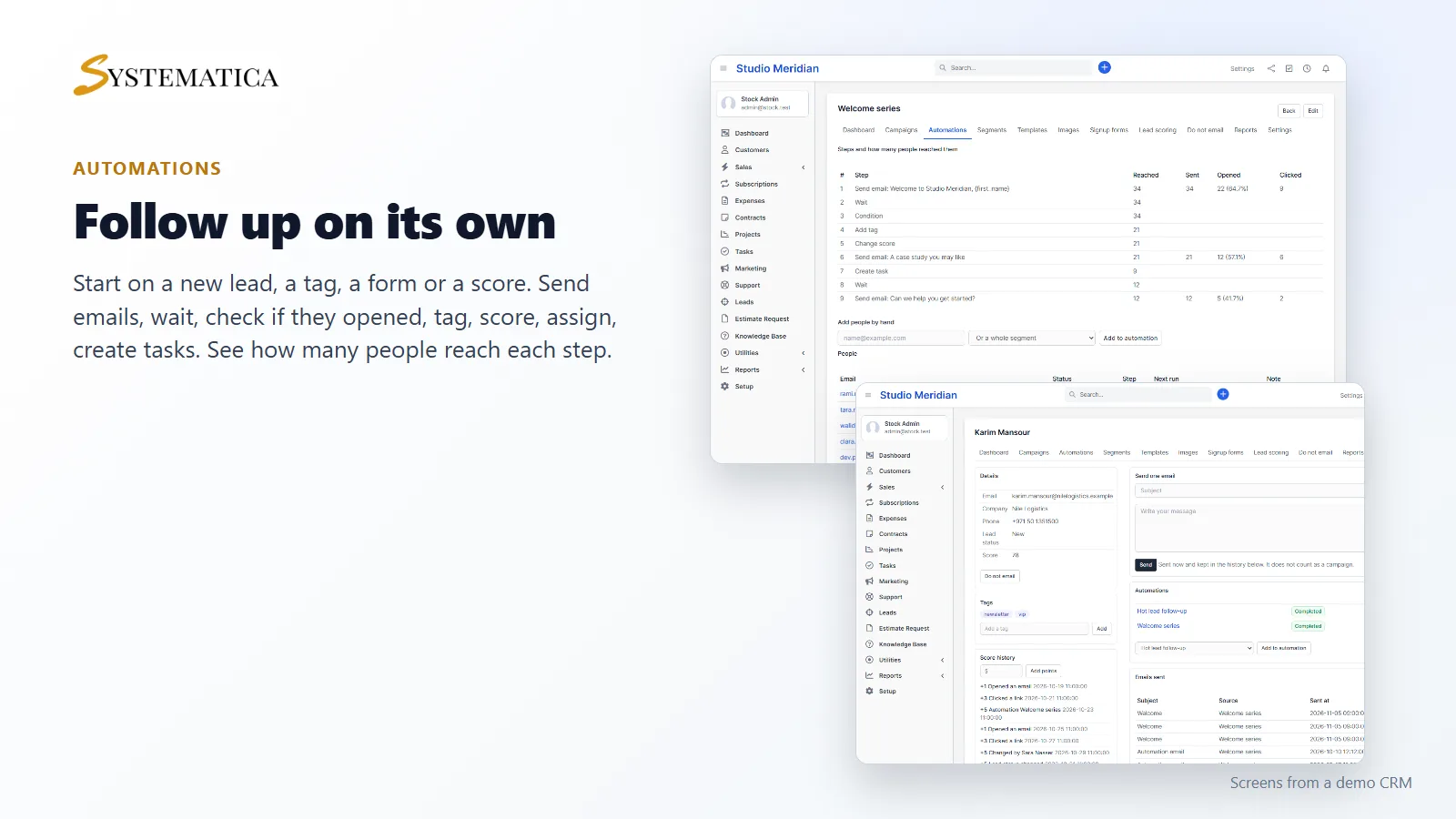
Automations with delays and conditions
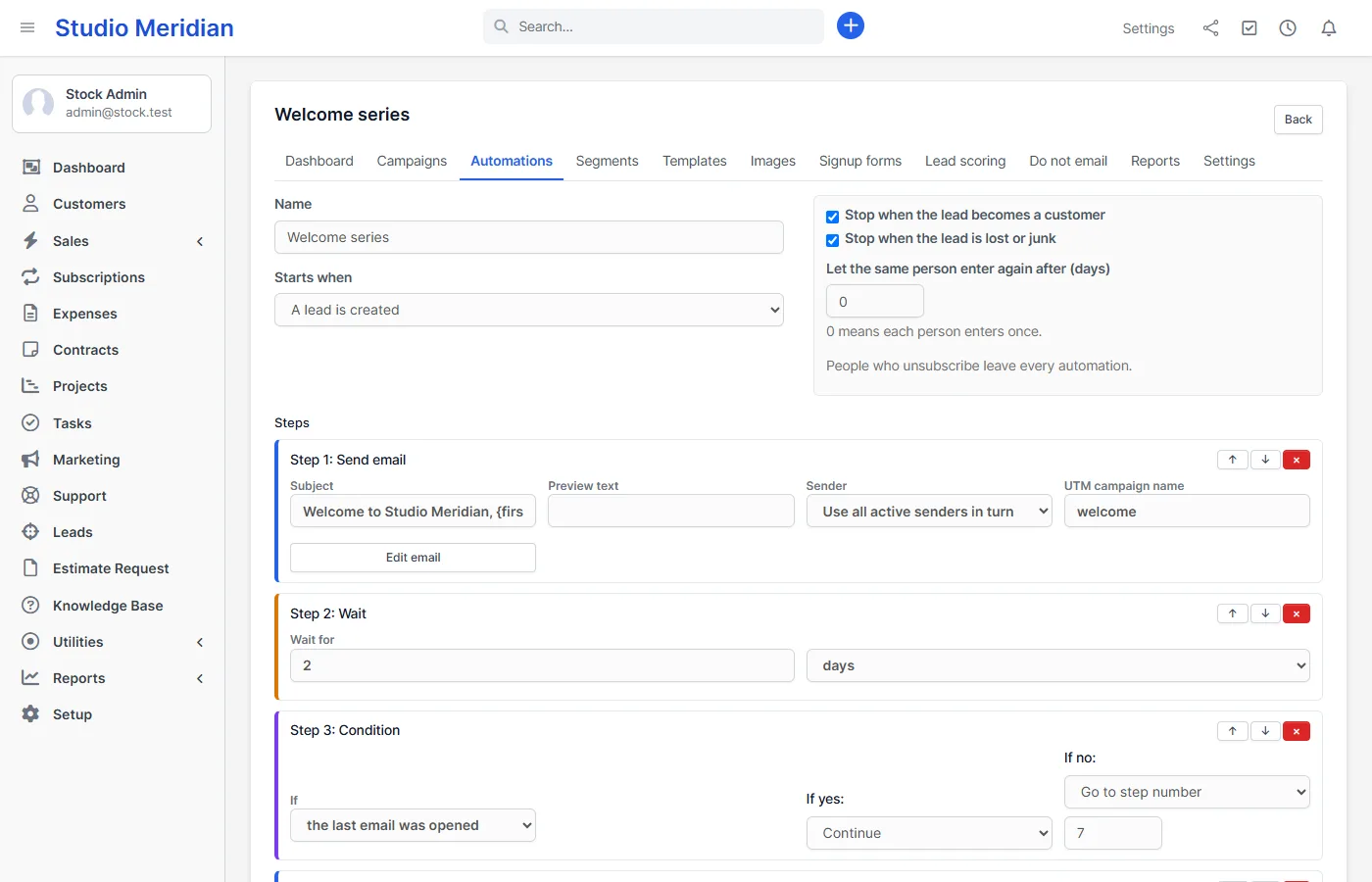
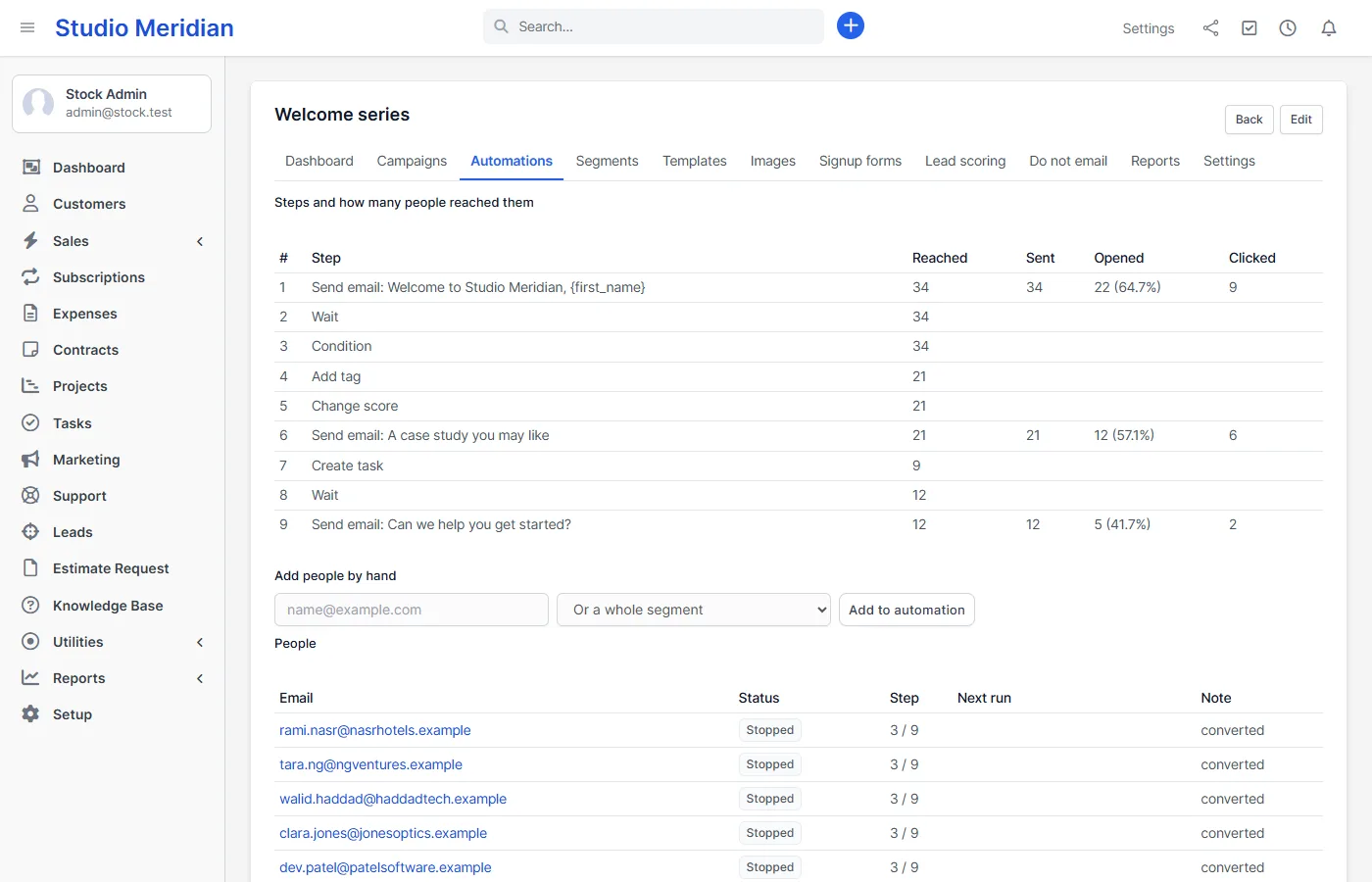
Start an automation when a lead is created, changes status, gets a tag, becomes a customer, signs up through a form, enters a segment or reaches a score, or add people by hand. Then chain steps: send an email, wait minutes, hours or days, check whether the last email was opened or clicked, add or remove a tag, change the score, assign a lead to staff, change the lead status, create a Perfex task or email your team. A condition can continue, end the automation or jump to another step. People leave automatically when they unsubscribe, when a lead becomes a customer or when it is marked lost. The funnel shows how many people reached each step.
Lead scoring and hot lead alerts
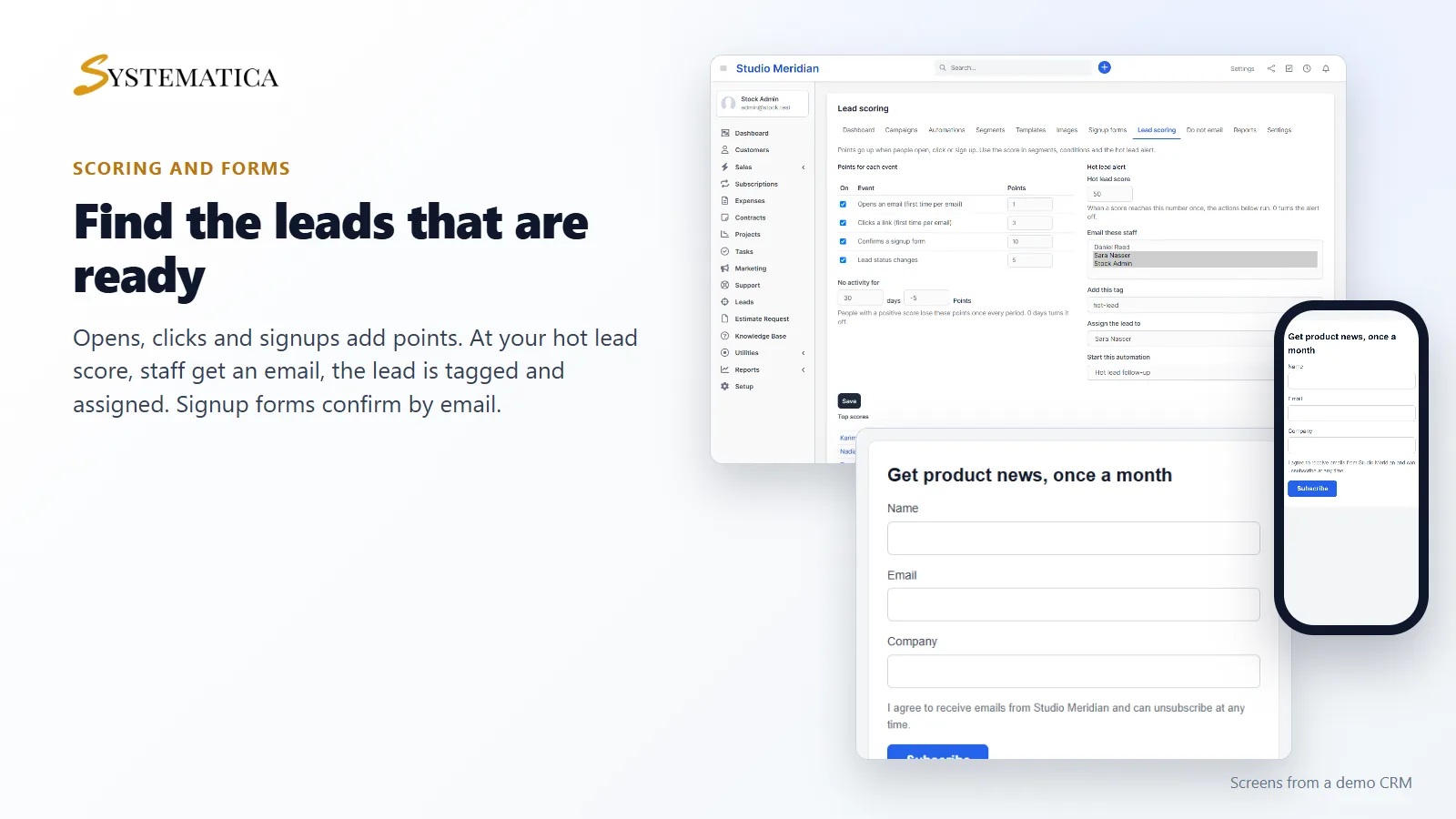
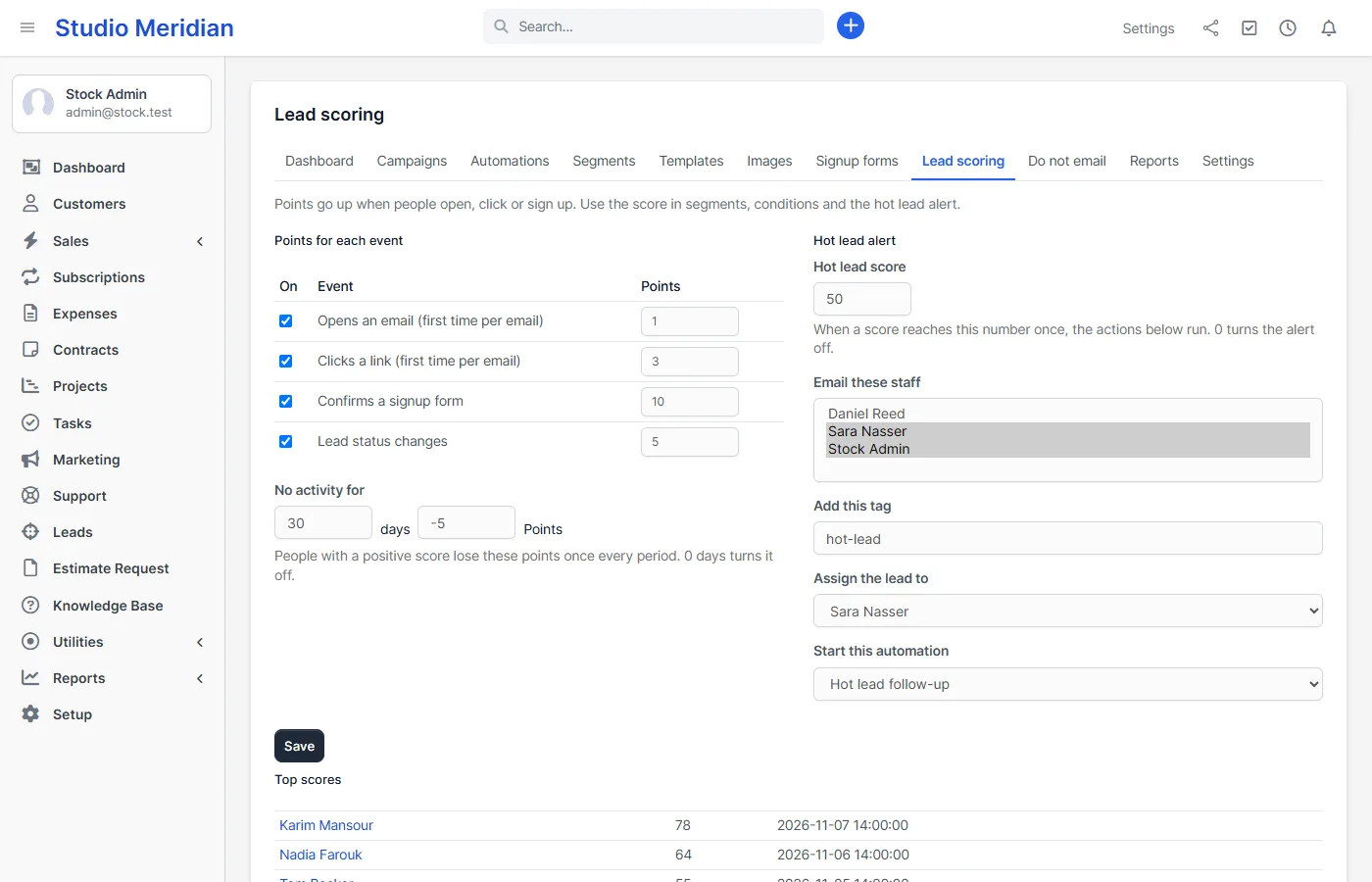
Opens, clicks, form signups and status changes add points, and people with no activity slowly lose them. Set a hot lead score. When someone reaches it, the staff you choose get an email, the lead gets a tag, is assigned to a salesperson and can start an automation. Use the score in segments and conditions too.
Every contact on one page
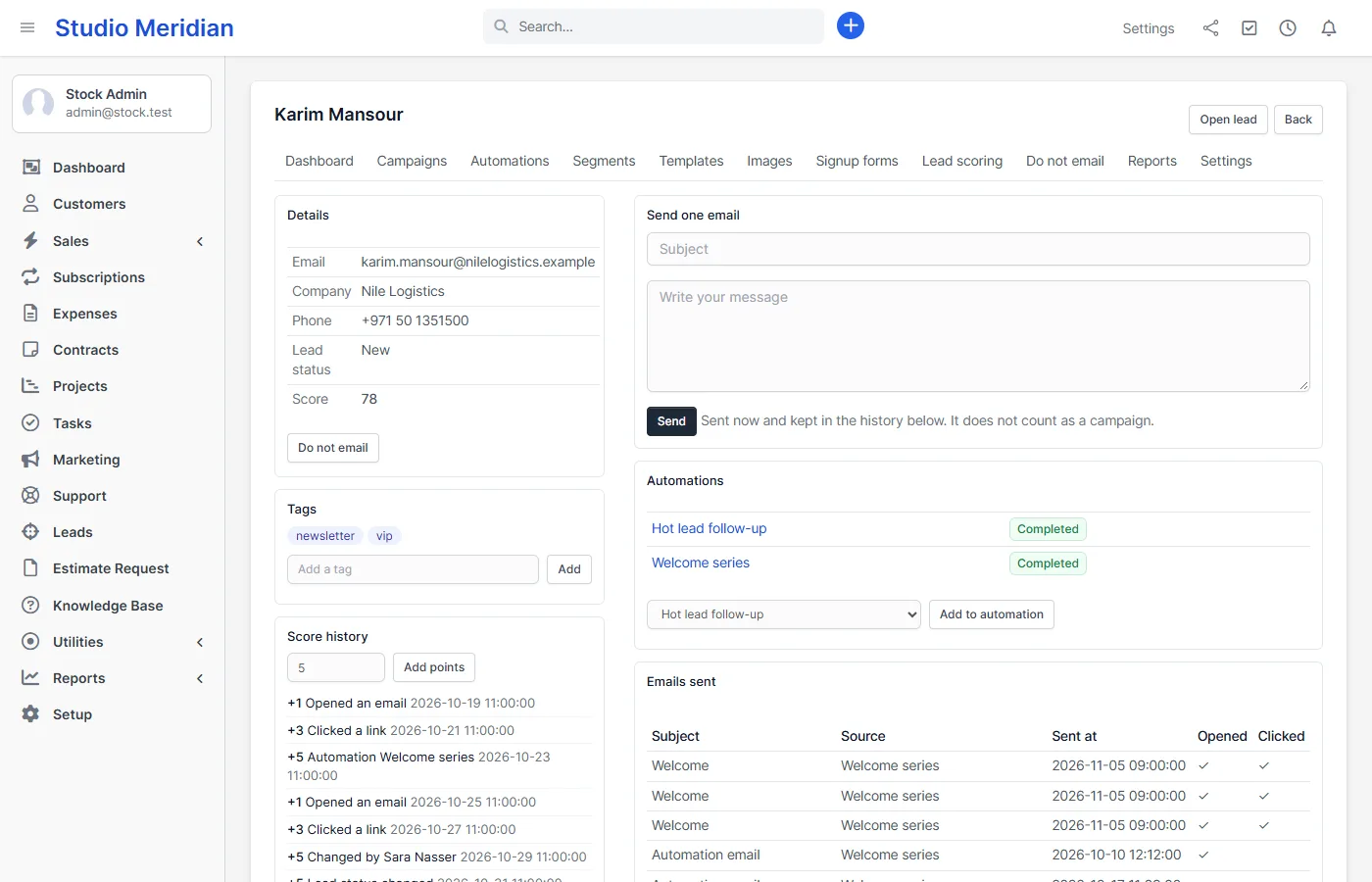
Open any lead or customer contact to see the score and its history, tags, the automations they are in and every marketing email they got, with opened and clicked marks. Send one personal email from the same page; it is logged. A Marketing tab also appears inside the Perfex lead window.
Signup forms with double opt-in
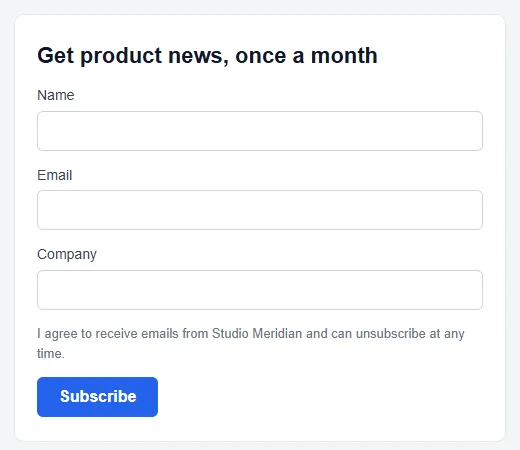
Create a form, share its page or embed it on your website with an iframe. Choose the fields, the consent text, the tag, the lead status and the person it is assigned to. By default a visitor must confirm by email before a lead is created. A hidden honeypot field and a limit on signups from one address stop spam. A confirmed signup creates or finds the lead, adds the tag, gives points and can start an automation.
Sender profiles, limits and a respectful unsubscribe
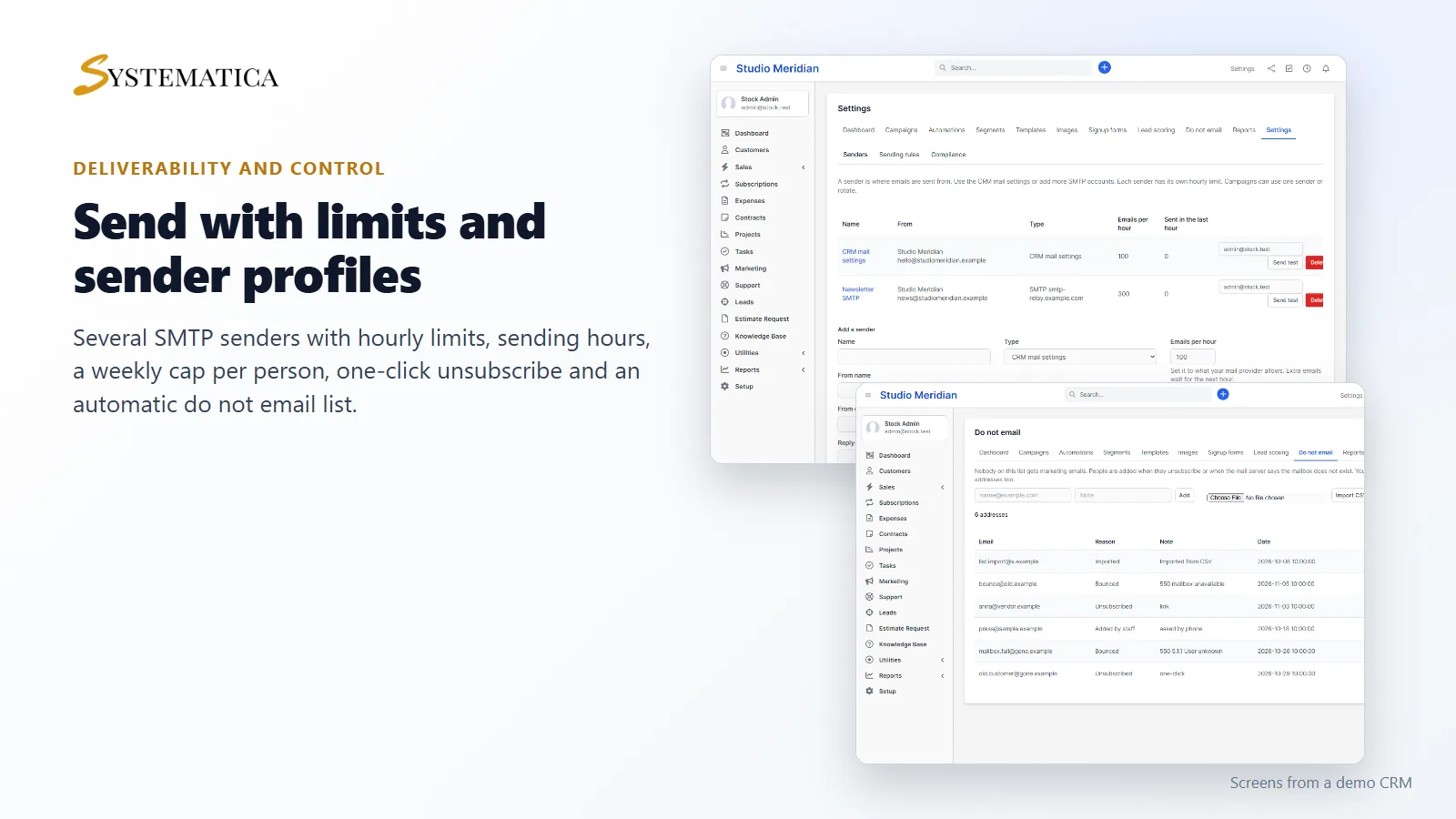
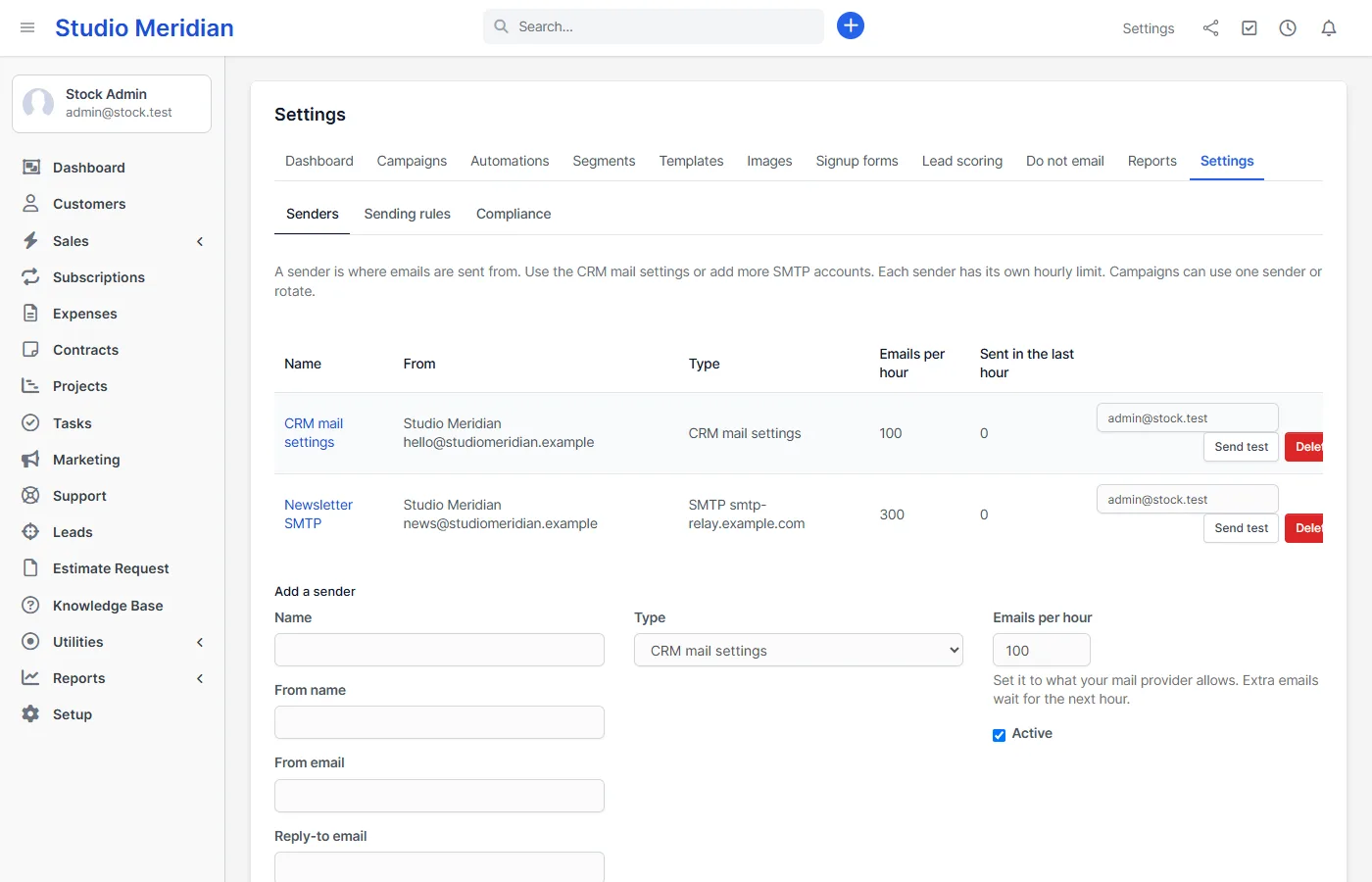
- Several senders: use the CRM mail settings and add more SMTP accounts, each with its own hourly limit and a test button. A campaign can use one sender or rotate between all.
- Sending hours and a weekly cap: send only on the days and hours you choose and limit how many marketing emails one person gets in 7 days.
- One-click unsubscribe: a footer link with a confirmation button, plus the List-Unsubscribe headers that Gmail and Yahoo ask bulk senders for. Unsubscribed people and hard bounces go on the do not email list, which you can import and export.
- Postal address required: the module will not send until your address is set, because marketing laws expect it in every email.
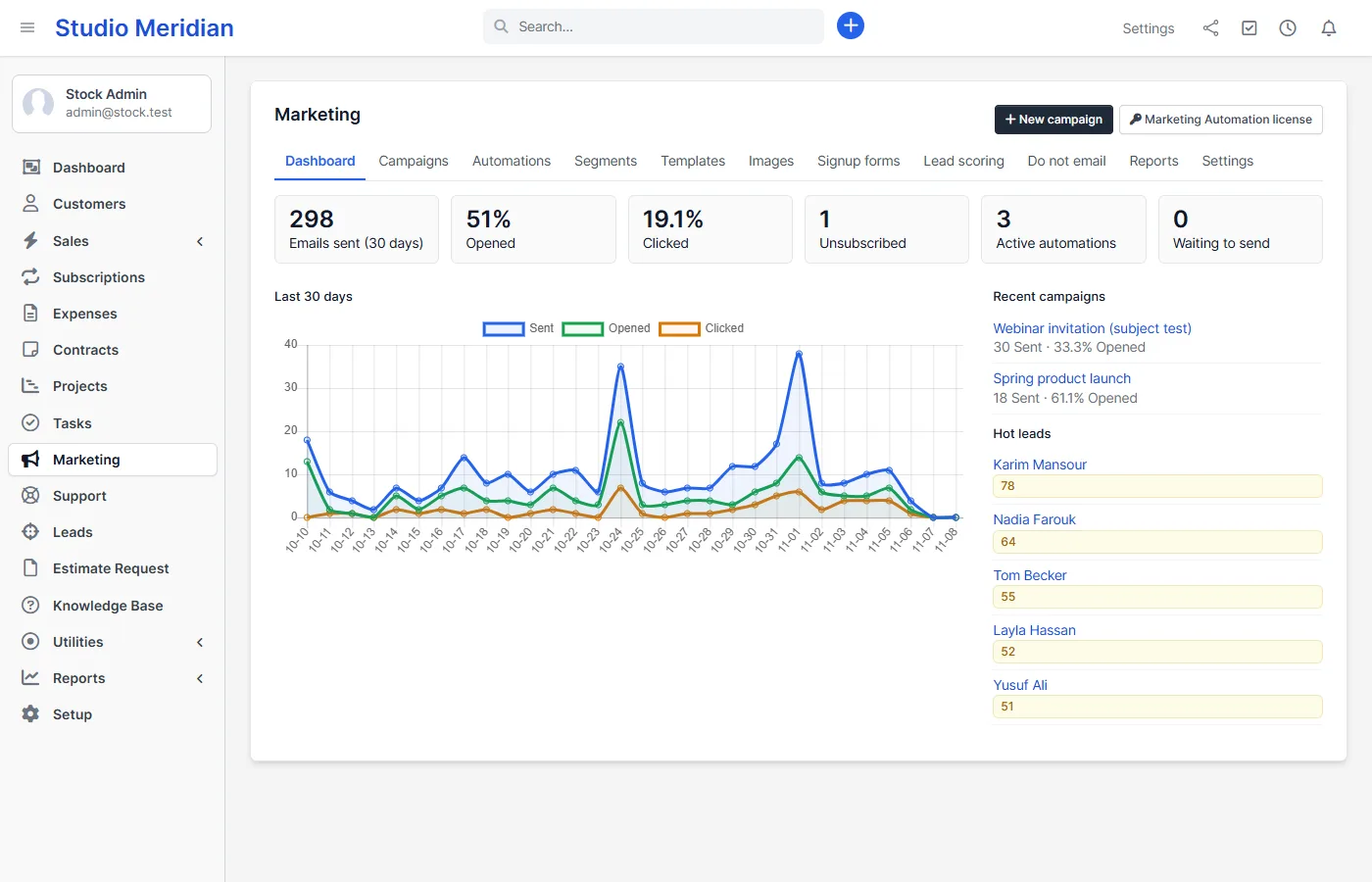
- Reports with CSV: dashboard, campaign and automation reports, score distribution and signups.
- Rights: view, campaigns, automations, templates and images, forms, scoring, do not email, reports and settings.
Set it up
- Upload the module under Setup > Modules and activate it.
- Open Marketing in the sidebar and enter your license key.
- Open Settings: write your postal address, set the hourly limit of your sender and send a test.
- Create a segment, then a campaign or an automation.
Requirements
- Perfex CRM 3.4 (tested on 3.4.1 with PHP 8.3)
- Working email settings in the CRM, or an SMTP account added in the module
- The Perfex CRM cron job. Emails are sent by cron; you can also press “Send a batch now”
- A connection from your server to systematica.app over HTTPS when you activate the license
Good to know
- Version 1.0 sends email only. SMS and WhatsApp are not included.
- There is no landing page builder and no funnels with upsells.
- Hard bounces are detected from the mail server’s answer while sending. The module does not read a mailbox for later bounces or replies.
- Open tracking is never exact, because some mail apps load images before a person reads the email. You can turn tracking off.
- Your mail provider still decides what reaches the inbox. Use a proper sender domain with SPF and DKIM, and respect its sending limits.
- The builder makes simple, reliable emails. Send a test to your own addresses to see how your mail apps show them.
- The module, the unsubscribe page and the forms are in English.
- The pictures show a demo CRM with sample data.
License, support and updates
After purchase you receive a license key by email. One license key activates the module on one website. To move it, deactivate the license under Marketing > Marketing Automation license and activate it on the new site. You get 1 year of use, support through our ticket system and free updates through your Systematica account. Marketing Automation works inside Perfex CRM, which you need to own. Looking for more guides? See the Perfex CRM documentation.
Frequently asked questions
Does it send the emails itself or do I need Mailchimp?
It sends them itself through the CRM mail settings or the SMTP accounts you add. Your contacts stay in Perfex CRM and no list is copied to another service. Large lists need a mail provider that allows bulk sending, so set the hourly limit to what your provider allows.
Can I email both leads and customers?
Yes. A segment is made from leads or from customer contacts. Both get the same unsubscribe and do not email handling, and both appear on the contact page.
How do unsubscribes work?
Every email has an unsubscribe link and the List-Unsubscribe headers. The page needs one click, so mail scanners cannot unsubscribe people by mistake. People who unsubscribe leave every automation at once and are left out of every segment. You can restore an address with a reason.
What happens when an email address does not exist?
If the mail server answers that the mailbox does not exist, the address is added to the do not email list at once. Other failures, such as a busy server, are tried again up to three times.
Can I stop people from getting too many emails?
Yes. Set the most marketing emails one person may get in 7 days, choose sending days and hours, and give each sender an hourly limit.