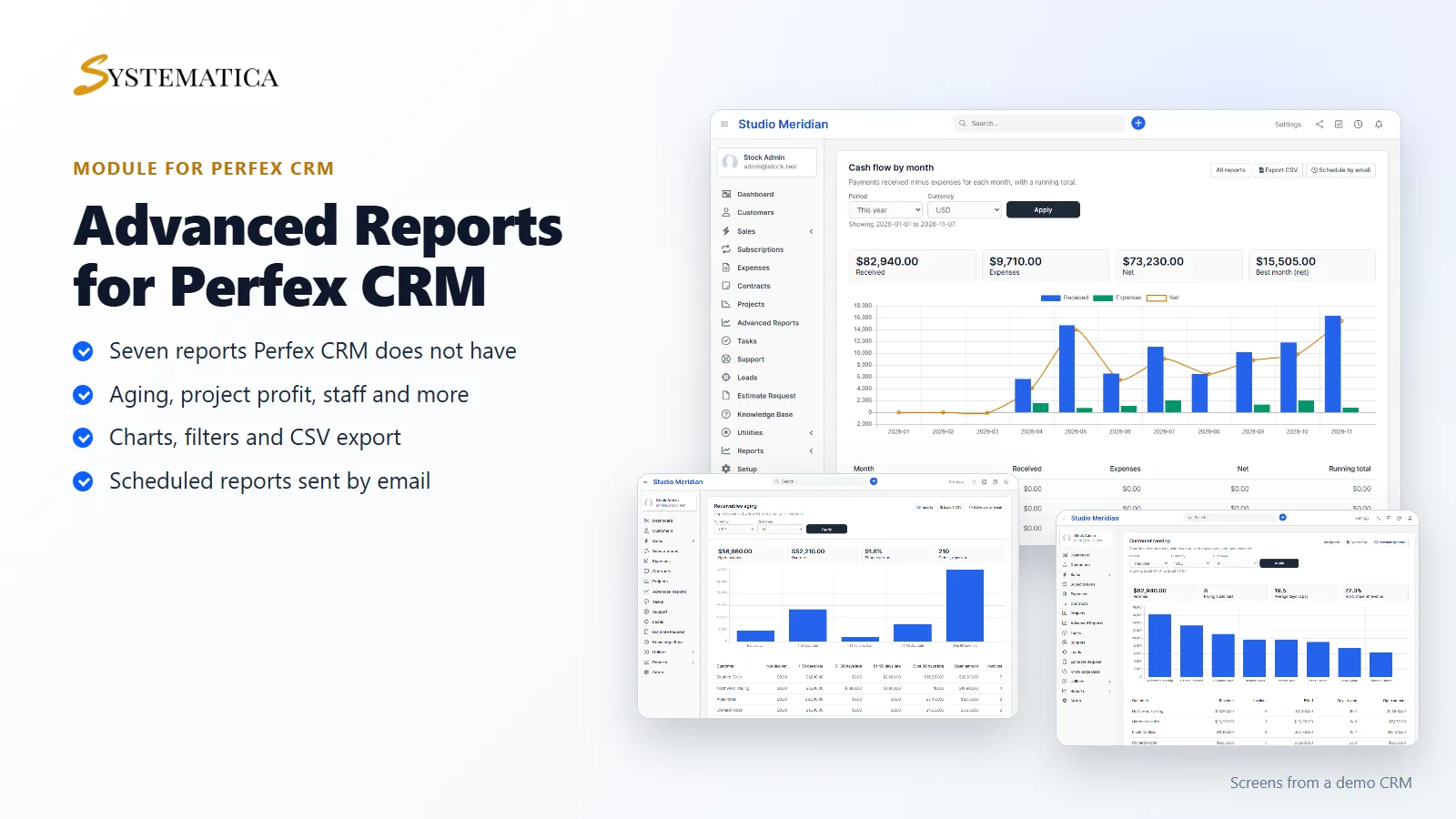
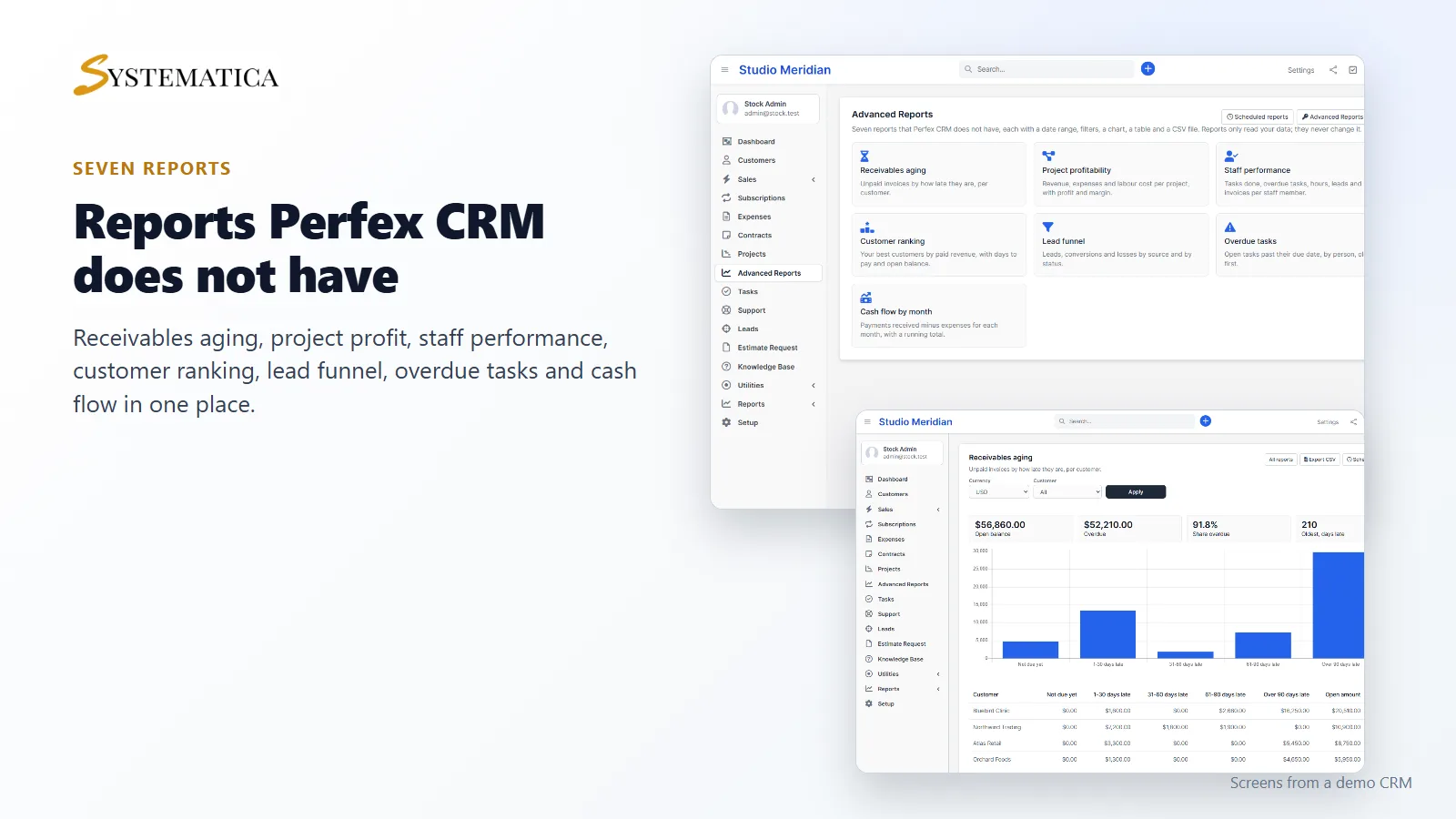
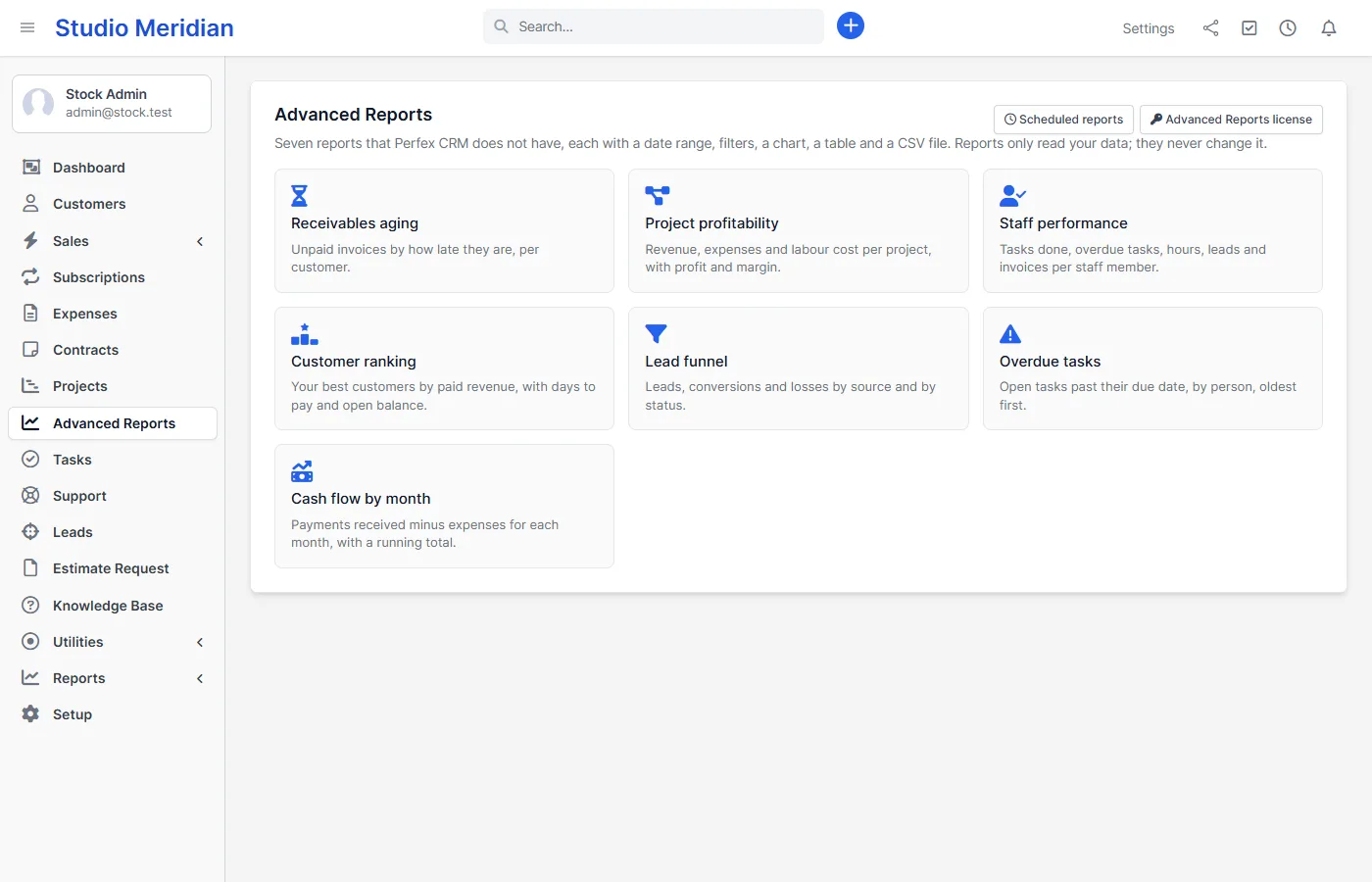
The Perfex CRM reports module that answers the questions owners actually ask: who owes us money, which projects make a profit, who does the work, which customers matter and where our leads come from. Advanced Reports adds seven reports to Perfex CRM, each with a date range, filters, a chart, a table and a CSV file. You can also have any report emailed to your team on a schedule.
Seven reports Perfex CRM does not have
Perfex CRM has built-in reports for sales, payments, expenses, income against expenses and leads. Advanced Reports adds the ones it lacks. Reports only read your data. They never change it, and nothing leaves your server.
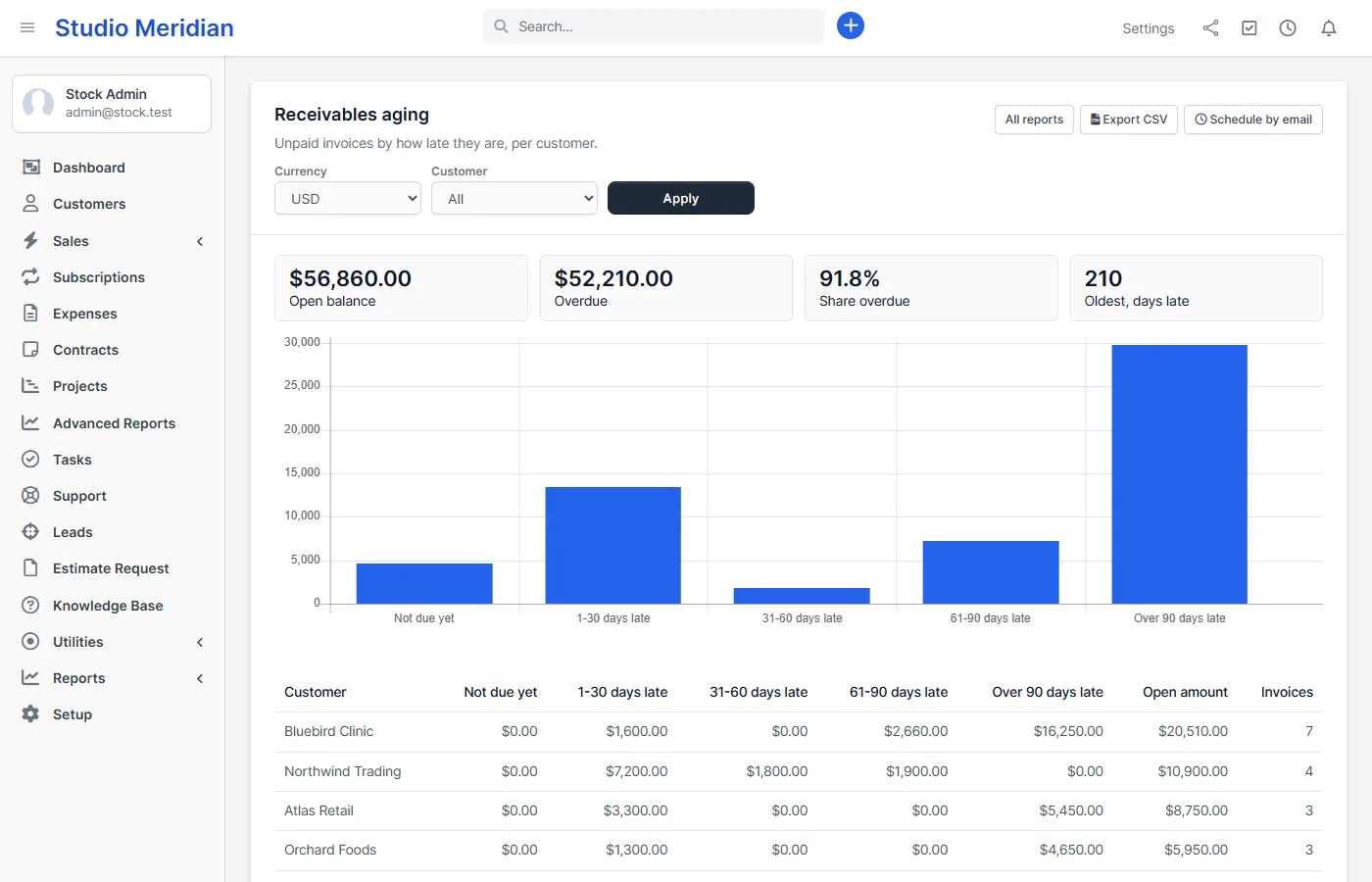
Receivables aging
See every unpaid invoice by how late it is: not due yet, 1-30, 31-60, 61-90 and over 90 days, grouped by customer. The tiles show the open balance, the overdue amount and the oldest invoice. This is the report to open before you chase payments.
Project profitability
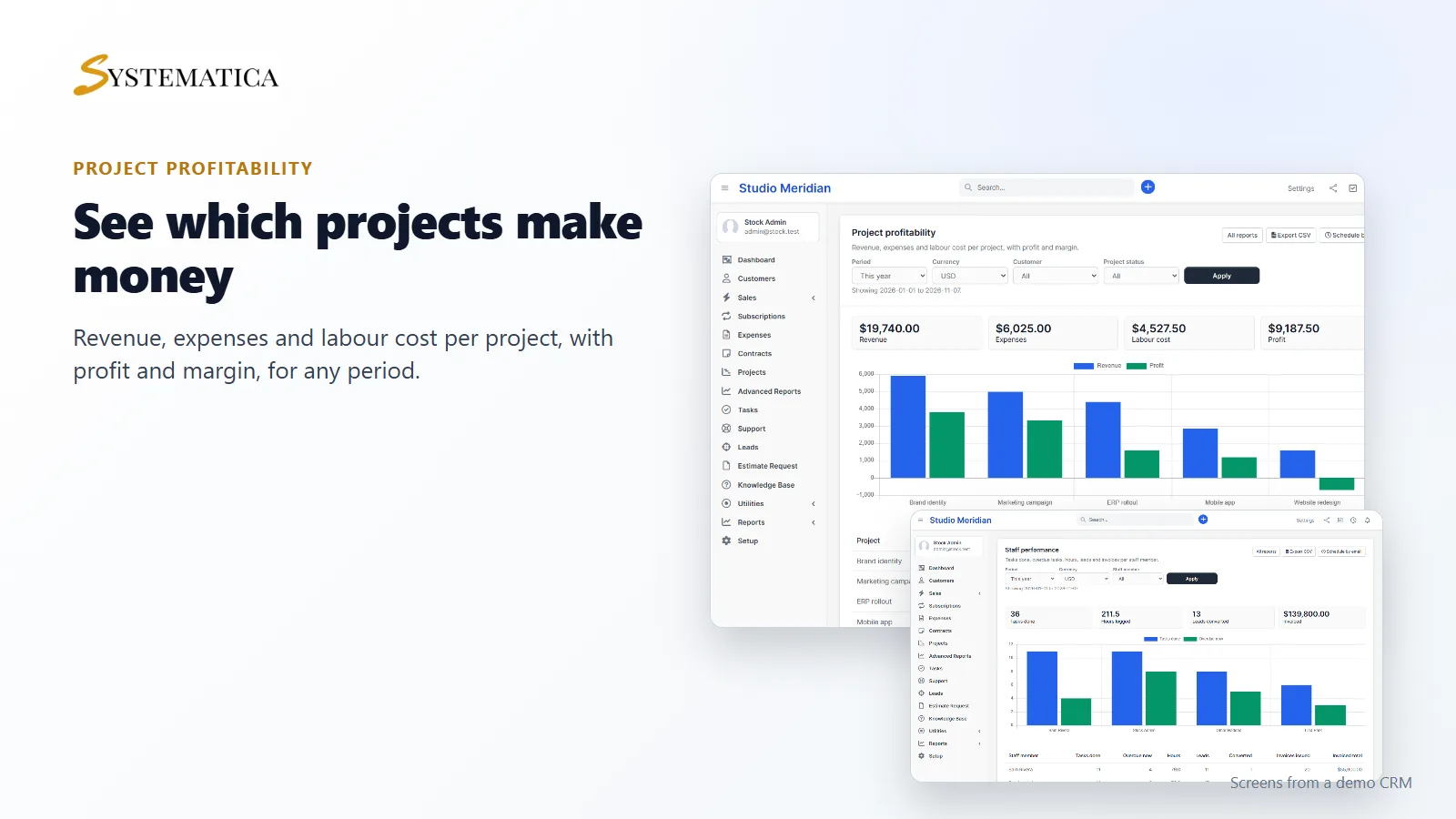
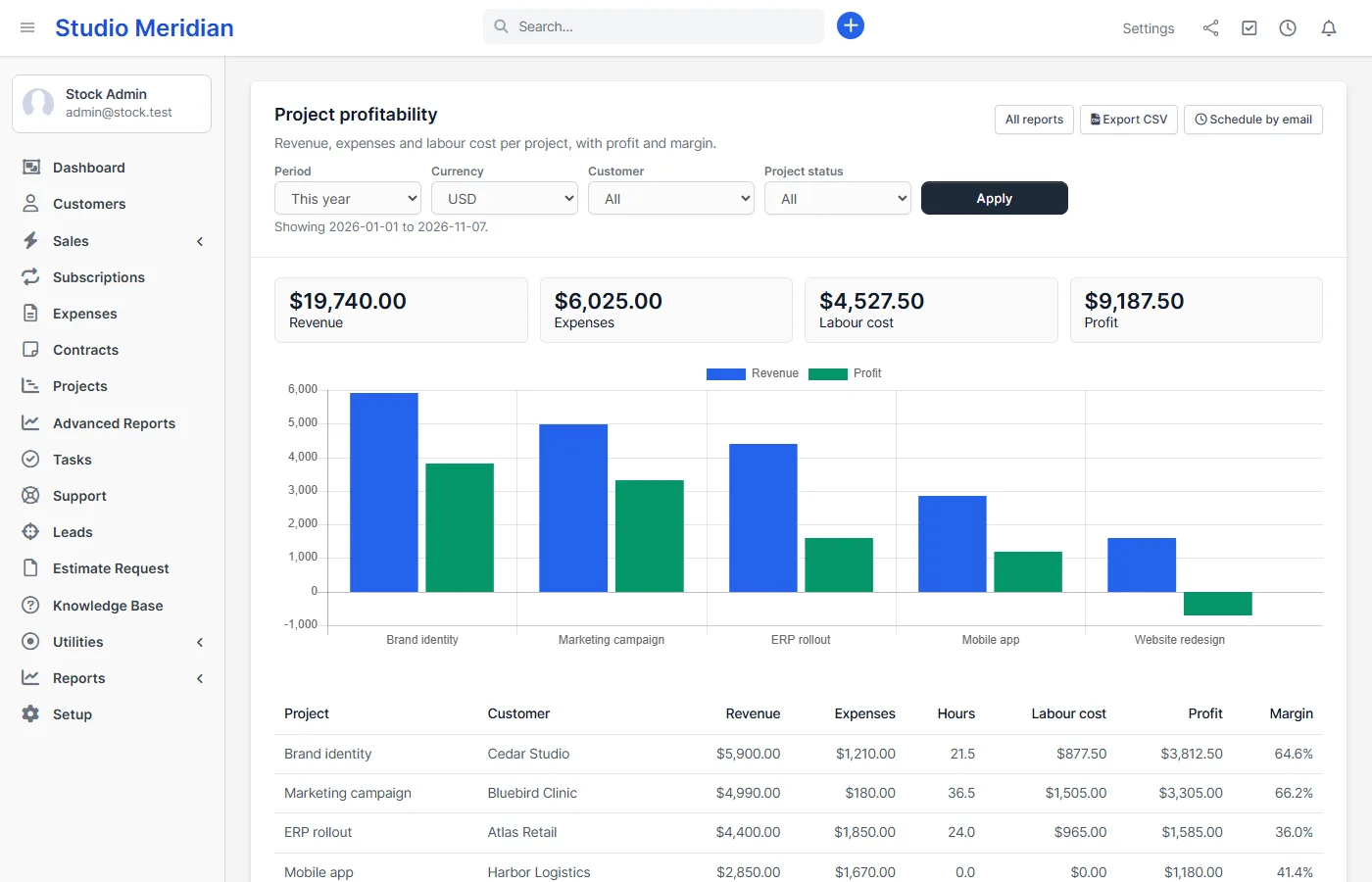
For every project you get the revenue received, the expenses linked to it, the labour cost (hours logged on its tasks times the hourly rate), the profit and the margin. A project that looks busy but loses money shows up in red numbers at once.
Staff performance and customer ranking
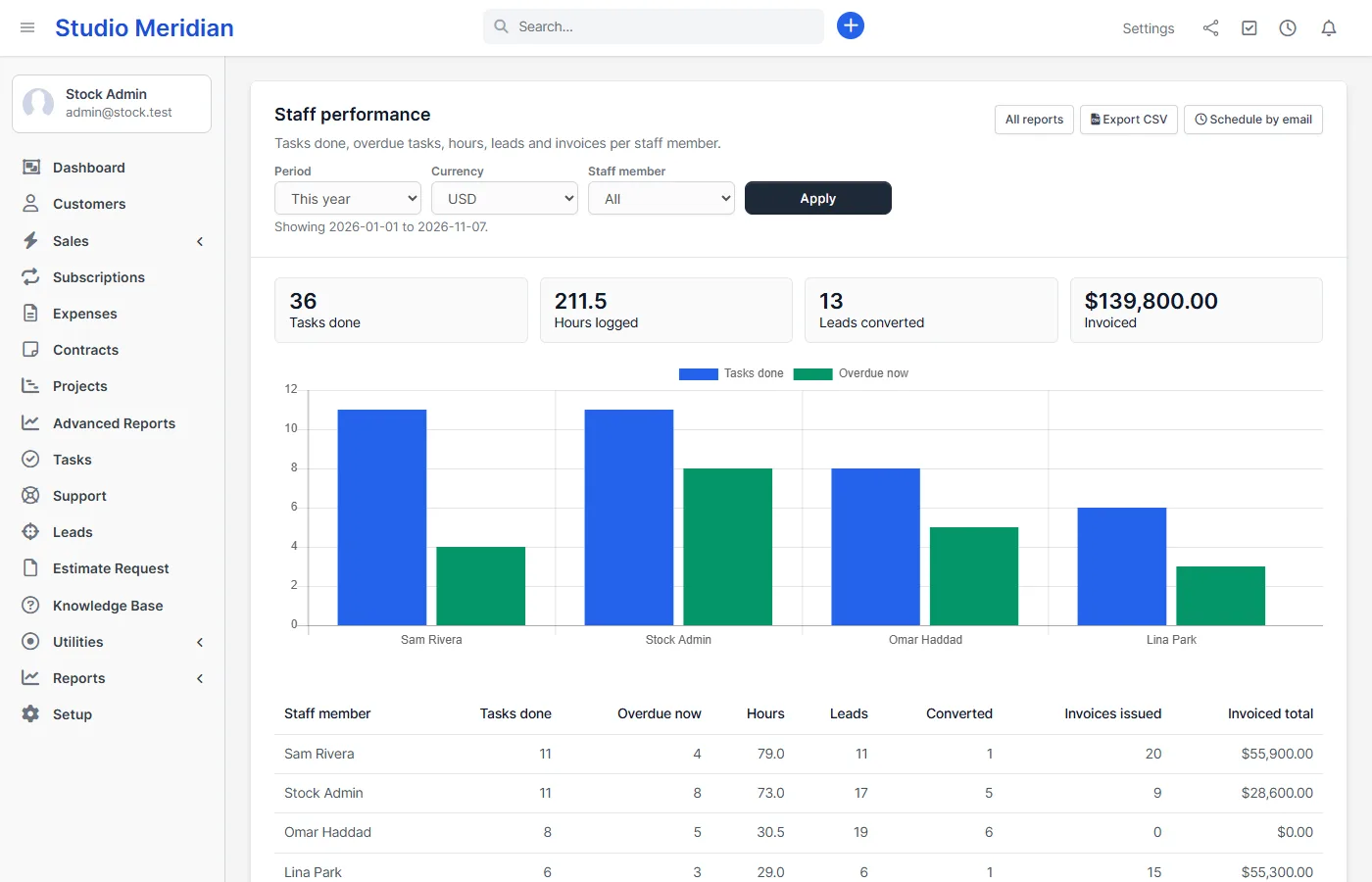
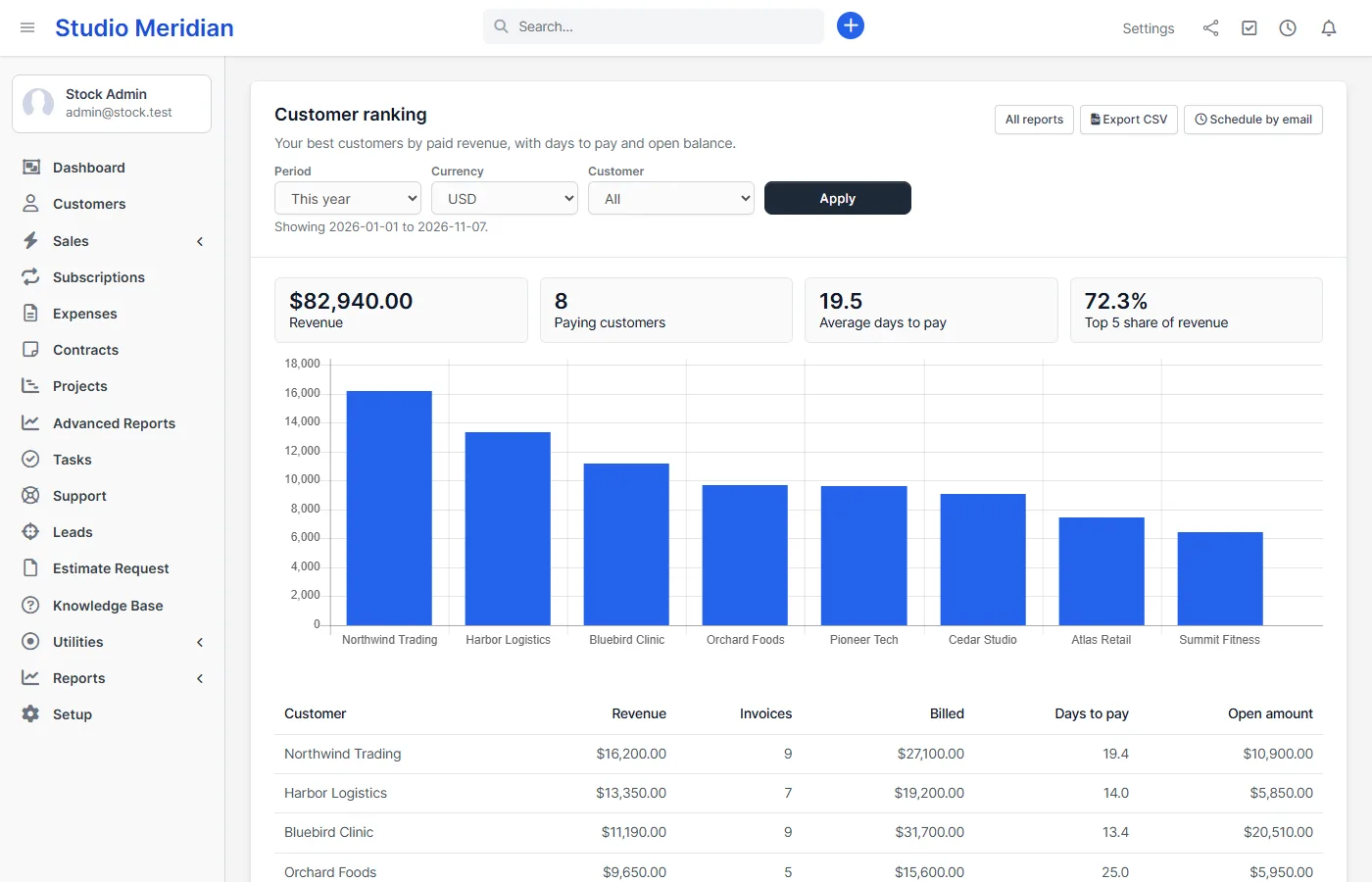
Staff performance shows tasks done, tasks overdue now, hours logged, leads assigned and converted, and invoices issued for each person. Customer ranking lists your best customers by paid revenue, with the number of invoices, the average days to pay and the open balance.
Lead funnel, overdue tasks and cash flow
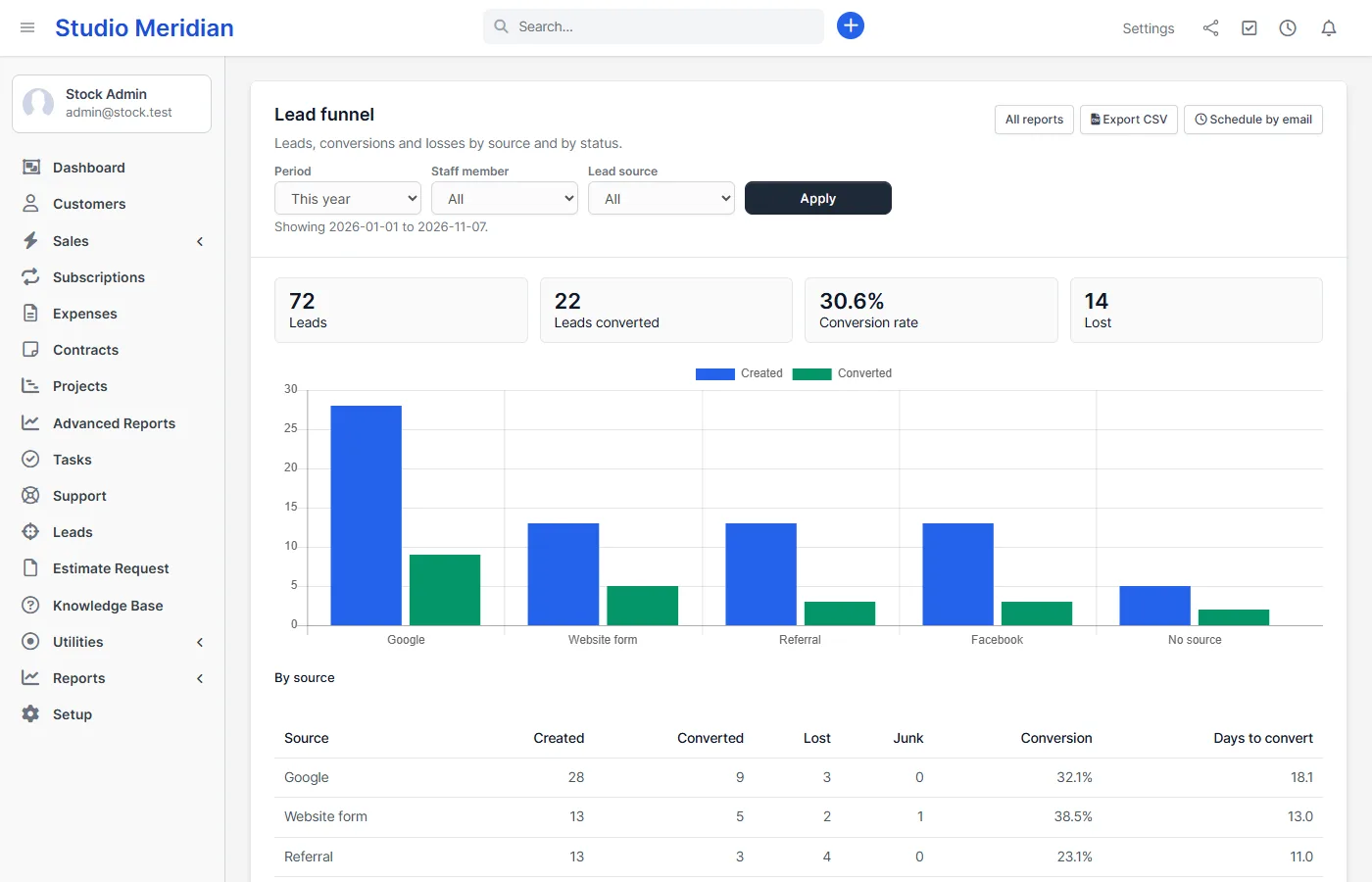
- Lead funnel: leads created, converted, lost and junk by source, with the conversion rate and the days to convert, plus a count by status.
- Overdue tasks: open tasks past their due date, by person and as a list, oldest first.
- Cash flow by month: payments received minus expenses for every month in the period, with a running total.
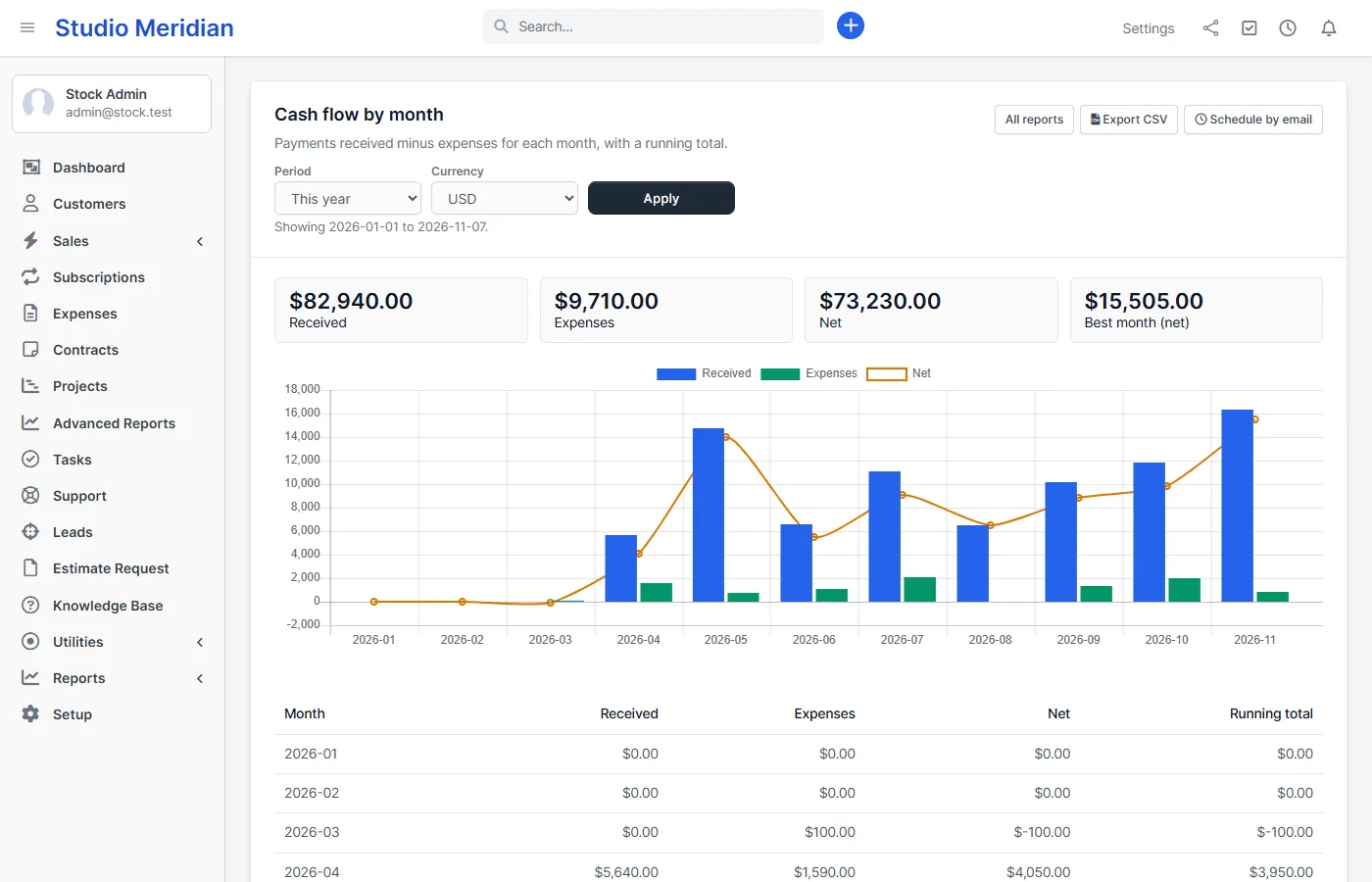
Filters, CSV and scheduled reports
- Periods: this month, last month, last 30 days, this quarter, this year, last year or custom dates.
- Filters: currency, customer, staff member, project, project status and lead source, where they make sense for the report.
- CSV export: the same numbers as the screen. Text that starts with = + – or @ is saved with a leading quote, so a spreadsheet cannot run it as a formula.
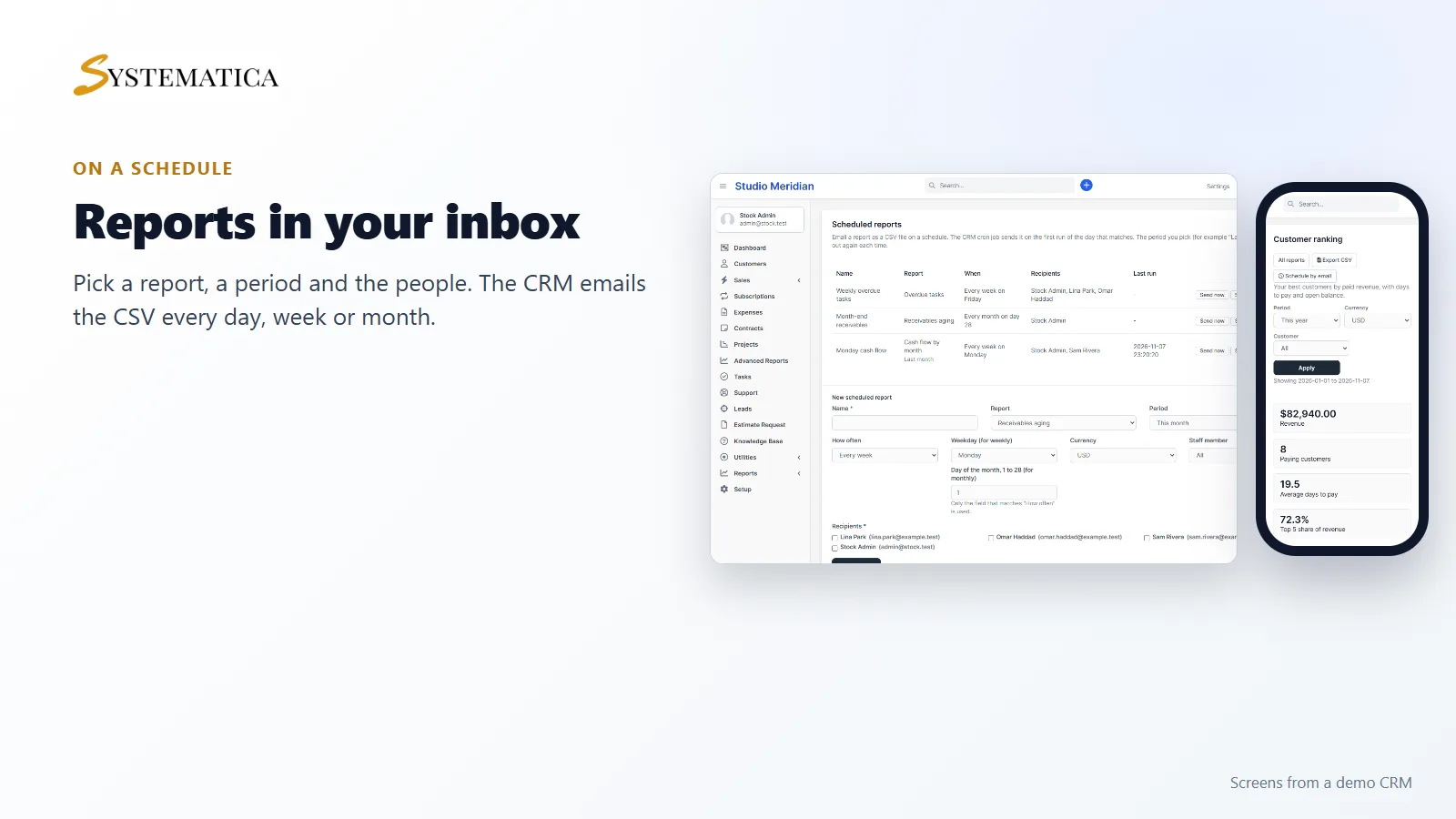
- Scheduled reports: choose a report, a period such as “last month”, how often (every day, every week on a weekday, every month on a day) and the staff who receive it. The Perfex CRM cron job emails the CSV, logs each run and lets you send it now, switch it off or delete it.
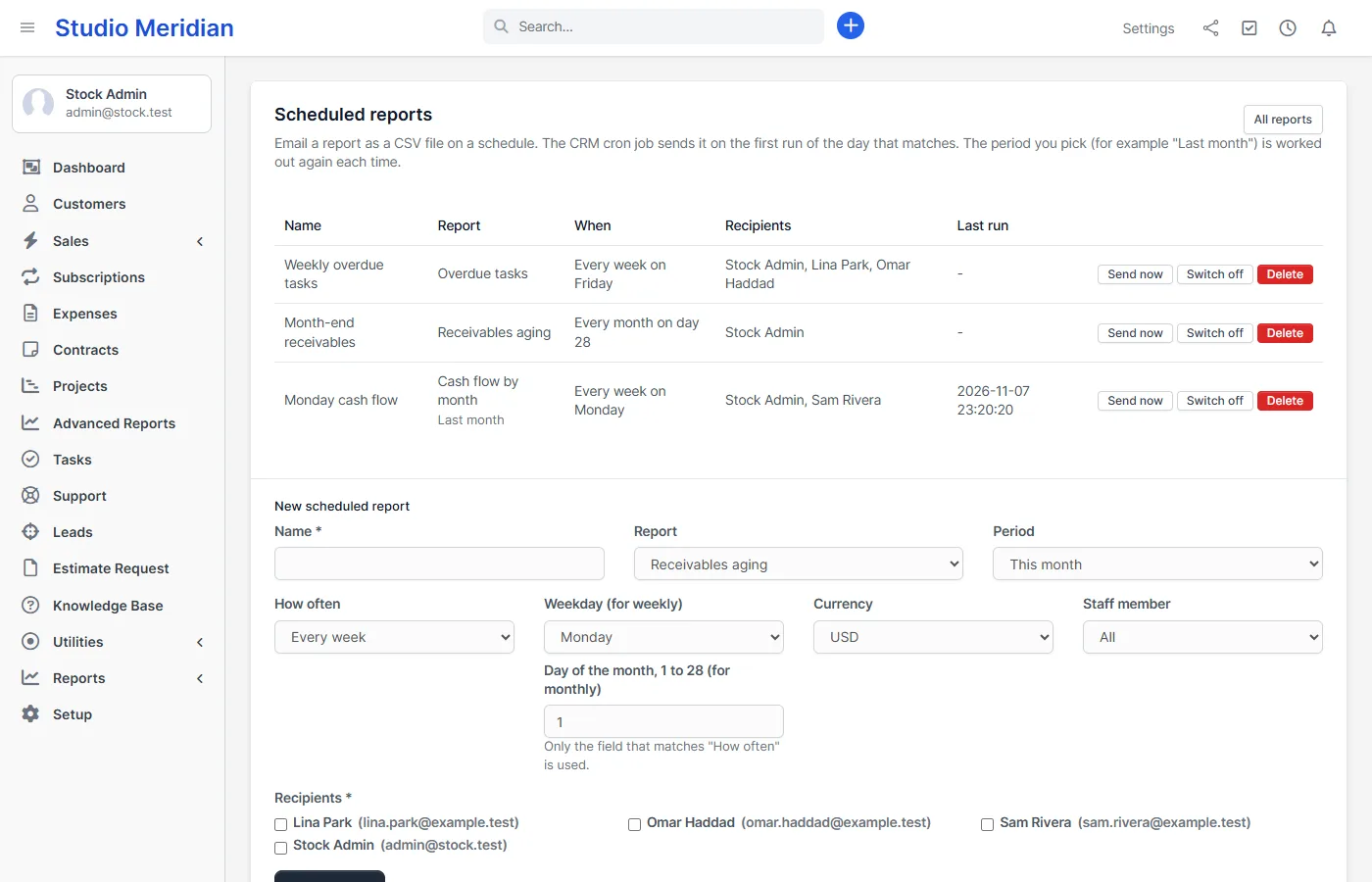
Set it up
- Upload the module under Setup > Modules and activate it.
- Open Advanced Reports in the sidebar and enter your license key.
- Pick a report, choose the period and press Apply.
Give staff the rights they need under Setup > Staff > Roles: view, export CSV and manage scheduled reports. The reports show company-wide figures, so give “view” only to people who may see all of them.
Requirements
- Perfex CRM 3.4 (tested on 3.4.1 with PHP 8.3)
- PHP with the sodium extension, which is included with PHP since 7.2
- The Perfex CRM cron job and working email settings, for scheduled reports
- A connection from your server to systematica.app over HTTPS when you activate the license
Good to know
- Money is shown in one currency at a time. Other currencies are not converted.
- Revenue is the payments received in the period, by payment date, not the invoice total.
- Labour cost uses hourly rates in your base currency, so it is left out when you select another currency.
- Version 1.0 has no custom report builder, no drag-and-drop dashboards and no PDF export. Tables and CSV files show up to 500 rows.
- The pictures show a demo CRM with sample data.
License, support and updates
After purchase you receive a license key by email. One license key activates the module on one website. To move it, deactivate the license under Advanced Reports > Advanced Reports license and activate it on the new site. You get 1 year of use, support through our ticket system and free updates through your Systematica account. Advanced Reports works inside Perfex CRM, which you need to own. Looking for more guides? See the Perfex CRM documentation.
Frequently asked questions
What reports does Perfex CRM already have?
Perfex CRM has built-in reports for sales, payments, expenses, income against expenses, leads and knowledge base articles. This module adds receivables aging, project profitability, staff performance, customer ranking, a lead funnel by source, overdue tasks and monthly cash flow.
Can I email a Perfex CRM report automatically?
Yes. Create a scheduled report, choose the report, the period, how often and the staff who receive it. The Perfex CRM cron job sends the table as a CSV attachment and logs every run.
Do the reports change my data?
No. Advanced Reports only reads your invoices, payments, expenses, projects, tasks and leads. It adds two small tables of its own for the scheduled reports.
Can staff see reports without seeing all company data?
Not in version 1.0. The “view” right opens the reports, which show company-wide figures. Give it only to people who may see all invoices, payments, expenses, leads and tasks.
Does it work with more than one currency?
You can pick the currency of the report, and each report shows one currency at a time. Amounts in other currencies are not converted or added together.