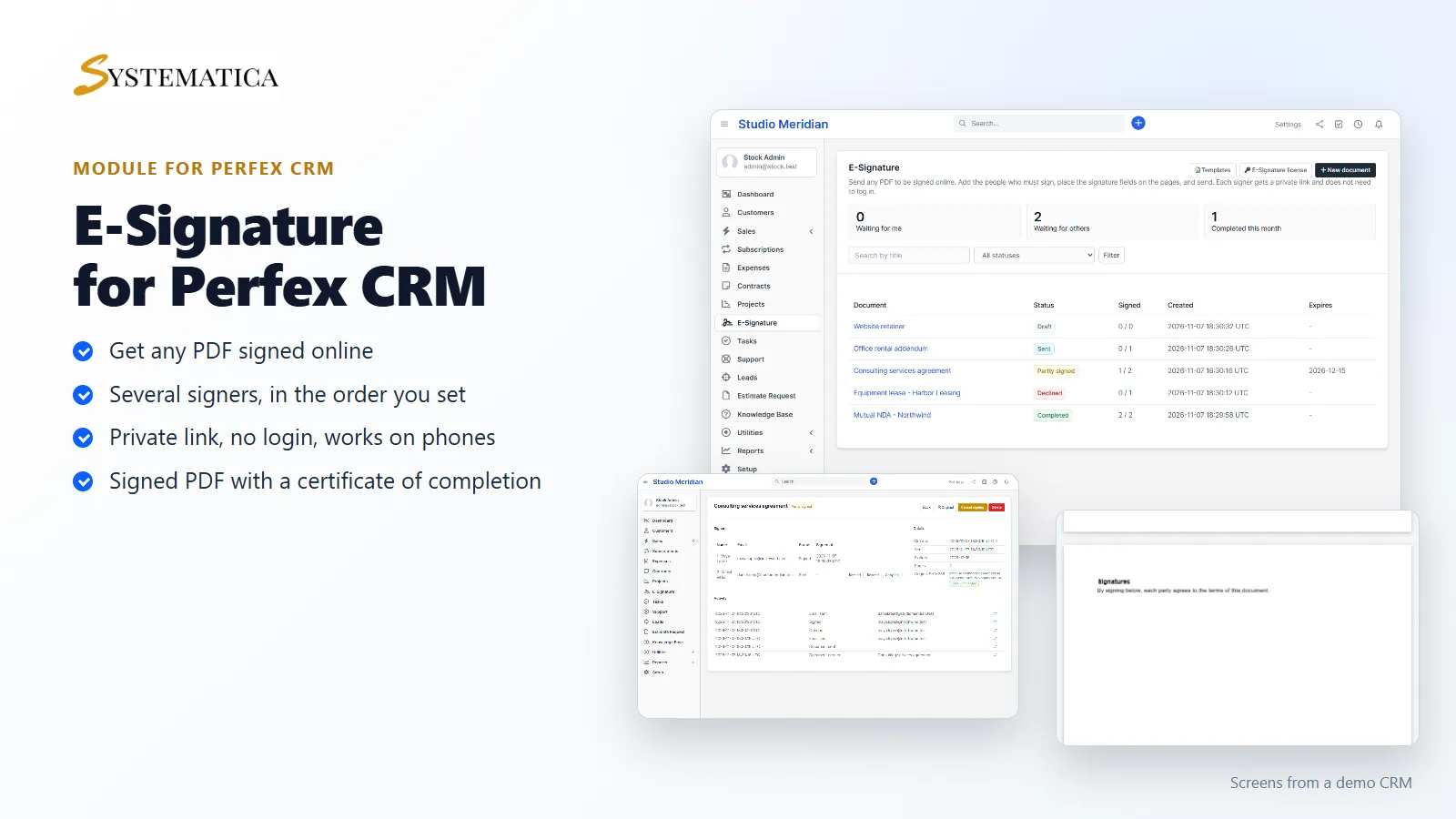
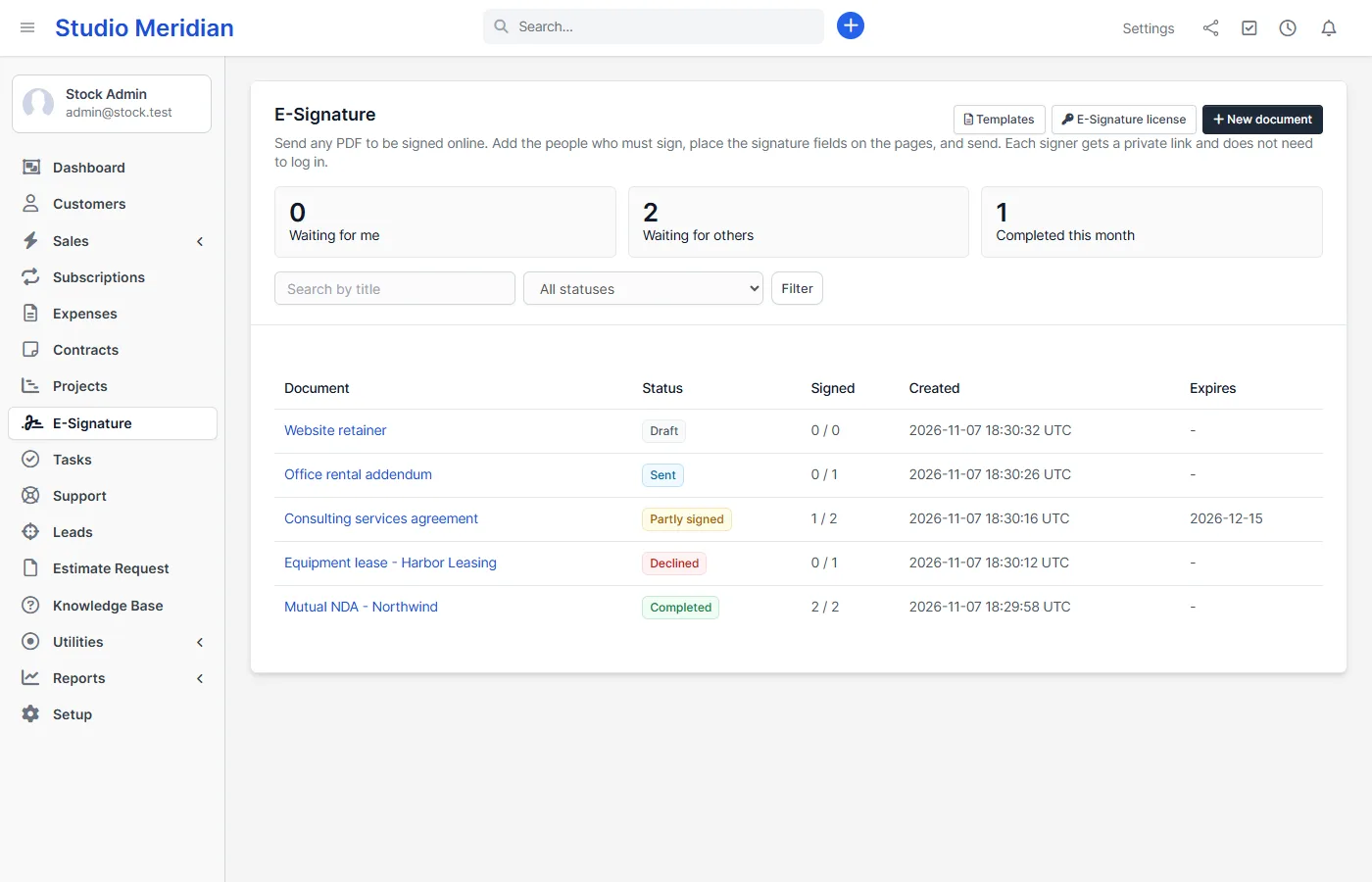
Perfex CRM e-signature without another subscription. E-Signature lets you send any PDF to be signed online from inside Perfex CRM. You add the people who must sign, place the signature fields on the pages and press send. Each signer opens a private link, signs on a computer or a phone and never needs a login.
Send any PDF to be signed
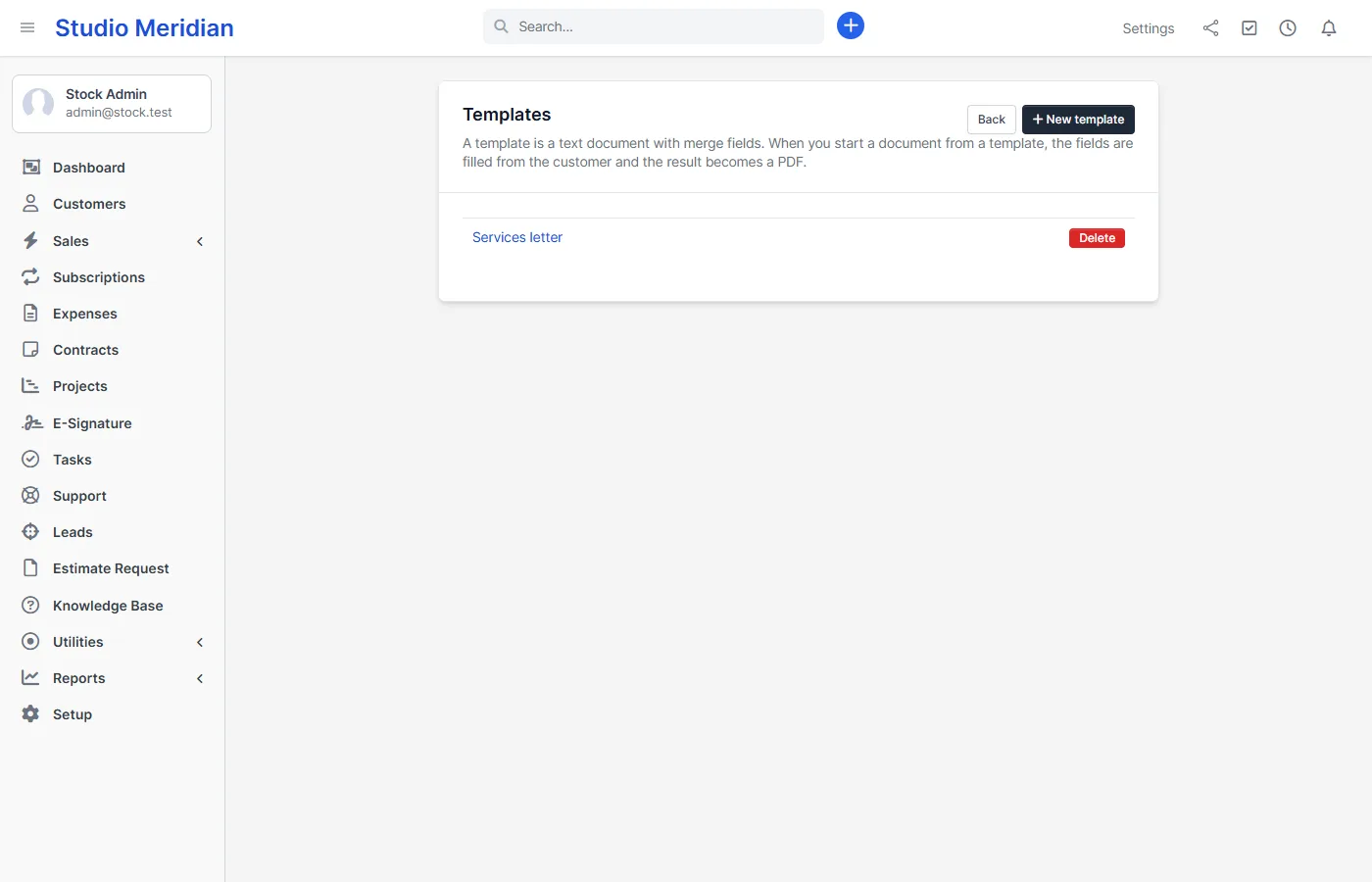
Perfex CRM already lets a customer accept a contract, a proposal or an estimate. E-Signature adds what it does not do: signing any PDF, several signers on one document, a signing order, fields placed on the page, reminders, expiry and an audit certificate. Upload a PDF, or start from a text template with merge fields filled from the customer.
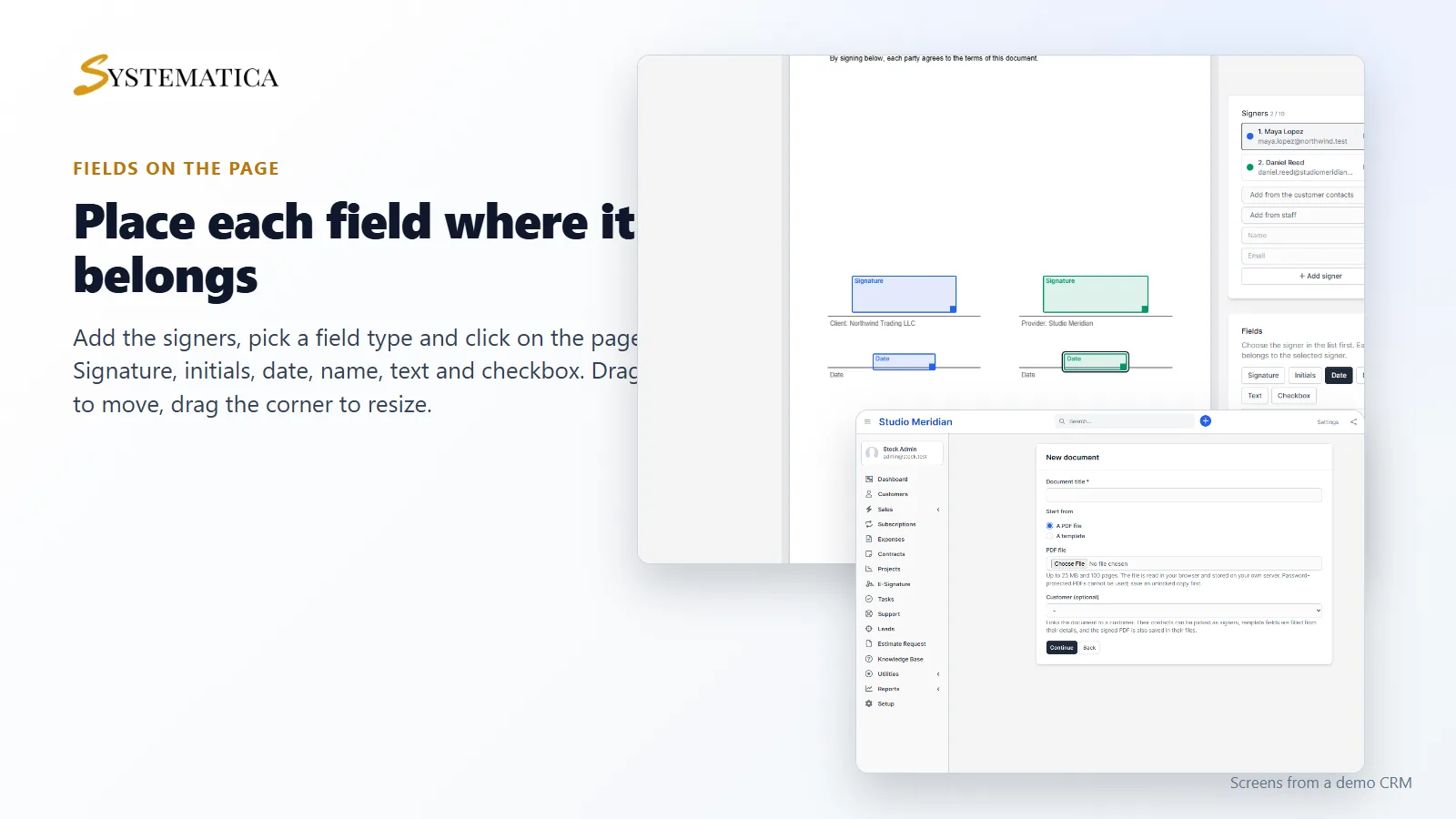
Place each field where it belongs
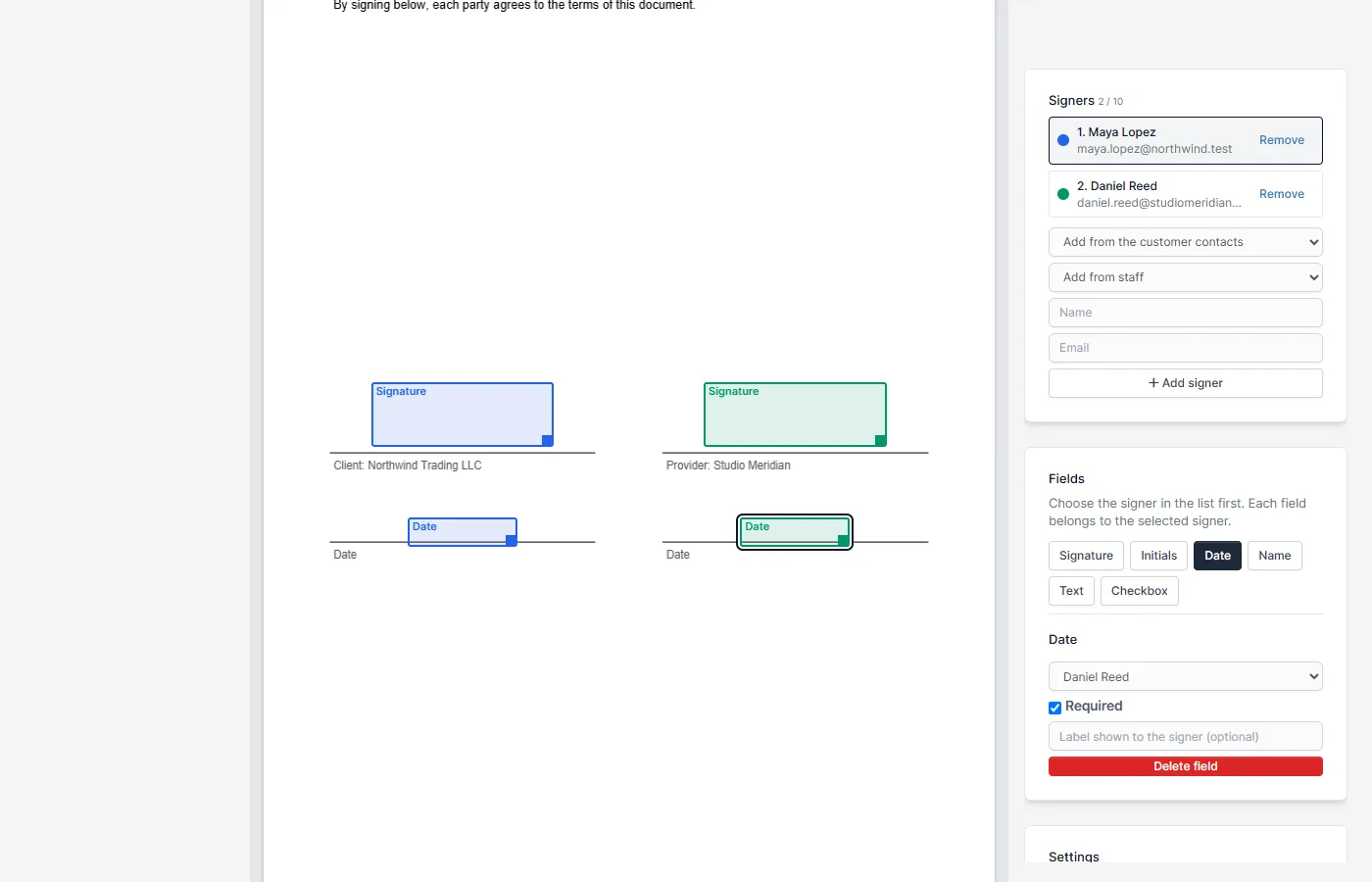
Add up to 10 signers, pick a field type and click on the page. Drag a field to move it and drag its corner to resize it. Every field belongs to one signer and can be required or optional.
- Signature and initials
- Date, filled in automatically when the signer finishes
- Name, text and checkbox
Signers can be picked from the customer’s contacts or your staff. Turn on a signing order and signer 2 gets the email only after signer 1 has signed.
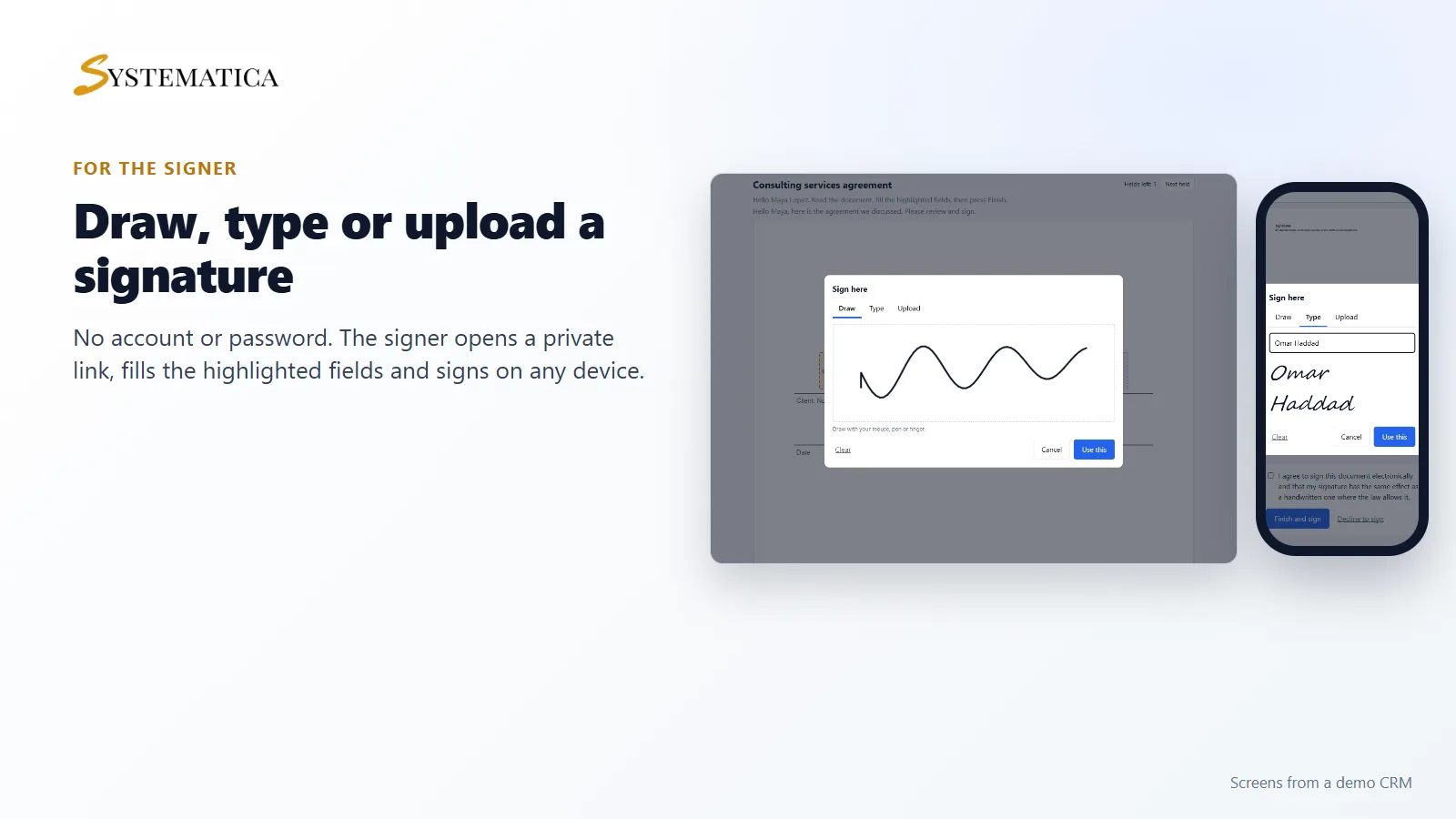
Easy for the signer
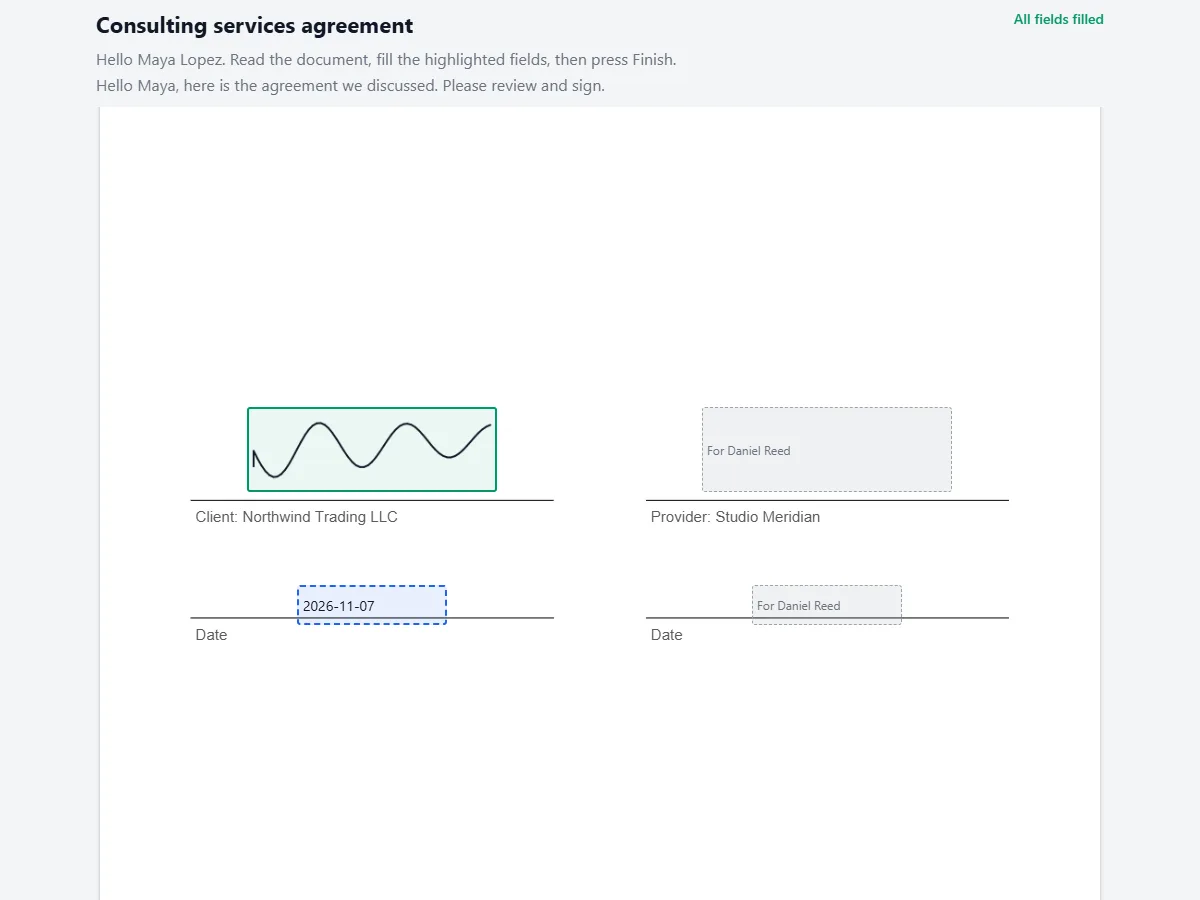
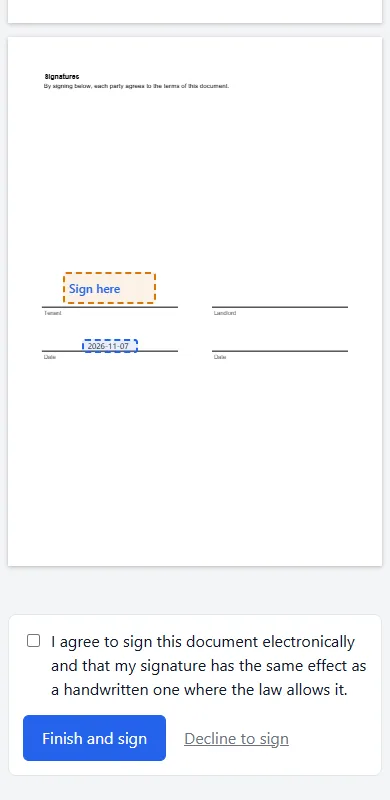
The signer opens the link from the email and sees the document with their fields highlighted. They draw, type or upload a signature, tick the agreement and press Finish. They can also decline and give a reason. The page works on any phone, and nothing is installed.
Follow every document
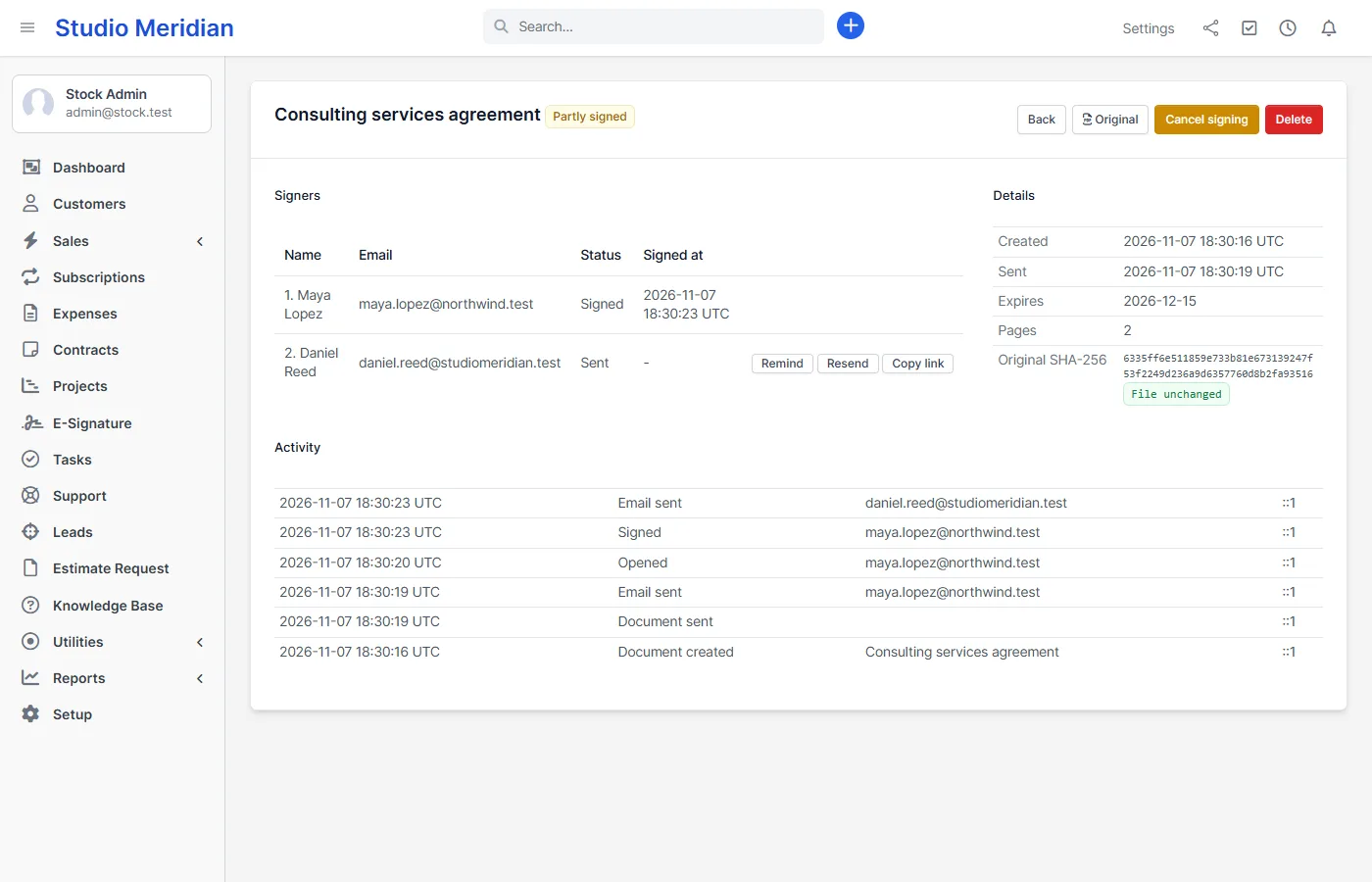
The status page shows who has signed, who has opened the link and who has not, with a full activity log. You can remind a signer, send the email again with a new link, copy a link or cancel the document. Cancelling stops every link at once.
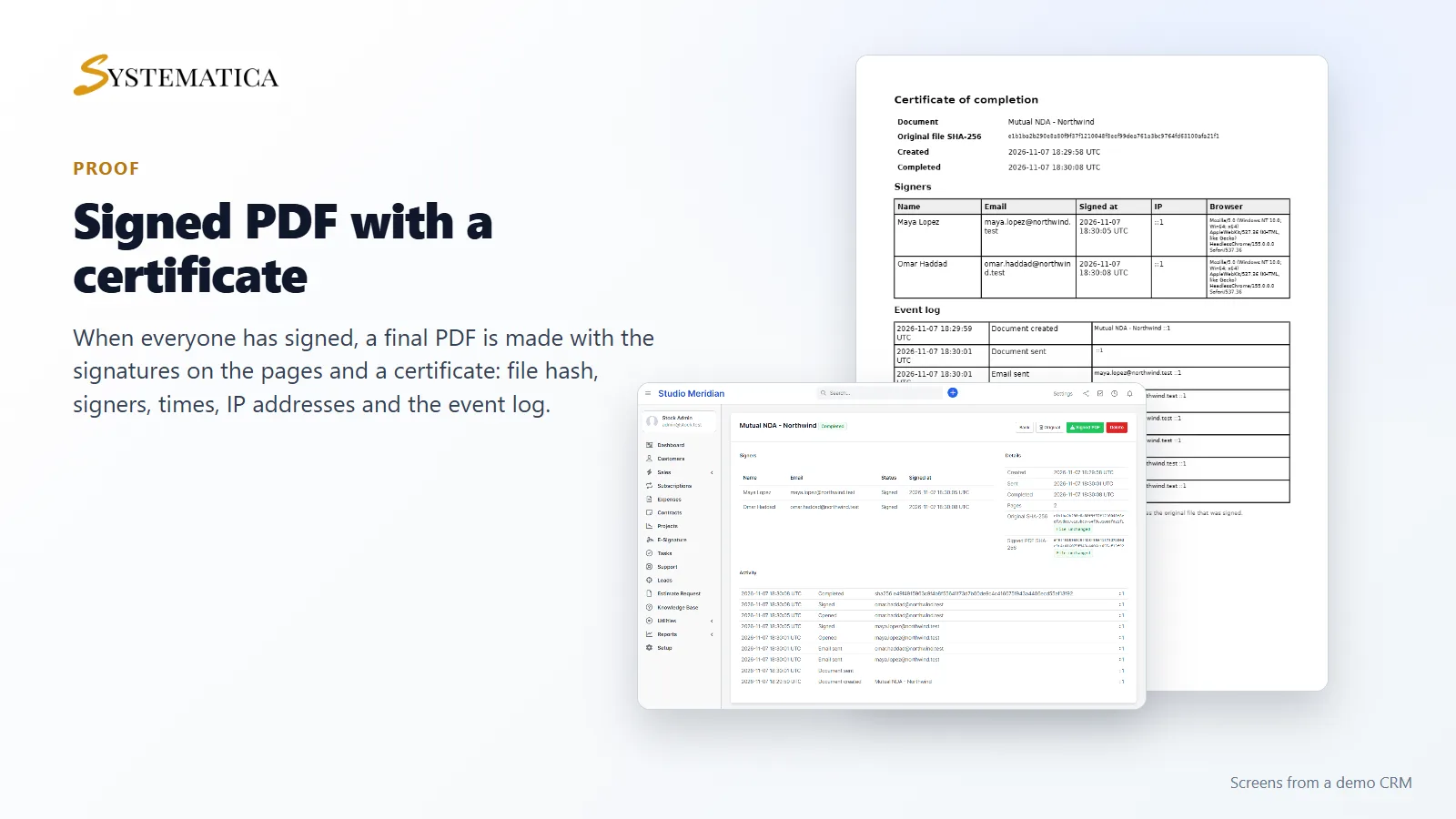
A signed PDF with a certificate of completion
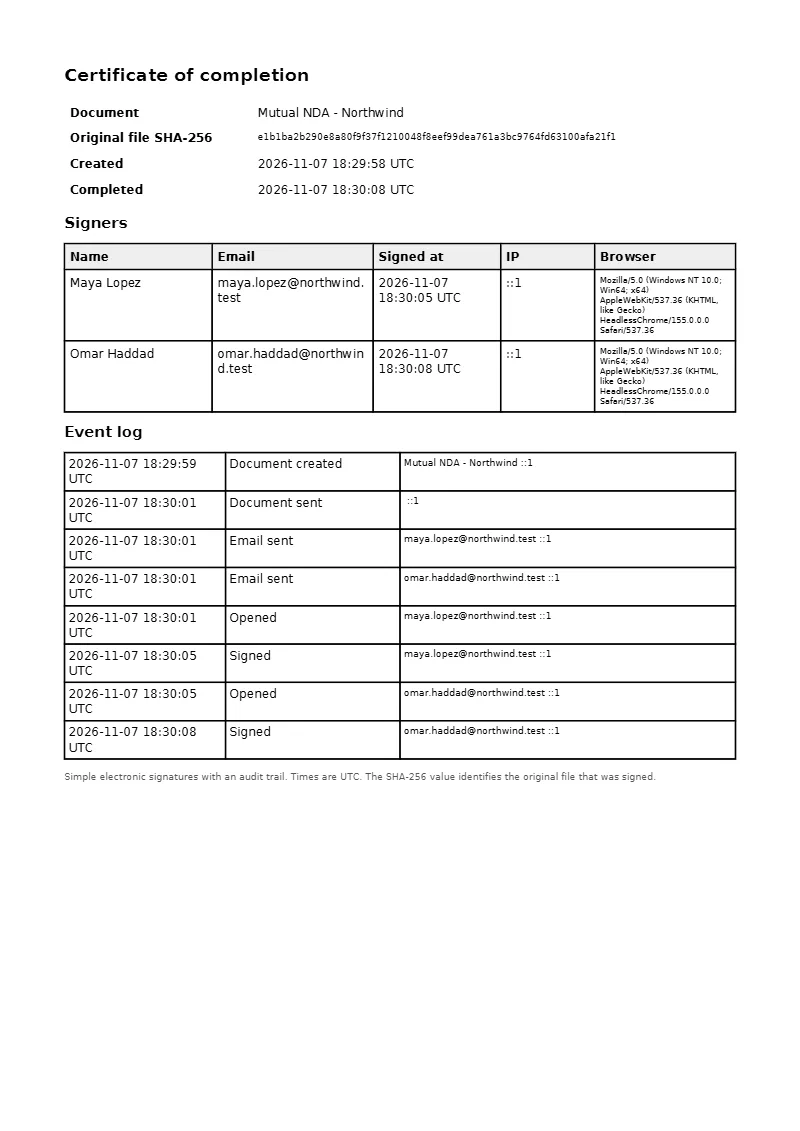
When everyone has signed, the module makes the final PDF with the signatures on the pages and adds a certificate page. The certificate lists the file hash (SHA-256), each signer’s name, email, time, IP address and browser, and the event log. The signed PDF is emailed to every signer and to the person who sent it, and a copy is saved in the customer, project or lead files. The staff page tells you if a stored file has changed since it was saved.
Options for every document
- Access code sent by email, with a lock after five wrong tries
- “I agree to sign electronically” tick before signing
- Expiry date, after which the link stops working
- Automatic reminders every N days through the Perfex CRM cron job
- Templates with merge fields such as {company}, {contact_name} and {today}
- Staff rights: view all, view own, create, delete and templates
Set it up
- Upload the module under Setup > Modules and activate it.
- Open E-Signature in the sidebar and enter your license key.
- Click New document, add the signers and fields, and send.
Requirements
- Perfex CRM 3.4 (tested on 3.4.1 with PHP 8.3)
- PHP with the sodium and GD extensions, which Perfex CRM already needs
- Working email settings, because signers receive their links by email
- The Perfex CRM cron job, for reminders and expiry
- A connection from your server to systematica.app over HTTPS when you activate the license
Good to know
- This is a simple electronic signature with an audit trail. It is not a qualified or certified signature, and there is no identity check beyond access to the email address and the optional access code. It is not legal advice. You decide whether it fits your country and your contract.
- Files stay on your own server in
uploads/esignature. Nothing is sent to another service. - Password-protected PDFs cannot be used. Some PDFs saved by Word or a browser are shown and signed through page pictures, so text in the signed copy cannot be selected.
- The pictures show a demo CRM with sample data.
- Version 1.0 has no in-document text editing, no bulk sending to many people at once and no identity checks by ID or SMS.
License, support and updates
After purchase you receive a license key by email. One license key activates the module on one website. To move it, deactivate the license under E-Signature > E-Signature license and activate it on the new site. You get 1 year of use, support through our ticket system and free updates through your Systematica account. E-Signature works inside Perfex CRM, which you need to own. Looking for more guides? See the Perfex CRM documentation.
Frequently asked questions
Is a Perfex CRM e-signature legally binding?
That depends on your country and on the kind of contract. This module makes a simple electronic signature with an audit trail: who signed, when, from which address, and a hash of the file. It is not a certified signature and it is not legal advice. Ask a lawyer if you need one for a regulated contract.
Does the signer need a Perfex CRM account?
No. The signer opens a private link from the email. There is no account and no password.
Can I use it for contracts, proposals and estimates that Perfex CRM already has?
Those keep their built-in acceptance. E-Signature is for other documents: export or save the document as a PDF, upload it and send it. Version 1.0 does not sign from inside those screens.
Can several people sign one document?
Yes, up to 10. You can set a signing order, so each person gets the email after the one before has signed.
Where are the signed files stored?
On your own server, in the uploads folder of Perfex CRM. A copy is also saved in the customer, project or lead files when you link the document to one.