
Perfex CRM features cover the day-to-day of a service business: finding leads, sending quotes, billing, running projects and answering support. This page lists the main features by area and links to a tested guide for each one. At the end, it shows what the base CRM does not do, so you know when a module helps. The guides were written on Perfex CRM 3.4.1. The CRM itself is sold on the Perfex store pricing page.
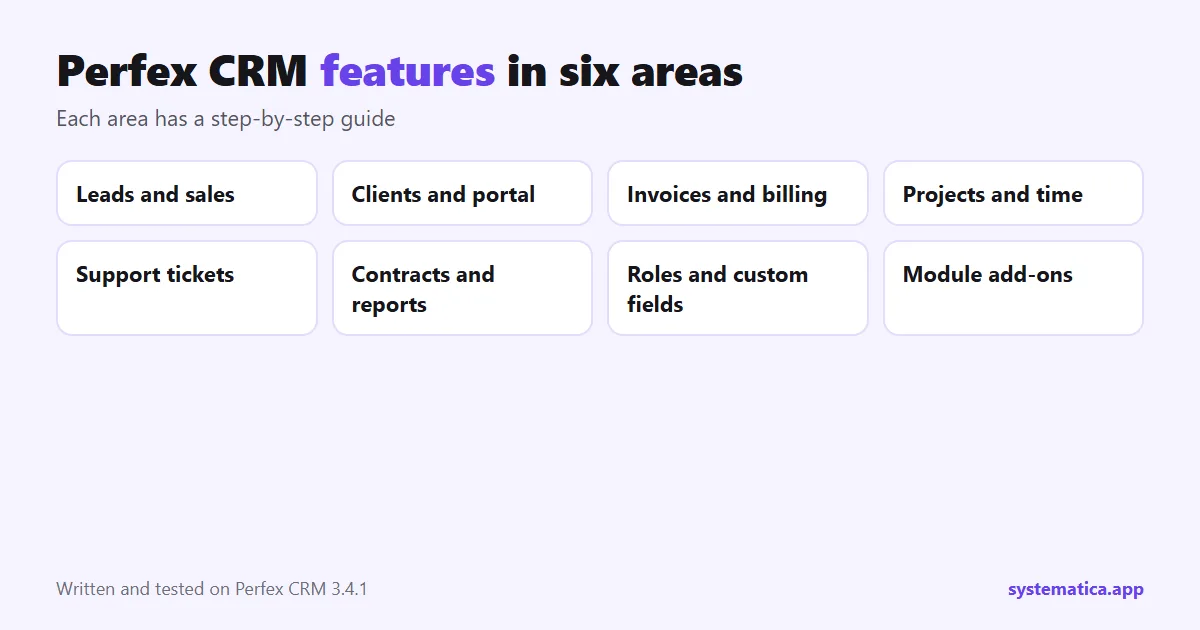
Perfex CRM features for leads and sales
- Leads with statuses, sources, a kanban view and conversion to a client. See add a lead and lead sources, then convert a lead to a customer.
- Web-to-lead forms that put website enquiries straight into the CRM: build a web-to-lead form.
- Lead email integration that turns incoming email into leads: set it up.
- Estimates and proposals that you send, track and turn into invoices: estimates and proposals.
Clients
- Customer records with contacts, groups and assigned staff: add a customer, contacts and groups.
- Customer portal where clients see invoices, projects and tickets: portal setup.
- CSV import for moving an existing list: import customers.
Perfex CRM features for billing and money
- Invoices, with items, taxes and PDF download: create an invoice, invoice items and tax rates.
- Recurring invoices and subscriptions that bill by themselves: recurring invoices and subscriptions with Stripe.
- Payment gateways and modes: gateways and payment modes.
- Credit notes and expenses, including recurring expenses: credit notes and expenses.
- Multiple currencies: currencies.
Perfex CRM features for projects, tasks and time
- Projects with milestones, files and discussions: projects and milestones.
- Tasks, repeating tasks and reminders: tasks, recurring tasks and reminders.
- Timesheets that feed billing: timesheets and invoice a project.
- Calendar for tasks, events and reminders: the calendar.
Support
- Tickets with departments, statuses, predefined replies and email piping: departments, statuses, predefined replies and email piping.
- Ticket form for your website: add it to your site.
- Knowledge base with public articles: build one.
Contracts, reports and control
- Contracts with types and signatures: contracts.
- Reports for sales, leads and expenses: reports.
- Staff, roles and permissions: add staff and roles and permissions.
- Custom fields on almost every record: custom fields.
- Goals, surveys and announcements: goals, surveys and announcements.
- Activity log, email templates and PDF settings: activity log, email templates and PDF settings.
Perfex CRM features the base CRM does not have
No CRM fits everyone. These are the gaps people ask us about most, and the module that fills each one:
| You want | Perfex CRM alone | With a module |
|---|---|---|
| Message clients on WhatsApp | Not included | WhatsApp for Perfex CRM |
| Public booking page and calendar | Not included | Booking System |
| If-this-then-that rules | Not included | Workflow Rules |
| Staff chat | Not included | Chat Module |
| Payroll and leave | Not included | HR Payroll, Timesheets and Leave |
| Warehouses and stock | Simple items only | Inventory Management |
| Connect other apps | Limited | REST API, Webhooks |
| Your own colours and dark mode | Basic options | Theme Studio |
See all of them in the best Perfex CRM modules, or compare costs in Perfex CRM pricing.
How the features connect
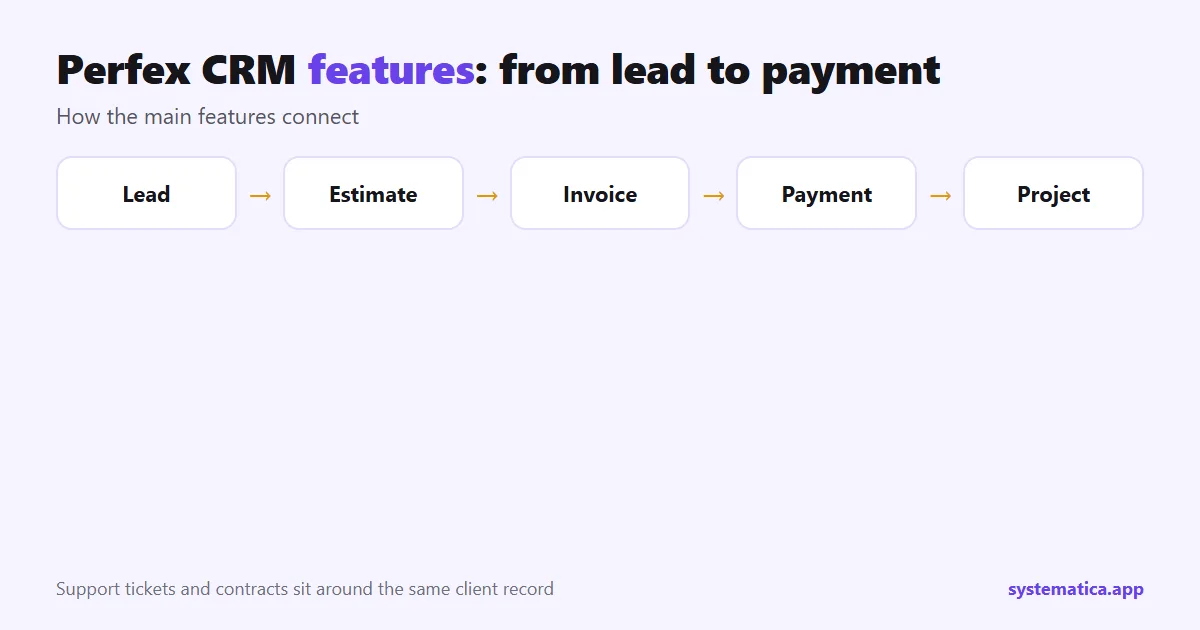
The strength of Perfex CRM is that one client record ties the work together. A lead becomes a client, the client gets an estimate, the accepted estimate becomes an invoice, a payment closes it, and a project and its tasks follow. Tickets, contracts and files attach to the same client.
This is why a short setup pays off. When the basics are right, the later steps need little typing. Staff see the history of a client in one place, and reports pull from the same data.
Perfex CRM features by business type
| You are | Use these first | Guides |
|---|---|---|
| A freelancer | Estimates, invoices, tasks, timesheets | estimates, invoices, timesheets |
| An agency | Projects, milestones, tickets, the customer portal | projects, portal |
| A sales team | Leads, web-to-lead forms, proposals, reports | web-to-lead, proposals |
| A support team | Tickets, departments, predefined replies, knowledge base | departments, knowledge base |
| A subscription business | Recurring invoices, subscriptions, payment gateways | recurring invoices, subscriptions |
A sensible setup order for a new install
Do the settings in the order below and you avoid most rework. Each step has a guide.
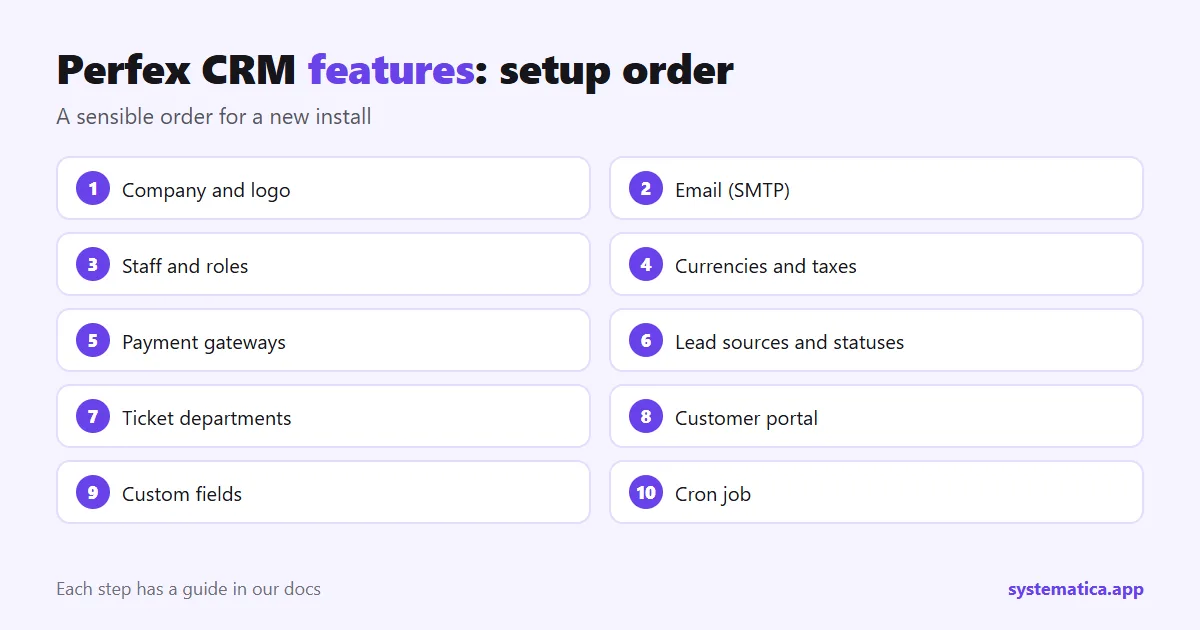
- Company details and logo: company logo.
- Email sending: SMTP settings.
- Staff accounts and roles: add staff, roles.
- Currencies and tax rates: currencies, tax rates.
- Payment gateways: gateways.
- Lead sources and statuses: lead sources.
- Ticket departments: departments.
- Customer portal: portal.
- Custom fields: custom fields.
- The cron job: cron job.
Reports to open in the first week
Reports are only useful when they answer a question. Start with three: which lead sources bring the most clients, which invoices are unpaid and how long they have been open, and how many hours a project used compared with its estimate. The reports guide explains where each one lives. When you see the same question twice, set a goal for it with goals.
Limits to expect from the base CRM
Perfex CRM is a general business CRM. It does not try to be a phone system, a booking engine or a full accounting suite. When a team needs one of those, a module adds it, and the table above shows which. Plan for that early, because modules need hosting room and a test copy. Read the best Perfex CRM modules for the full range, Perfex CRM pricing for the cost and Perfex CRM extensions, plugins and add-ons for safe installs.
Frequently asked questions
What are the main Perfex CRM features?
Leads, clients and contacts, estimates, proposals, invoices and subscriptions, projects, tasks and timesheets, support tickets, a knowledge base, contracts, reports and a customer portal.
Does Perfex CRM have a customer portal?
Yes. Clients can sign in to see invoices, projects and tickets. You choose what they can see.
Can Perfex CRM send invoices automatically?
Yes. Recurring invoices and Stripe subscriptions bill on a schedule. A cron job must be running.
Does Perfex CRM have a mobile app?
Not as a store app in the base product. A PWA module gives an app-like experience on a phone.