
Perfex CRM is self-hosted. There is no vendor server to log in to: you buy hosting, upload the files and run the CRM yourself. That makes Perfex CRM hosting the first decision you take, and a wrong plan shows up later as slow pages, failing emails or a cron job that never runs. This guide explains the three kinds of hosting, what the server must have, and a short test you can run before you pay for a year.
What Perfex CRM hosting needs from a server
Perfex CRM is a PHP and MySQL application. The numbers below come from our server requirements checklist, which we use when we install it for our own tests.
- PHP 8.1 or newer. Newer versions are faster and get security fixes for longer; see the list of supported PHP versions.
- MySQL 5.7 or newer, or MariaDB 10.3 or newer. The database user needs full rights to create, change and delete tables.
- PHP extensions: mysqli or PDO, curl, openssl, mbstring, iconv, gd, zip, imap and json. If imap is missing, email piping and lead email integration will not work.
- URL rewriting. Apache needs mod_rewrite. Nginx needs a try_files rule. See the Nginx guide or the IIS guide.
- Memory and disk: 1 GB of RAM at the least, 2 GB if many staff use it at once; 2 GB of disk to start, more if you store many uploads.
- HTTPS. A free certificate is enough. Follow the HTTPS guide after install.
- A cron job. Reminders, recurring invoices, email piping and many modules depend on it. See cron job setup for cPanel.
Perfex CRM hosting: shared, VPS or cloud
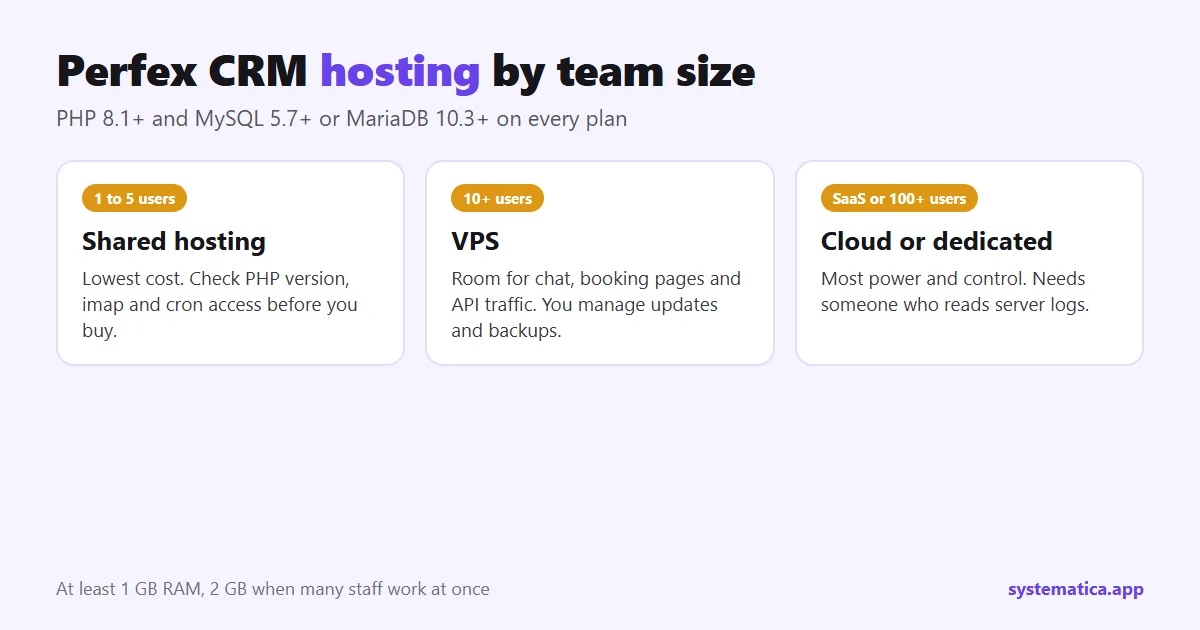
All three kinds of Perfex CRM hosting run the CRM. The difference is how much room you have when the team grows and how much of the server you look after yourself.
| Type | Good for | Watch out for |
|---|---|---|
| Shared hosting (cPanel) | One person or a small team, a handful of modules, the lowest monthly cost. PHP version and extensions are a few clicks in cPanel. | Other sites share the CPU. Heavy modules such as chat or large imports can hit limits. Some hosts block the imap extension or limit cron to once every 15 minutes. |
| VPS | Agencies and teams of 10 or more, many modules, API traffic, booking pages with public visitors. | You manage updates, backups and security, or you pay for a managed plan. A cheap unmanaged VPS is not the same as a managed one. |
| Cloud or dedicated server | Companies that sell Perfex CRM as a service to other businesses, or run hundreds of users. | Cost and time. You need someone who can read server logs. Overkill for a small team. |
A fair rule for Perfex CRM hosting: start on a good shared plan if you are alone or have fewer than five users, and move to a VPS when pages feel slow at busy hours or when you add a module that serves the public, such as a booking page.
Eight Perfex CRM hosting checks before you buy
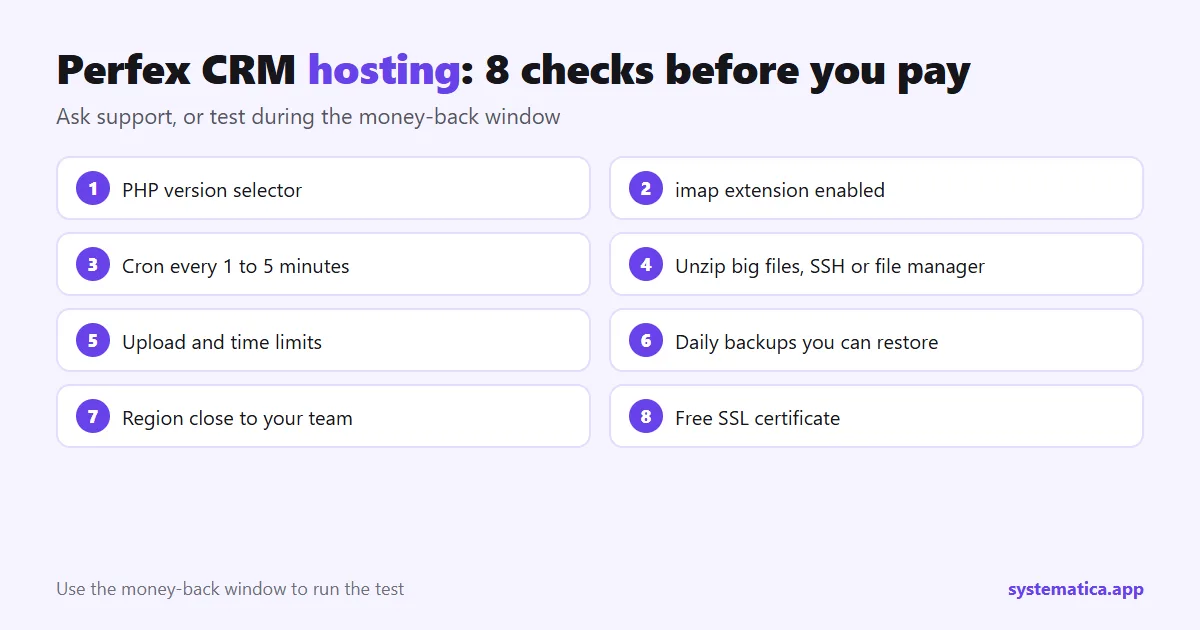
- Can you pick the PHP version? You want a selector in the control panel, not a version the host chooses for you.
- Is imap enabled, or can you enable it? Ask support, or look in the extension list.
- Can you add a cron job every minute or every five minutes? Some cheap plans only allow every 15 or 30 minutes, which delays reminders.
- Is there SSH or a file manager that can unzip large files? Module zip files and the CRM itself can be large.
- What is the upload limit and the PHP time limit? Low limits break imports, backups and large attachments. See how to raise the file upload size.
- Are daily backups included, and can you restore one yourself? A backup you cannot restore is not a backup. Still make your own: database backup guide.
- Is the server in a region close to your team and clients? Distance adds delay to every page.
- Is there a free SSL certificate? If not, the plan costs more than it looks.
A ten-minute test on any hosting account
Most hosts offer a money-back window. Use it. After you upload Perfex CRM and finish the installation, do this:
- Open the dashboard at a normal hour and again in the evening. Note how long it takes to load.
- Create a task reminder for five minutes from now. If no email arrives, the cron job or the mail settings are wrong. See SMTP settings.
- Upload a 10 MB file to a project. If it fails, check the upload limit.
If all three pass on a small plan, your Perfex CRM hosting is good enough for now and you do not need a bigger one yet.
Common Perfex CRM hosting problems and the fix
- 404 on every page after install: URL rewriting is not on. See 404 not found after installation.
- Blank page or 500 error after a module install: the PHP version is too old for that module, or a required extension is missing.
- Emails not sending: many hosts block port 25 or limit outgoing mail. Use SMTP with a mail service instead.
- Moving to a new host: follow the migration guide so you do not lose data.
Modules and Perfex CRM hosting
Modules add load. A chat module adds requests for every online user. A booking page is visited by people who are not on your team. An API or webhook module can receive many requests from other systems. If you plan to run chat, online booking or an API, size your Perfex CRM hosting for them, not just for the base CRM. You can browse every module in the Perfex CRM module shop.
How much server does your team need?
Size your Perfex CRM hosting by what people do at the same time, not by the number of accounts. Ten staff who log in once a day need far less than three who run imports, chat and a public booking page all day. The numbers below come from our server checklist and work as a floor, not a target.
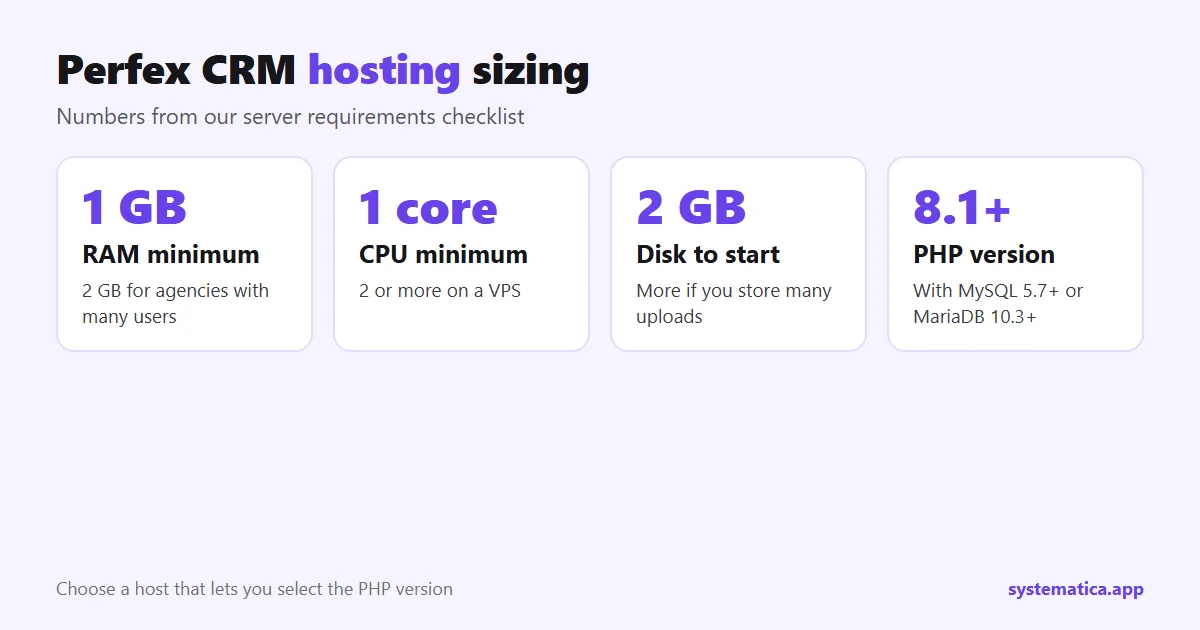
- Memory: 1 GB at the least. Go to 2 GB when several staff work at once or when you add chat, booking or API modules.
- CPU: one core is enough to start. A VPS with two or more cores handles busy hours with less delay.
- Disk: 2 GB to start. Count file uploads, exported PDFs and backups, because they grow every month.
- Database: MySQL 5.7 or newer, or MariaDB 10.3 or newer, with a user that has full rights on its own database.
When in doubt, pick the plan that lets you upgrade in place. Moving servers is possible, as our migration guide shows, but it is a job you can avoid for a year or two.
Questions to send to a host before you buy
A sales page will not tell you what a plan blocks. Send these questions to support and keep the answers. A good host answers in plain words in a few minutes.
- “Can I choose PHP 8.1 or newer for my domain, and can I change it myself?”
- “Is the imap extension available for PHP?” (Needed for ticket and lead email piping.)
- “How often can a cron job run, and is there a limit on how long it can run?”
- “What are the PHP memory limit, the maximum execution time and the maximum upload size, and can I raise them?”
- “Do you block outgoing email on port 25 or 465? Do you limit emails per hour?”
- “Are backups daily, where are they stored and can I restore one myself?”
- “Is SSH or a file manager with unzip included?”
- “Is a free SSL certificate included and does it renew by itself?”
Speed settings that help on any plan
Most slow installs are not a hardware problem. They are a settings problem. These checks cost nothing.
- Use a current PHP version. Newer PHP releases run the same code faster.
- Turn on OPcache if the host allows it. It keeps compiled PHP in memory, so pages build faster.
- Raise the PHP memory limit if you see out-of-memory errors in imports or large reports. Ask the host what the limit is before you guess.
- Keep the cron job on a sensible schedule. One run every few minutes is enough for most teams. Running it every few seconds adds load for no gain.
- Clean old files. Delete old exports and unused uploads, and remove modules you no longer use.
- Test at busy hours. A page that loads in two seconds at 6 a.m. may take ten at noon on a crowded shared server.
Security basics for your Perfex CRM hosting
Your CRM holds names, phone numbers, invoices and sometimes passwords for other systems. Treat the server like an office door.
- HTTPS everywhere. Follow the HTTPS guide and redirect all traffic to the secure address.
- Remove the install folder after setup, and keep file permissions as tight as the installer allows.
- Use strong admin passwords and give each person their own account with the minimum role they need: roles and permissions.
- Back up outside the server. A backup on the same disk is lost with the disk. Copy the database and files to another place on a schedule: database backup guide.
- Update on a plan. Read the notes, back up, update a copy first, then the live site: manual update steps.
- Buy original files only. Copied software can hide code that sends your data away. See the risks of nulled modules.
When to move from shared hosting to a VPS
You do not need to guess. Move when two or more of these are true:
- Pages are slow at busy hours even after the speed checks above.
- Your host warns you about CPU or process limits.
- You run a module that serves the public, such as a booking page, or one that holds many open connections, such as chat.
- You need a PHP setting or cron schedule that the shared plan will not allow.
- More than ten people use the CRM during the same hour.
Plan the move for a quiet day, take a full backup first and keep the old server running for a week as a fallback.
What good Perfex CRM hosting costs you in time
The monthly price is only part of it. Cheap hosting costs you time when email fails, when the cron job stops, or when a plan renews at a higher price. A managed plan costs more each month but removes updates and security patches from your list. For a team without a technical person, that is often the cheaper choice. For a developer or an agency with its own server skills, an unmanaged VPS gives you more control. Write down who looks after the server before you buy, because “nobody” is the usual answer when something breaks.
Frequently asked questions
Is shared Perfex CRM hosting enough?
Yes. A shared plan that lets you choose PHP 8.1 or newer, enable the required extensions and run a cron job is enough for a small team. Move to a VPS when pages slow down at busy hours.
How much RAM does Perfex CRM need?
Plan for at least 1 GB. Use 2 GB if several staff work at the same time or you run modules such as chat.
Does Perfex CRM work with Nginx?
Yes, with a rewrite rule that sends requests to index.php. Our Nginx guide has the full configuration.
Do I need a VPS to sell Perfex CRM as a service?
You need more than a basic shared plan, and a license that allows it. Read the license section in our pricing guide before you build a plan around it.
Where do I get Perfex CRM itself?
You buy it from the official sources. See our guide to the Perfex CRM download.