
- What ticket services are
- Step 1: Open the services list
- Step 2: Add a service to Perfex CRM ticket services
- Step 3: Choose one of the ticket services on a ticket
- Step 4: Read the service in the ticket
- Why Perfex CRM ticket services help
- Common mistakes with Perfex CRM ticket services
- Quick checklist for Perfex CRM ticket services
- Related guides
- Summary
- Frequently asked questions
Perfex CRM ticket services tell you which product or service a support ticket is about. Your customers or your staff pick the service when a ticket is opened, and the answer shows in the ticket and in the list, so the right person can reply at once. This guide, tested on Perfex CRM 3.4.1, shows how to create services, use them on tickets and read them in the ticket list.
What ticket services are #
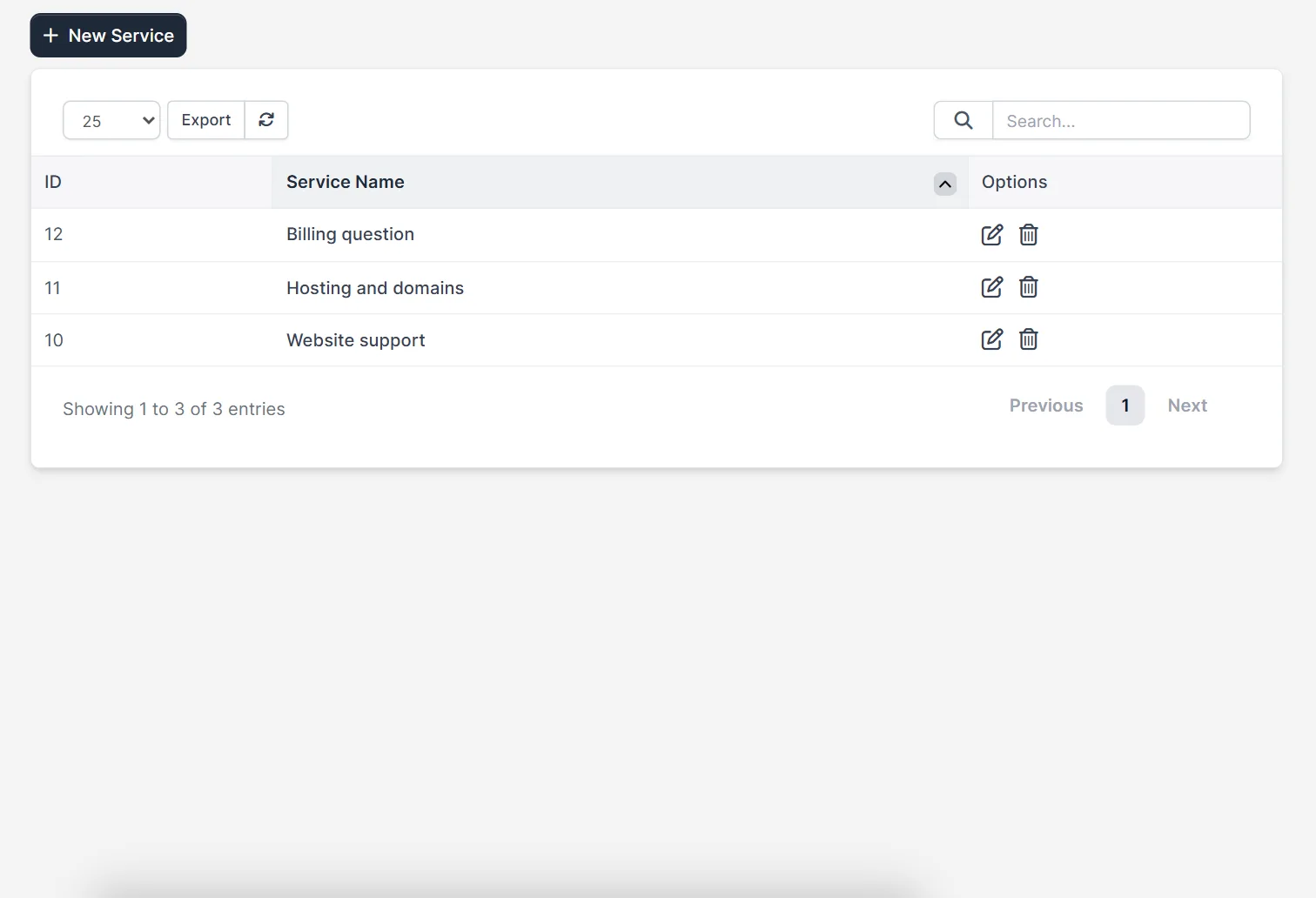
A service is a short name such as Website support, Hosting and domains or Billing question. It is different from a department: a department is the team that answers, while a service is the topic of the question. Many companies use both, for example the department Support and the service Hosting and domains. The services page is a simple list with an ID, a Service Name and edit and delete icons.
Step 1: Open the services list #
Open the support settings and choose Services. Use the search box to find a service when the list grows, and the Export button to save it.
Step 2: Add a service to Perfex CRM ticket services #
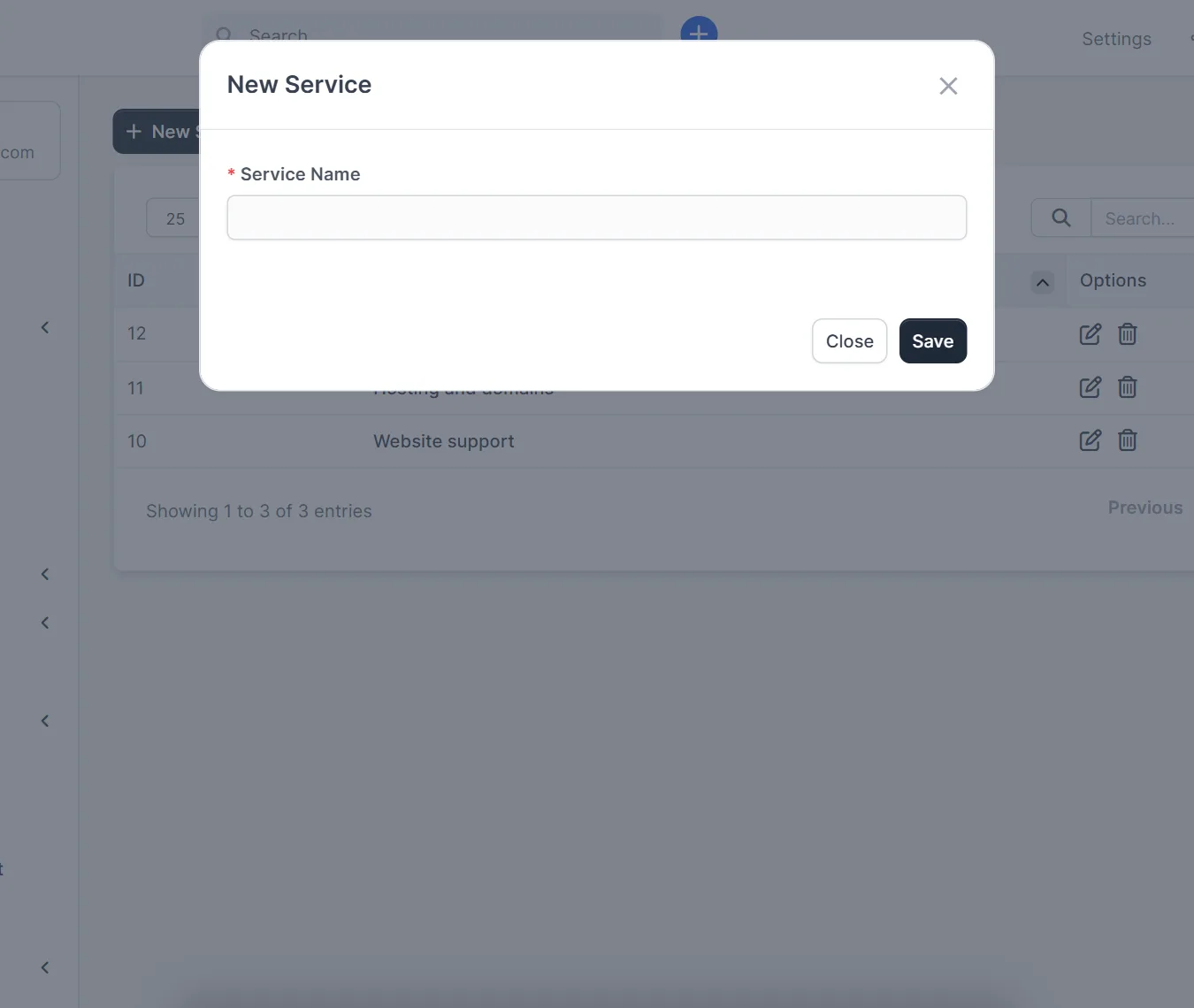
Click New Service. The window has one field, Service Name. Type a name that a customer understands without help and click Save. Repeat for each topic.
- Use the words your customers use, not internal product codes.
- Keep the list to about five to eight services, so the drop-down stays easy to read.
- Rename a service when the product changes, instead of adding a second one for the same topic.
Step 3: Choose one of the ticket services on a ticket #
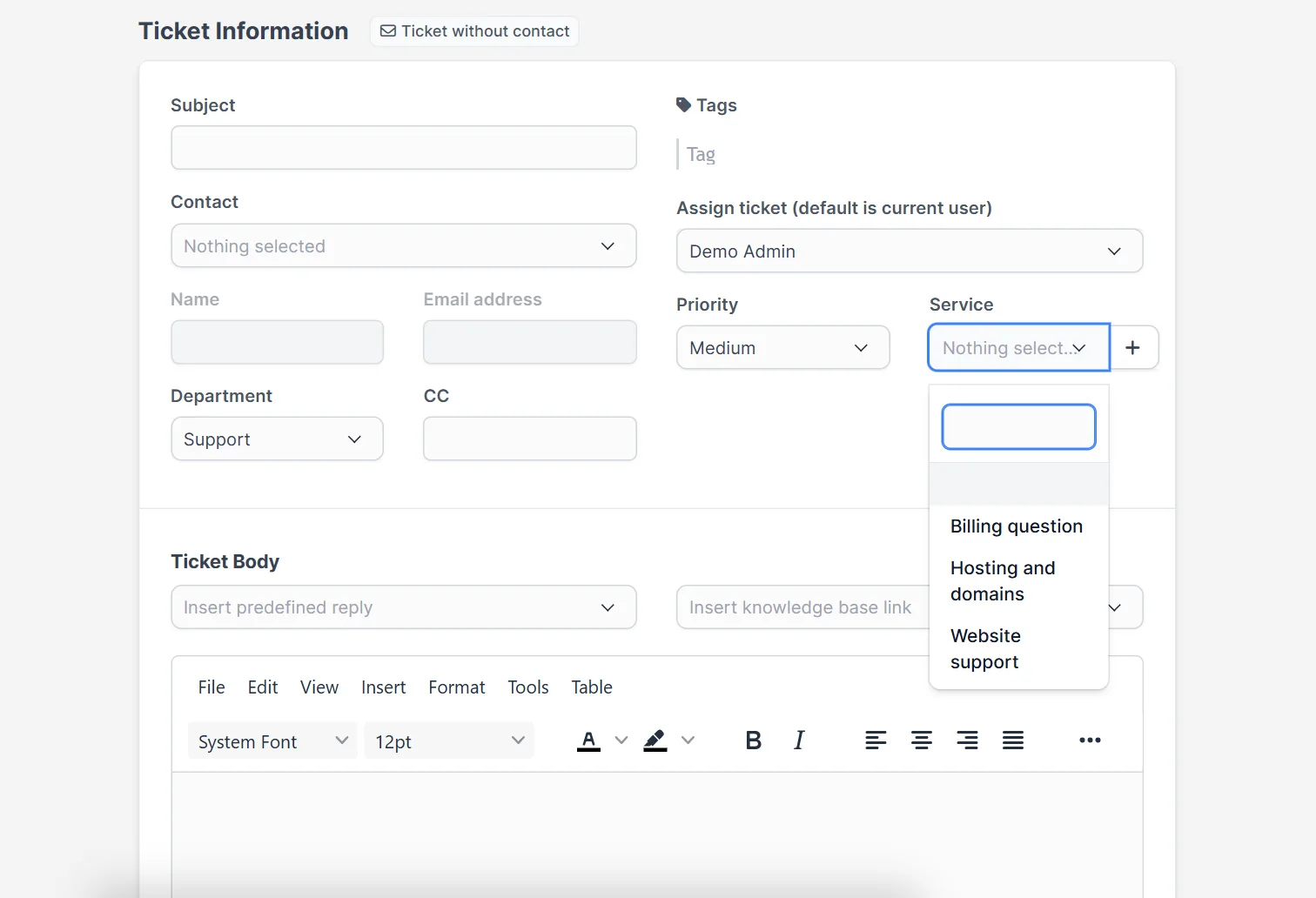
Open Support > New Ticket as a staff member. Next to Priority and Department you find the Service drop-down with your list. Pick one together with the contact, the subject and the message. The same choice is available when you edit an existing ticket.
Step 4: Read the service in the ticket #
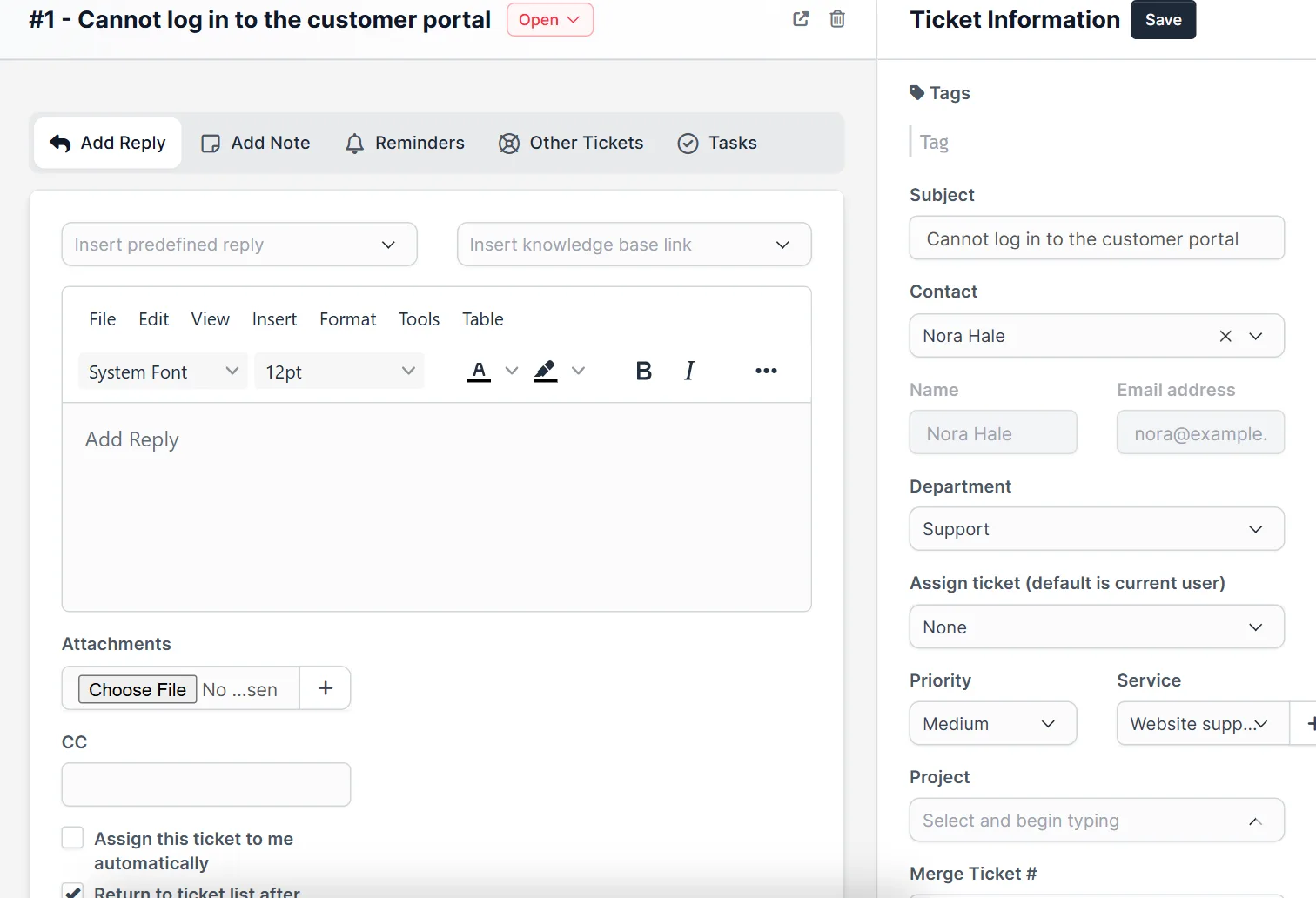
Open a ticket. The Ticket Information panel on the right shows the contact, the department, the assigned staff member, the priority and the Service, and you can change it there and click Save. Staff see the topic before they read the message.
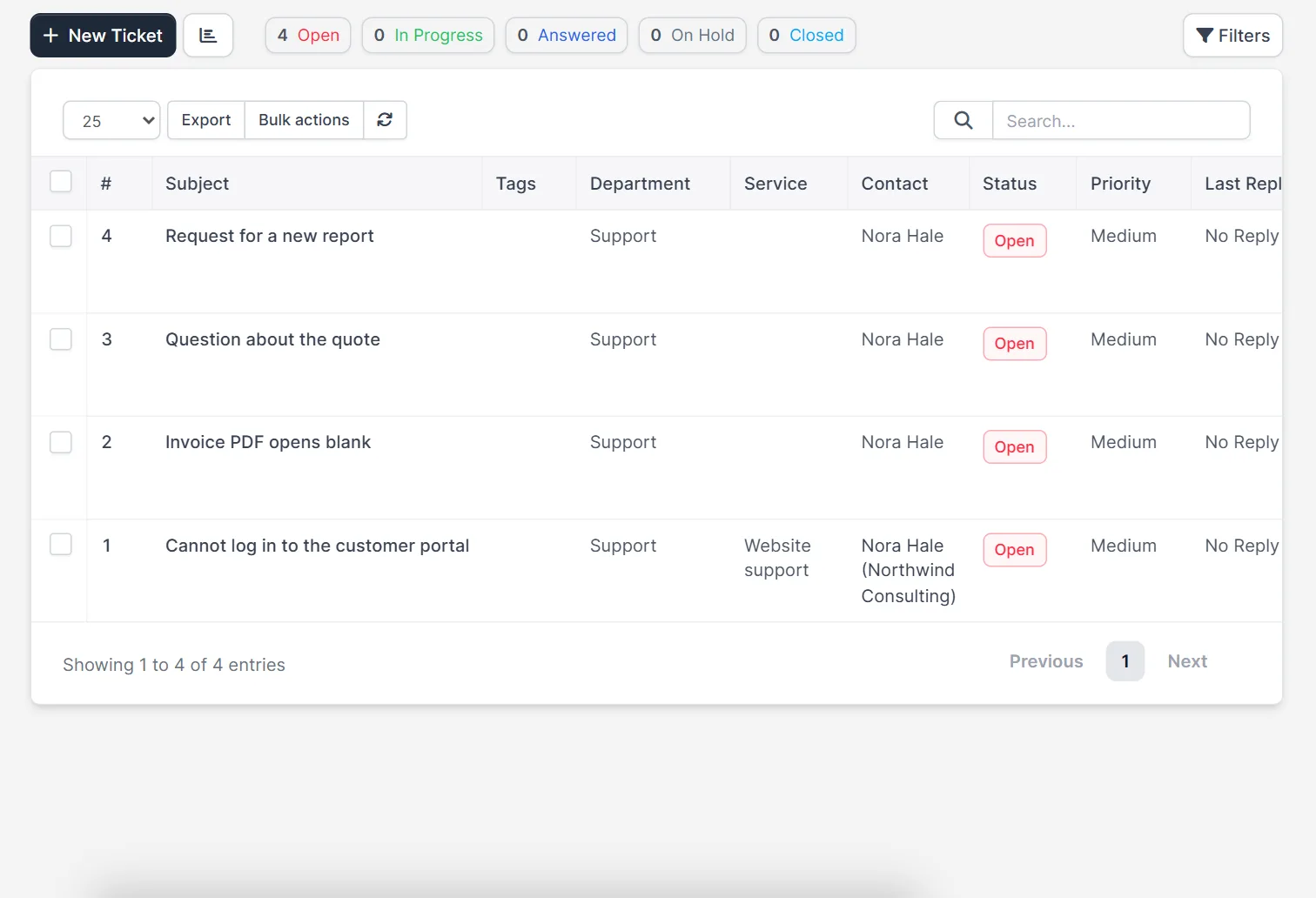
The ticket list has a Service column too, next to the department, the contact, the status and the priority, so you can scan which topics are common.
Why Perfex CRM ticket services help #
- Staff can answer faster because the topic is known before they open the ticket.
- You see which product causes the most questions.
- You can pair a service with a predefined reply for the usual answer.
Common mistakes with Perfex CRM ticket services #
Too many services is the first mistake: a list of twenty Perfex CRM ticket services makes the drop-down slow to read, and customers pick the first entry. Vague names are the second: a service called Other tells you nothing. The third is mixing up services and departments, so the same word appears in both lists. Keep the ticket services short, name them after what the customer wants and review the list when you launch a new product. Look at the Service column of the tickets list once a month to see which topic is the most common.
Quick checklist for Perfex CRM ticket services #
- The list has between five and eight services.
- Each name uses the words your customers use.
- No service is called Other or General.
- Services and departments have different names.
- Each service has an owner who answers its tickets.
- The ticket list is checked each month for the most common service.
Related guides #
- Set the team with ticket departments and the progress with ticket statuses.
- Let customers write to you with the ticket form and email piping.
- Read the mailbox in the CRM with our Mailbox module.
- Read the official Perfex CRM help on support tickets.
The screenshots come from a demo CRM. The exact menu path to the services list, and the service drop-down on the customer side of the ticket form, were not tested.
Summary #
Perfex CRM ticket services label every ticket with its topic. Add the services, choose one when you open a ticket and read it in the ticket panel and the list. Keep the service names short and clear.
Frequently asked questions #
What are Perfex CRM ticket services? #
A service is the topic of a ticket, such as Website support or Billing question. It is chosen when a ticket is opened.
What is the difference between a department and a service? #
A department is the team that answers the ticket. A service is the subject of the question.
Can I change the service of a ticket? #
Yes. Open the ticket, change the Service in the Ticket Information panel and click Save.
Can customers choose a service? #
The services list is meant for the ticket form, so customers can pick the topic when they open a ticket. Check the ticket form of your CRM after you add services.


