
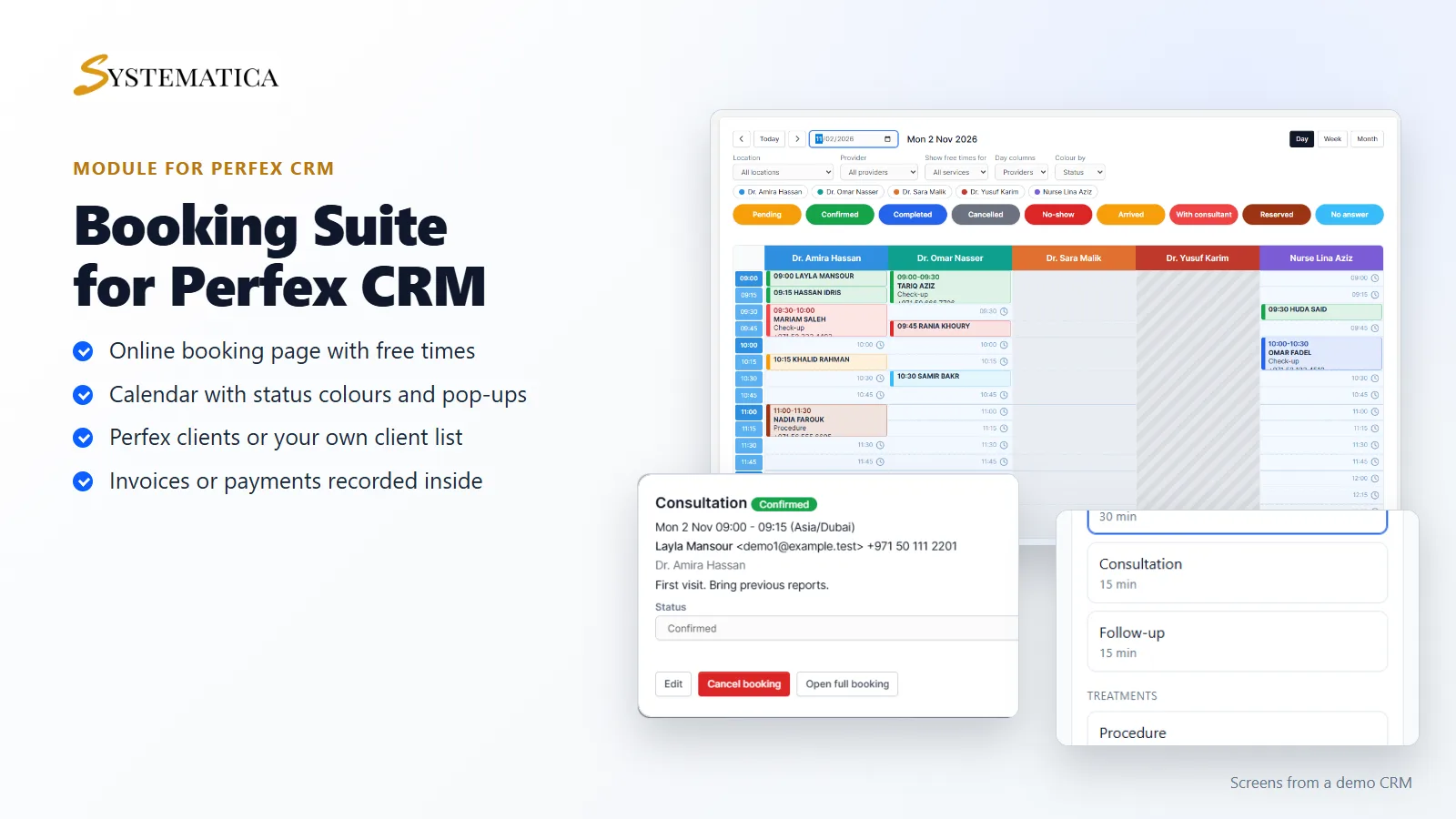
Perfex CRM has no booking page and no provider calendar of its own. If you run a clinic, a salon, a consulting firm or an agency and want clients to book online, you need a Perfex CRM appointment booking module or an outside tool that you connect to the CRM. Several modules exist, and they differ in ways that are easy to miss on a product page. This guide lists nine things to check before you buy, with a way to test each one.
Module or outside booking tool?
Outside booking tools keep your bookings on someone else’s server and reach Perfex CRM through a connector, so every change depends on a third service and a monthly fee. A module runs inside your own CRM: bookings, clients, invoices and reports sit in one place and your team uses one login. If you already work in Perfex CRM all day, a module is usually the simpler choice. The nine checks below apply to modules.
1. How does it stop double booking?
This is the first question to ask any seller. Two clients can click the same time within the same second. A module that only checks the time before saving will sometimes let both through. Look for a module that checks again at the moment of saving and locks the provider while it does. Ask the seller to describe it, then test it yourself: open the booking page in two browser windows, pick the same time, and submit both together. Only one should succeed. For Booking Suite we ran twelve simultaneous attempts for one slot in our own tests; one won and eleven were told the time was taken.
2. Can you define your own appointment statuses?
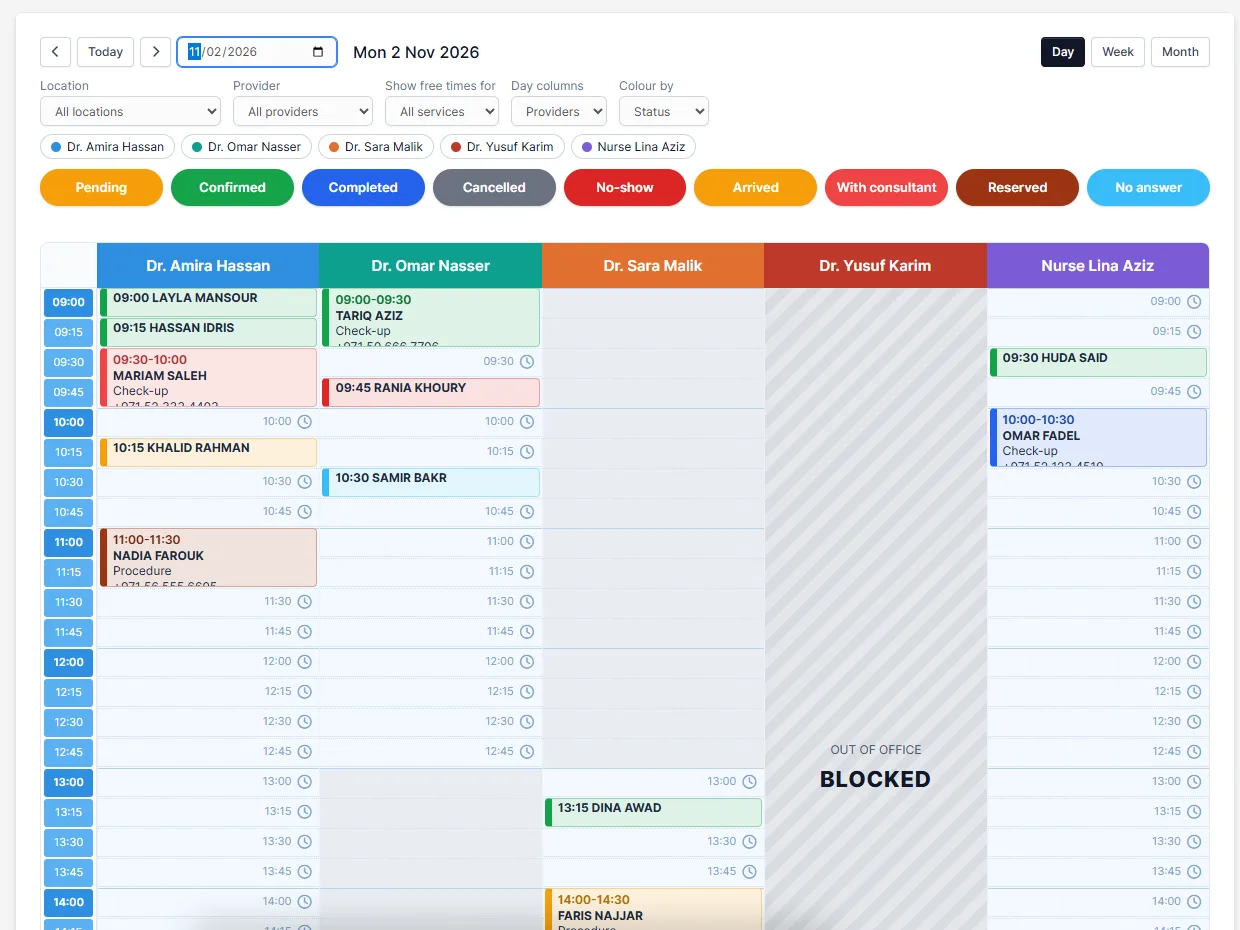
Pending, confirmed and cancelled are not enough for most businesses. A clinic needs arrived, with the doctor and no-show. A salon needs reserved or call not answered. Check that you can add, rename, colour and order statuses yourself, choose whether a status holds the time slot, and send a different email for each. Statuses should also appear as colours on the calendar so the front desk sees the day at a glance.
3. Does it handle several providers, rooms and locations?
A one-person calendar is easy. Real businesses have several providers, sometimes sharing a room or a machine, and sometimes working in two places. Check that each provider has their own weekly hours and days off, that a room cannot be used twice at the same time, and that a provider who works at two locations shows up once, not twice. Also check that you can see all providers side by side in one day view.
4. Can each provider have their own slot length and price?
One doctor sees patients every 30 minutes and another every 45. A senior stylist charges more than a junior. A module that fixes the slot length and price for the whole service will not fit. Look for a slot length and a price per provider for each service.
5. Do reminders and self-service links cut no-shows?
Most no-shows come from people who forgot or who could not easily change the time. Reminders sent before the visit help, and so does a link that lets the client change the time instead of simply not turning up. Check that you can set several reminders (for example 24 hours and 2 hours before), edit the email texts, and that each email carries links to confirm, cancel and change the time. Also check that you can limit how late a client may cancel. Most reminder statistics online come from companies that sell reminders, so measure your own no-show rate before and after you switch them on.
6. Can you take payments and make invoices the way your business works?
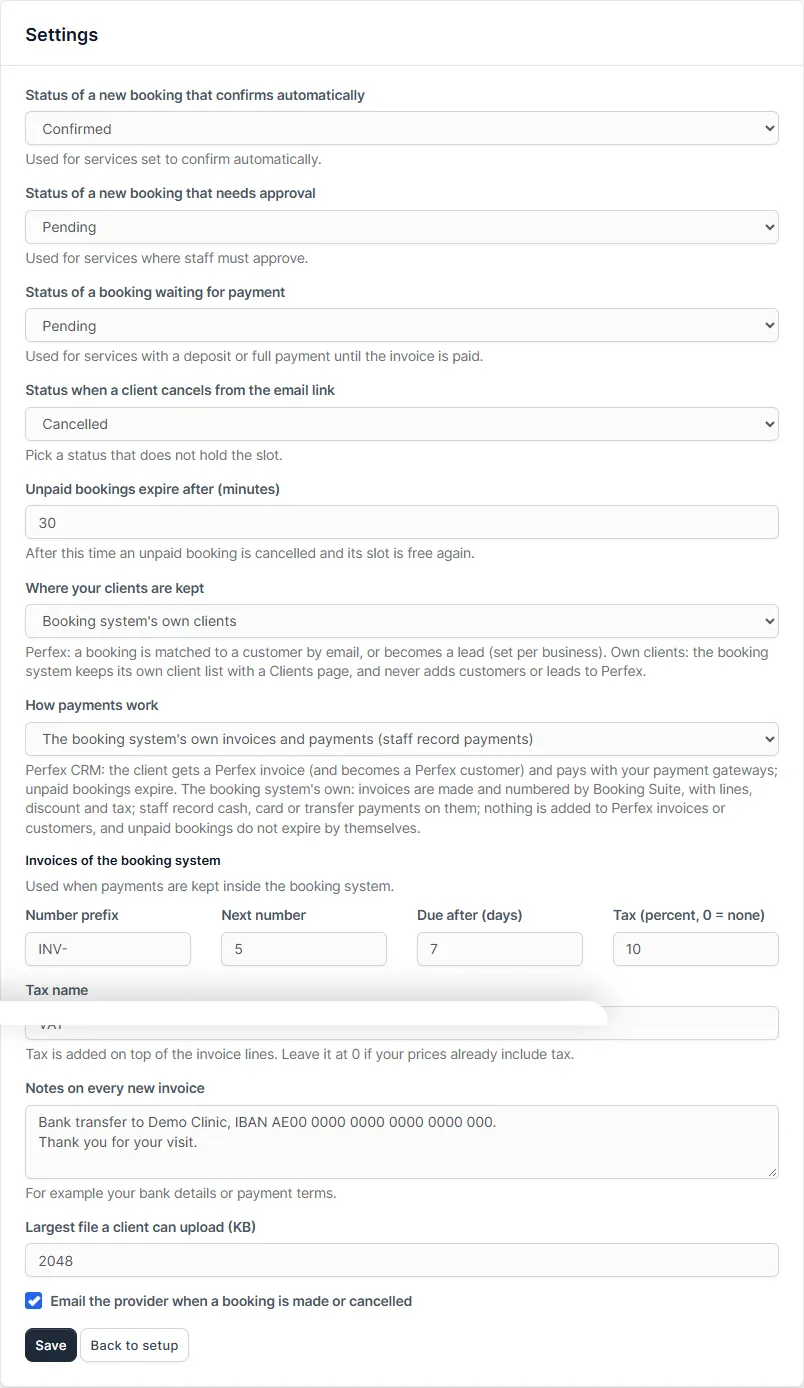
Some businesses want a deposit paid online before a booking counts. Others take cash or card at the desk and only want an invoice and a record of what was paid. Check which of these the module supports, and whether you must use Perfex CRM invoices. A module that forces every booking into a Perfex CRM customer and invoice is awkward for a clinic that sees hundreds of people. Booking Suite offers a choice: Perfex CRM invoices with your own payment gateways, or its own numbered invoices with lines, discount and tax, where staff record cash, card or transfer payments and the booking is confirmed when the invoice is paid in full. Be careful with wording on any product page: recording a payment is not the same as charging a card, and own invoices have no online card payment.
7. Where do the clients end up?
Many modules add every person who books to the Perfex CRM customer list. That is fine for a sales team. It is not what a clinic wants, where hundreds of walk-in clients would fill the customer and lead lists. Check whether the module can keep its own client list, with its own page to add, search and edit clients, and whether you can choose. Also check what happens when the same person books twice: they should be recognised by email, not added again.
8. What can your staff see and do?
Not everyone at the front desk should change setup, see reports or delete clients. Look for separate rights for viewing, creating, editing and deleting bookings, for reports, for setup, and for clients, invoices and payments. It also helps if a provider can be limited to their own column, so the screen stays clear. Test it by creating a staff account with one right and checking what they can open, including by typing the address.
9. What do you get after you buy?
Read the licence terms. How many websites does one key cover? How long does support last? Are updates included, and how are they delivered? Check that the module lists the Perfex CRM version it was tested on. Then look at the comments of other buyers on any marketplace listing, especially those from the last few months: they often mention a conflict with another module or a problem after a CRM update long before the seller does.
A quick test before you commit
- Install the module on a copy of your CRM, not on the live one.
- Add one provider, one service and opening hours, and open the booking page on your phone.
- Make two bookings for the same time from two windows.
- Cancel one, change the time of another from the email link, and move a booking on the calendar.
- Create a staff account with a single right and see what it can reach.
- Run the module’s reports on your test bookings.
If a module passes all six, it will probably serve you well. If you would like to see one that was built around these nine checks, read the Booking Suite documentation or the Perfex CRM booking system product page.
Frequently asked questions
Does Perfex CRM have appointment booking built in?
No. Perfex CRM manages customers, leads, invoices and projects, but it has no public booking page and no calendar for providers. You add one with a module.
Can clients book without logging in?
With a good module, yes. A public booking page that needs no account is simpler for clients. Clients who do log in to the customer area can also get a page with their bookings.
Will a booking module work with my version of Perfex CRM?
Check the version named on the product page and test on a copy first. Booking Suite was tested on Perfex CRM 3.4.1 and needs 3.4 or newer.
Can I send appointment reminders from Perfex CRM?
Perfex CRM sends emails, and a booking module can use them for reminders. Reminders are sent by the Perfex CRM cron job, so make sure your cron job runs.