
Accounting Module for Perfex CRM: Setup and Documentation
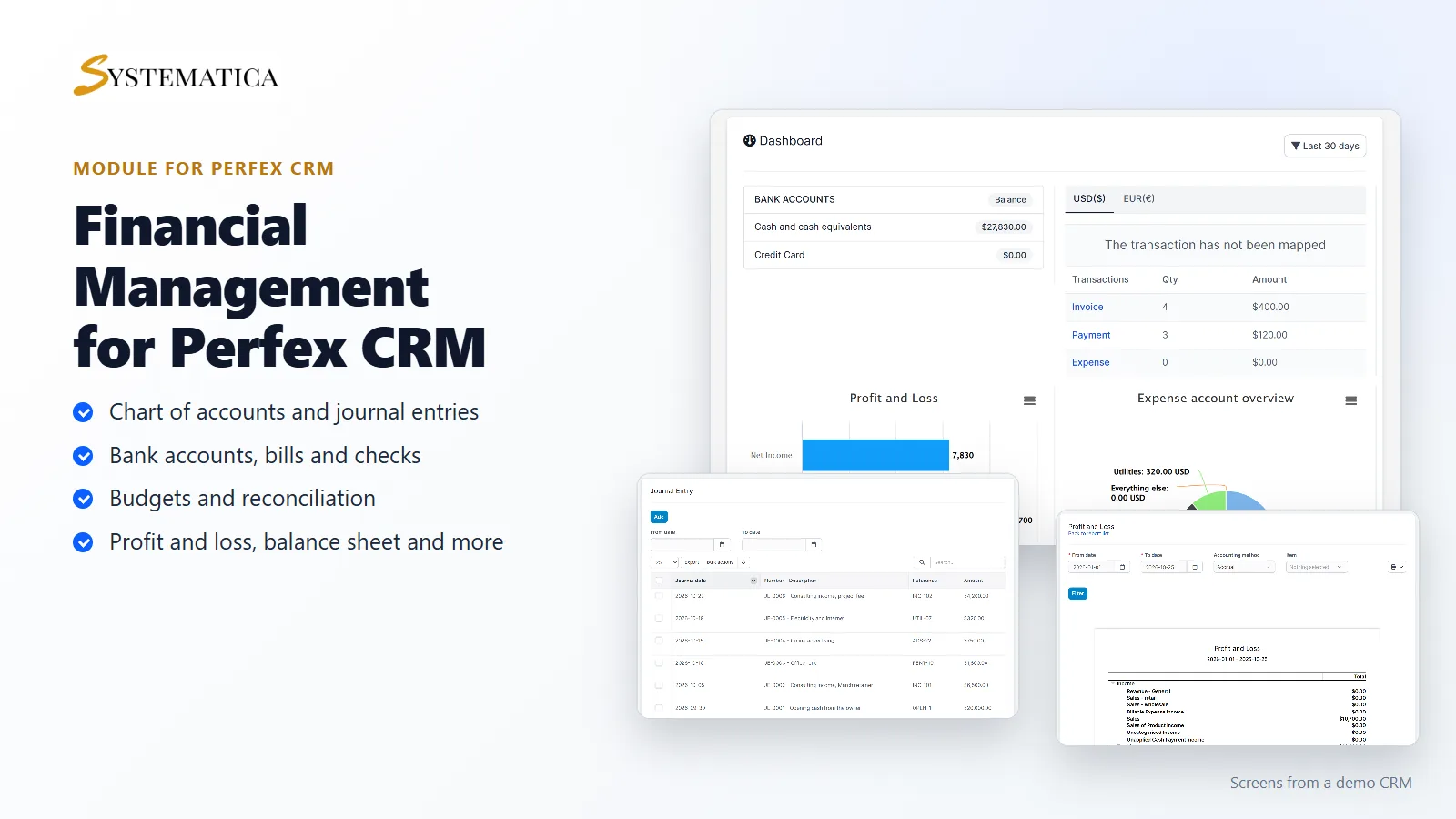
This guide shows how to set up the accounting module for Perfex CRM, sold as the Financial Management Module. It adds bookkeeping to your CRM: a chart of accounts, journal entries, banking, bills, budgets and reports such as profit and loss and balance sheet. Your invoices, payments and expenses stay in Perfex CRM, next to your books.
What the accounting module for Perfex CRM includes
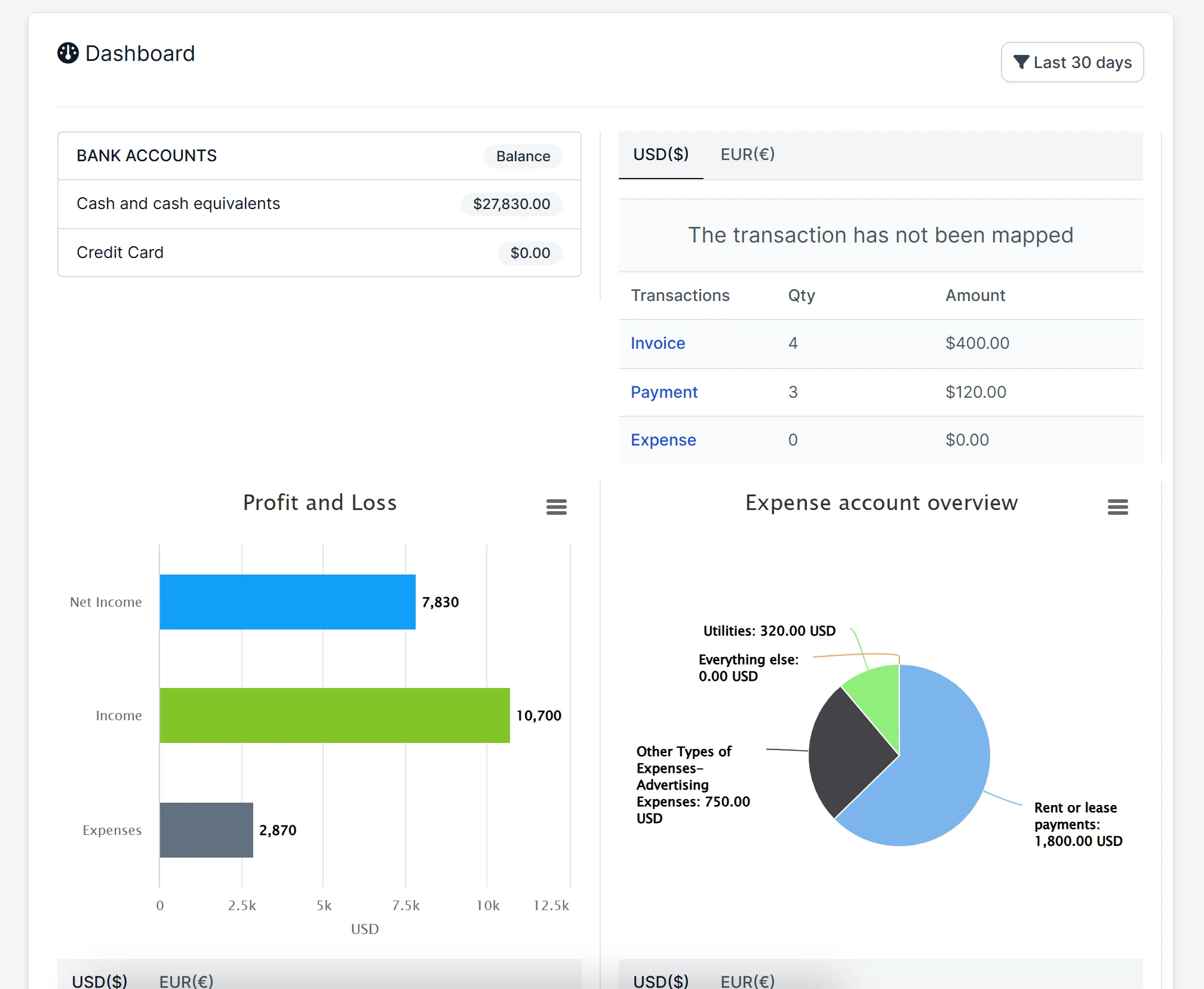
- A dashboard with bank balances, profit and loss and an expense account overview
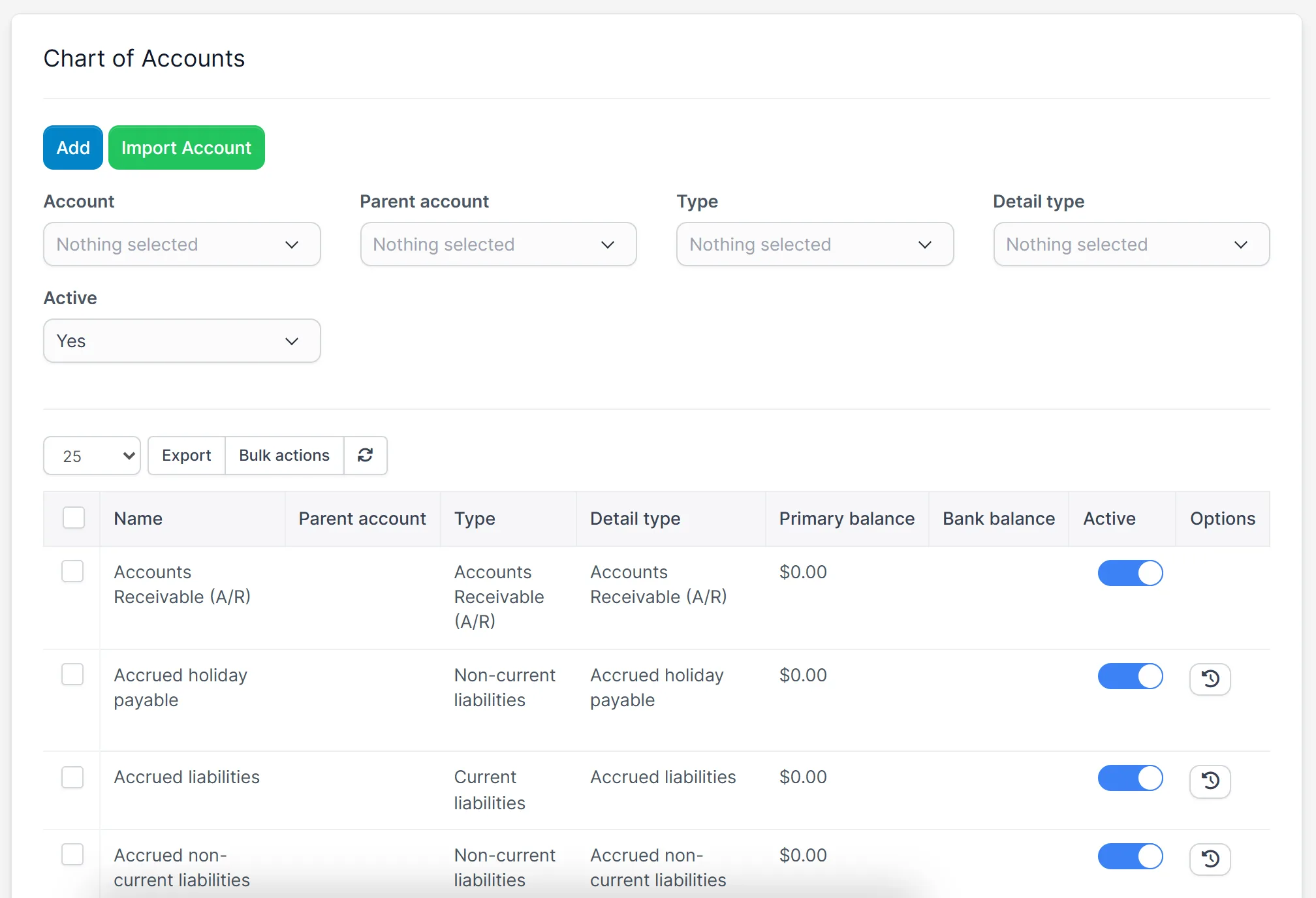
- A chart of accounts with account types and detail types, import and export
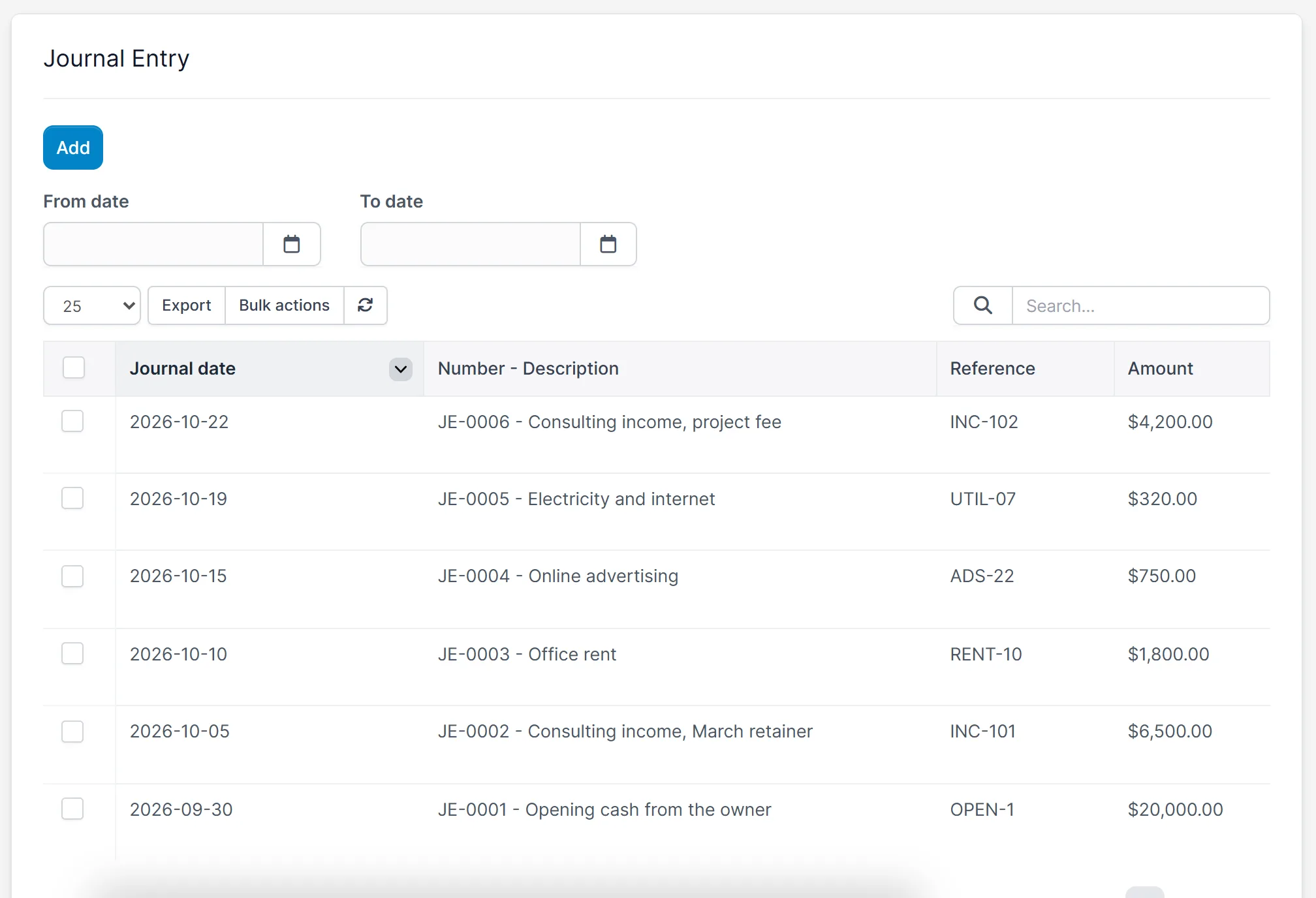
- Journal entries with a date, number, reference and description
- Banking, registers, transfers, bills, checks and vendors
- Reconcile and budget screens
- Transactions screens that link invoices, payments and expenses to your accounts
- Reports: balance sheet, profit and loss, statement of cash flows, statement of changes in equity and more
- A currency tab on the dashboard for more than one currency
Requirements
- Perfex CRM 3.4 or newer (tested on 3.4.1)
- A connection from your server to systematica.app over HTTPS for the license check
How to set up the accounting module for Perfex CRM
- Upload the accounting module for Perfex CRM under Setup > Modules and activate it.
- Open Accounting > License and enter your license key.
- Open Accounting > Setting and choose your options.
- Check the chart of accounts and add your bank accounts.
- Add journal entries, then open Reports.
See your money at a glance
The dashboard shows the balance of your bank accounts, a profit and loss chart and the share of each expense account for the period you choose. The accounting module for Perfex CRM reads these numbers from the entries in your books.
Start with a chart of accounts
The accounting module for Perfex CRM comes with a ready list of accounts, such as accounts receivable, cash, sales and rent. Add your own, set a parent account and a type, switch accounts on or off, and import a list from a file.
Record journal entries
Add an entry for anything that is not an invoice or an expense, such as money from the owner or a rent payment. Each entry has a number, a date, a reference and a description. Filter the list by date and export it.
Run reports from your books
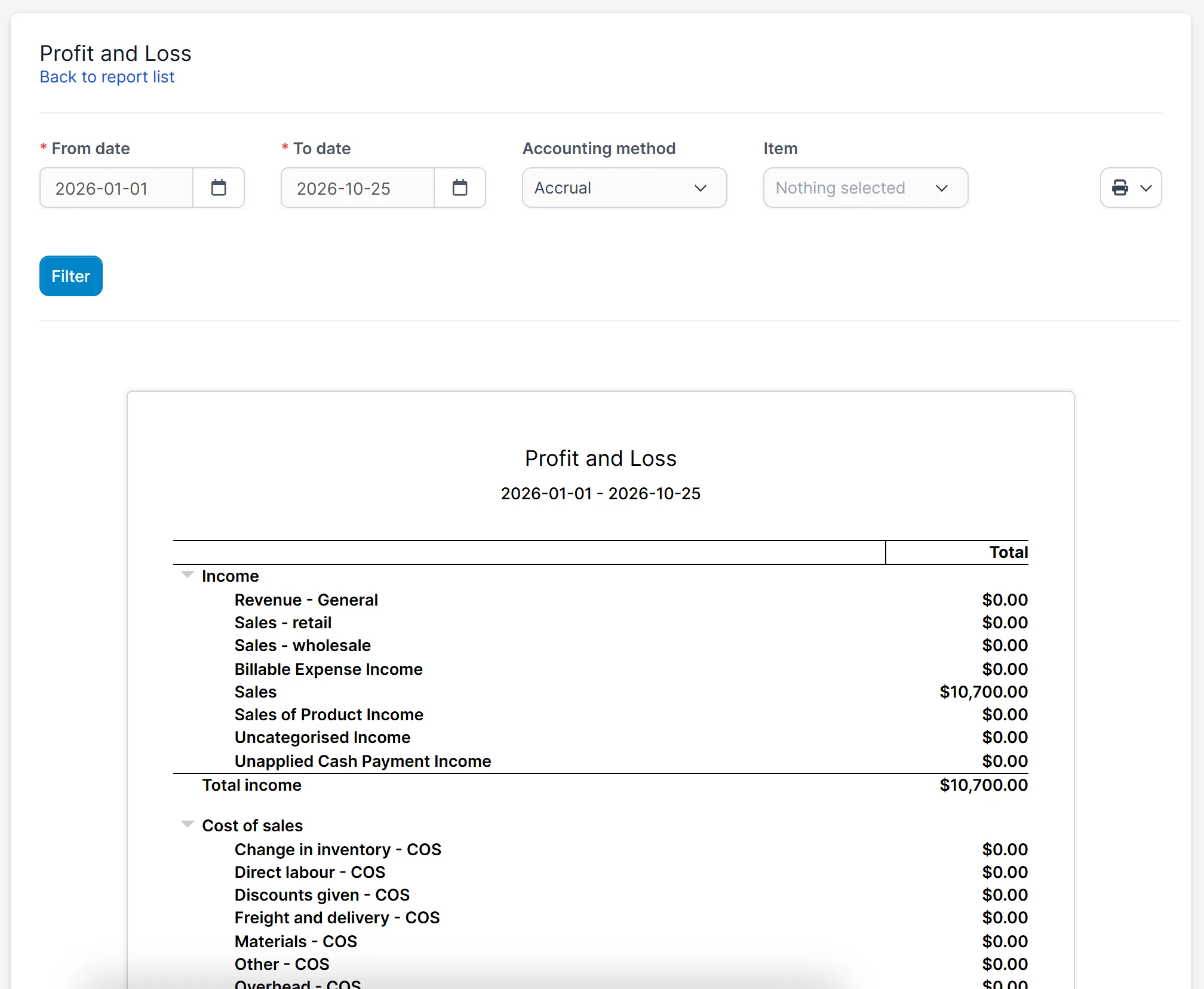
Choose a report, a date range and an accounting method, and click Filter. The profit and loss report groups income, cost of sales and expenses and shows the total of each.
Good to know
- The pictures show a demo CRM with sample entries.
- Accounting rules differ by country. Check your reports with your accountant before you file anything.
- The accounting module for Perfex CRM keeps books. It does not file taxes or pay anyone.
Your license is valid for 1 year and includes support through our ticket system and free updates through your Systematica account. One license key activates the accounting module for Perfex CRM on one website. It runs inside Perfex CRM, which you need to own.
Frequently asked questions
Which reports does the accounting module for Perfex CRM include?
Balance sheet reports, profit and loss reports, a statement of cash flows and a statement of changes in equity, among others.
Does it work with my invoices and expenses?
The transactions screens link invoices, payments and expenses to your accounts. You choose how they are mapped in the settings.
Can I use more than one currency?
The dashboard has a tab for each currency in your CRM.
Where do I enter the license key?
Open Accounting > License after activating the accounting module for Perfex CRM.
Related guides and support
- See the Financial Management product page.
- Track what you buy with Purchase Management.
- Read the purchase management guide.
- Need help? Open a ticket on the support page.
- Read more in the Perfex CRM documentation.