Finally Transform Perfex CRM Mobile Powerful, Stress-Free Mobile App
Perfex CRM Mobile App Module transforms your customer relationship management system into a modern Progressive Web App, providing your users with a native app-like experience across all devices.
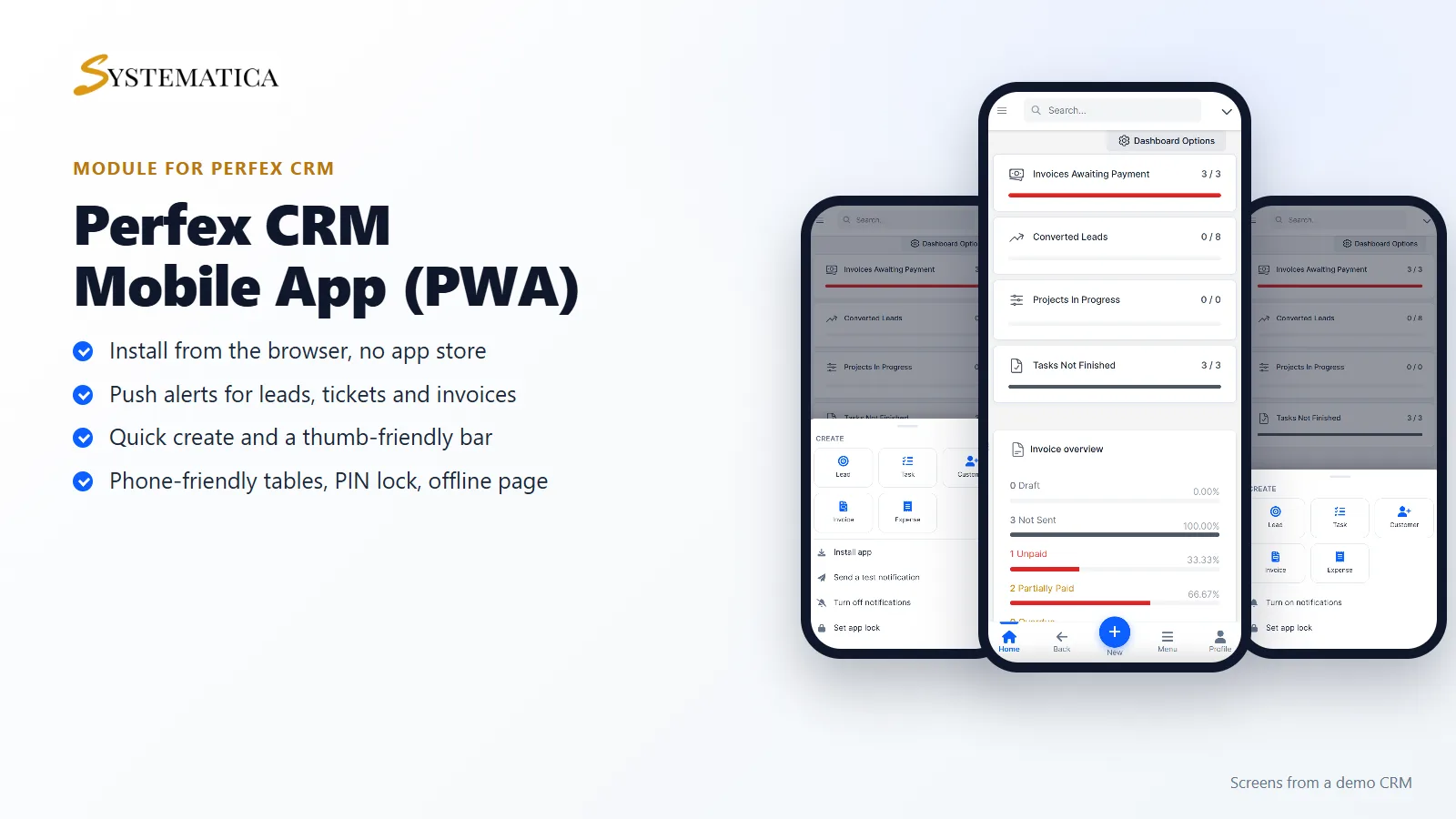
The Perfex CRM Mobile App turns Perfex CRM into an app your team can install on a phone. Staff open the CRM from their home screen, get push alerts for new leads, tickets, invoices, payments and tasks, and create records with one tap. There is no app store and no separate app to maintain. It runs from your own CRM address.
What you get with the Perfex CRM Mobile App
- An installable Perfex CRM Mobile App with your name, colors and icons
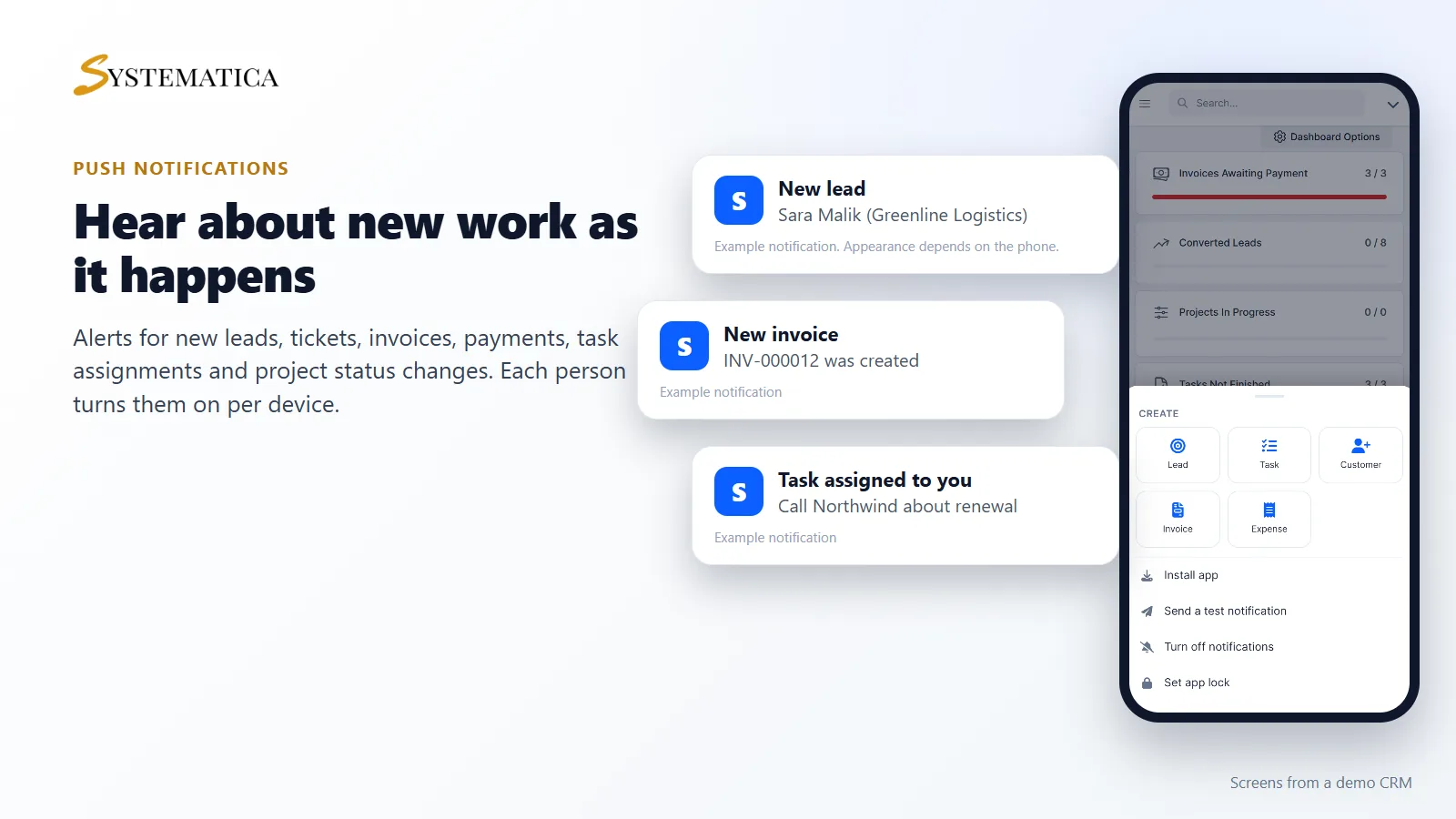
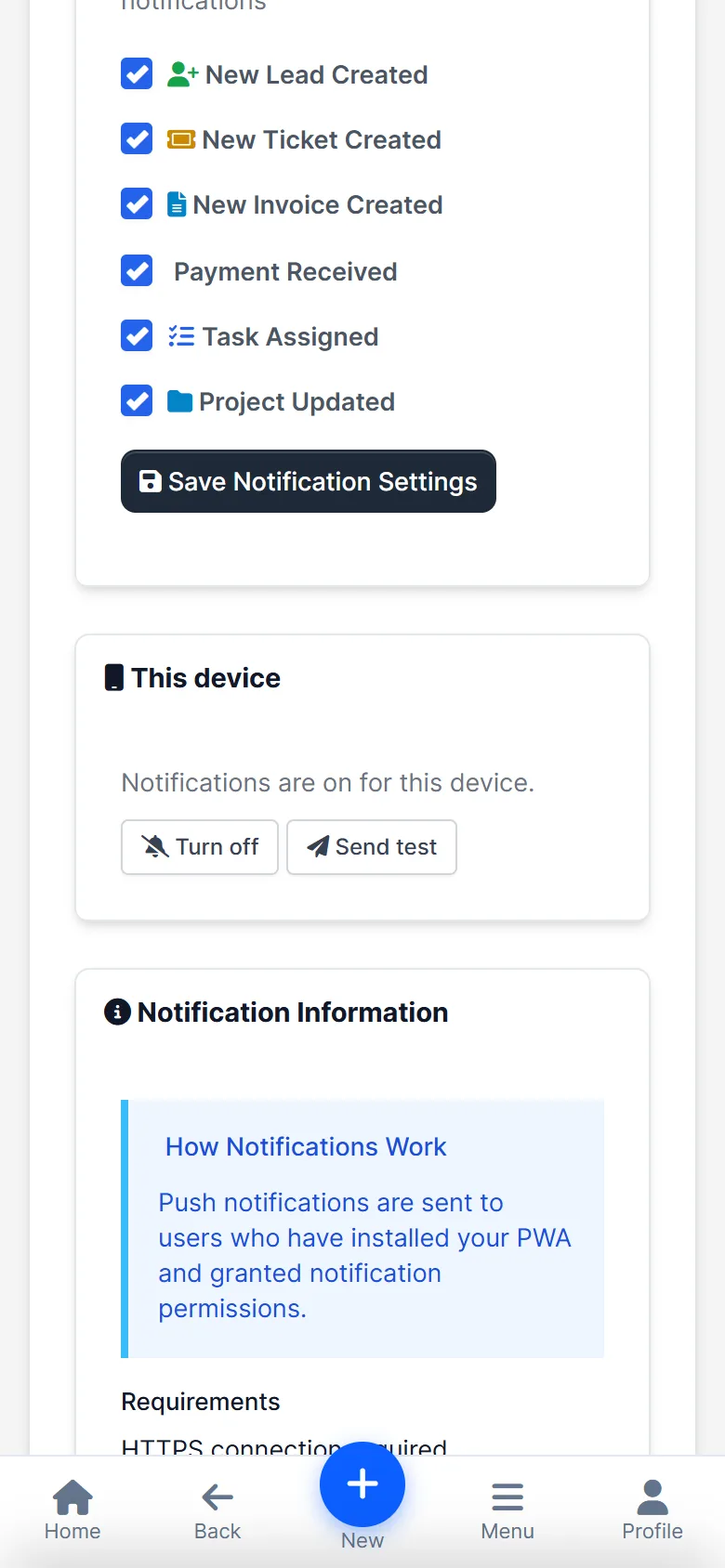
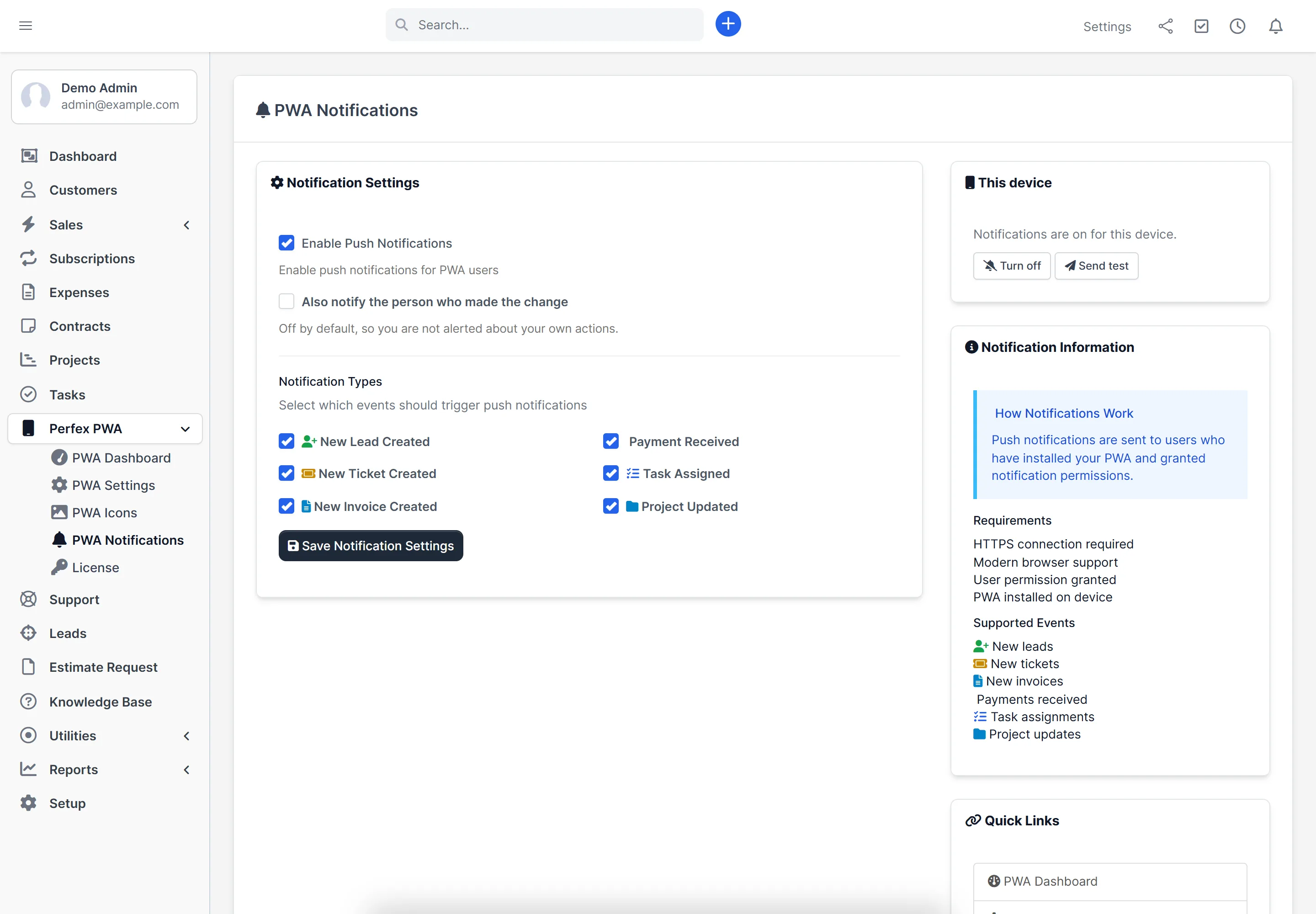
- Push notifications for new leads, tickets, invoices, payments, task assignments and project status changes
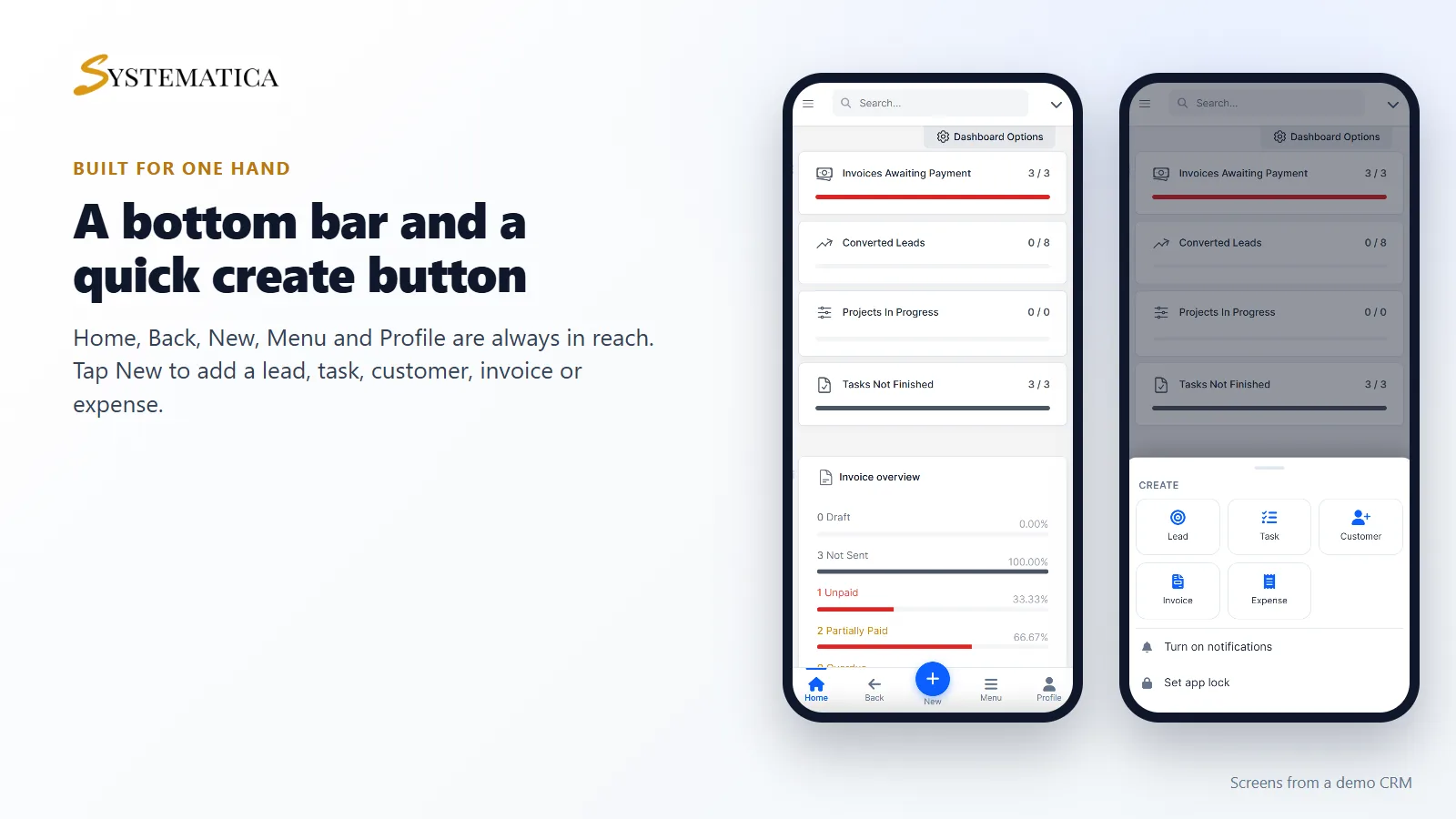
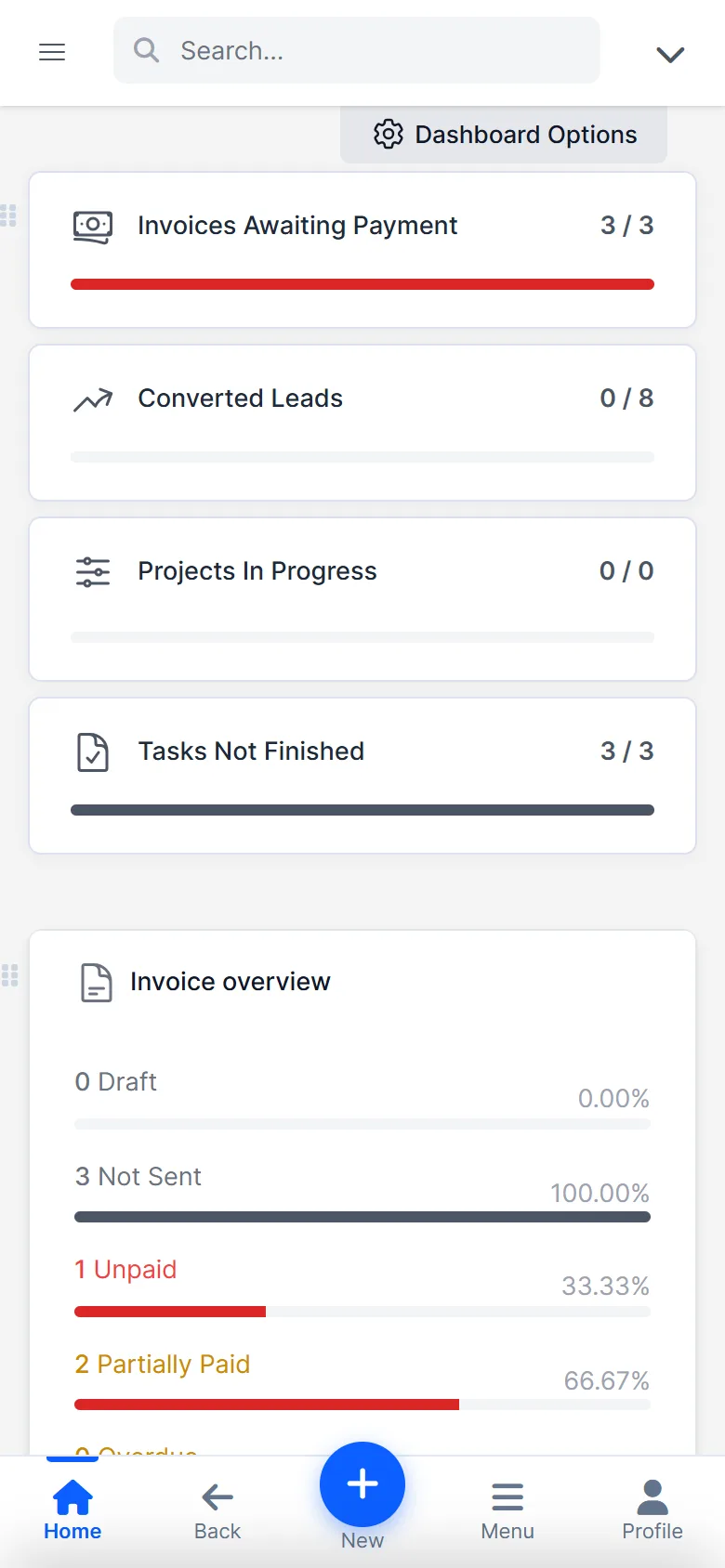
- A bottom bar with Home, Back, New, Menu and Profile
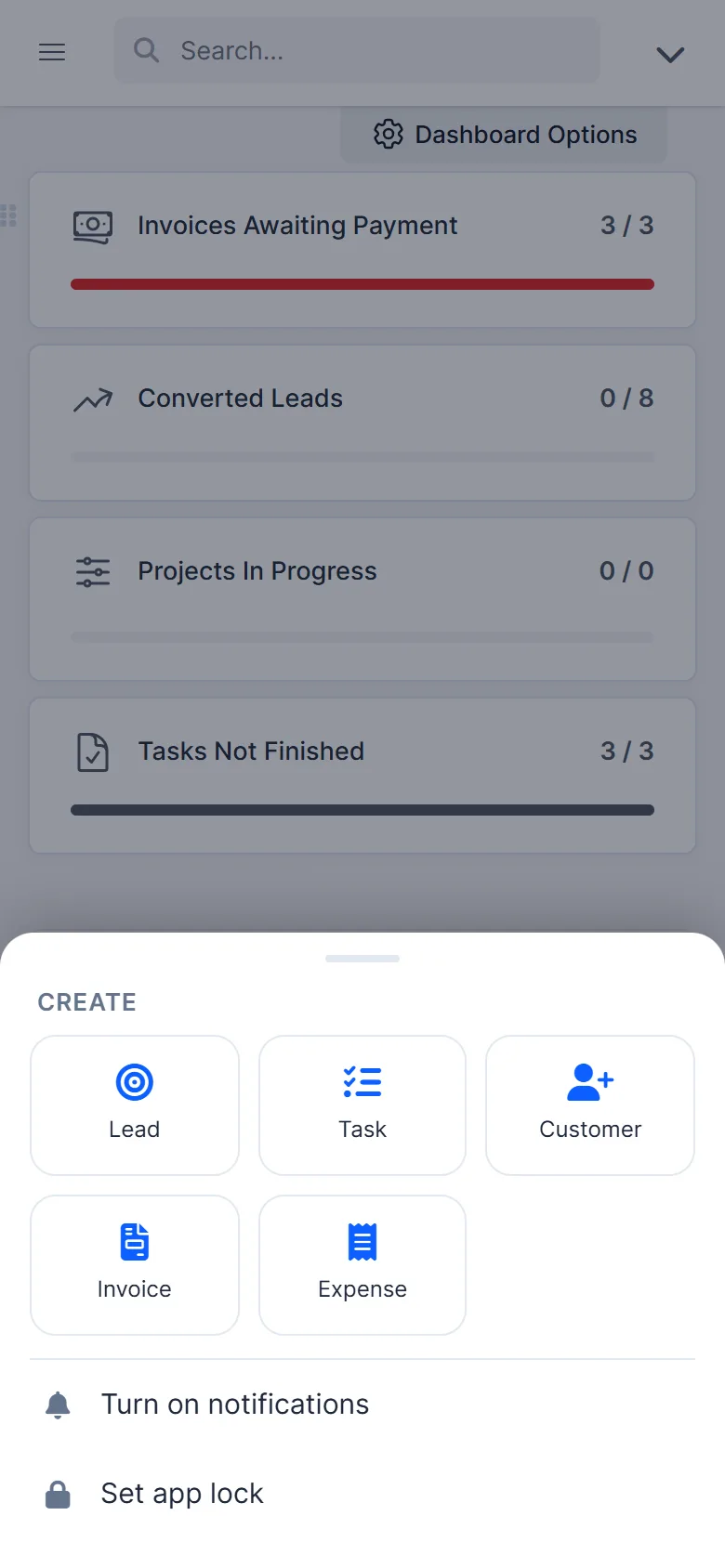
- Quick create for lead, task, customer, invoice and expense
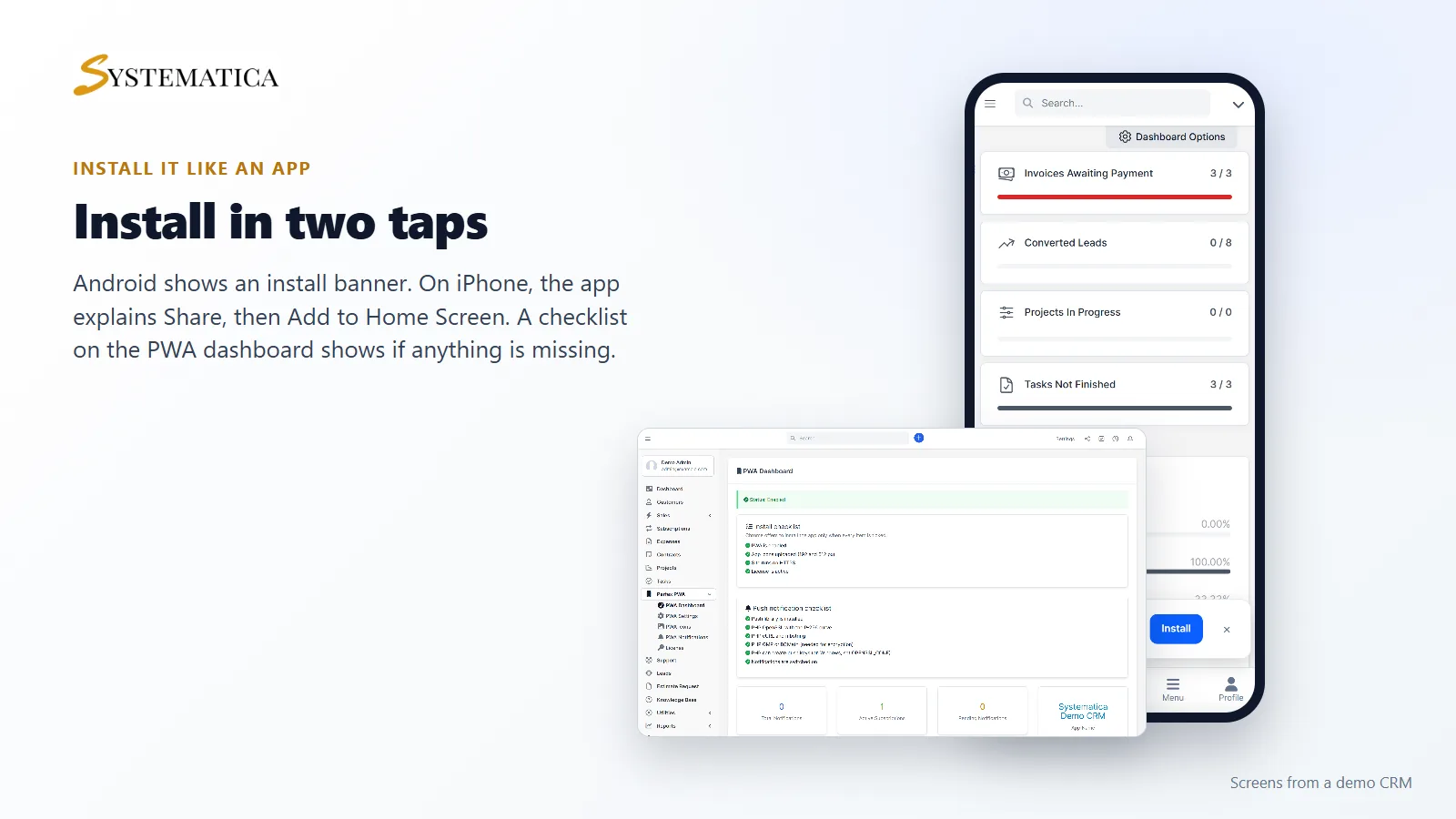
- An install banner for Android and a hint for iPhone
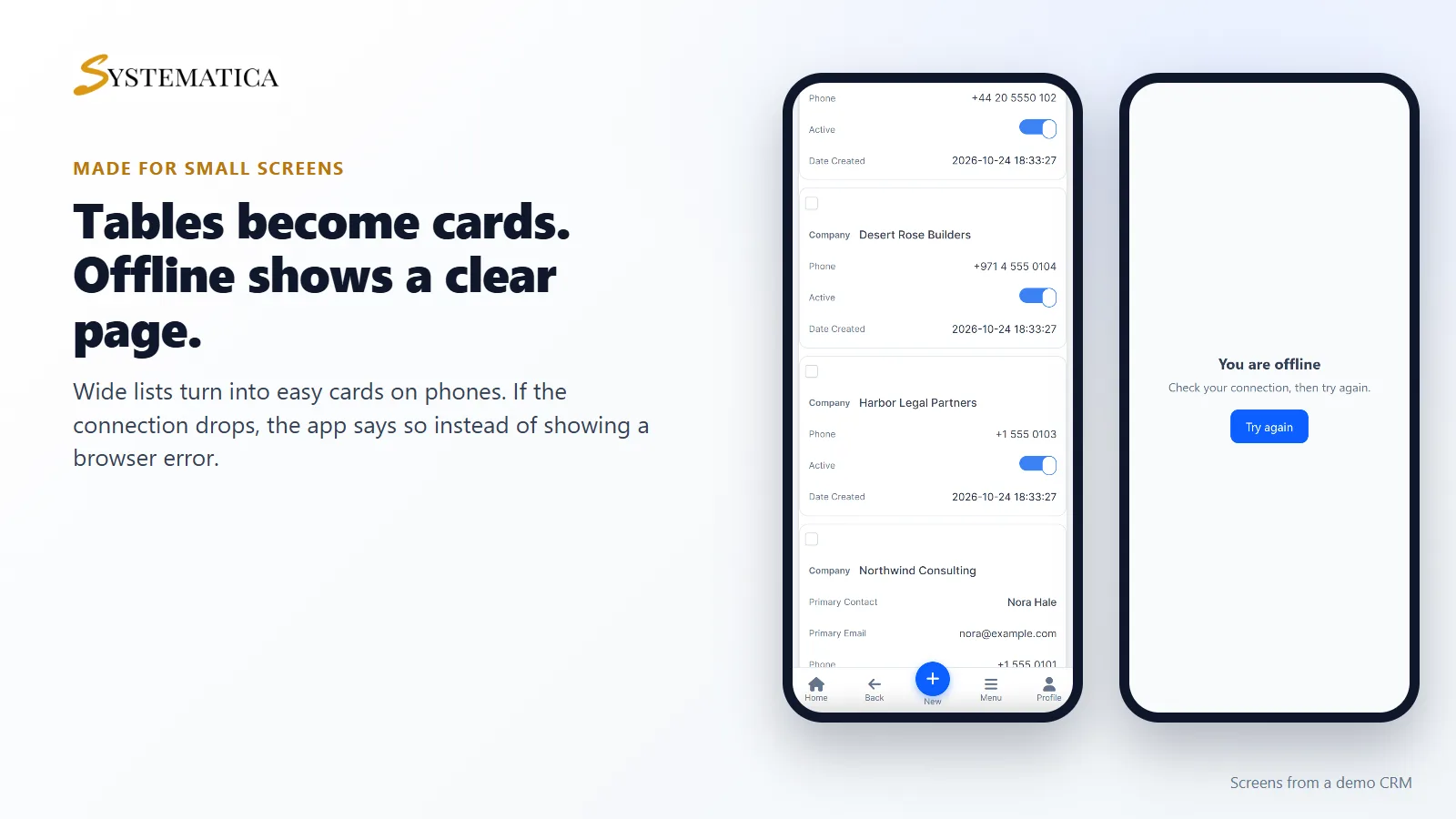
- Tables that turn into cards on phones
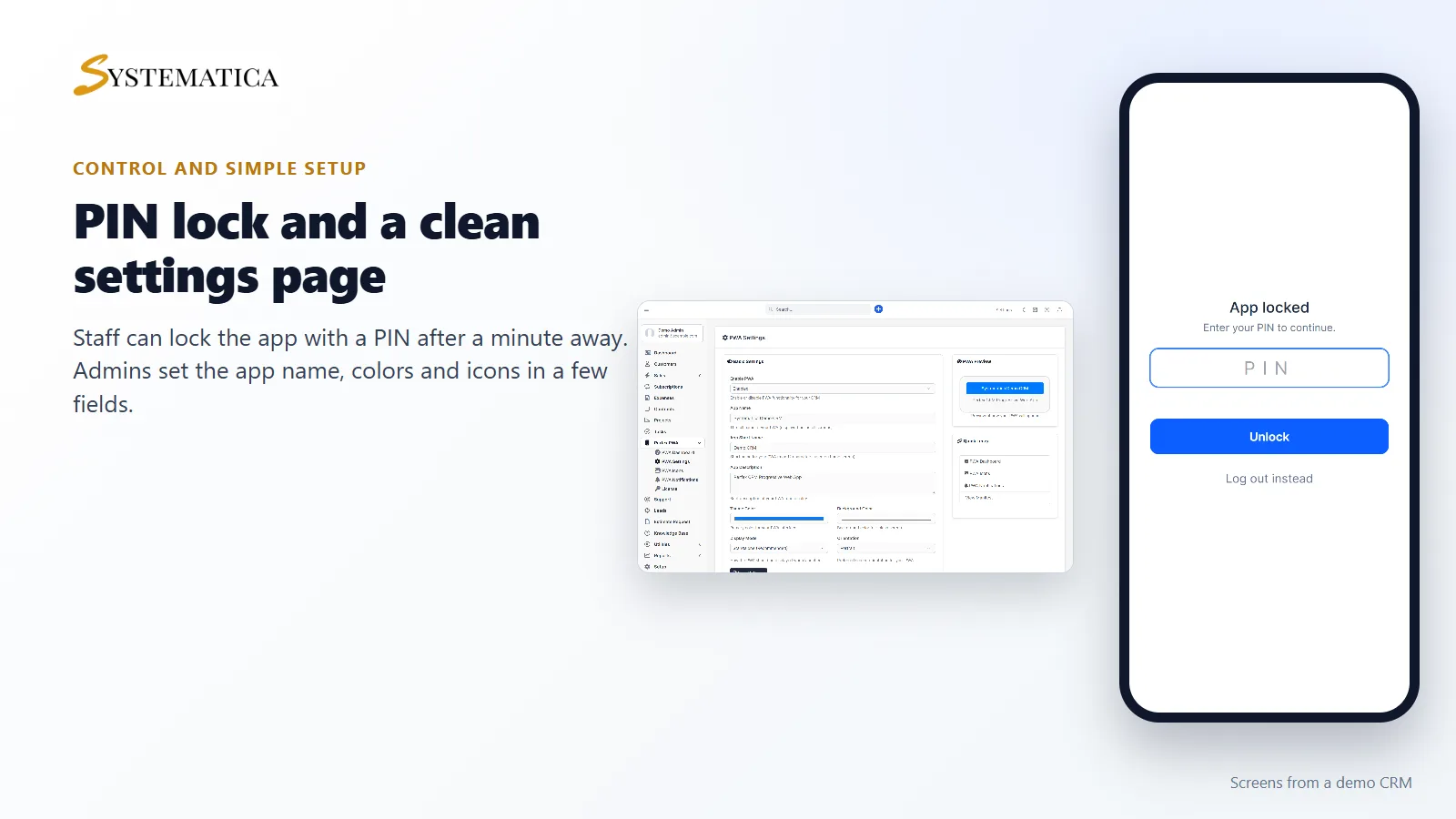
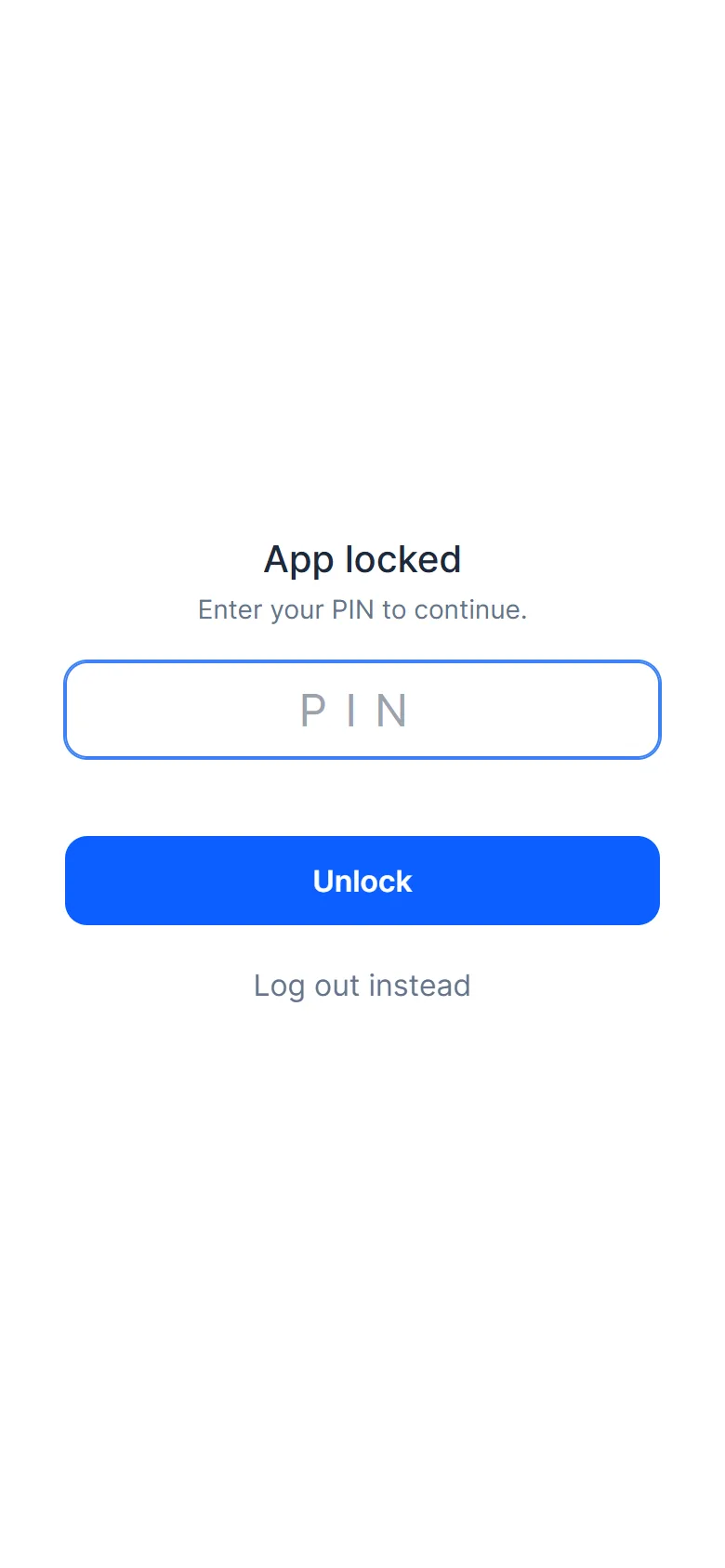
- An optional PIN lock for the app
- An offline page when the connection drops
- Home screen shortcuts to Tasks, Leads, Customers and Invoices
Perfex CRM Mobile App built for one hand
The bottom bar keeps the main actions in reach. The page you are on is highlighted, the bar respects the notch on newer phones, and it slides away while you type or fill in a form. Tap New to add a lead, task, customer, invoice or expense. You only see what your role allows you to create.
Push notifications in the Perfex CRM Mobile App
Each person turns notifications on from the app menu or the PWA Notifications page, on each device they use. You choose which events send alerts.
- New lead: the assigned person, or everyone who can view leads
- New ticket: admins and the staff in the ticket’s department
- New invoice and payment received: staff who can view invoices or payments
- Task assigned: only the person it is assigned to
- Project status changed: the people on the project
Messages are short, carry no amounts, and open the item inside the app when tapped. By default you are not alerted about your own actions. Sending runs after the page loads, so saving a lead never waits on a push service, and the Perfex cron job retries anything that fails.
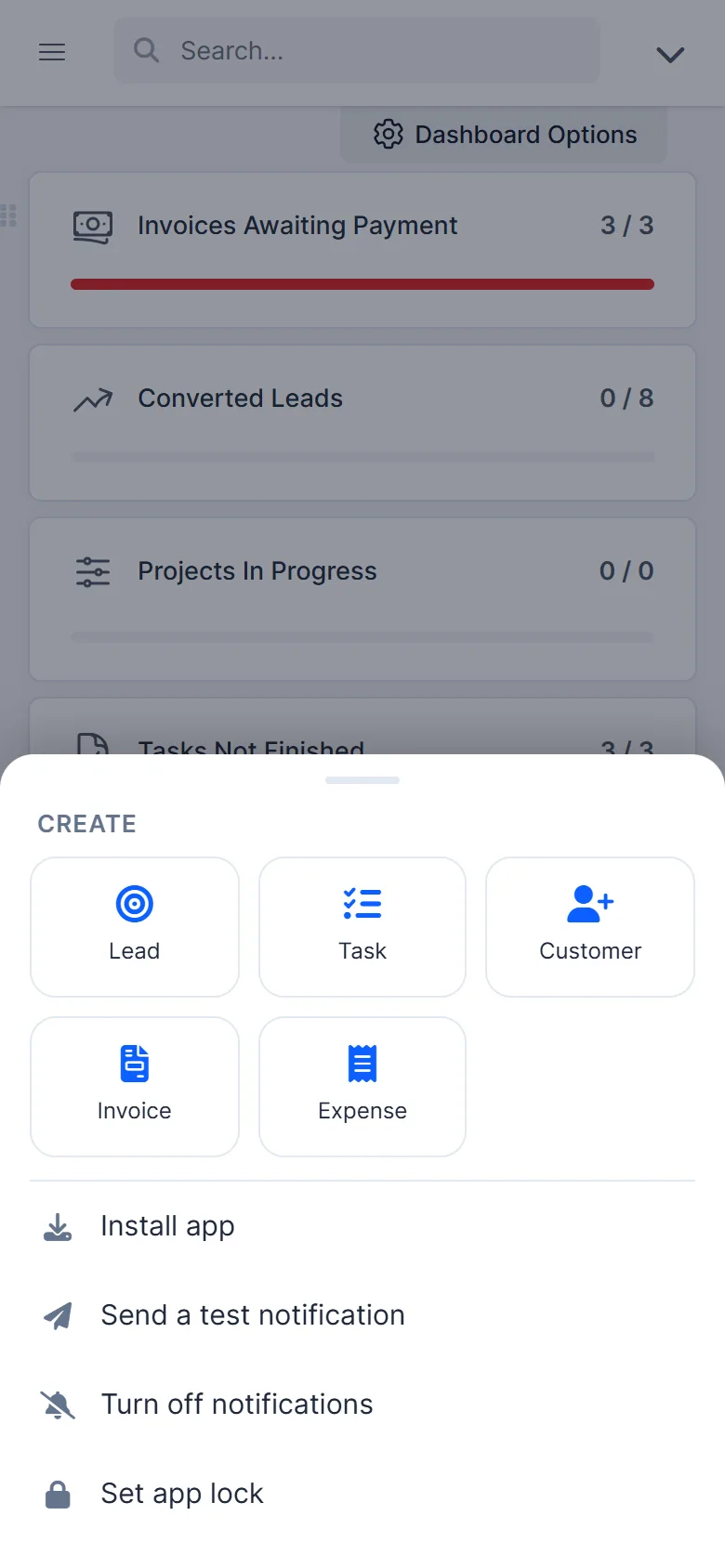
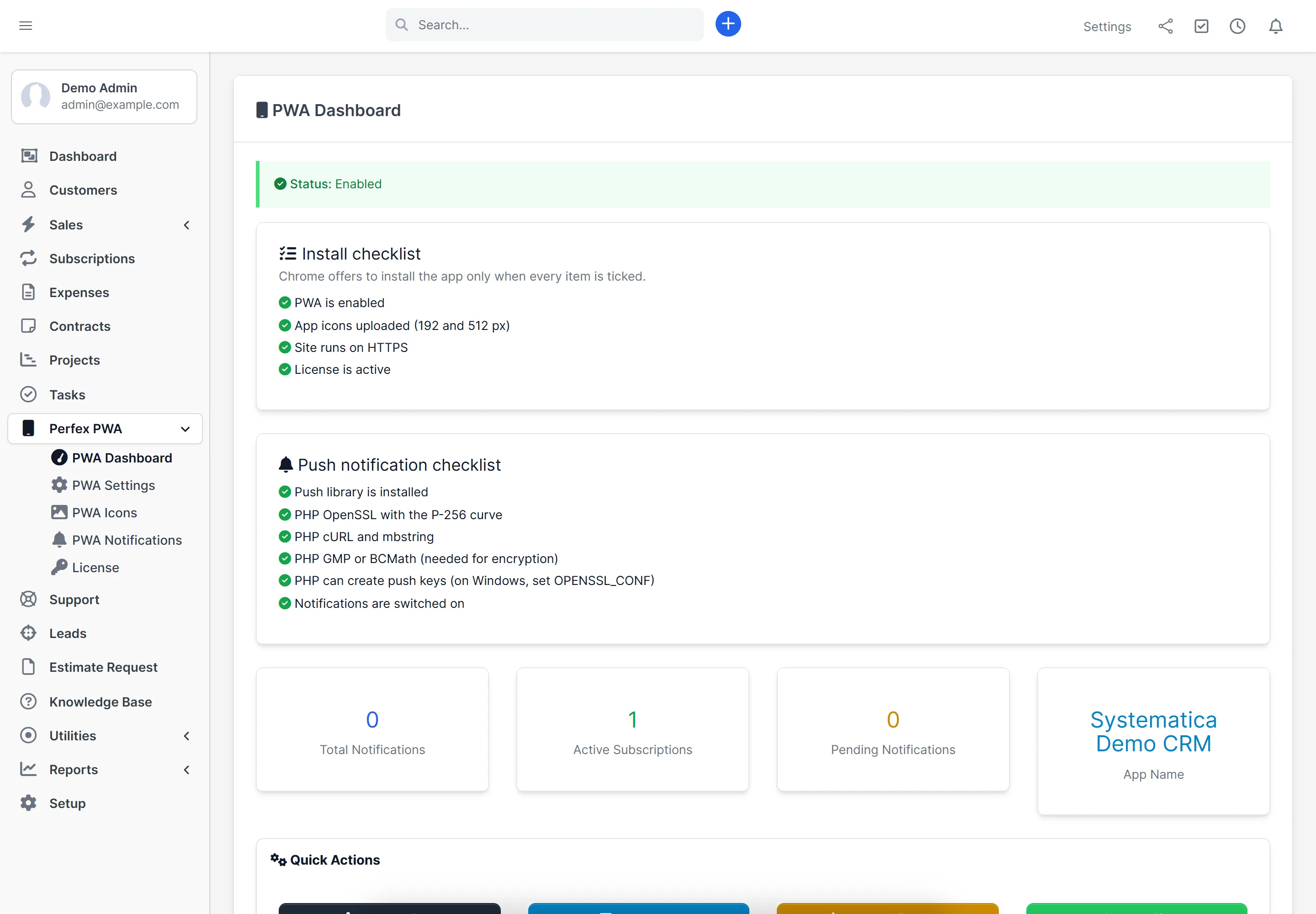
Install the Perfex CRM Mobile App in two taps
Android users see an install banner. iPhone users get a short hint to use Share, then Add to Home Screen. A checklist on the PWA dashboard tells you if anything is missing, such as icons, HTTPS or the license.
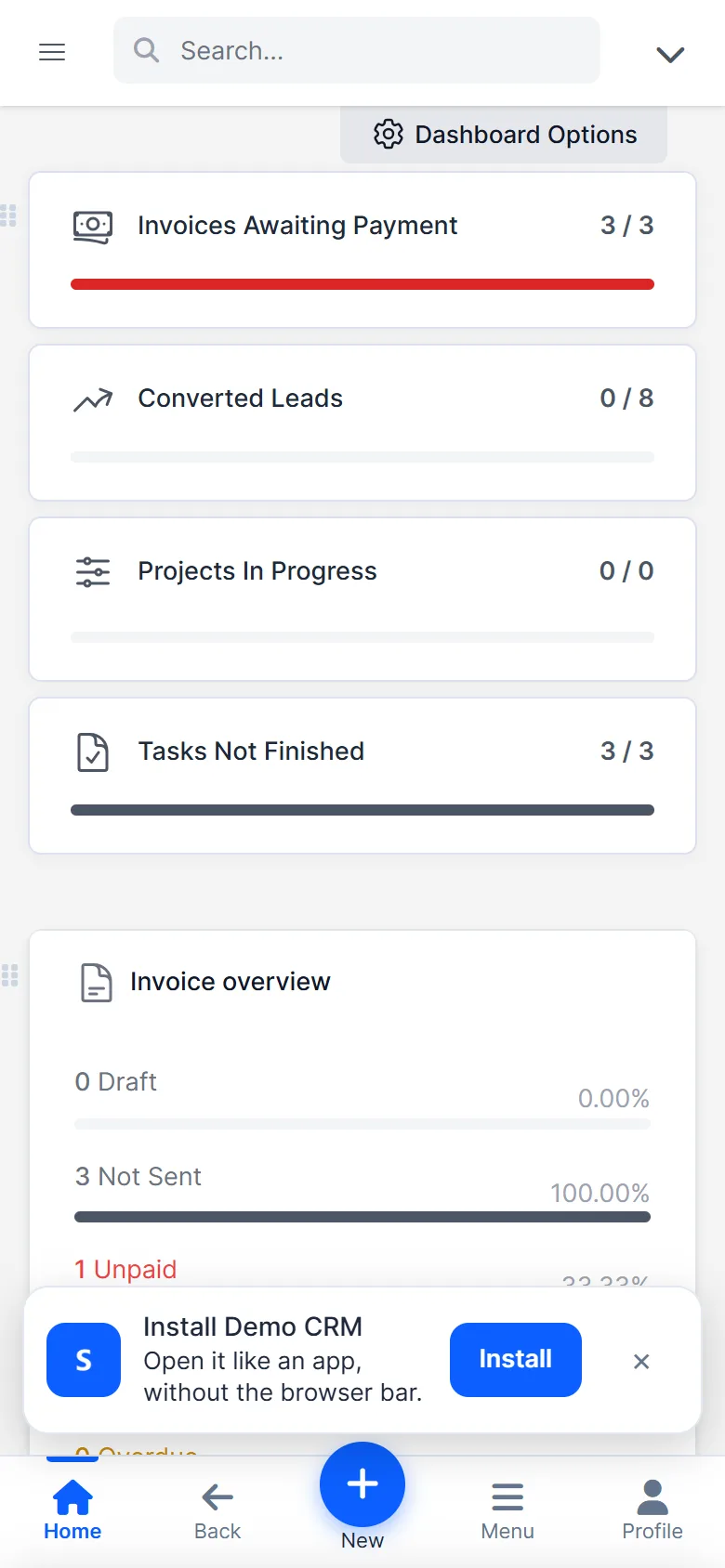
Perfex CRM Mobile App made for small screens
In the Perfex CRM Mobile App, wide lists such as customers, leads and invoices turn into easy cards on phones. If the connection drops, the app shows a clear offline page instead of a browser error. Styling files are cached so the app opens quickly. CRM pages and data are never stored on the device.
PIN lock for the Perfex CRM Mobile App
Staff can protect the app with a 4 to 8 digit PIN. It locks after a minute away. Five wrong tries log the person out. The PIN is stored as a salted hash on that device. It is a convenience lock for a shared or lost phone and does not replace logging out.
Set up the Perfex CRM Mobile App in minutes
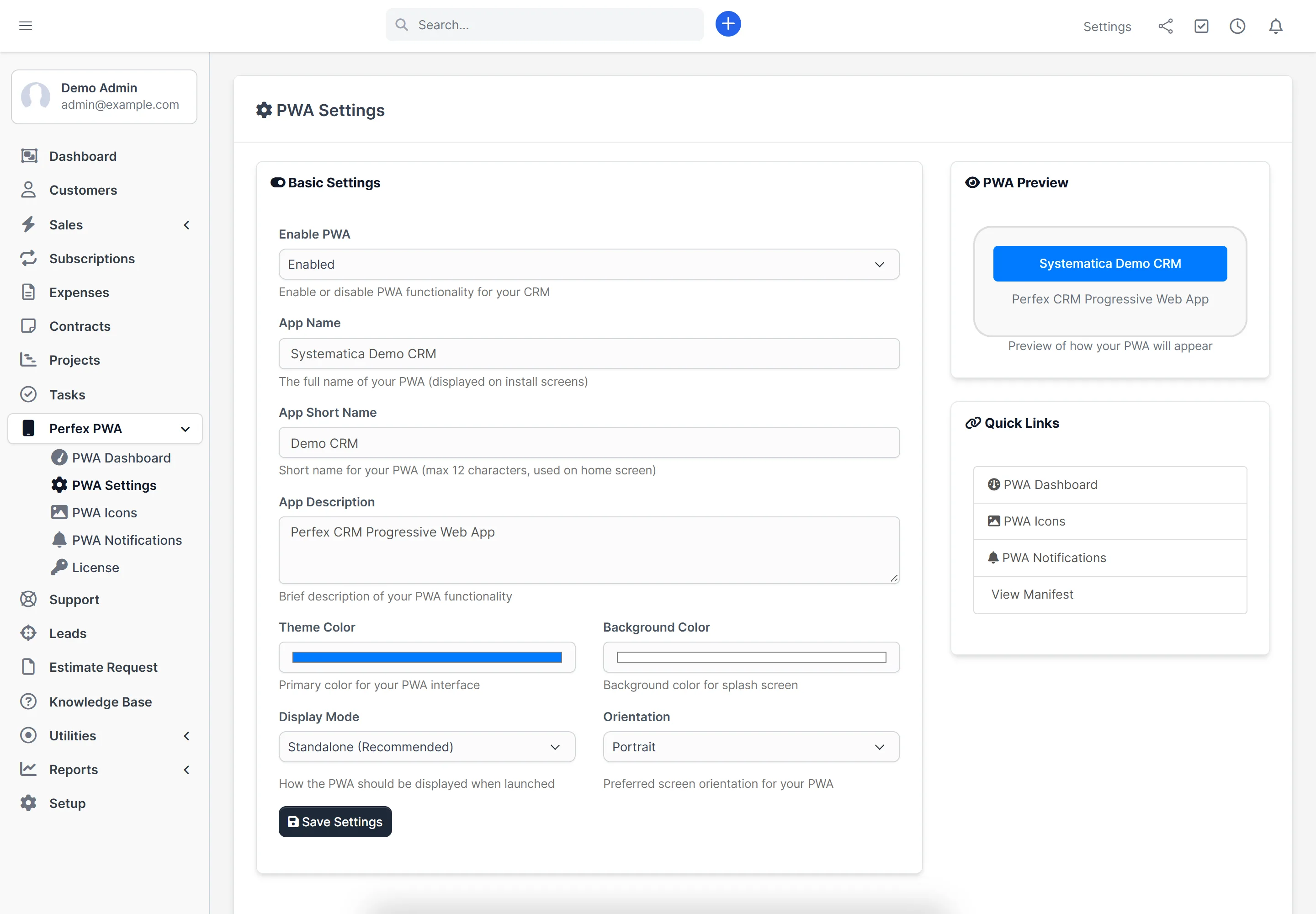
- Upload the module under Setup > Modules and activate it.
- Enter your license key under Perfex PWA > License.
- Open PWA Settings, switch the PWA on and set the app name and colors.
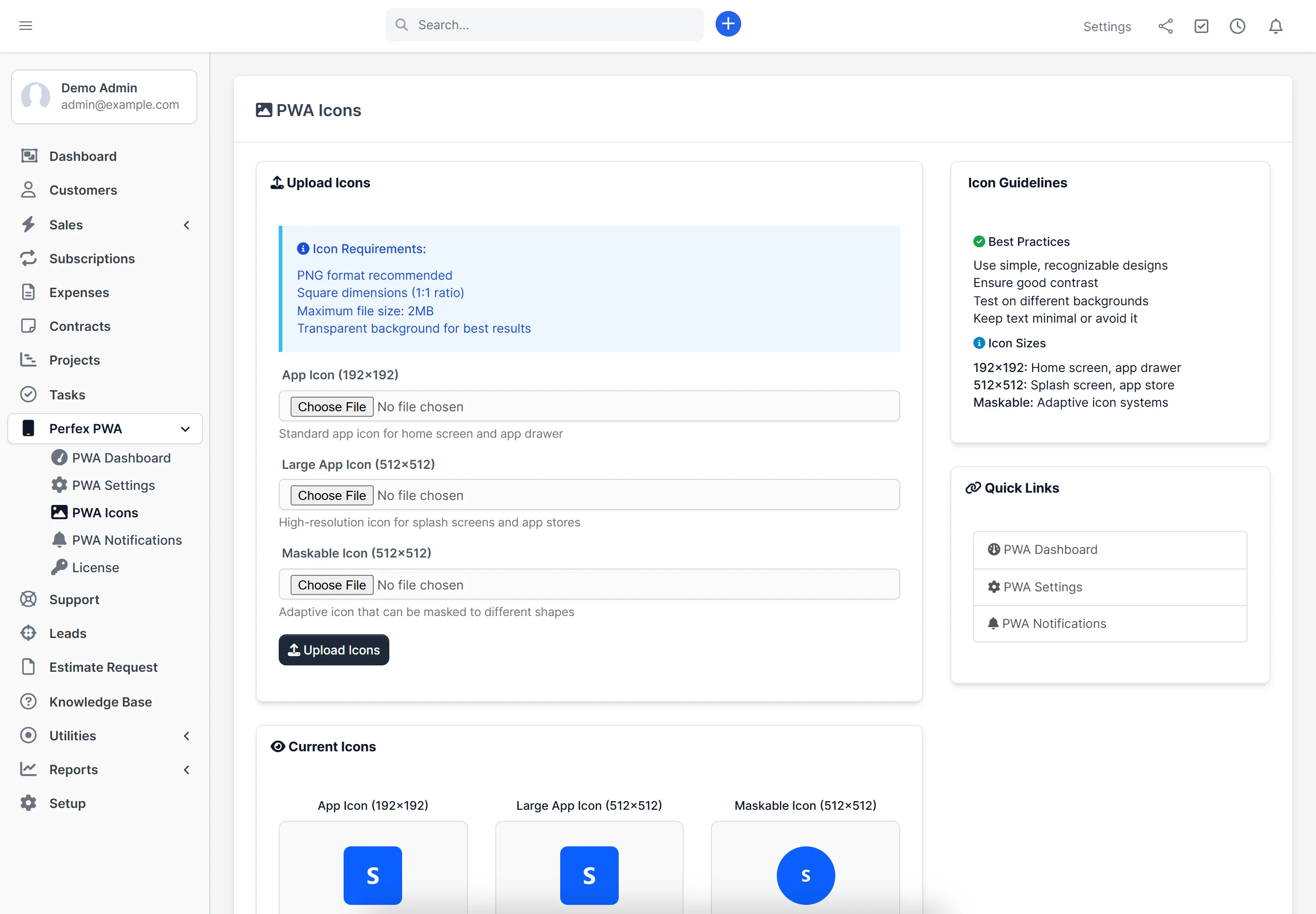
- Upload a 192 px and a 512 px icon under PWA Icons.
- Open PWA Notifications, switch notifications on and pick the events.
- Ask your team to open the CRM on their phone and tap Install.
Perfex CRM Mobile App requirements
- Perfex CRM 3.4 or newer (tested on 3.4.1)
- PHP 8.1 or newer
- HTTPS on your CRM address (required to install the app and for push)
- For push notifications: the PHP extensions openssl, mbstring and curl, plus gmp or bcmath. The PWA dashboard checks this for you.
- The PHP sodium extension (included with PHP by default) and a connection from your server to systematica.app over HTTPS.
- Android: Chrome or another Chromium browser. iPhone: Safari, with push on iOS 16.4 or newer after adding the app to the Home Screen.
Good to know
- The bar, quick create and notifications are for staff in the admin area. The customer portal is not included.
- Offline means a clear offline page and cached styling. It does not let people read CRM data without a connection.
- Push messages travel through Google, Apple or Mozilla push services, encrypted. Delivery depends on those services and on the phone’s settings.
- The PIN lock is a convenience, not a security feature that replaces logging out.
- Your license is checked against systematica.app. If our server cannot be reached, the module keeps working for up to 7 days from its last successful check.
License, support and updates for the Perfex CRM Mobile App
After purchase you receive a license key by email. One license key activates the module on one website. To move the module to another website, deactivate the license under Perfex PWA > License and activate it on the new one.
You get 1 year of use, support through our ticket system and free updates through your Systematica account.
Frequently asked questions
Do I need to publish an app in the Play Store or App Store?
No. People install it from the browser. This module does not create a store app.
Do push notifications work on iPhone with the Perfex CRM Mobile App?
Yes, on iOS 16.4 or newer, after the person adds the app to the Home Screen. The site must use HTTPS.
Does the Perfex CRM Mobile App work offline?
The app opens with cached styling and shows an offline page when there is no connection. CRM data is not stored for offline use.
Which Perfex CRM and PHP versions does the Perfex CRM Mobile App support?
Tested on Perfex CRM 3.4.1. It needs PHP 8.1 or newer.
Will it slow down saving leads, invoices or tickets?
No. Notifications are queued and sent after the page has loaded, and a problem with a push service never stops the record from saving.
Can I use one license on more than one website?
One license key activates the module on one website. You can move it: deactivate the license on the old site, then activate it on the new one.
Changelog
1.1.0
- Added push notifications for leads, tickets, invoices, payments, task assignments and project status changes
- Added a new bottom bar, quick create, install banner, home screen shortcuts, unread badge, PIN lock and phone-friendly tables
- Added an offline page and cached styling files
- Added install and push checklists on the PWA dashboard
- Fixed the service worker so it covers the whole CRM
- Fixed the Enable PWA dropdown and the bar showing while the PWA was switched off
- Now requires PHP 8.1 or newer
1.0.0
- First release: installable app, custom manifest, icon upload and settings
Final Thoughts
The Perfex CRM Mobile App module from Systematica.app gives you the flexibility of a mobile app without the complexity of app stores. In just a few clicks, you can install the PWA on Android or iOS and start managing your business from anywhere.
Ready to take your CRM on the go?
Get the Perfex CRM Mobile App module today
Businesses
Companies wanting to provide their team with mobile CRM access
Sales Teams
Field sales representatives specifically needing mobile CRM and functionality
Support Teams
Customer service teams requiring instant access to customer data which means more productivity
Checkout => Whatsapp Integration for Perfex CRM – Call Manager For Perfex CRM
Need help with this module?
Every license is valid for 1 year and includes support through our ticket system and free updates. To keep using the module after that, renew your license.