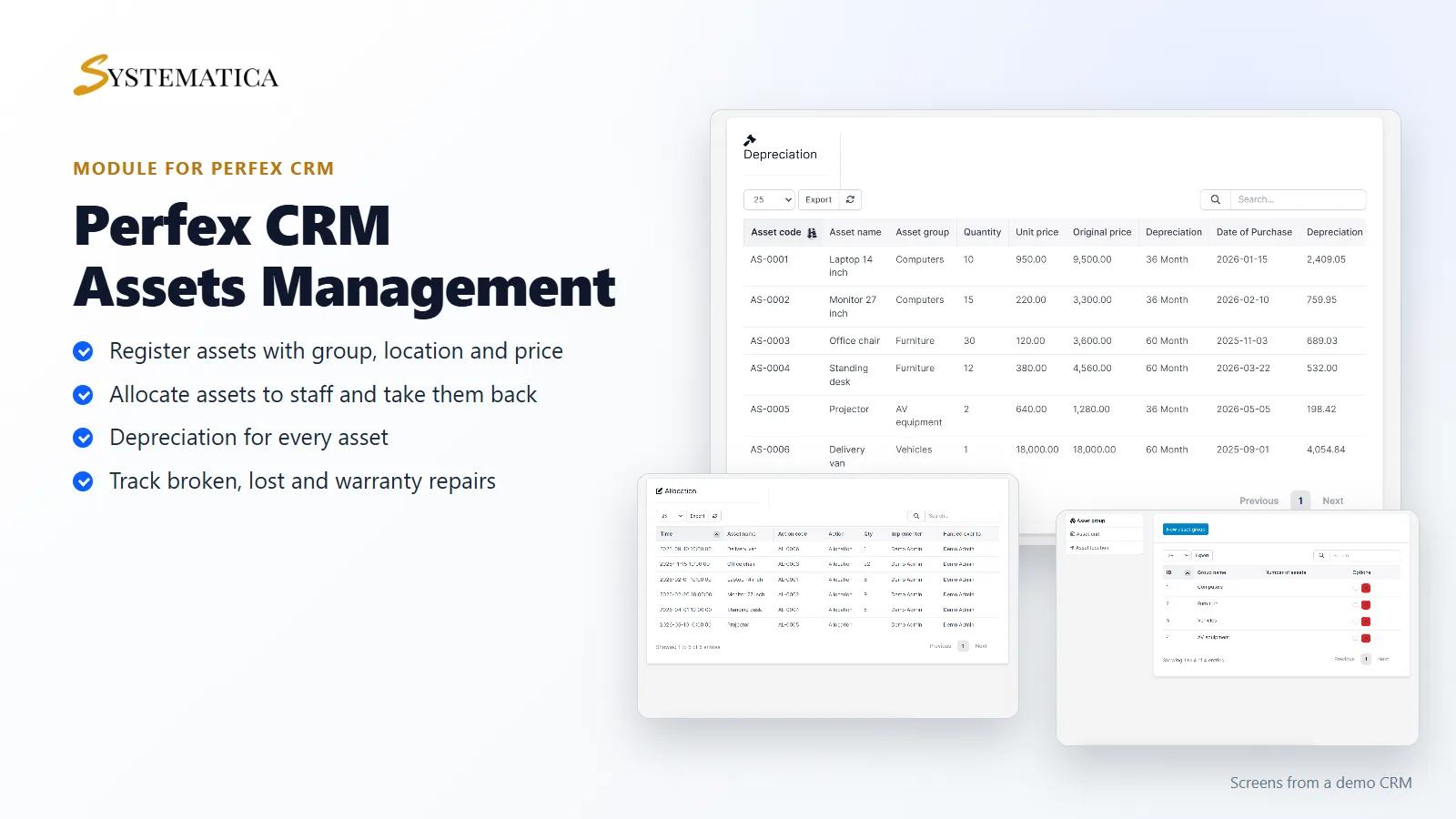
The Assets Management Module For Perfex CRM keeps a record of everything your company owns: laptops, monitors, chairs, desks, projectors and vehicles. You register each asset once, hand it to a person, take it back, and see what it is worth as it ages. It all lives inside your own Perfex CRM.
What you get with the Assets Management Module For Perfex CRM
- An asset register with code, name, group, quantity, unit, purchase date and unit price
- Warranty period, depreciation period and supplier details for each asset
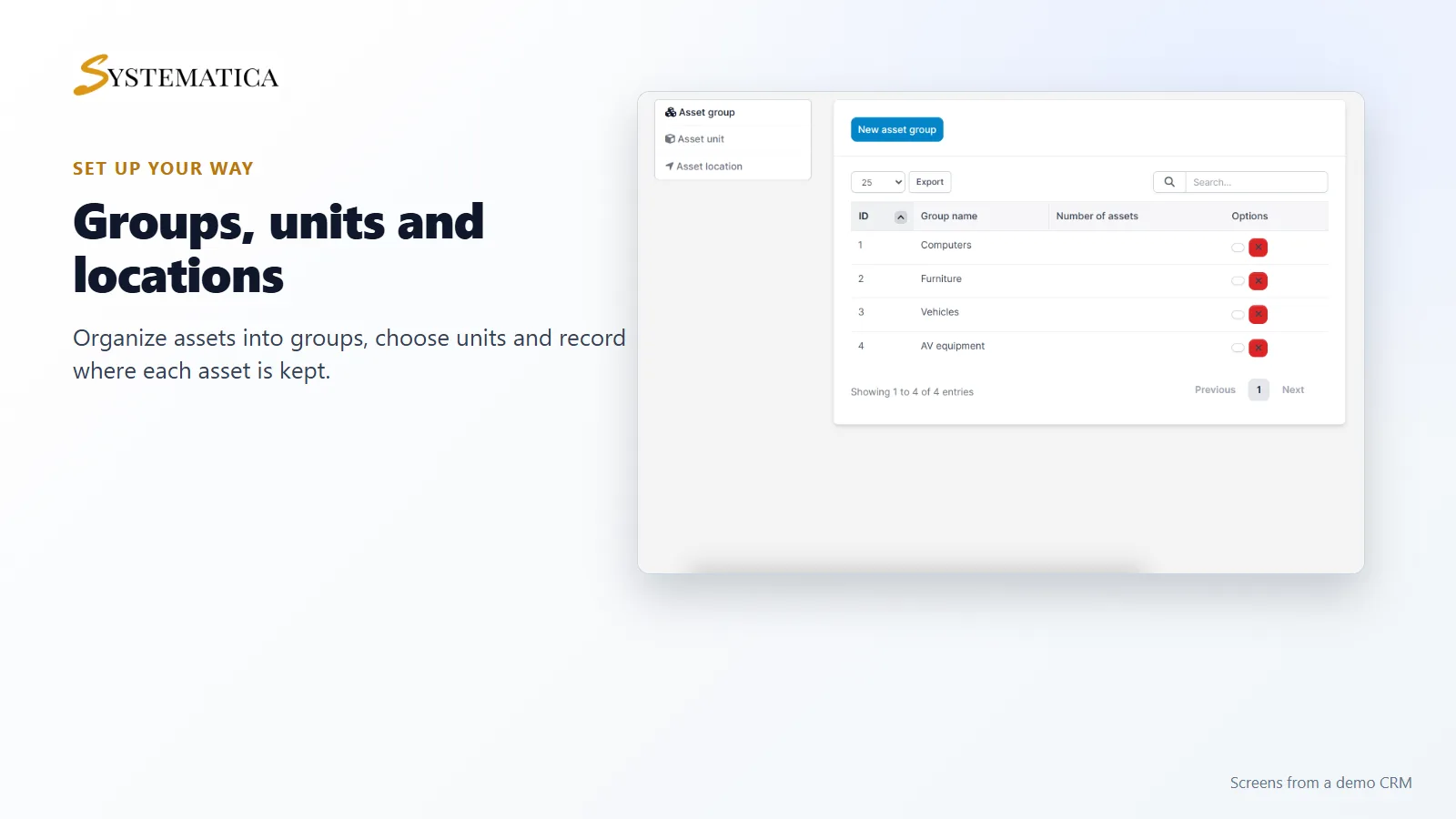
- Asset groups, units and locations that you set up yourself
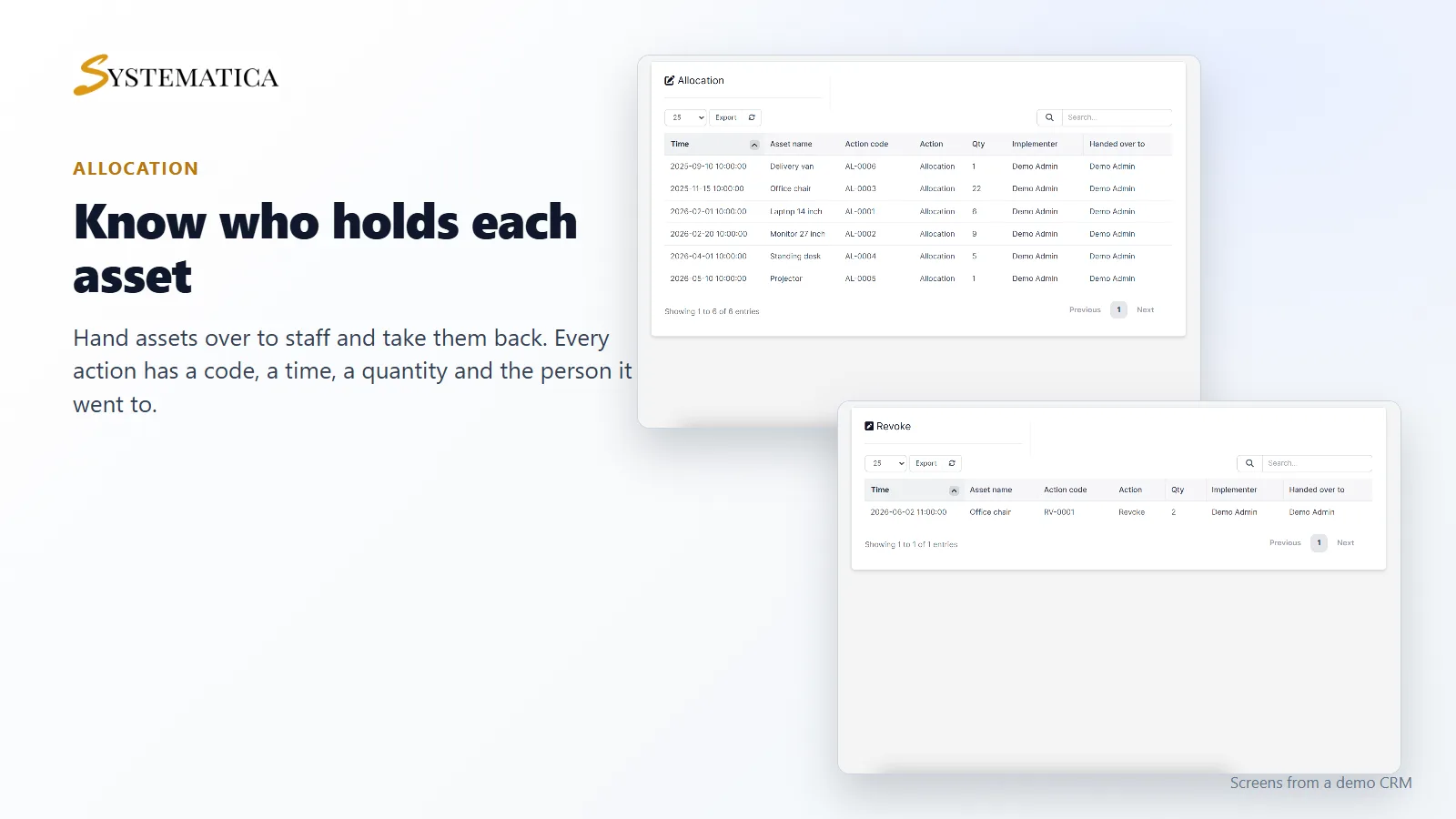
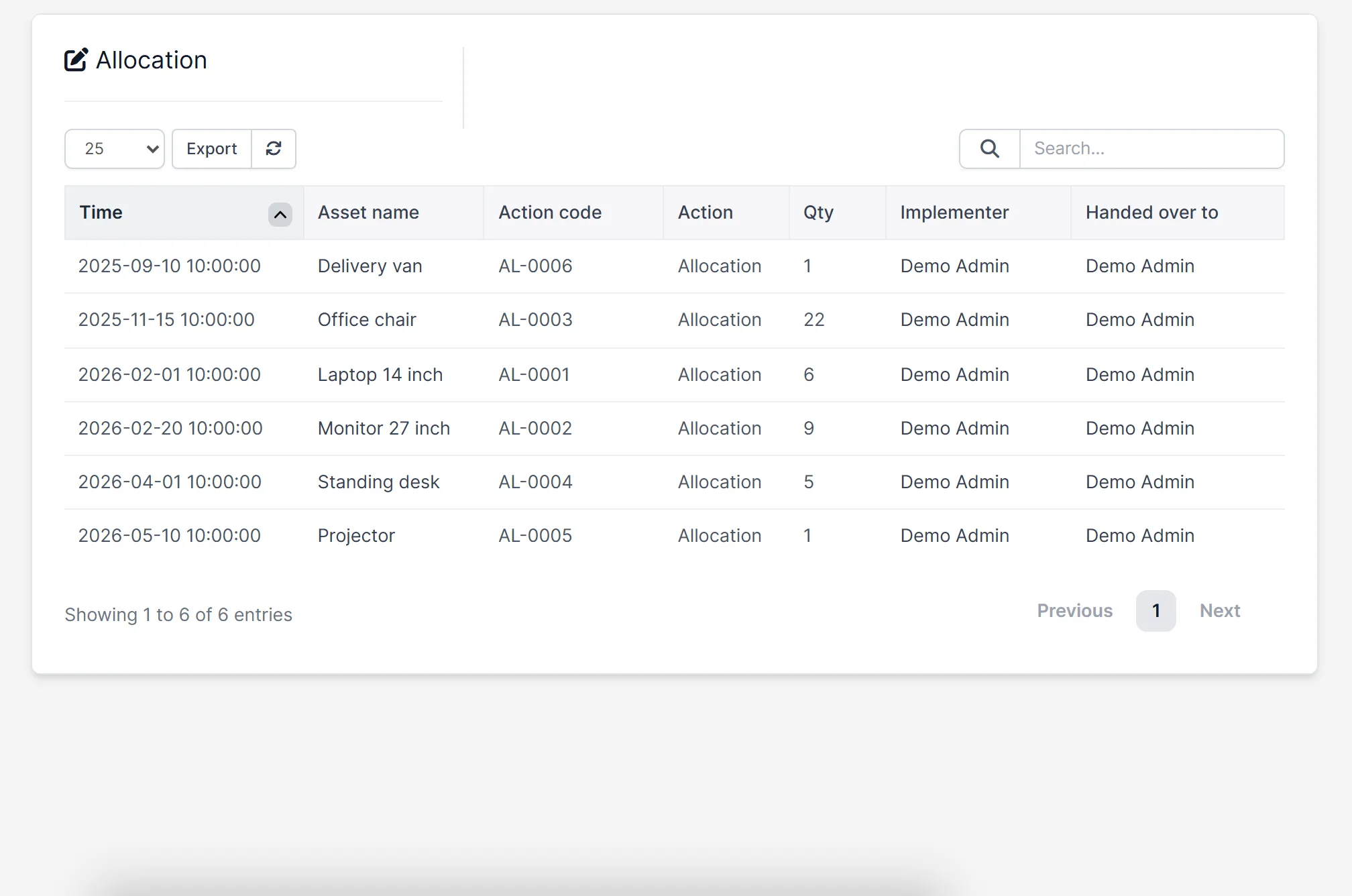
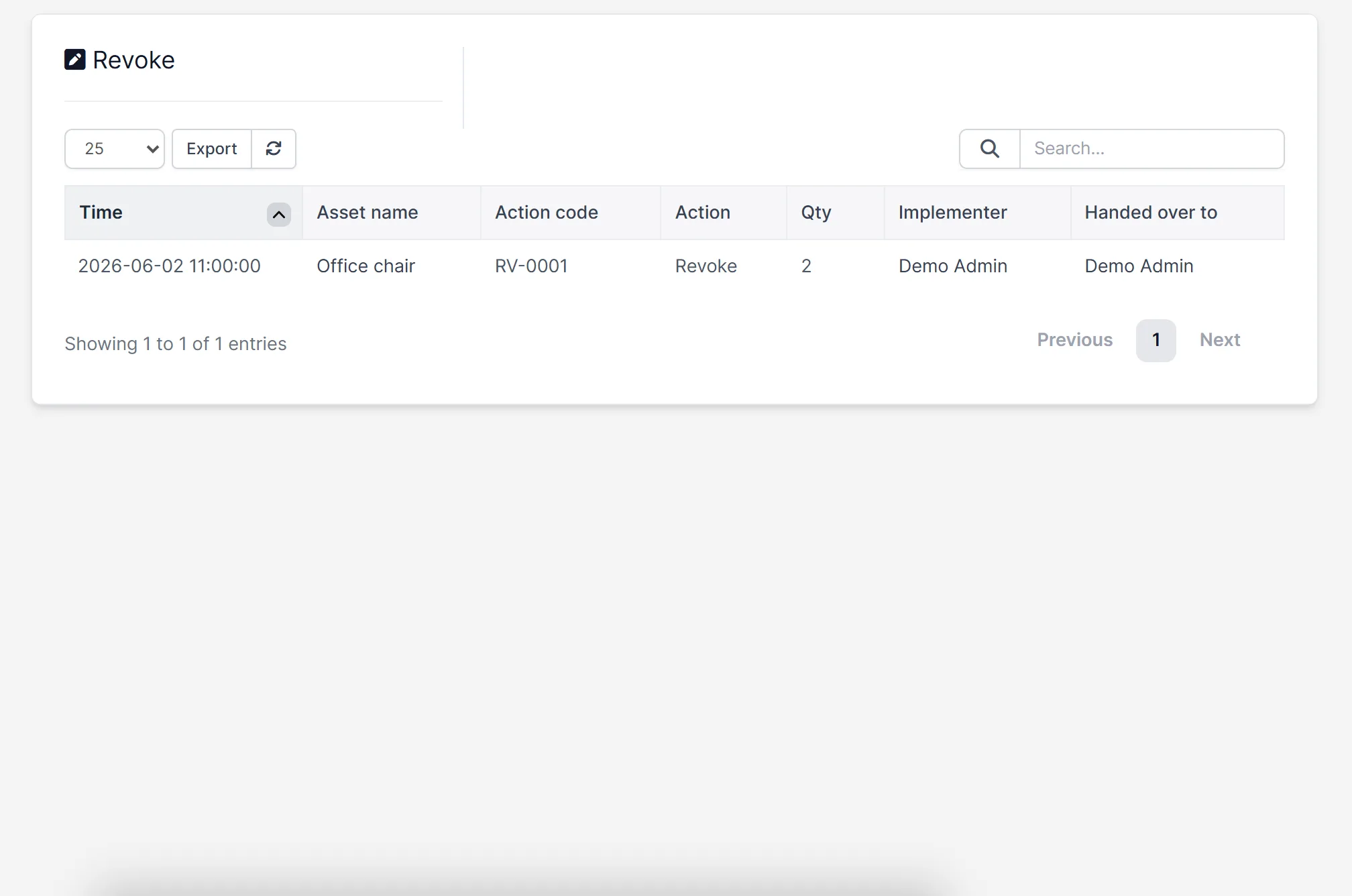
- Allocation of assets to staff, and revoke when they come back
- Tabs for assets not used yet, in use, in liquidation, in warranty repair, lost and broken
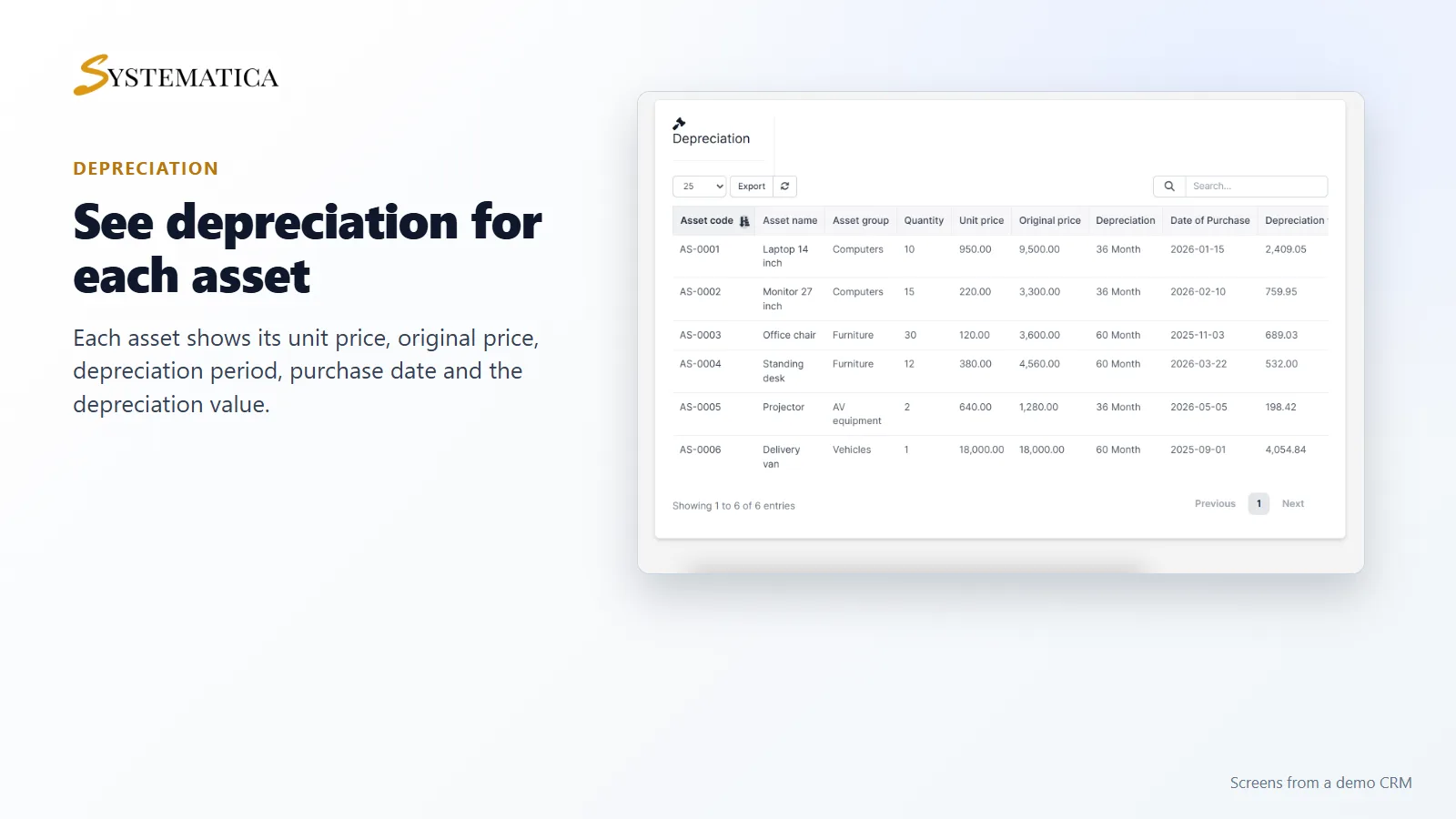
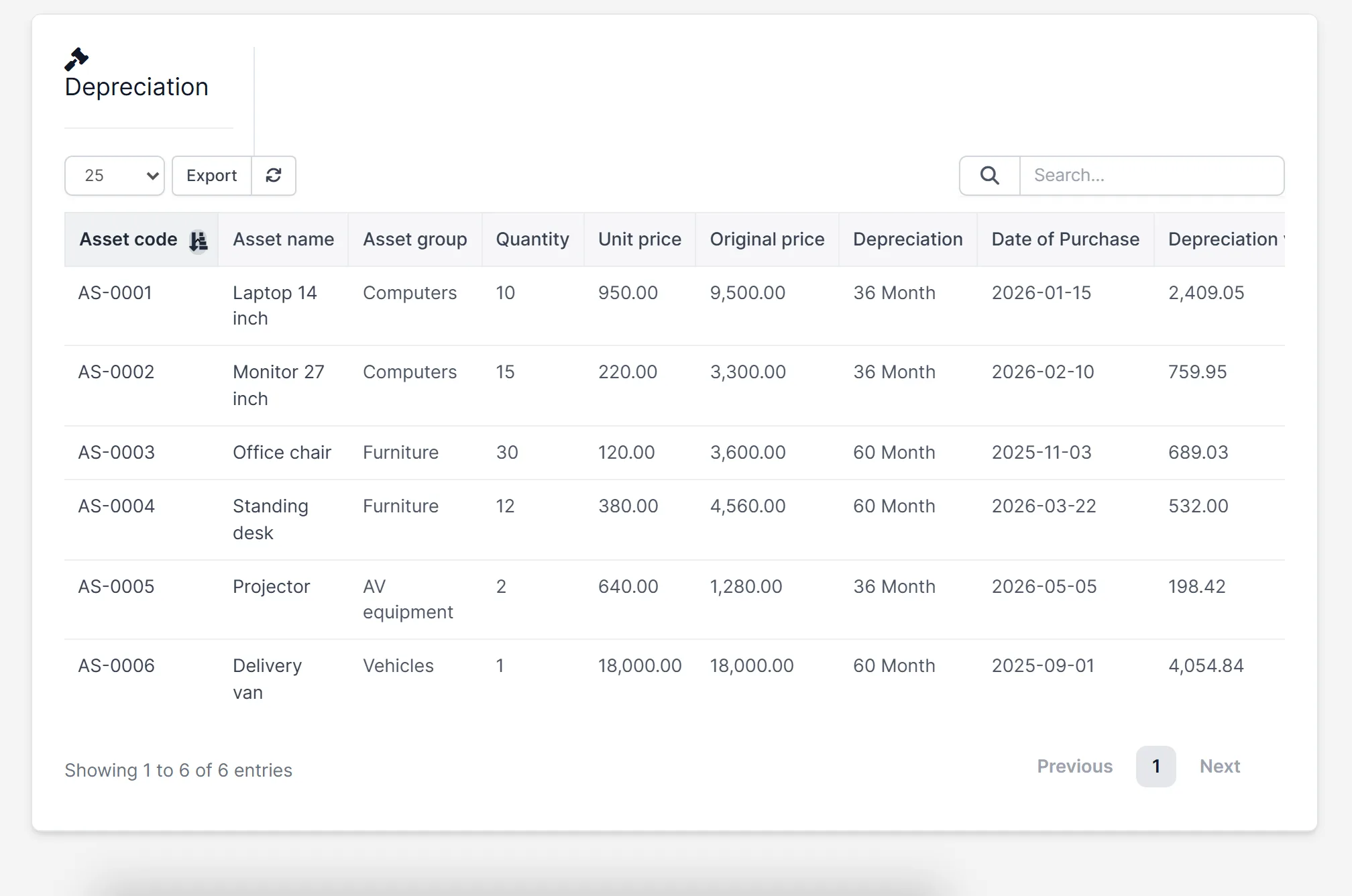
- A depreciation screen with the original price and the depreciation value
- An asset picture and a department for each asset
- An option to link an asset to a customer
Allocate assets and take them back
With the Assets Management Module For Perfex CRM, when someone gets a laptop or a chair, you record an allocation. When they return it, you record a revoke. Each action has its own code, the time, the quantity and the person who received it, so you can answer “who has this?” without asking around. The assets list shows how many of each asset are allocated and how many are left.
Depreciation for every asset
Enter the unit price, the quantity, the date of purchase and the depreciation period in months. The depreciation screen of the Assets Management Module For Perfex CRM then shows the original price and the depreciation value for each asset. Use it to see what your equipment is worth now, not only what you paid.
Warranty, loss and damage
Not every asset stays healthy. The asset list has separate tabs for items in liquidation, in warranty repair, reported lost and broken. When a screen cracks or a device goes for repair, you record it against the asset and it moves to the right tab.
Groups, units and locations
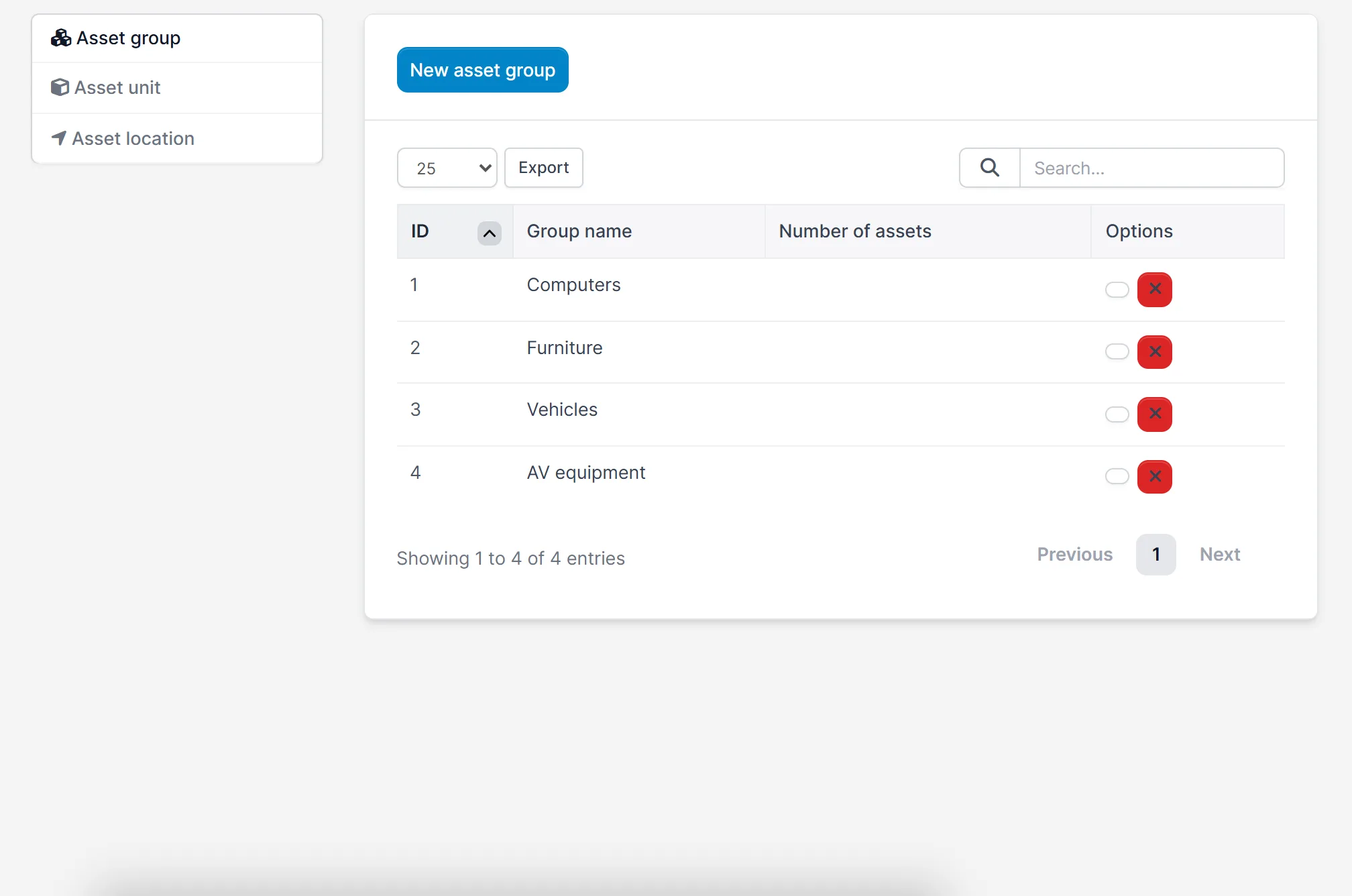
Create asset groups such as computers, furniture, vehicles and audio-visual equipment. Add the units you count in and the locations where assets are kept, for example the head office, a branch or a warehouse. The settings page keeps all three in one place.
Set up Assets Management
- Upload the module under Setup > Modules and activate it.
- Open Assets > License and enter your license key.
- Open Assets > Setting and add your groups, units and locations.
- Add your assets under Assets > Assets > New asset.
- Record your first allocation under Assets > Allocation.
Requirements
- Perfex CRM 3.4 or newer (tested on 3.4.1)
- MySQL set up the way Perfex CRM asks, with the ONLY_FULL_GROUP_BY mode switched off. The assets list needs it.
- A connection from your server to systematica.app over HTTPS
Good to know
- The screens in the pictures are from a demo CRM with sample data.
- The Assets Management Module For Perfex CRM is used by staff in the Perfex CRM admin area.
- Depreciation values come from the price, purchase date and period you enter.
License, support and updates
After purchase you receive a license key by email. One license key activates the module on one website. To move it, deactivate the license under Assets > License and activate it on the new site. You get 1 year of use, support through our ticket system and free updates through your Systematica account. The Assets Management Module For Perfex CRM runs inside Perfex CRM, which you need to own.
Frequently asked questions
What does the Assets Management Module For Perfex CRM do?
It lets you register company assets, allocate them to staff, take them back, and track depreciation, warranty repairs, loss and damage inside Perfex CRM.
Can I give an asset to a member of staff?
Yes. Use Allocation to hand over a quantity of an asset, and Revoke when it comes back.
Does it calculate depreciation?
Yes. Set a depreciation period in months for each asset and the depreciation screen shows the value.
Can I organize assets by group and location?
Yes. You add your own asset groups, units and locations in the settings.
Can I use one license on more than one website?
One license key activates the module on one website. You can move it by deactivating it on the old site and activating it on the new one.
Need help with this module?
Every license is valid for 1 year and includes support through our ticket system and free updates. To keep using the module after that, renew your license.