The Document Management Module for Perfex CRM gives your team one place for contracts, policies, invoices and other files. You organize them in sections and folders, tag them, give them document numbers and find them with search. It is document management for Perfex CRM that runs inside your own CRM, on your own server.
What you get with the Document Management Module for Perfex CRM
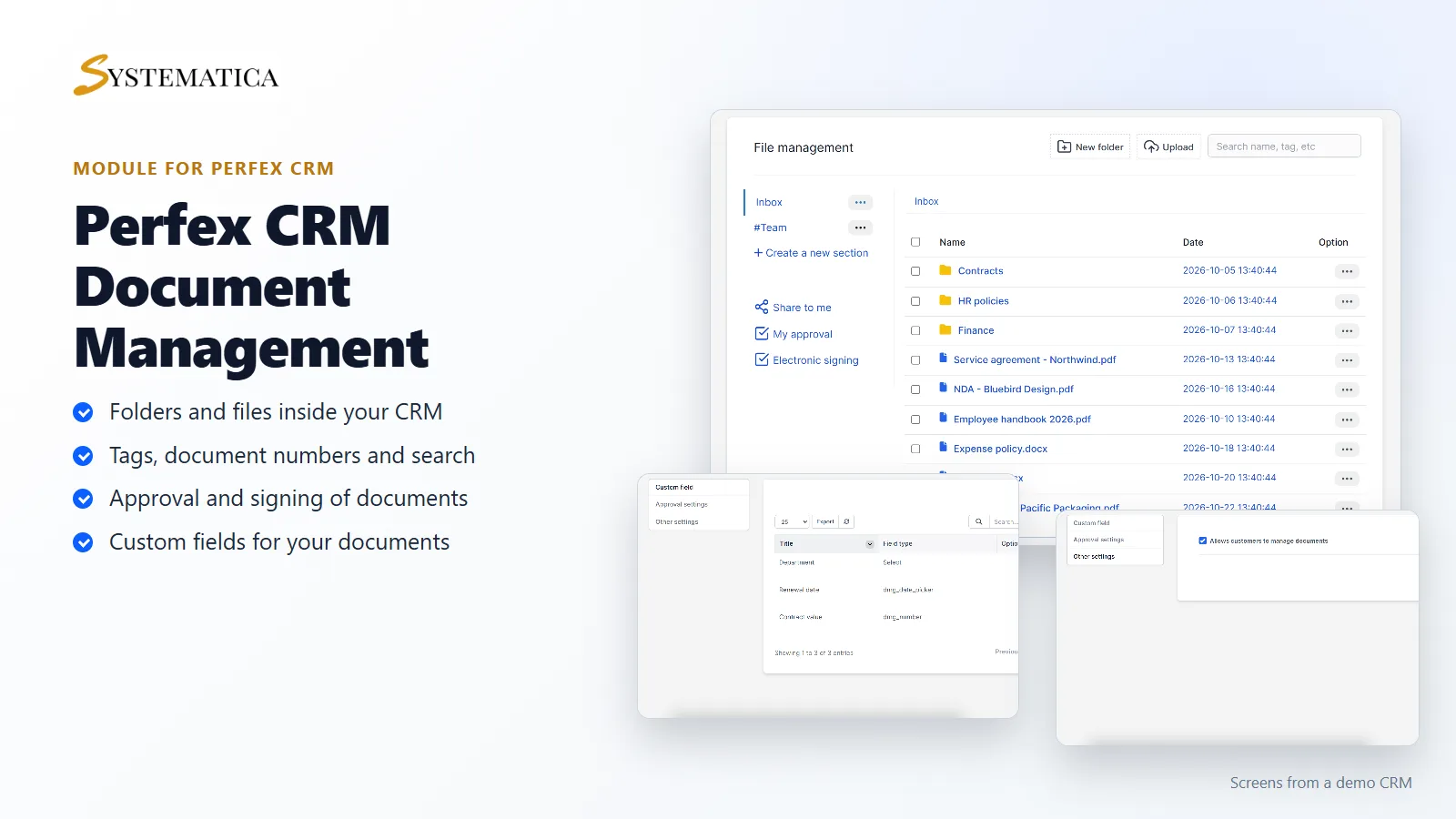
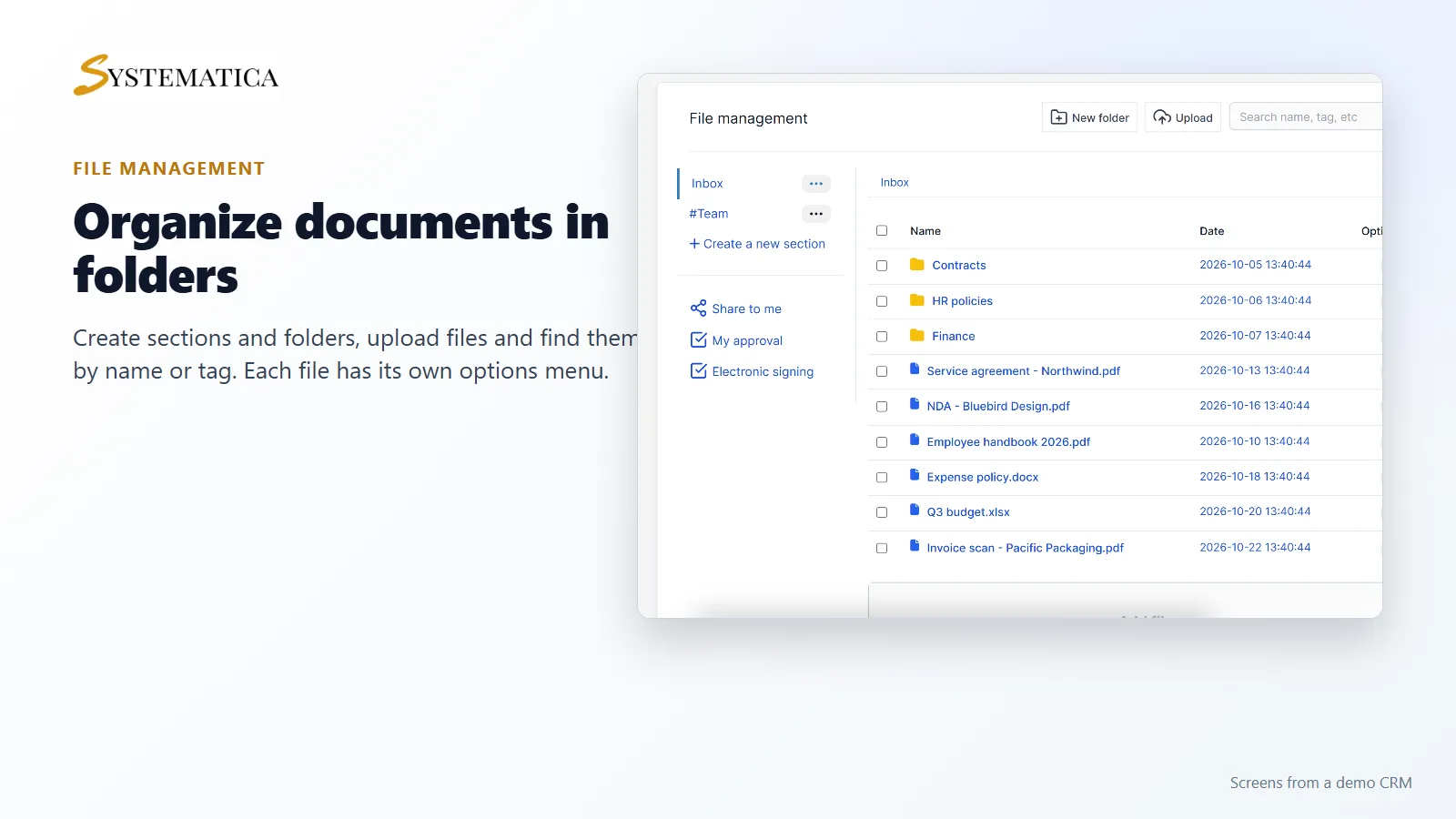
- Sections and folders, with a file list that shows each file’s name and date
- File upload, a search box for name, tag and more, and bulk actions on several files
- Tags, notes and document numbers for each file
- File versions, so a new upload does not overwrite the old one
- An audit log of what happened to each file
- Sharing files with staff and customers, with reminders
- Approval of documents and electronic signing
- Online editing of documents and OCR, as described in the module
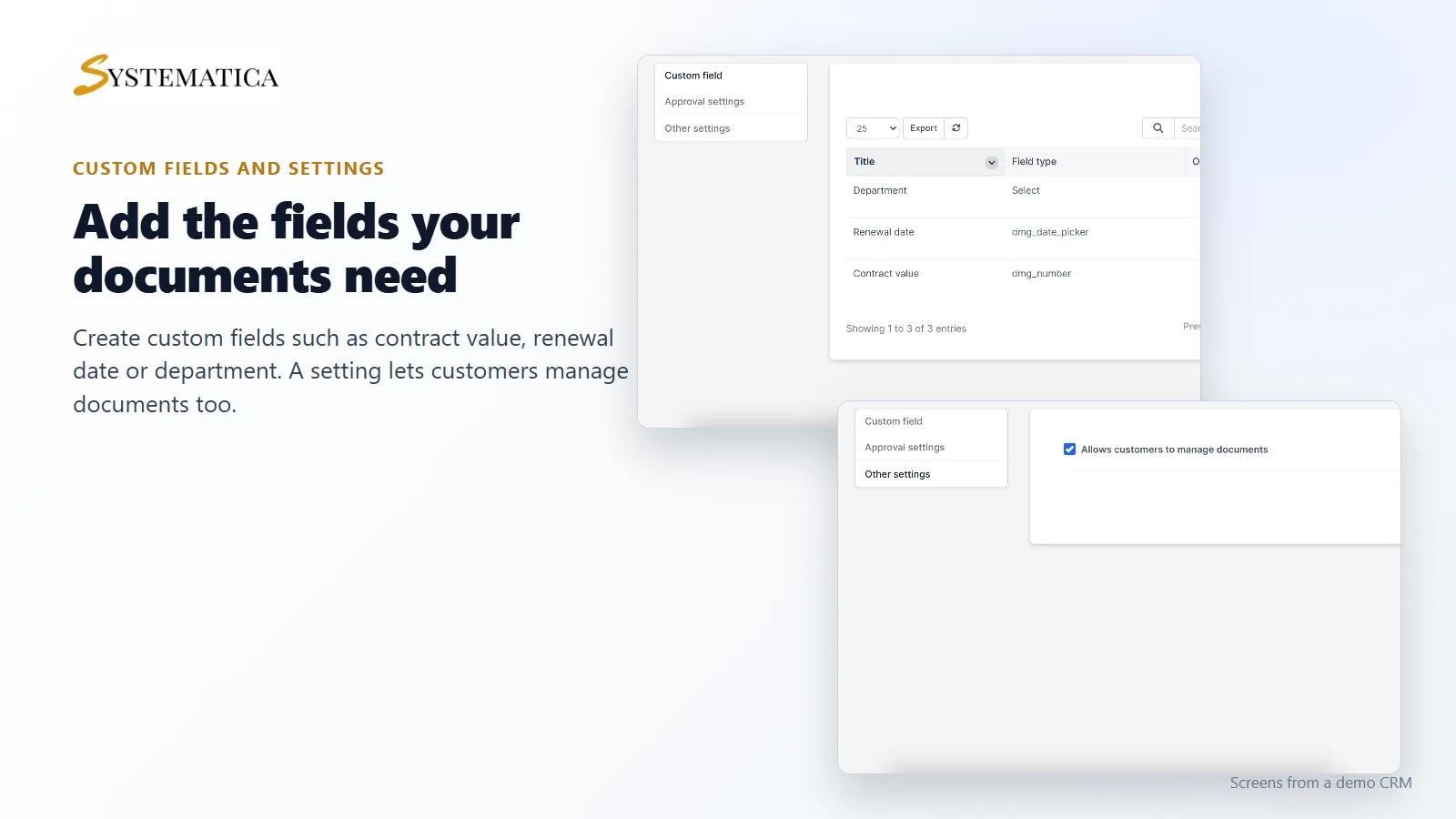
- Custom fields for your documents, such as contract value or renewal date
- A setting that lets customers manage documents
Keep every document in order
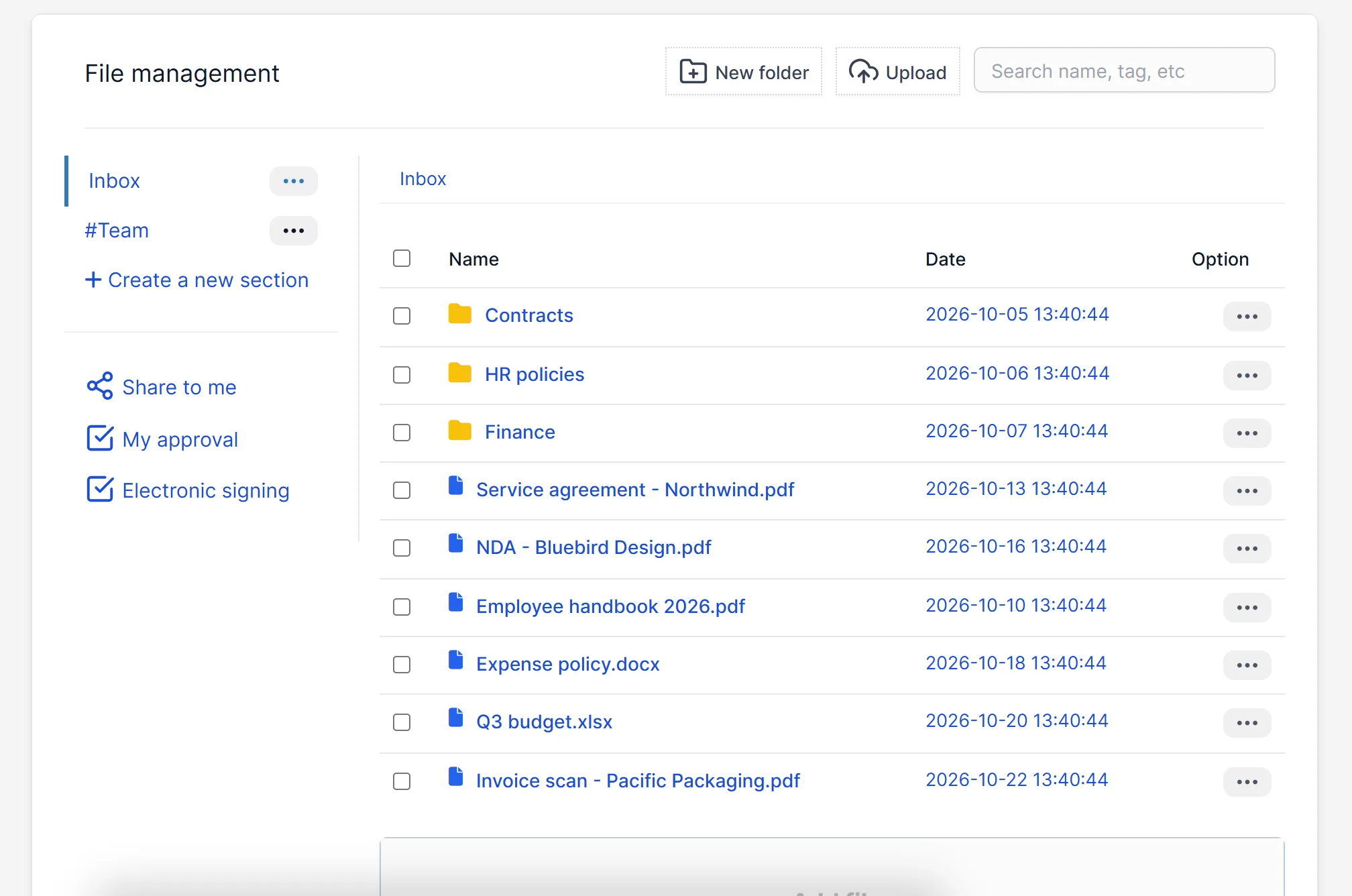
Open the file management screen and you see your sections on the left, such as Inbox and Team, and your folders and files on the right. Create a folder, drop files into it and add tags like contract, policy or invoice. The document management module for Perfex CRM also has quick links to files shared with you, your approvals and electronic signing.
Custom fields that fit your documents
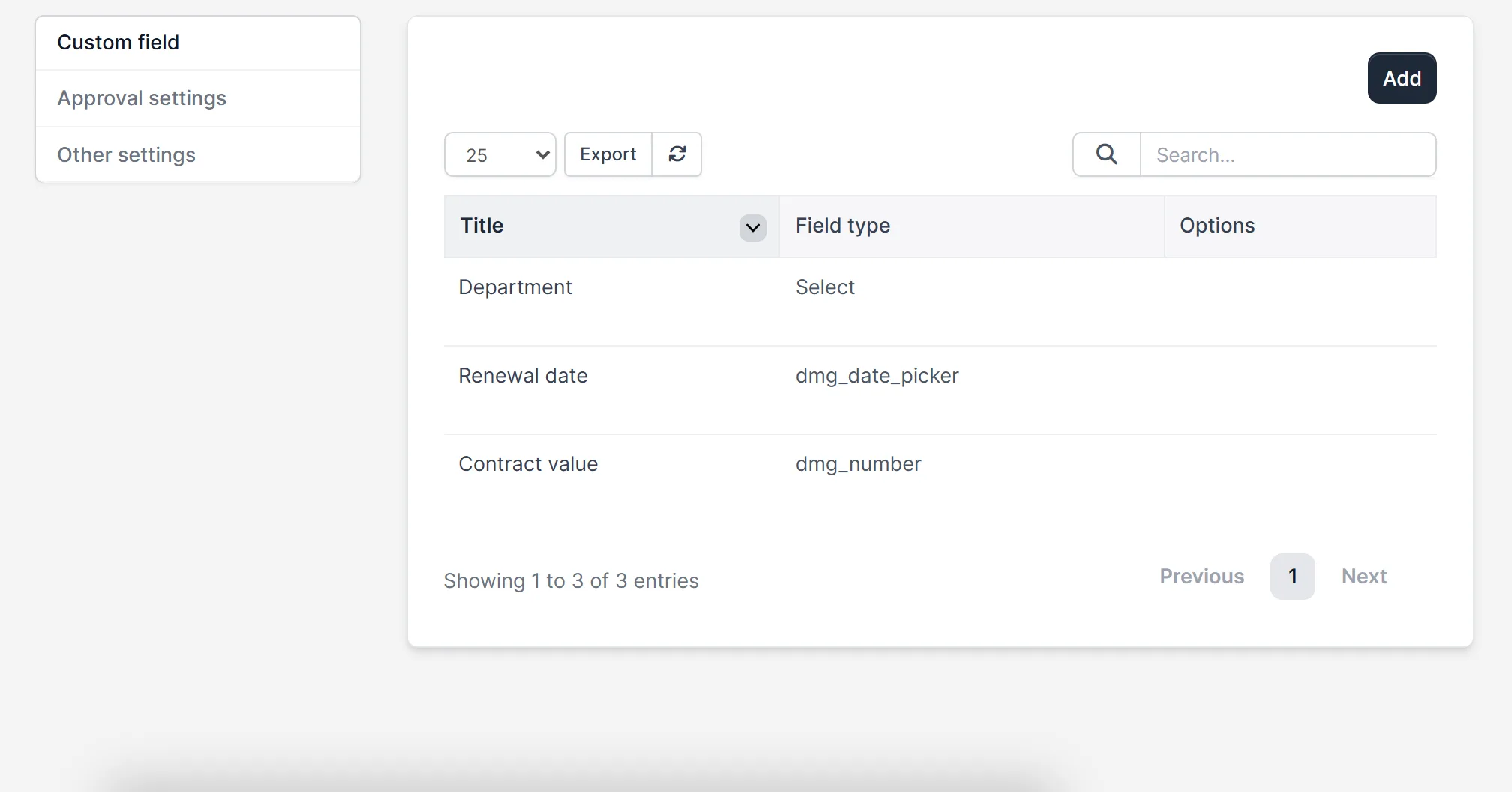
Every business tracks something different. Add custom fields in the Document Management Module for Perfex CRM for the details you need, for example the contract value as a number, the renewal date as a date and the department as a drop-down list. The fields then show up on your files.
Approvals, signing and sharing
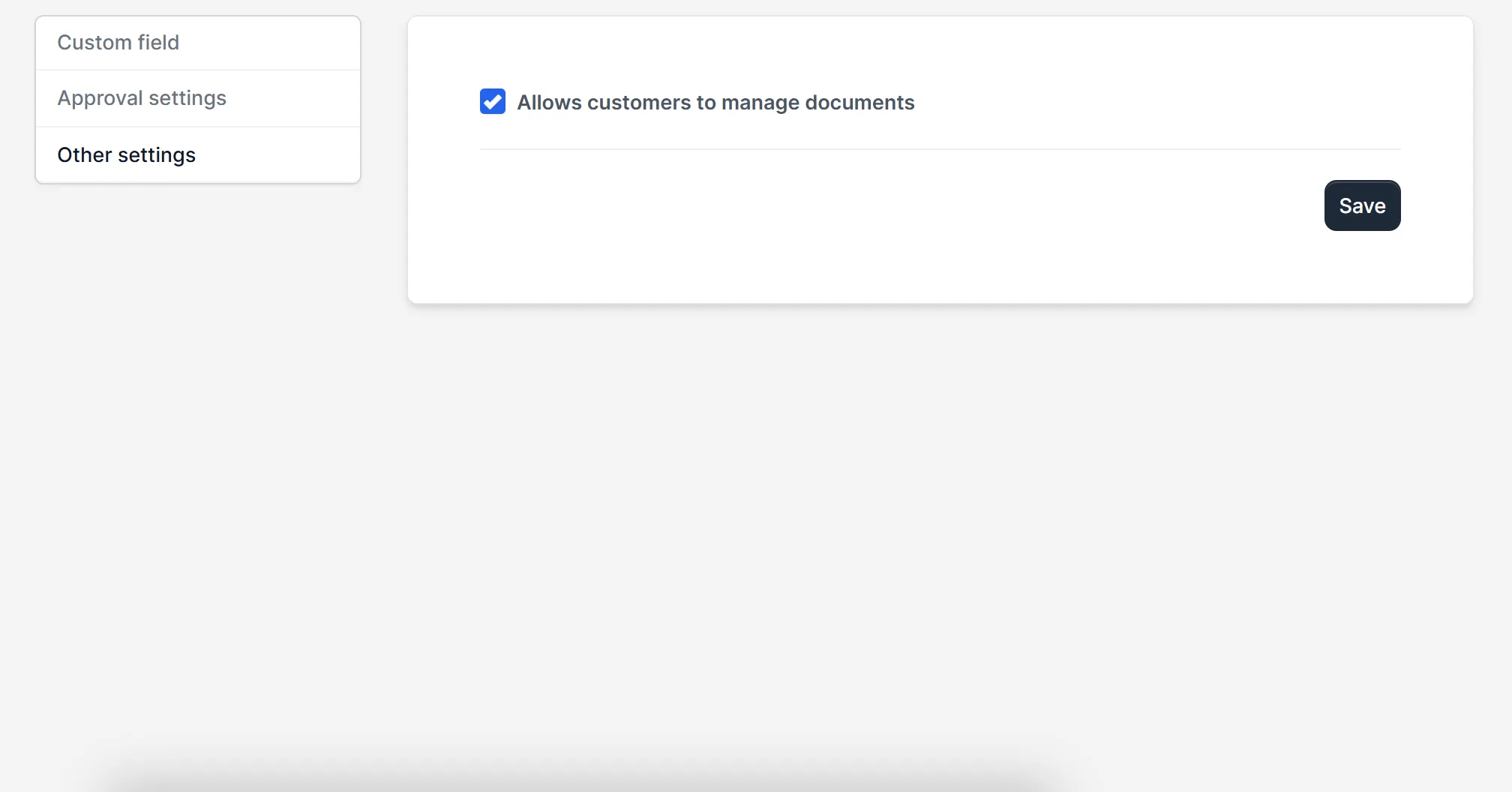
The module has approval settings for documents that need sign-off, a place for documents waiting for your approval and an electronic signing area. You can also share a file with staff or customers and set a reminder. Customers can manage documents too, when you switch that option on in the settings.
Set up document management
- Upload the module under Setup > Modules and activate it.
- Open Documents > License and enter your license key.
- Open Documents > File management and create your first folders.
- Open Documents > Settings to add custom fields, approval rules and other settings.
- Upload your first files and add tags.
Requirements
- Perfex CRM 3.4 or newer (tested on 3.4.1)
- A connection from your server to systematica.app over HTTPS
- Enough disk space on your server for the files you store
Good to know
- The screens in the pictures are from a demo CRM with sample file names.
- Online editing and OCR may need extra software or settings on your server. They are described in the module’s own description.
- The Document Management Module for Perfex CRM is used inside the Perfex CRM admin area, and by customers when you allow it.
License, support and updates
After purchase you receive a license key by email. One license key activates the module on one website. To move it, deactivate the license under Documents > License and activate it on the new site. You get 1 year of use, support through our ticket system and free updates through your Systematica account. The document management module for Perfex CRM runs inside Perfex CRM, which you need to own.
Frequently asked questions
What does the Document Management Module for Perfex CRM do?
It lets you store, organize, tag, share, approve and sign documents inside Perfex CRM, with versions and an audit log.
Can I keep file versions?
Yes. The module has a file versions table, so a new version of a file does not replace the old one.
Can customers see documents?
Yes, when you share a file with them or allow customers to manage documents in the settings.
Can I add my own fields to documents?
Yes. Add custom fields such as number, date or drop-down list in the settings.
Can I use one license on more than one website?
One license key activates the module on one website. You can move it by deactivating it on the old site and activating it on the new one.
Need help with this module?
Every license is valid for 1 year and includes support through our ticket system and free updates. To keep using the module after that, renew your license.