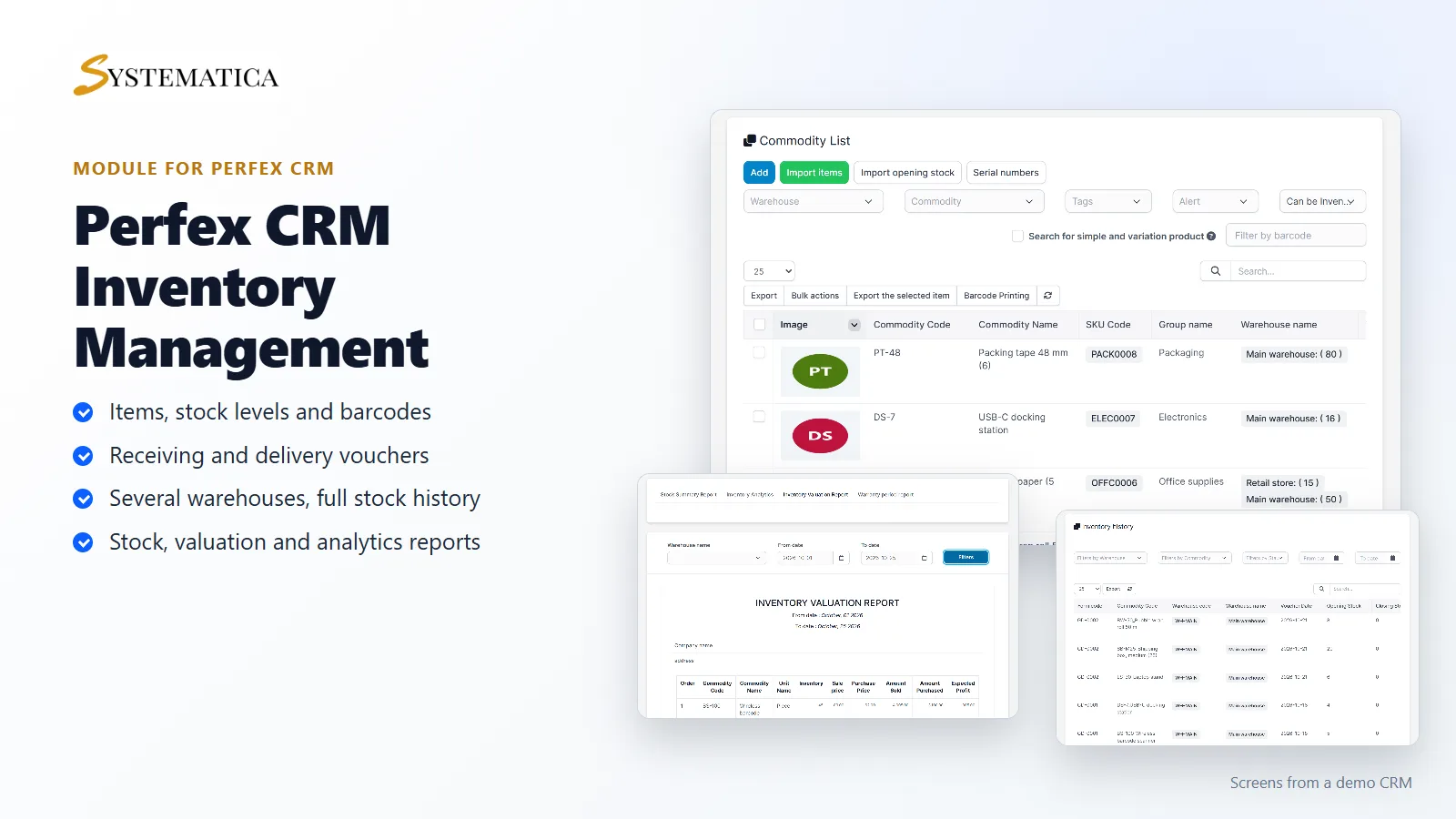
Inventory Management for Perfex CRM is for teams that sell or use physical goods. This inventory management module for Perfex CRM adds items, warehouses, stock levels, receiving and delivery vouchers, stock history and reports inside your own Perfex CRM. You see what you hold, where it is and how it got there, without a second system and without a spreadsheet.
What you get with Inventory Management for Perfex CRM
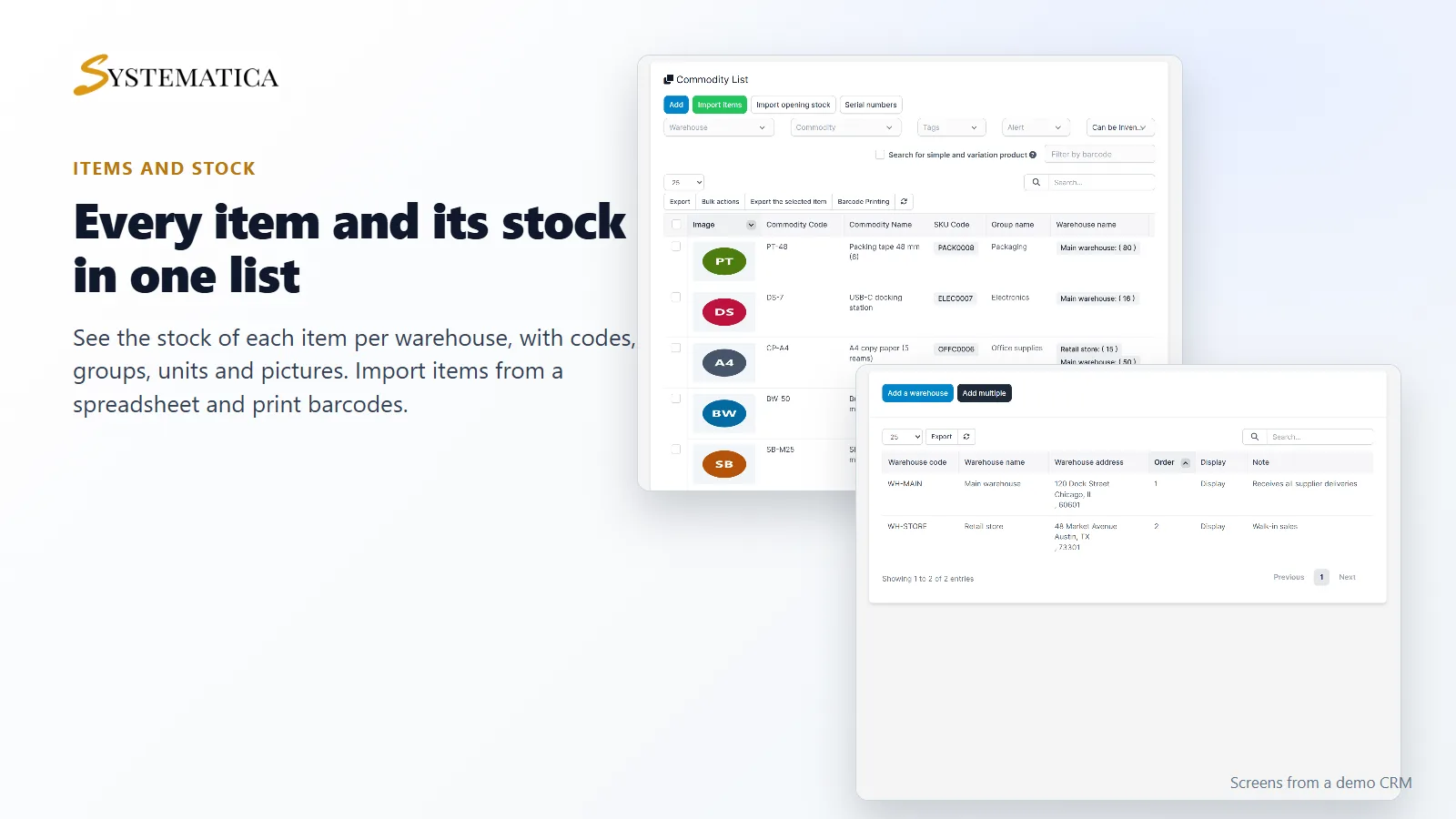
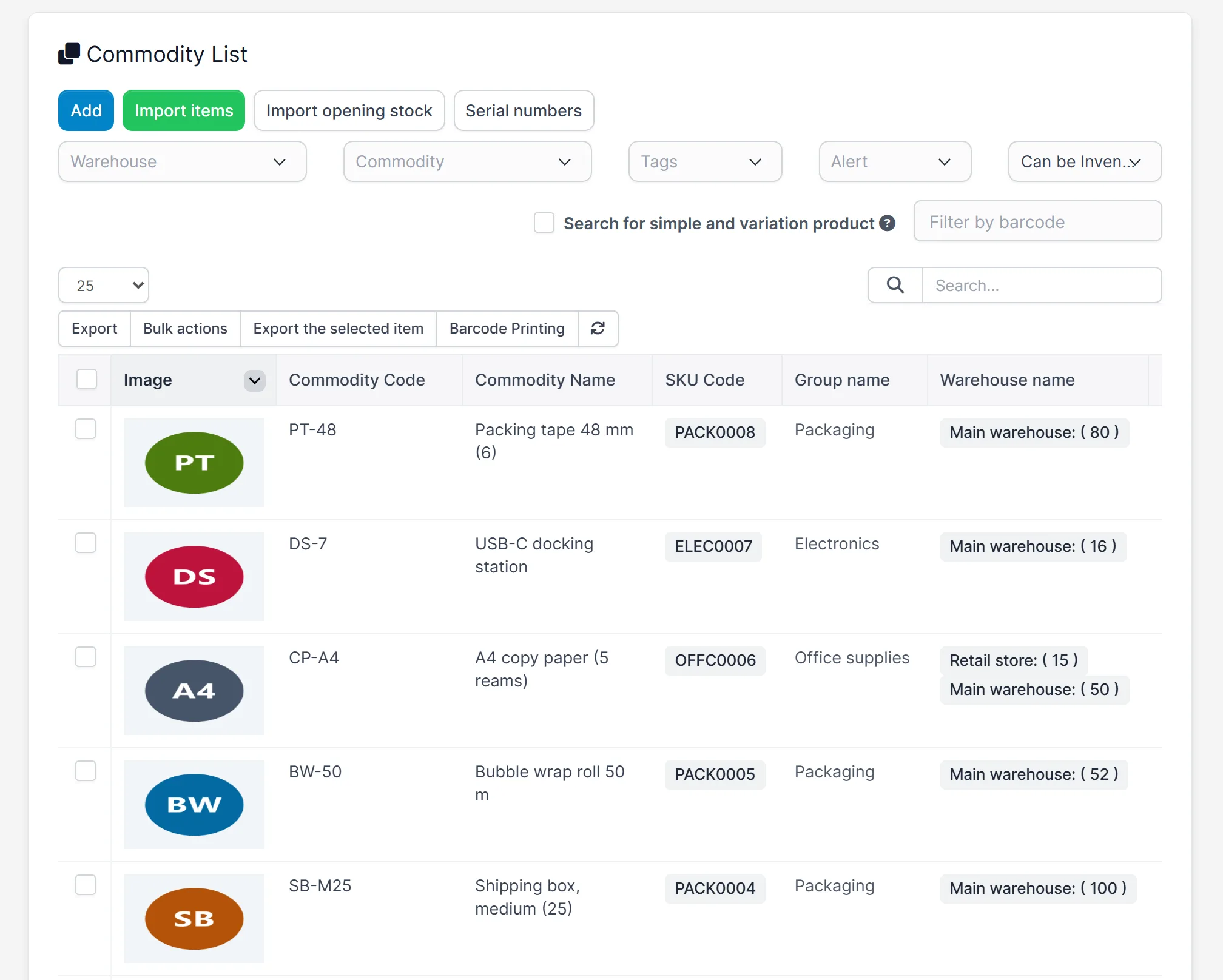
- An item list with code, SKU, group, unit, picture and stock in each warehouse
- Import items and opening stock from a spreadsheet, and export lists
- Barcode printing and serial numbers
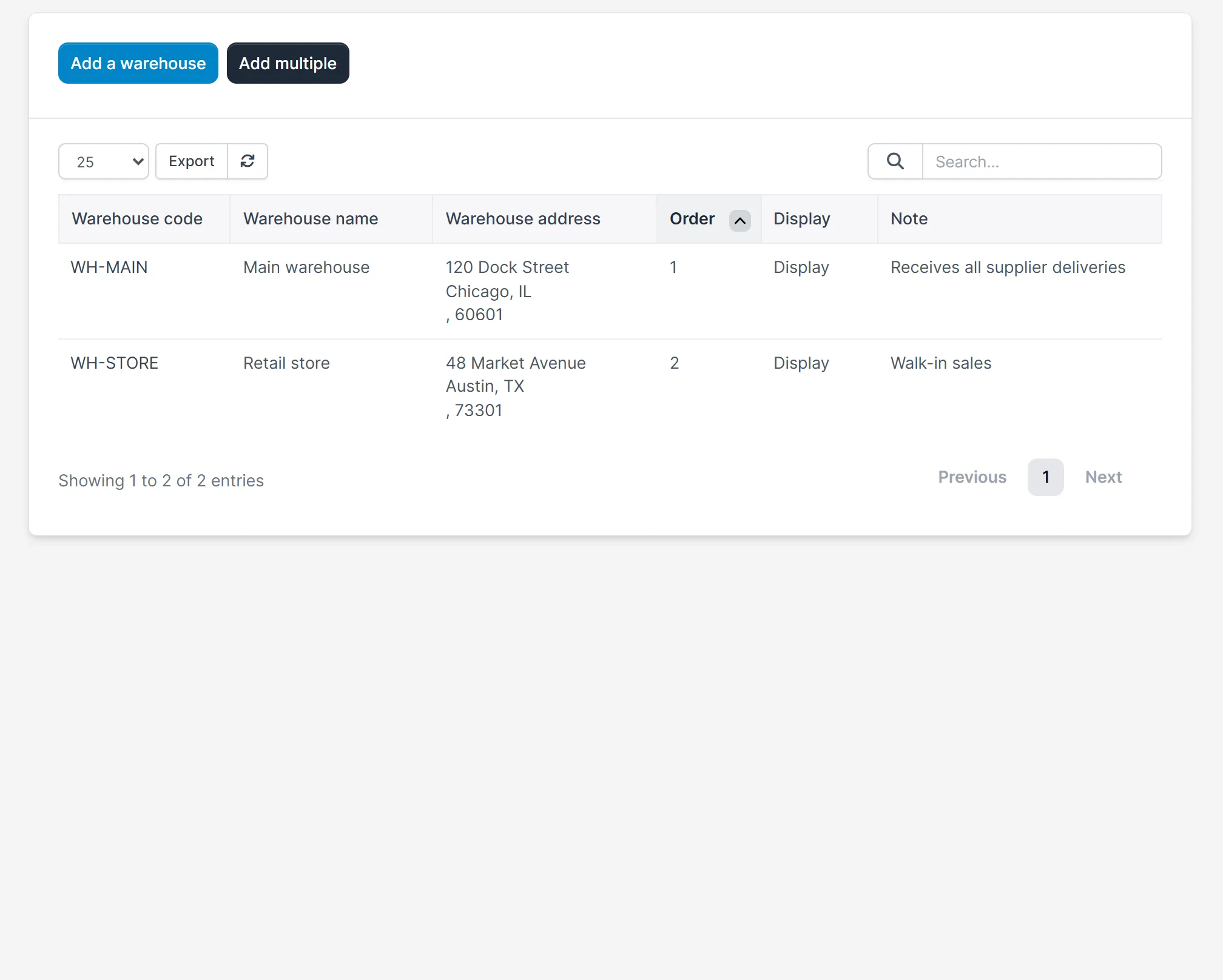
- Several warehouses, each with its own stock
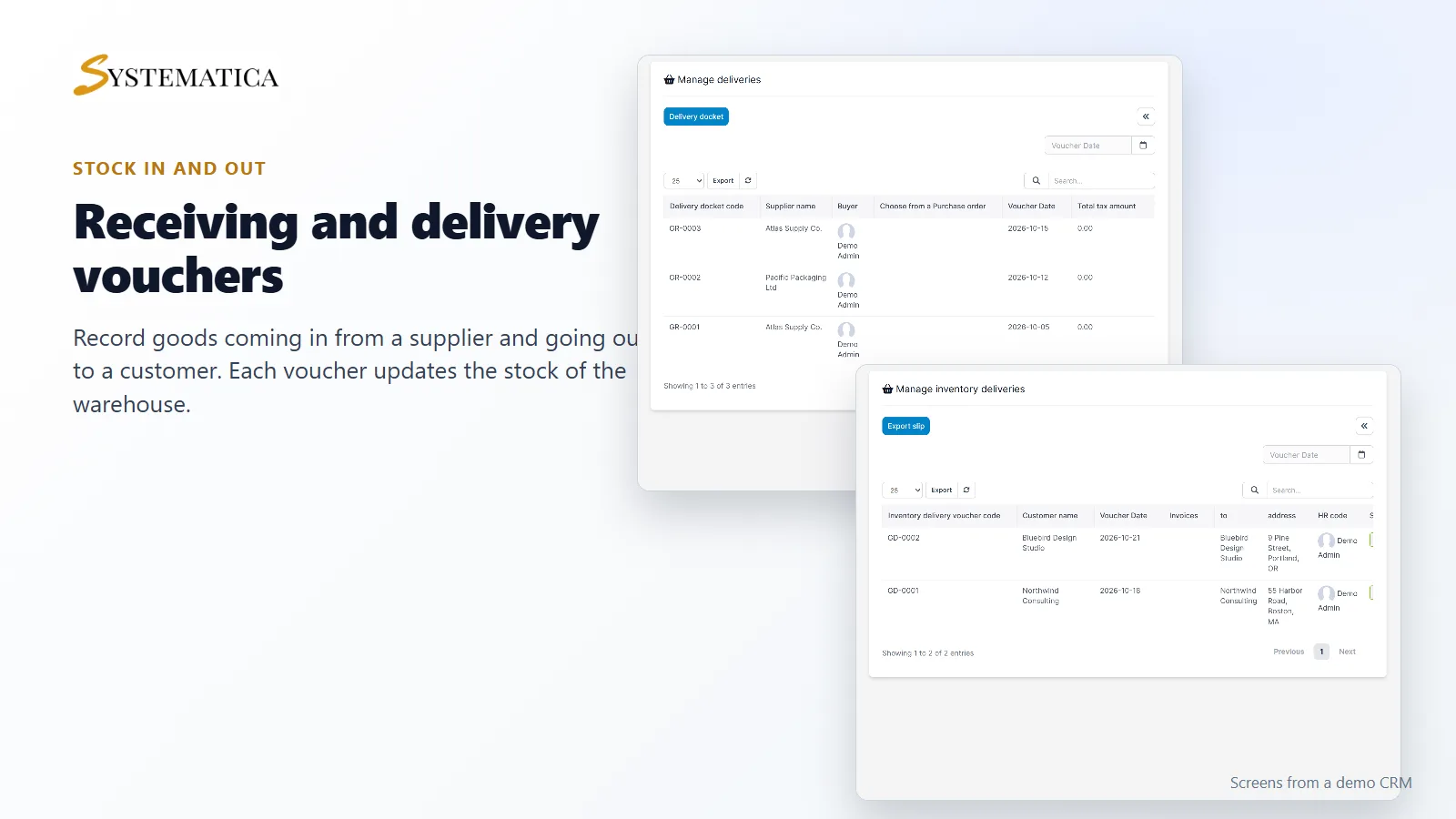
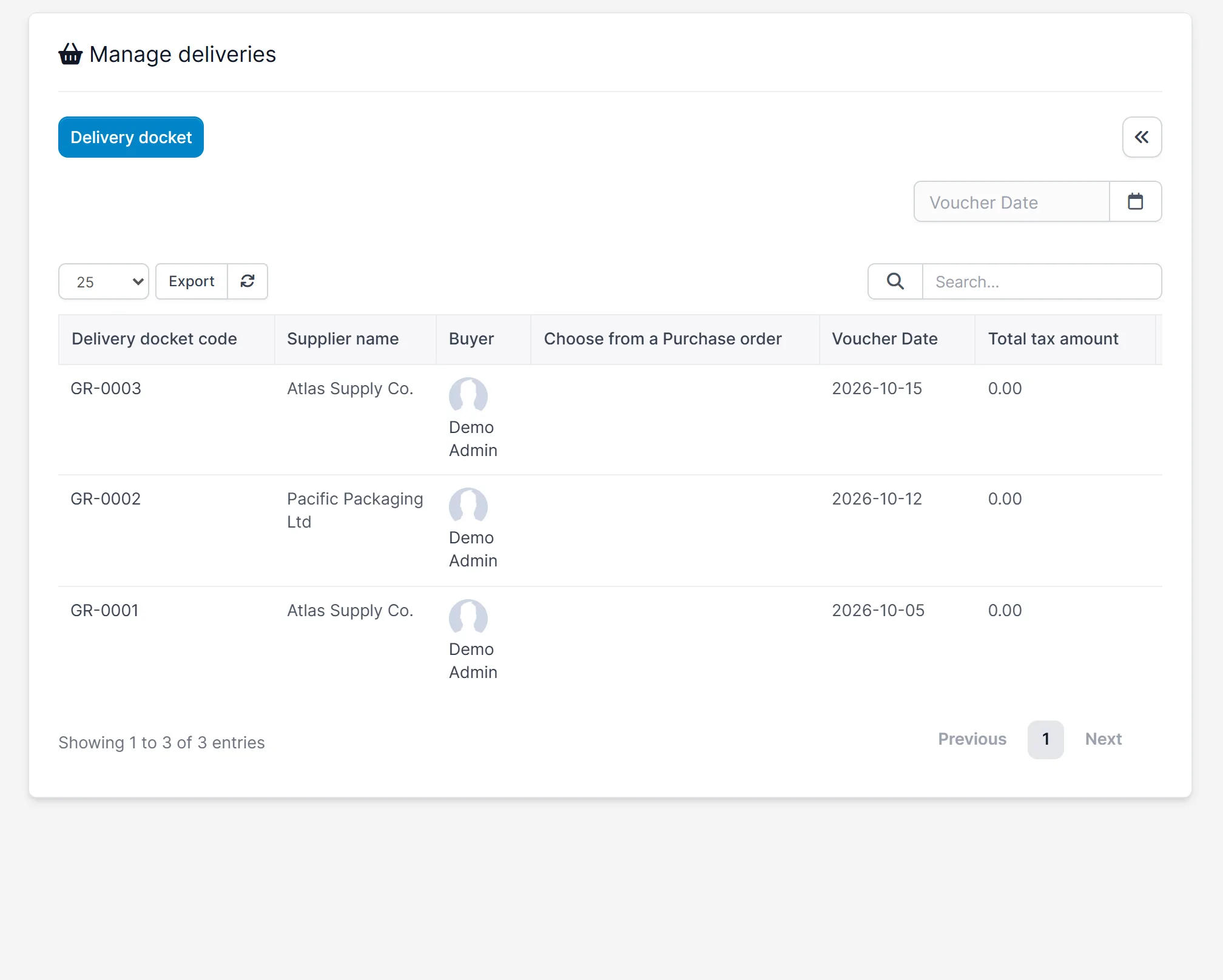
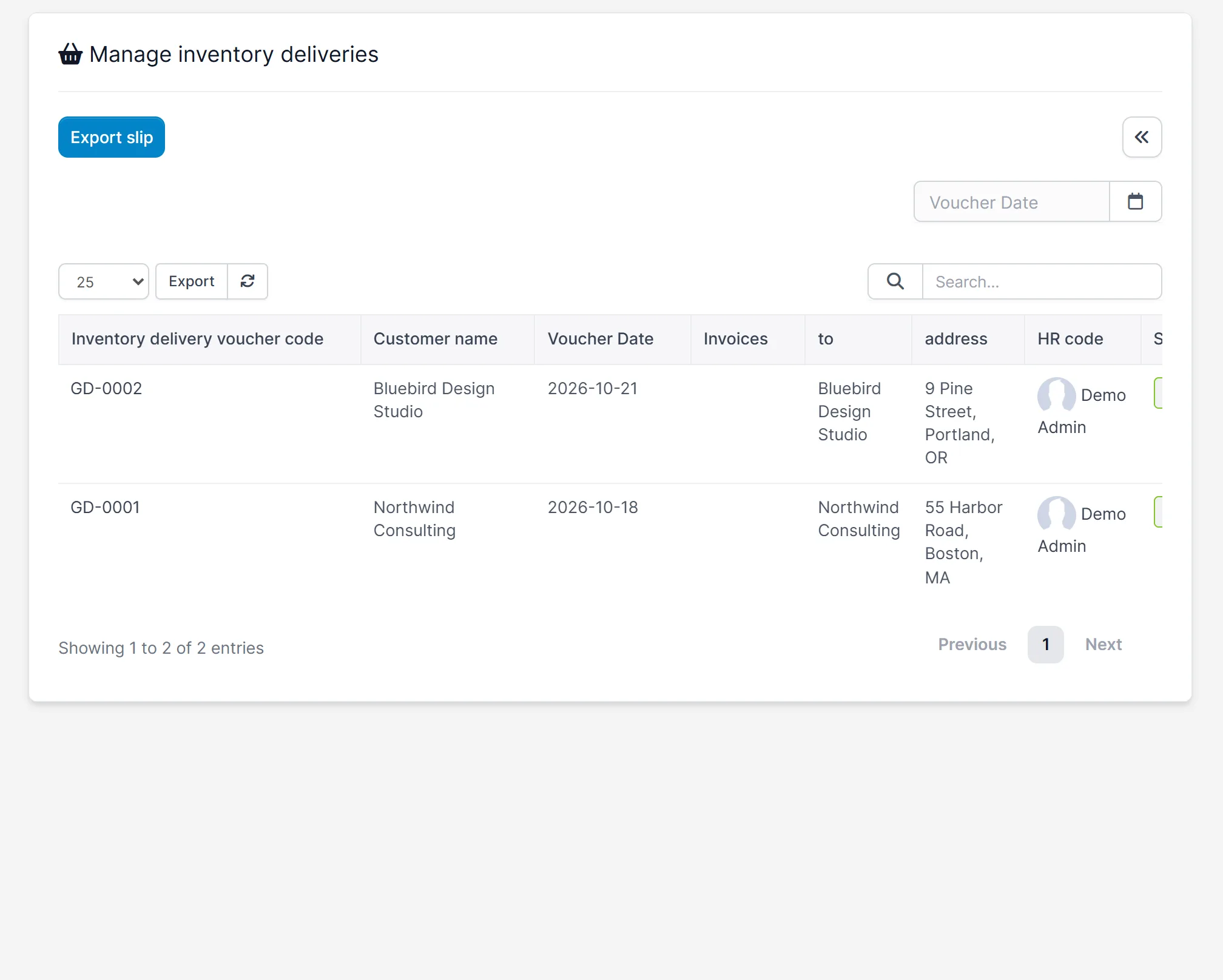
- Receiving vouchers for goods that come in and delivery vouchers for goods that go out
- Packing lists, internal delivery notes, loss and adjustment, and return orders
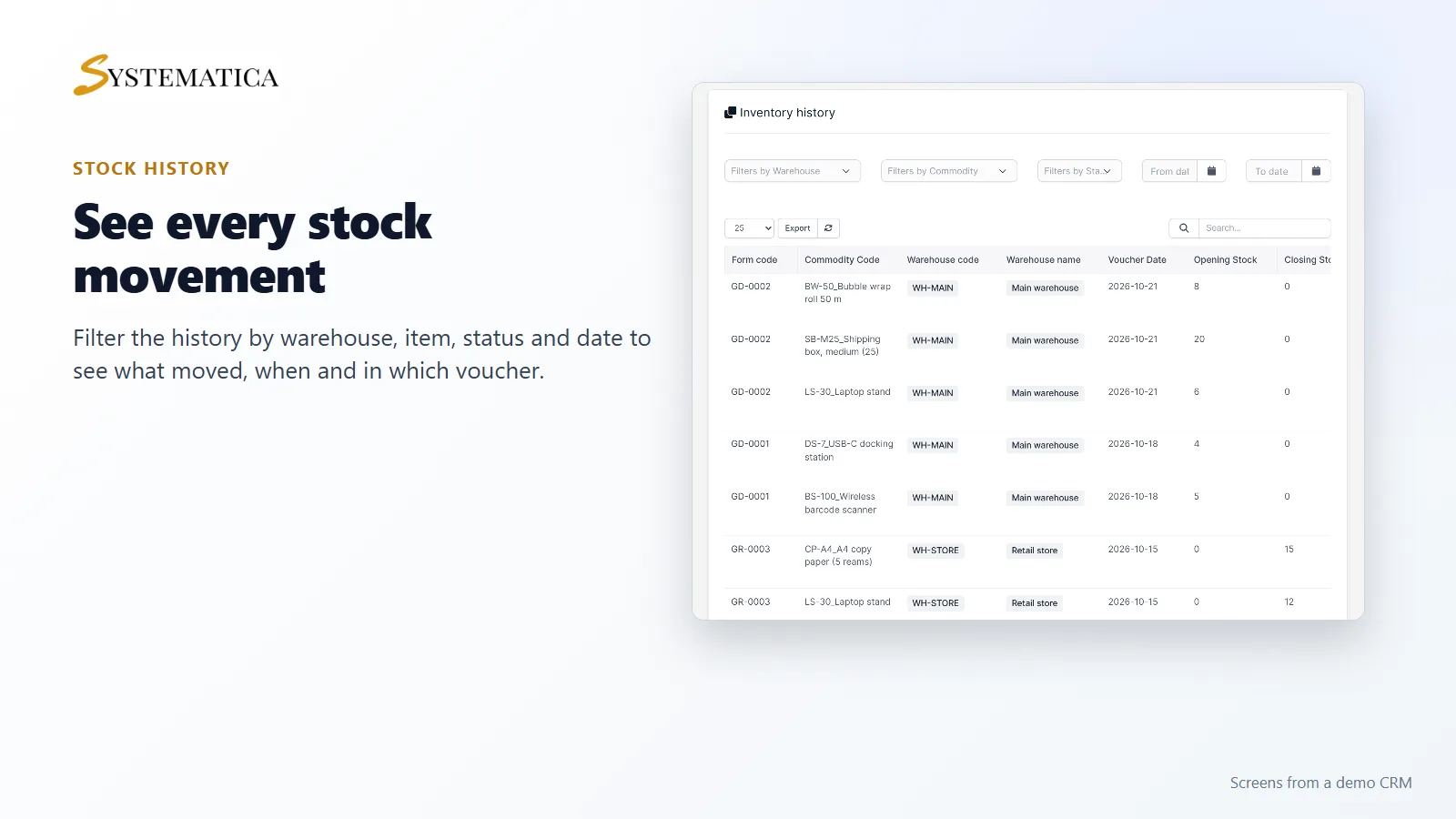
- An inventory history that shows every movement
- Reports: stock summary, inventory analytics, inventory valuation and warranty period
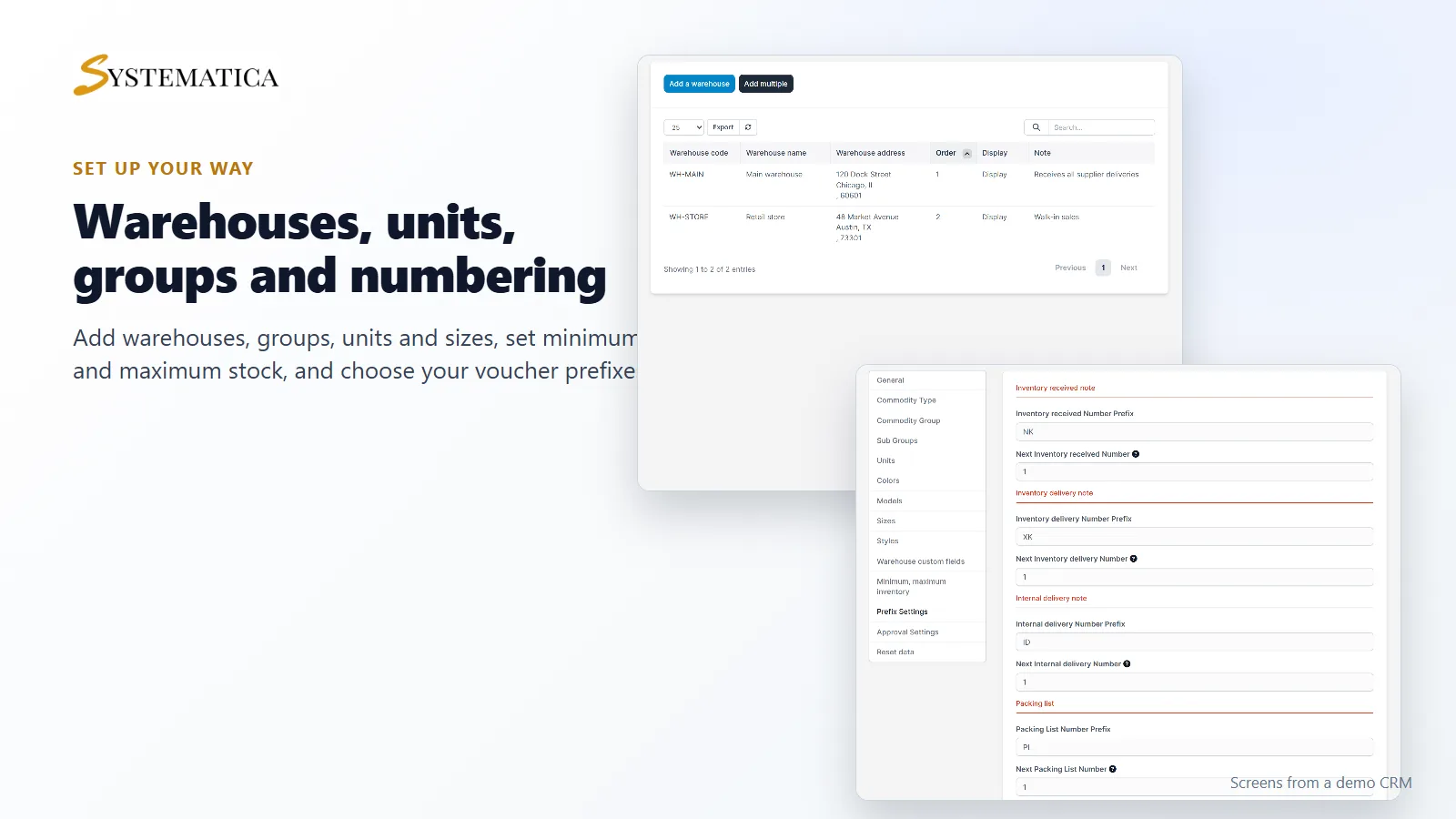
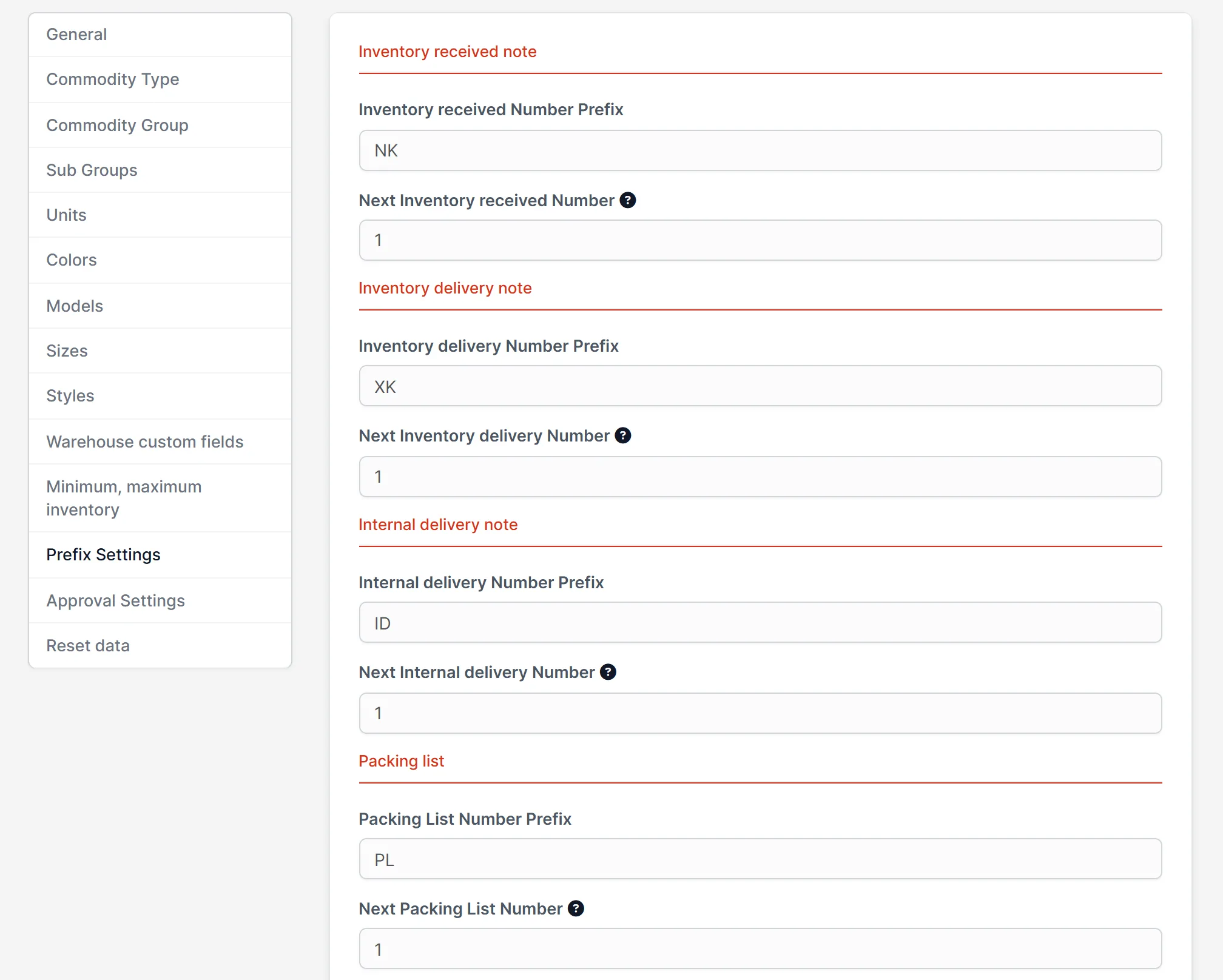
- Minimum and maximum stock levels, voucher number prefixes and approval settings
Items and stock levels in one list
The item list shows every product with its code, SKU, group, unit and the stock in each warehouse. You can filter by warehouse, commodity and tags, search, export, print barcodes and set up types, groups, units, colors, sizes and styles in the settings. Items you already have in a spreadsheet can be imported, together with their opening stock.
Receiving and delivery vouchers
When goods arrive, you create a receiving voucher with the supplier, the items, quantities and prices. When goods leave, you create a delivery voucher for the customer. Each approved voucher changes the stock of the warehouse it names, so the item list always matches what happened.
Stock history you can filter
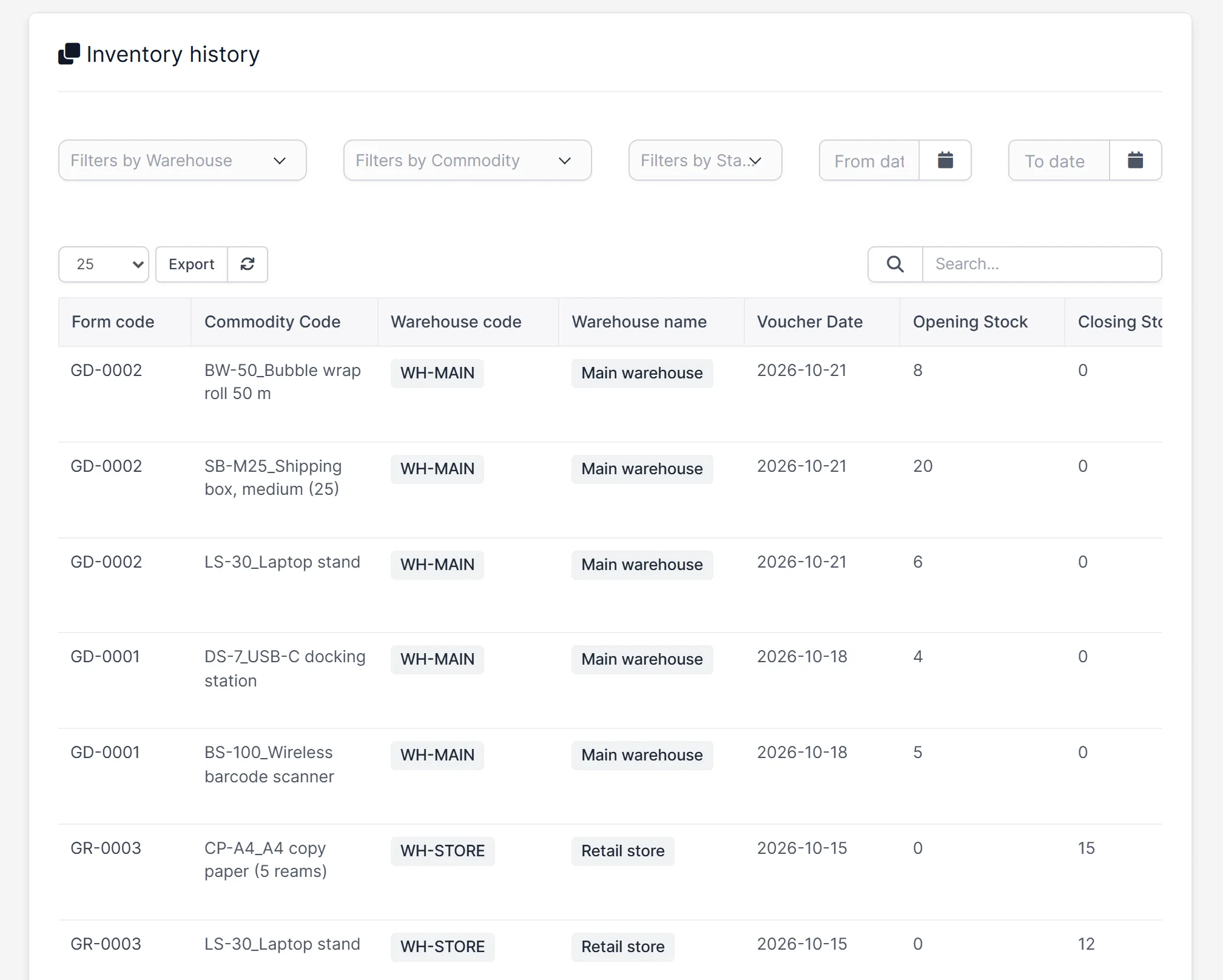
The inventory history lists each movement with the voucher code, item, warehouse, date, opening stock and closing stock. Filter it by warehouse, item, status and date range to answer “where did these units go?” in a few seconds.
Inventory reports for stock and value
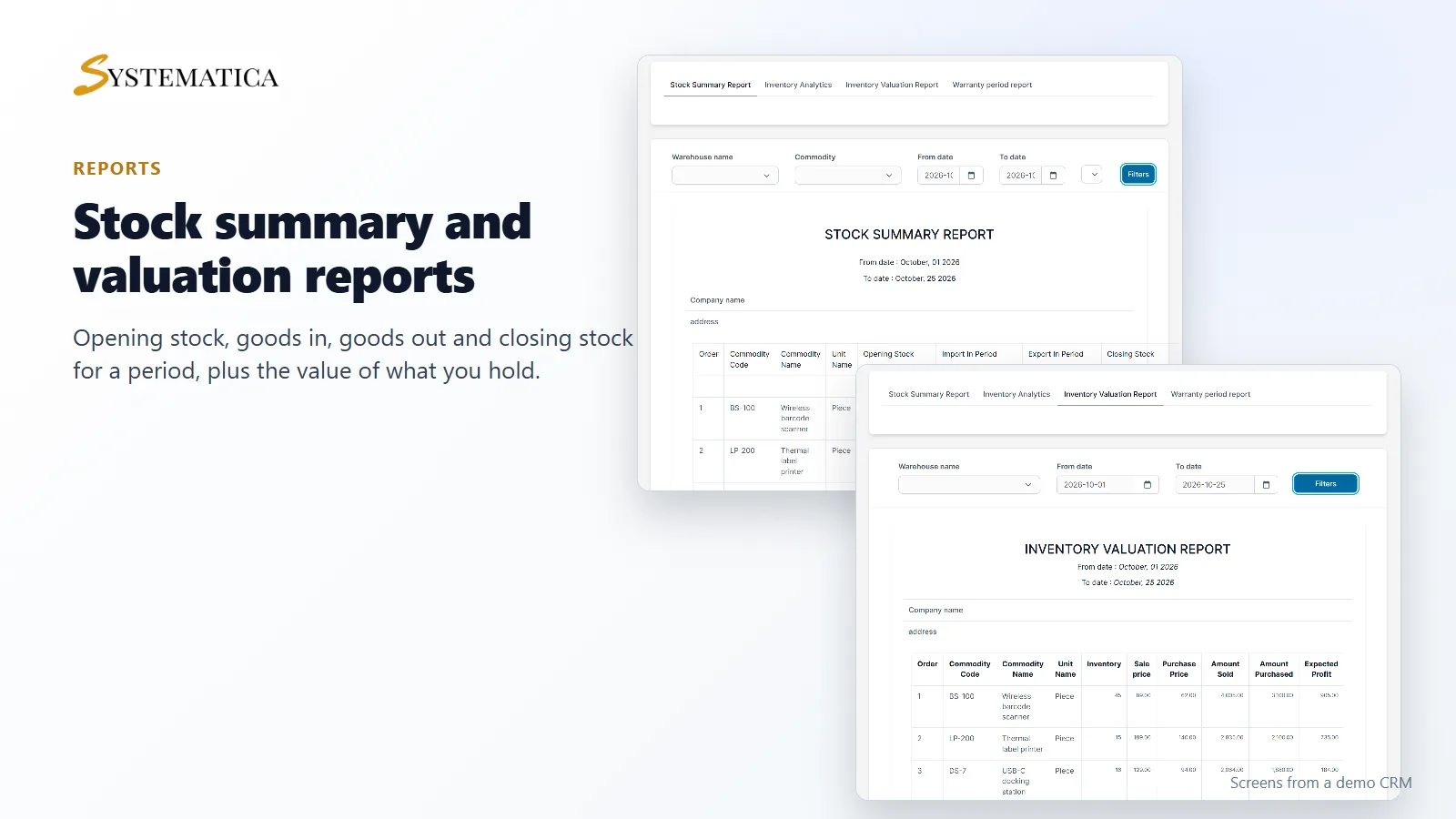
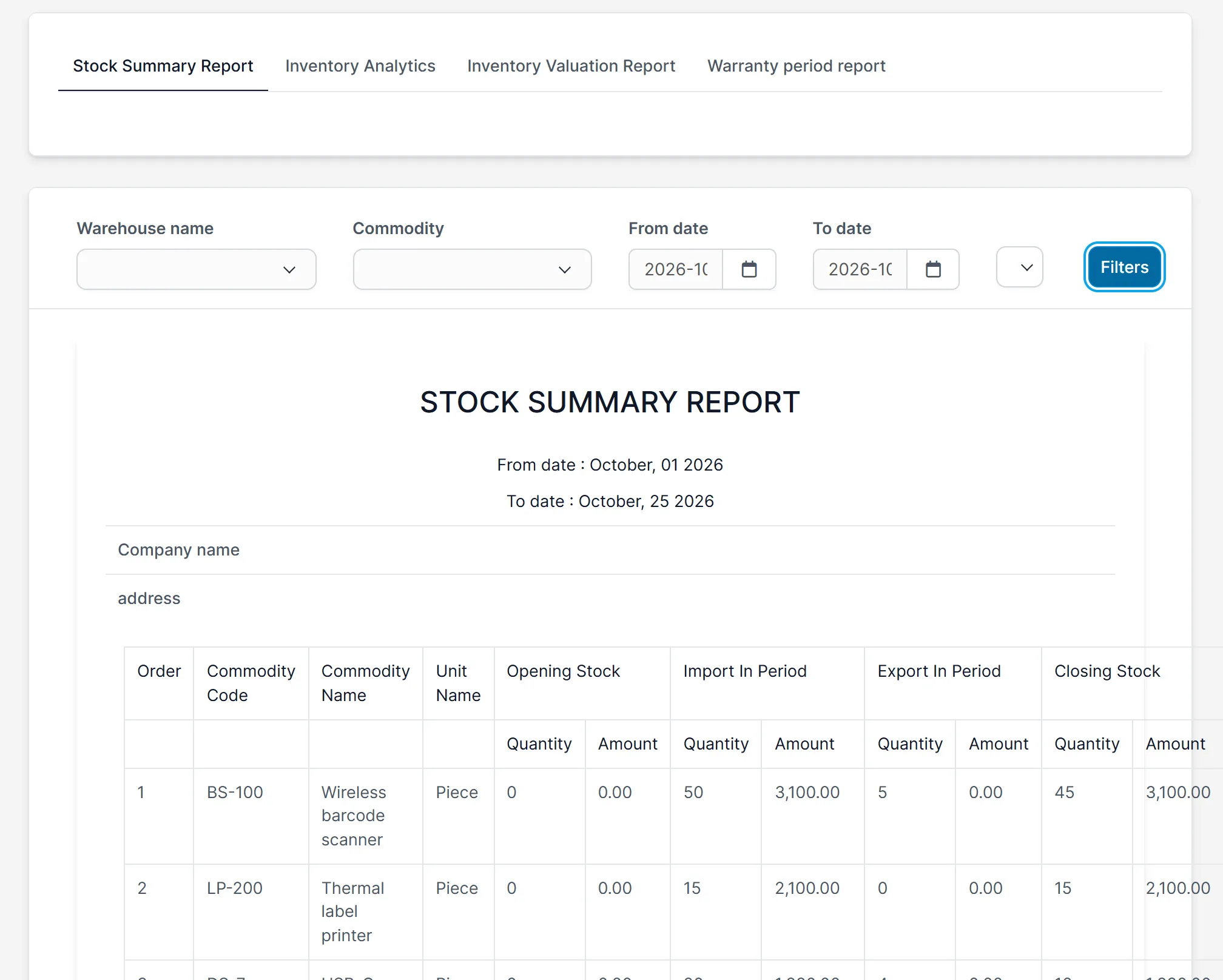
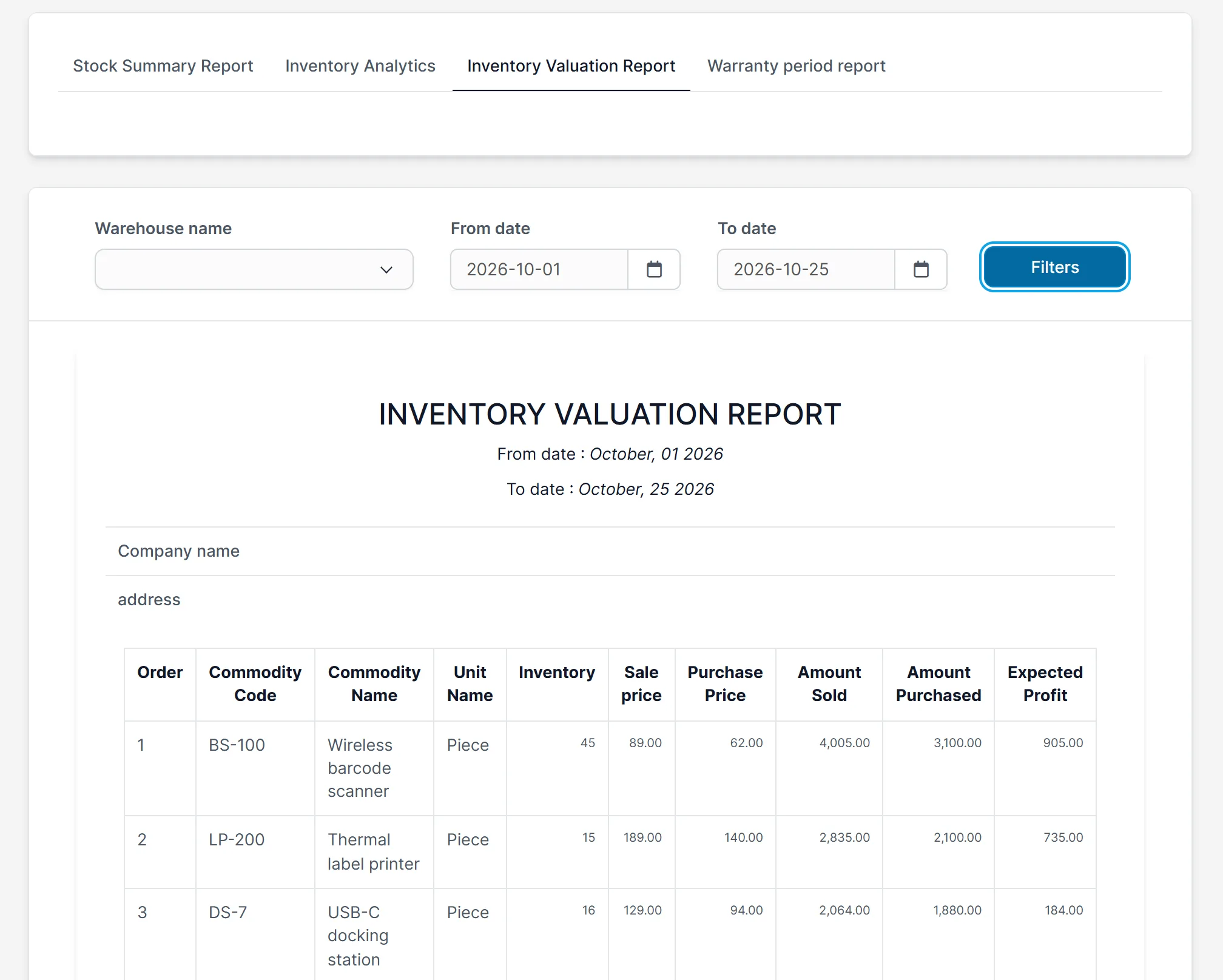
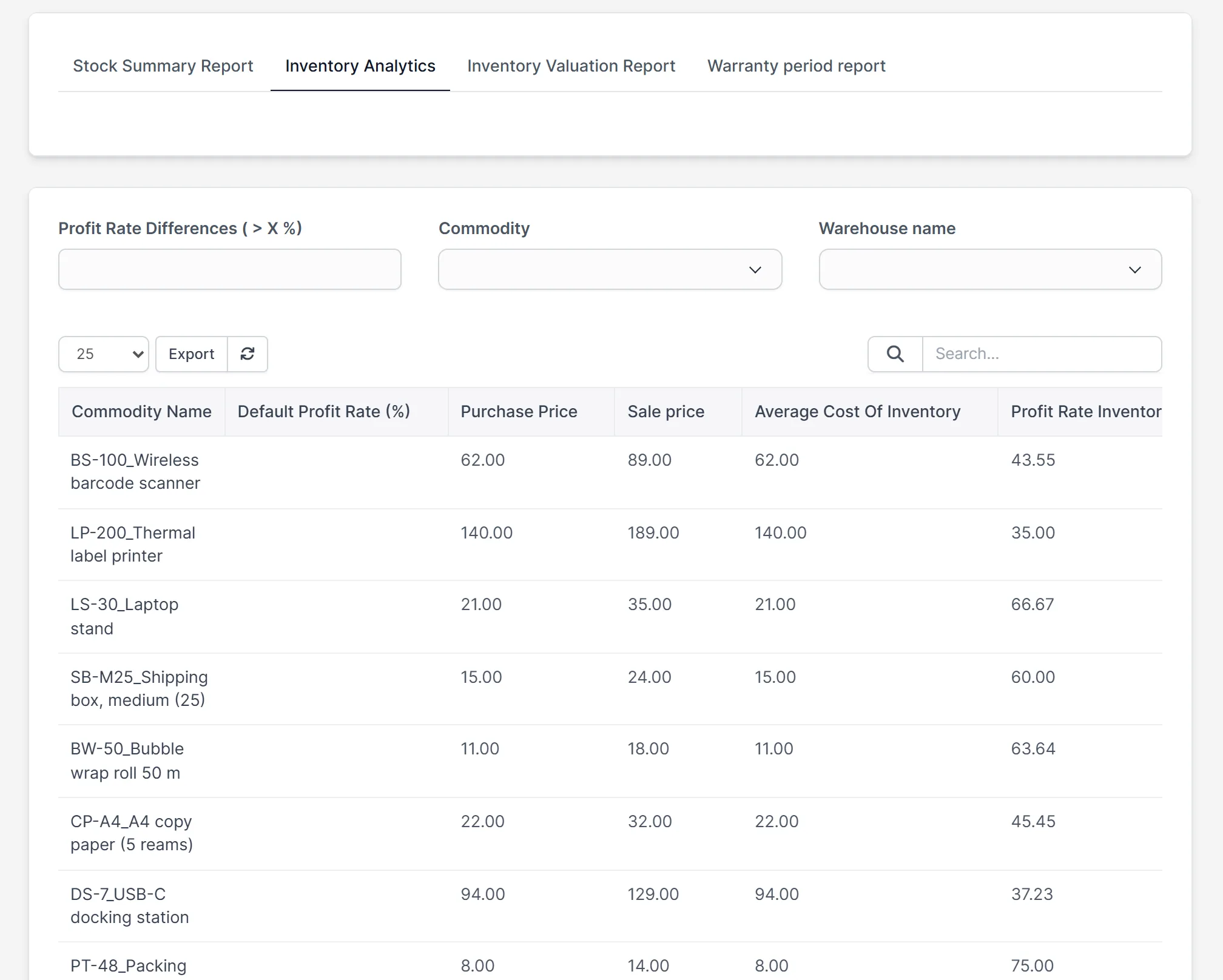
The stock summary report shows opening stock, goods in, goods out and closing stock for a period, with quantities and amounts. The valuation report shows the stock you hold, its sale and purchase price, and the expected profit. The analytics report compares the default profit rate with the rate based on your average cost.
Set it up for your business
- Upload the module under Setup > Modules and activate it.
- Open Inventory > License and enter your license key.
- Under Inventory > Settings, add your commodity types, groups, units and, if you need them, colors, sizes and styles.
- Add your warehouses under Inventory > Warehouse.
- Add items, or import them with their opening stock.
- Record your first receiving voucher, then your first delivery voucher.
Requirements
- Perfex CRM 3.4 or newer (tested on 3.4.1)
- A connection from your server to systematica.app over HTTPS
Good to know
- The screens in the pictures are from a demo CRM with sample data.
- Reports show the data you enter. Prices and quantities come from your own vouchers and items.
- The module is for staff in the Perfex CRM admin area.
License, support and updates
After purchase you receive a license key by email. One license key activates the module on one website. To move it, deactivate the license under Inventory > License and activate it on the new site. You get 1 year of use, support through our ticket system and free updates through your Systematica account. The module is built for Perfex CRM, which you need to run it.
Frequently asked questions
What does Inventory Management for Perfex CRM do?
It adds warehouses, items, stock levels, receiving and delivery vouchers, stock history and reports to your Perfex CRM.
Can I use more than one warehouse?
Yes. You can add as many warehouses as you need. Each item shows its stock per warehouse.
Can I import my items and opening stock?
Yes. The item list has import buttons for items and for opening stock, and sample files are included in the module.
Does it print barcodes?
Yes. The item list has a barcode printing button, and you can use the SKU code as the barcode in the settings.
Can I use one license on more than one website?
One license key activates the module on one website. You can move it by deactivating it on the old site and activating it on the new one.
Need help with this module?
Every license is valid for 1 year and includes support through our ticket system and free updates. To keep using the module after that, renew your license.