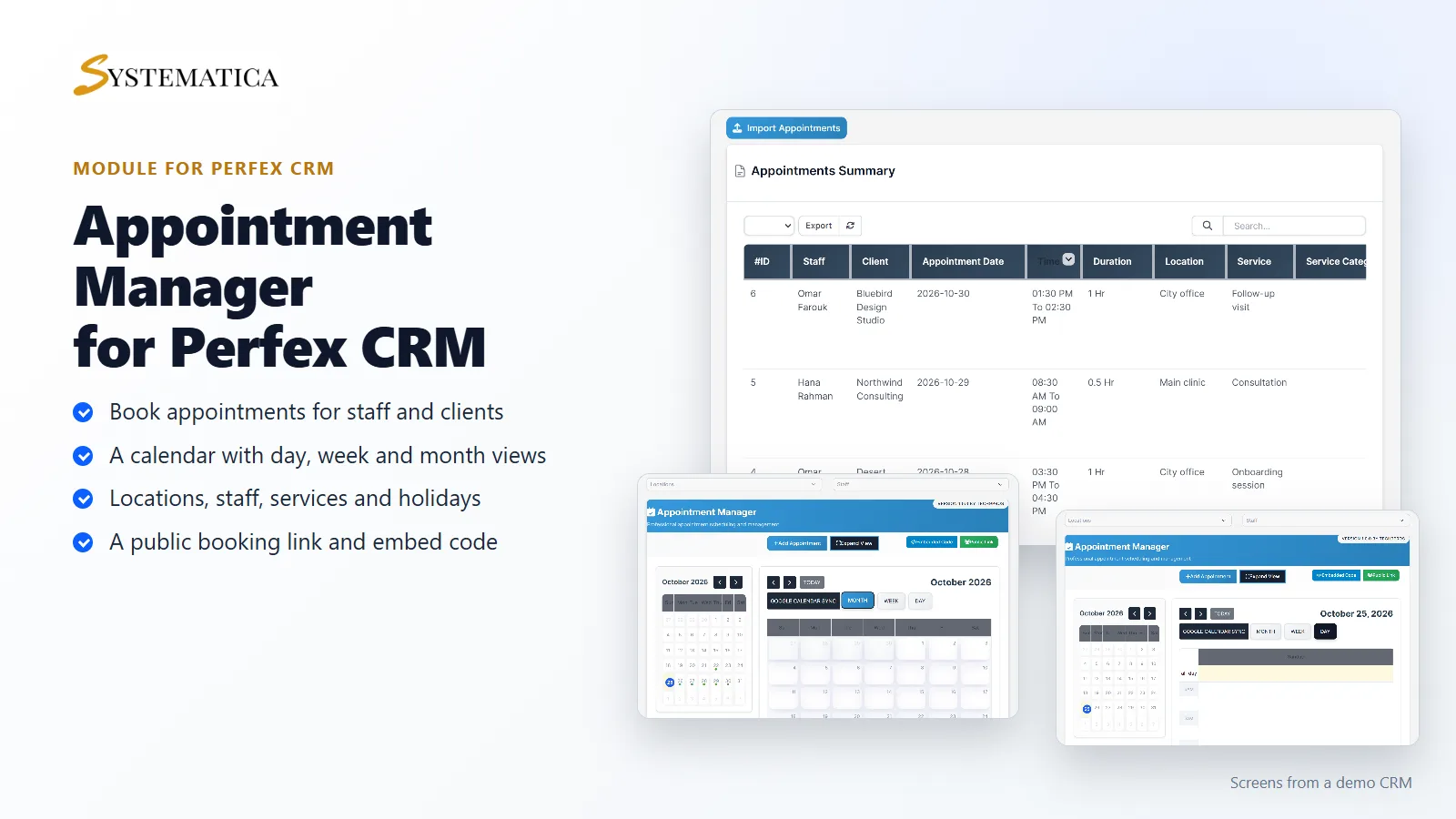
Appointment Manager for Perfex CRM adds appointment booking to your CRM. You set up locations, staff, services and holidays, and your team sees every appointment in a list and on a calendar. Clients can book through a public link or a form you embed on your website. It all runs inside your own Perfex CRM.
What you get with Appointment Manager for Perfex CRM
- An appointment list with staff, client, date, time, duration, location, service and status
- A calendar with day, week and month views, and filters for location and staff
- An Add Appointment button and an Import Appointments button
- Locations with opening and closing times
- Staff profiles with their availability and unavailability
- Services and service categories
- Holidays, so nobody books on a day you are closed
- Appointment statuses such as Upcoming, Approved, Cancelled, Missed and Waiting For Approval
- A public link and an embed code for your booking form
- A reminder time for each appointment, and a Google Calendar sync button
- Reports on appointments
See every appointment in one list
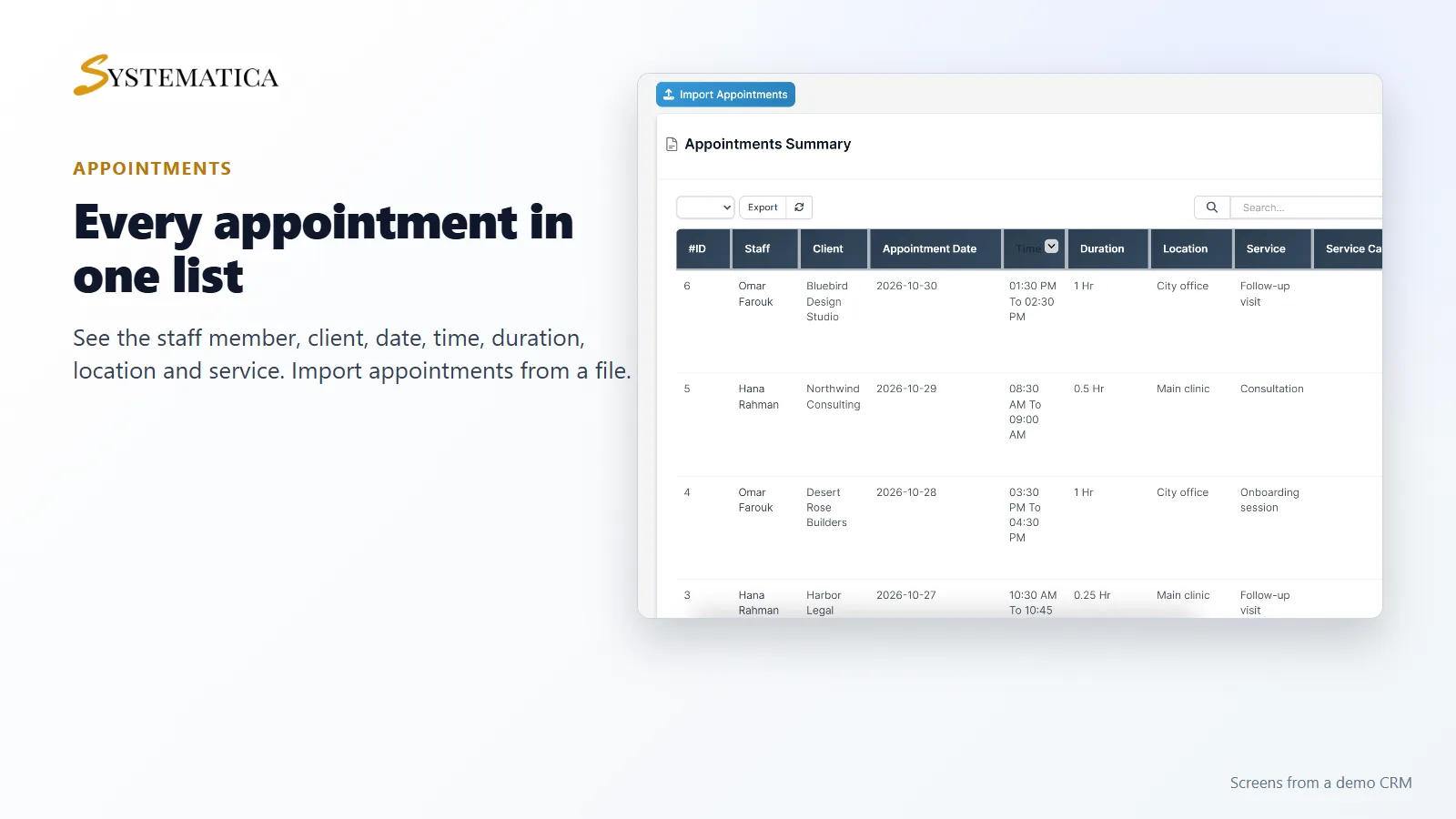
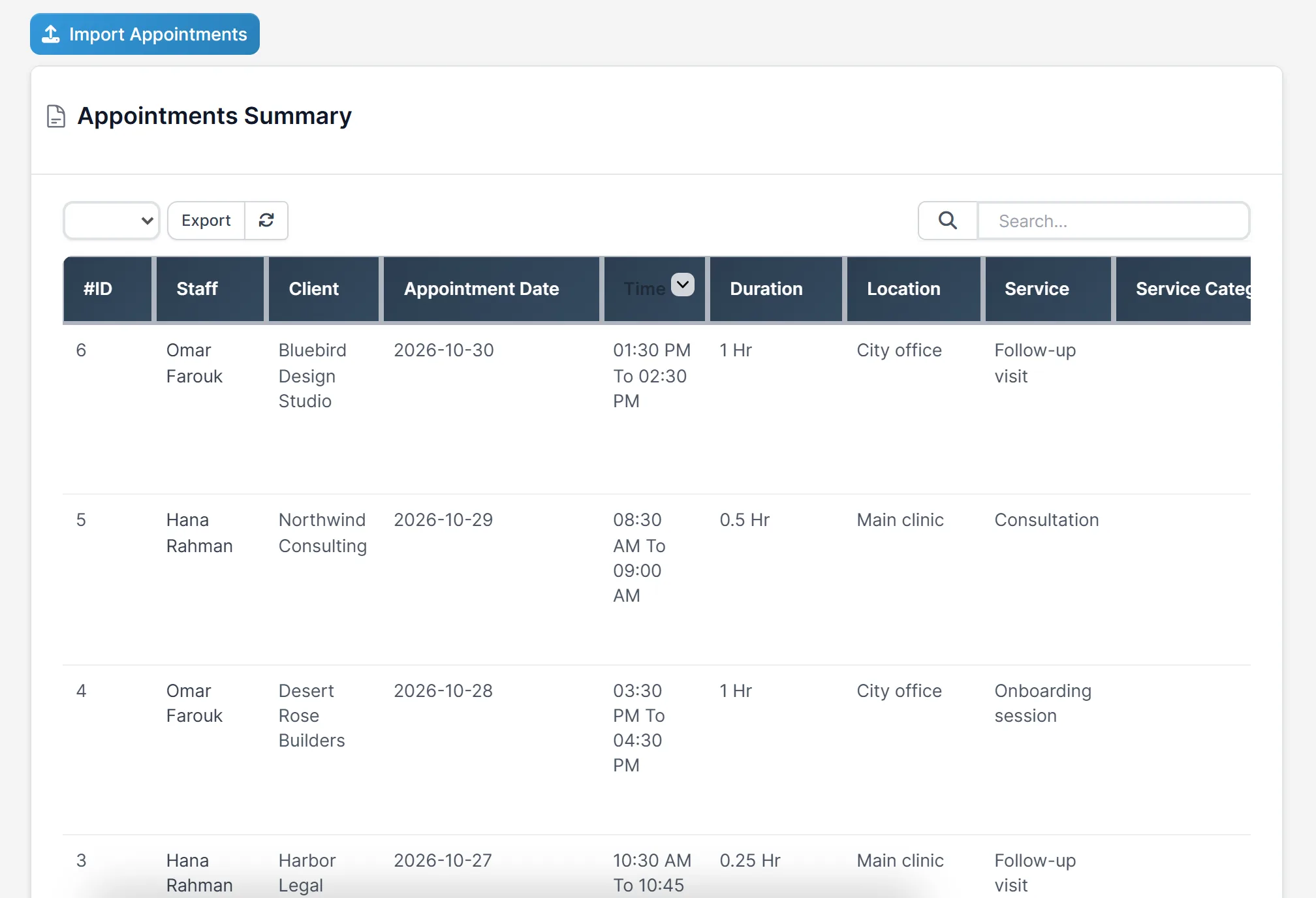
The appointments list in Appointment Manager for Perfex CRM shows the staff member, the client, the date, the time range, how long it lasts, the location and the service. Sort it, search it or export it. You can also import appointments from a file.
A calendar for the day, week and month
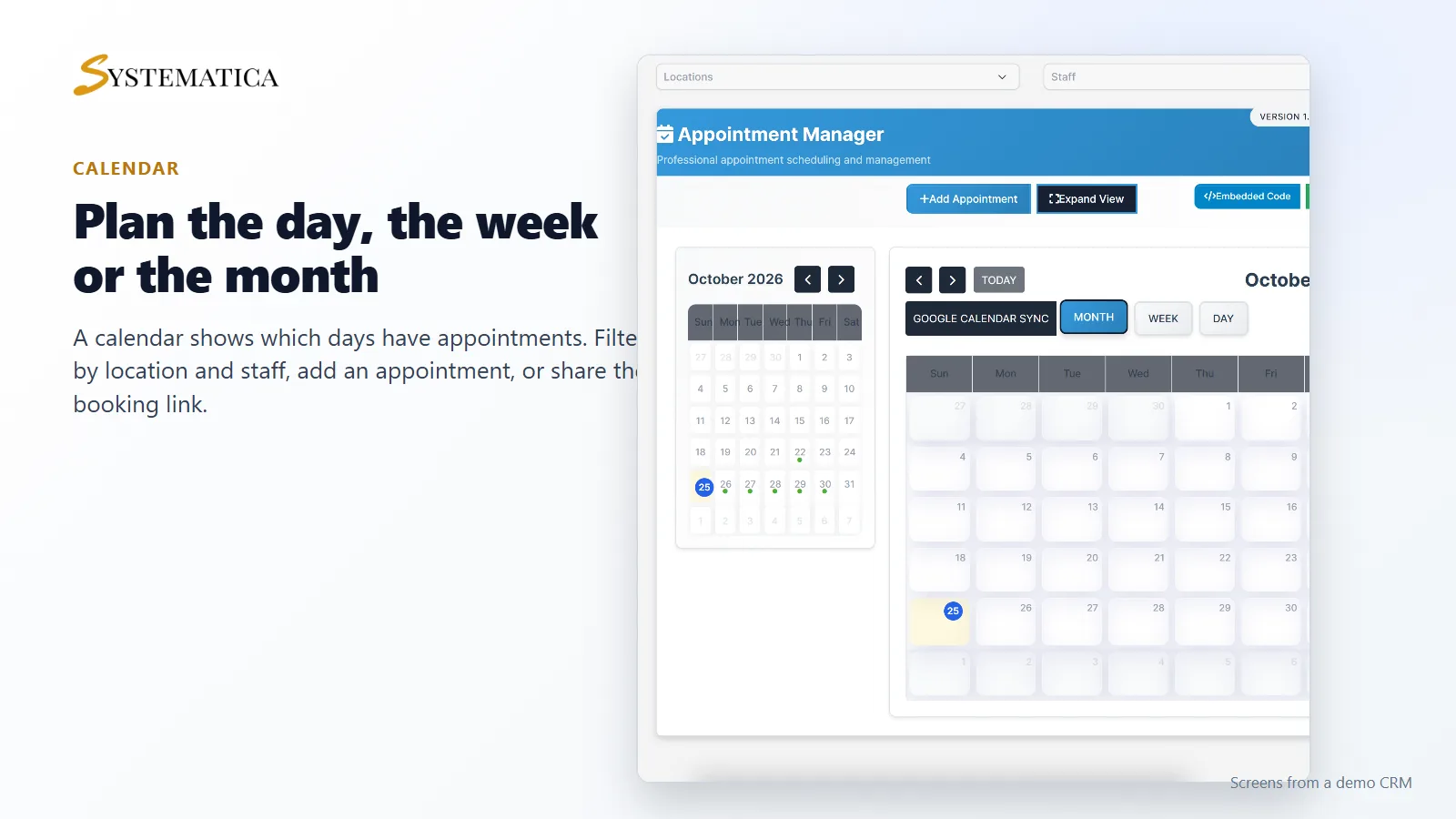
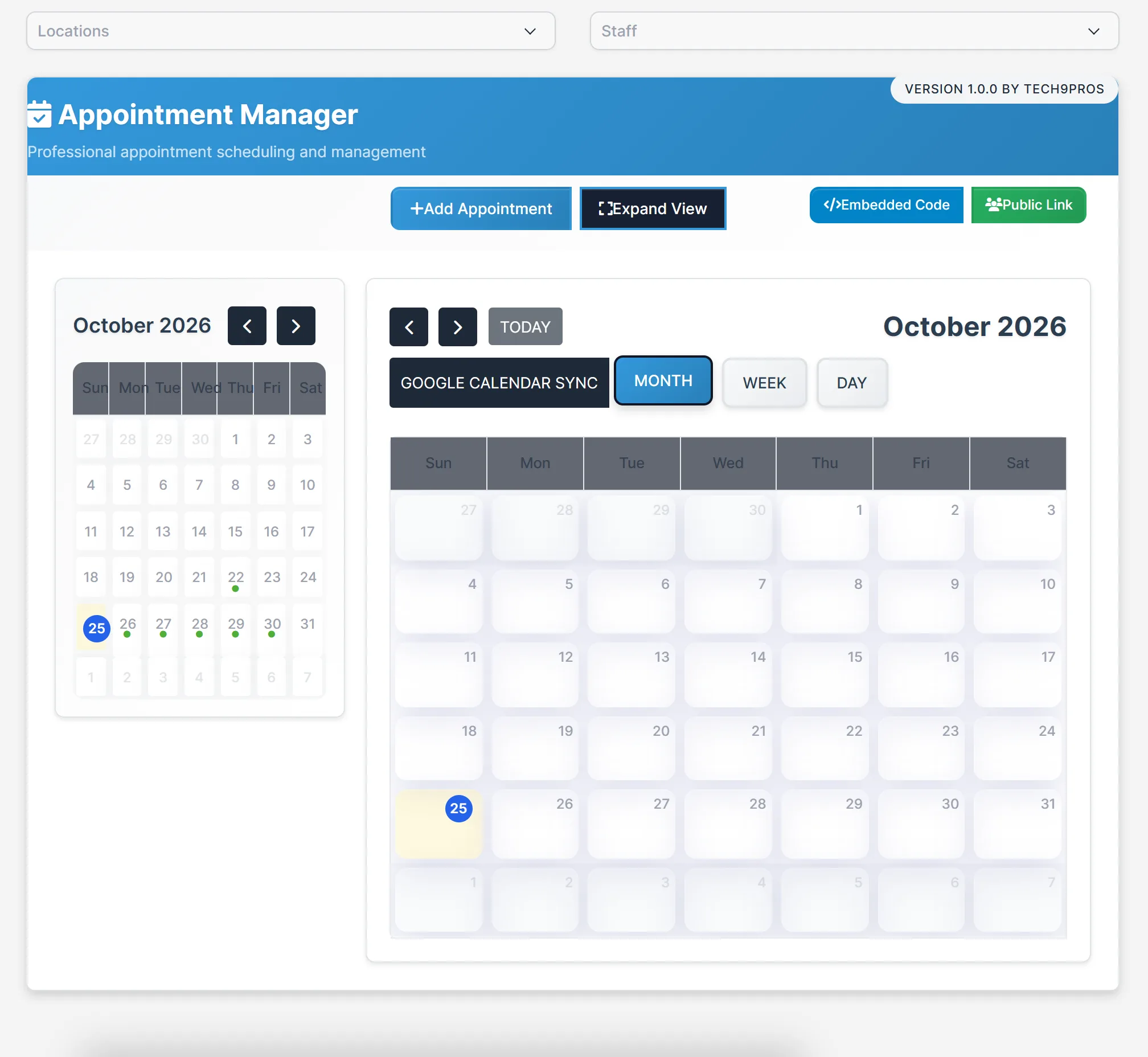
The dashboard of Appointment Manager for Perfex CRM has a small month calendar that marks the days with appointments, and a larger calendar with day, week and month views. Pick a location or a staff member to see only their schedule. From here you add an appointment, copy the public link or copy the embed code for your website.
Locations, staff, services and holidays
Add each place where you meet clients with its opening and closing times. Add the staff who take appointments and the hours they are available. List your services and group them in categories. Add holidays to block those dates.
Set it up
- Upload the module under Setup > Modules and activate it.
- Open Appointment Manager > License and enter your license key.
- Add your Locations, Services and Holidays.
- Add your Staffs and their availability.
- Click Add Appointment, or share the Public Link with clients.
Requirements
- Perfex CRM 3.4 or newer for Appointment Manager for Perfex CRM (tested on 3.4.1)
- For Google Calendar sync, your own Google account settings
- A connection from your server to systematica.app over HTTPS
Good to know
- The screens in the pictures are from a demo CRM with sample appointments.
- Appointment Manager for Perfex CRM is used by staff in the CRM. Clients book through the public link or embedded form.
- Reminders and the Google Calendar sync depend on the Perfex cron job and your own settings.
License, support and updates
After purchase you receive a license key by email. One license key activates the module on one website. To move it, deactivate the license under Appointment Manager > License and activate it on the new site. You get 1 year of use, support through our ticket system and free updates through your Systematica account. Appointment Manager for Perfex CRM runs inside Perfex CRM, which you need to own.
Frequently asked questions
What does Appointment Manager for Perfex CRM do?
It lets your team schedule and track appointments with clients inside Perfex CRM, with locations, staff, services, holidays and a calendar.
Can clients book online?
The module gives you a public link and an embed code for a booking form.
Can I stop bookings on holidays?
Yes. Add holidays and those dates are marked as closed.
Does it work with Google Calendar?
There is a Google Calendar sync button on the calendar. You set it up with your own Google account.
Can I use one license on more than one website?
One license key activates the module on one website. You can move it by deactivating it on the old site and activating it on the new one.
Need help with this module?
Every license is valid for 1 year and includes support through our ticket system and free updates. To keep using the module after that, renew your license.