
- Where to find the Perfex CRM knowledge base
- Step 1: Plan your groups
- Step 2: Click New Article
- Step 3: Write the article
- Step 4: Edit and keep it up to date
- Step 5: Check what customers see
- Step 6: Link articles in tickets
- Tips for a useful Perfex CRM knowledge base
- Perfex CRM knowledge base FAQ
- Modules that help support
- Summary
A Perfex CRM knowledge base lets customers find answers without opening a ticket. You write short articles, sort them into groups and decide which ones are public and which are only for your staff. This guide shows how to build and maintain a Perfex CRM knowledge base that reduces support work.
Where to find the Perfex CRM knowledge base #
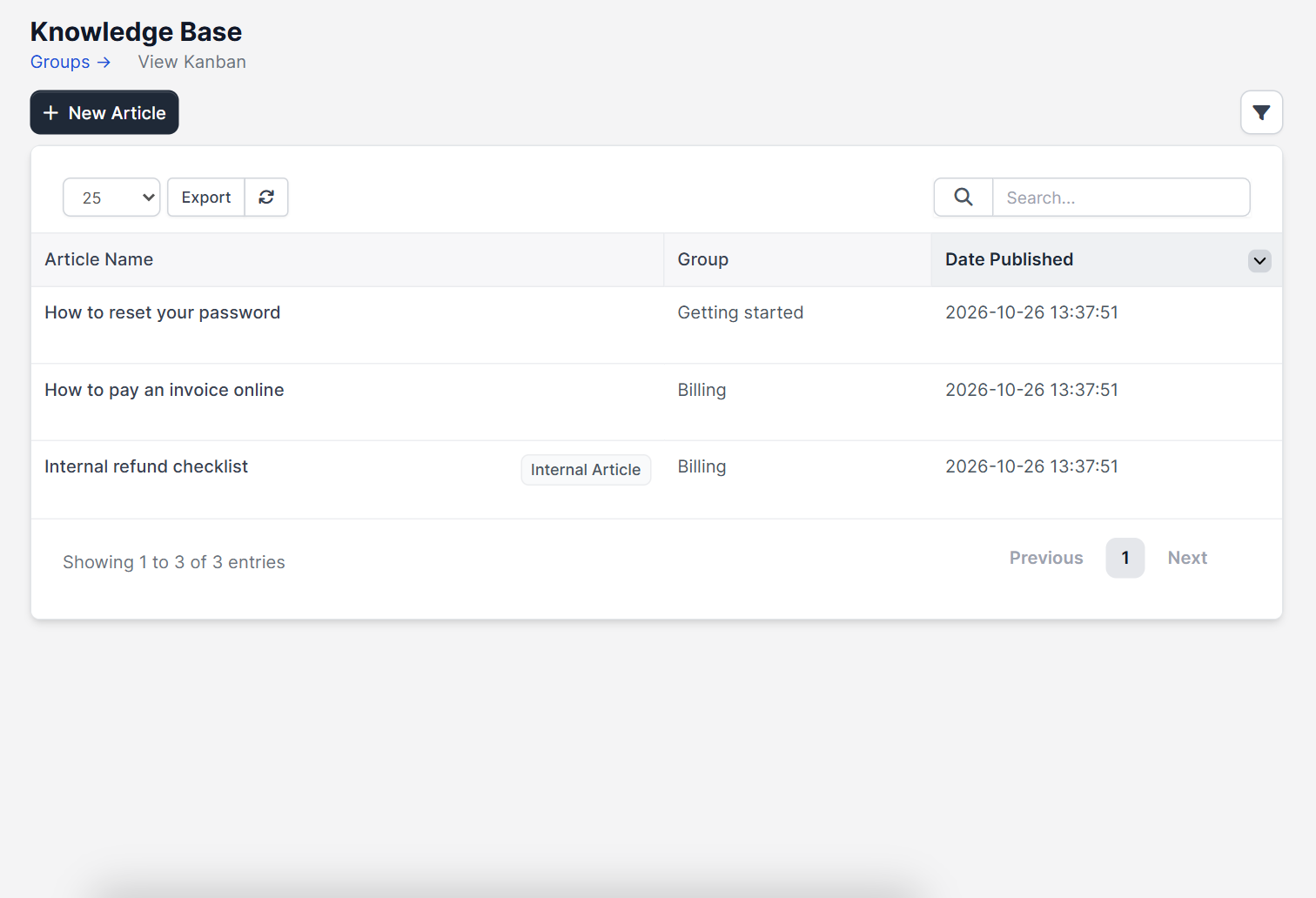
Open Knowledge Base in the main menu. The page lists each Article Name, its Group and the Date Published, with a New Article button. Articles can also be sorted and searched from the table.
Step 1: Plan your groups #
Groups are the headings customers see, such as Getting started or Billing. Keep them short and based on questions you hear often. Check the ticket list first, because repeated tickets show what to write. Setting up departments helps too, see Perfex CRM ticket departments.
Step 2: Click New Article #
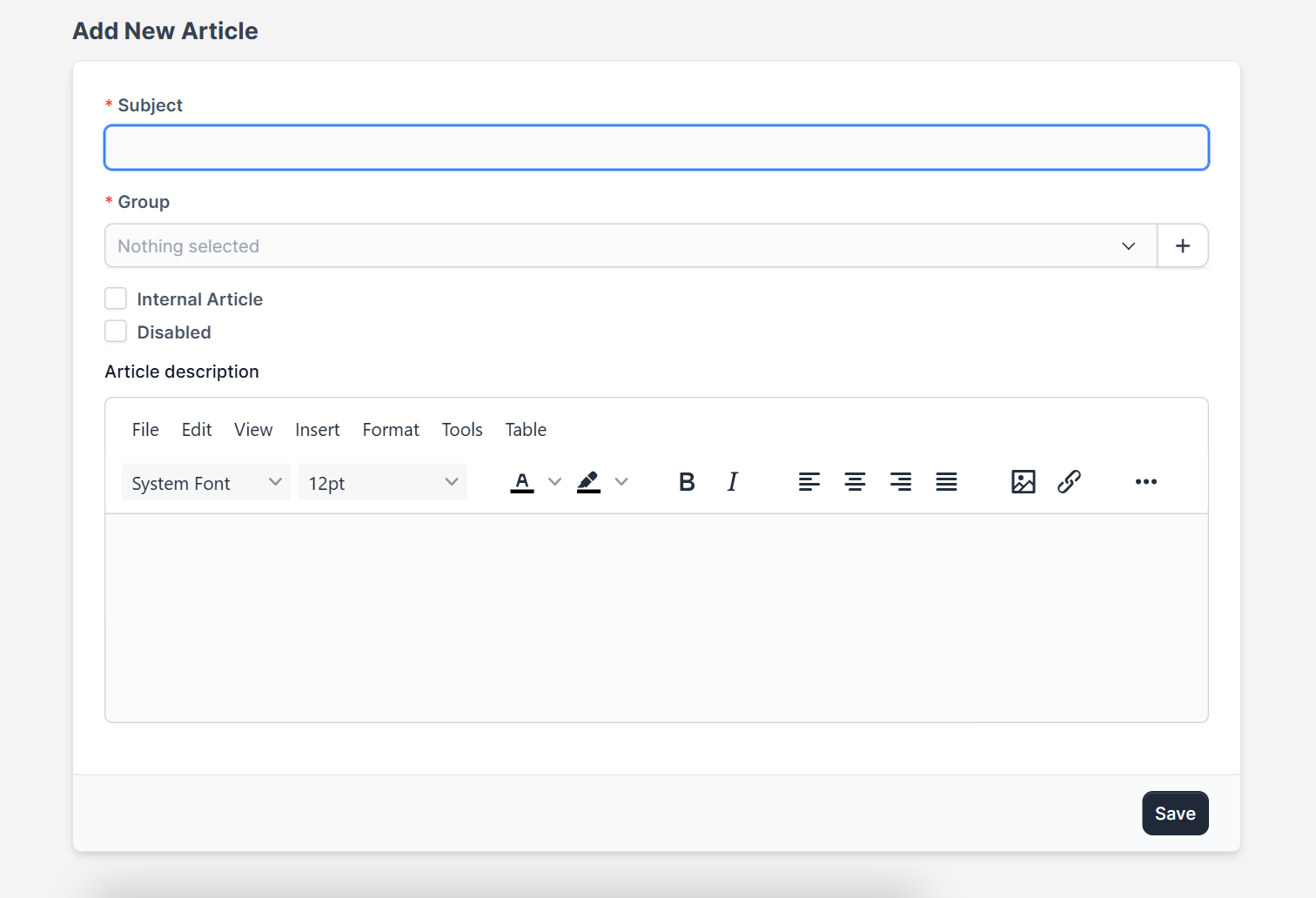
The form Add New Article has a Subject and a Group, both required. Two switches control visibility: Internal Article keeps the article for staff only and Disabled hides it. Below you find the editor with its menus (File, Edit, View, Insert, Format, Tools, Table).
Step 3: Write the article #
- Use a title that matches the customer’s words, such as “How to pay an invoice online”.
- Start with the answer, then add the steps.
- Use short sentences and a numbered list.
- Add a screenshot where it helps.
Click Save. The article gets its own address from the subject.
Step 4: Edit and keep it up to date #
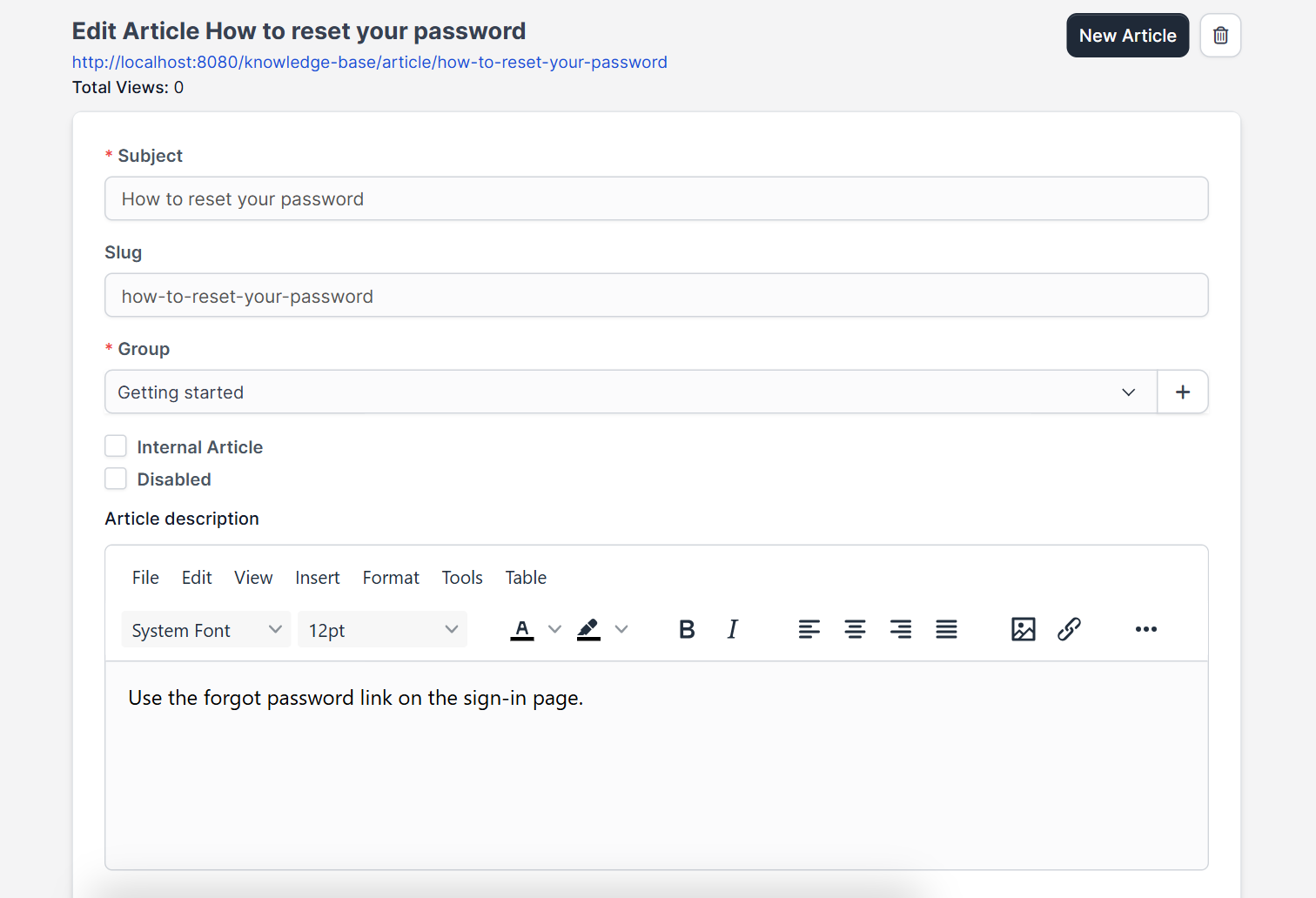
Open an article from the list to change it. Review each article when your process changes, for example after you update payment methods in Perfex CRM payment modes.
Step 5: Check what customers see #
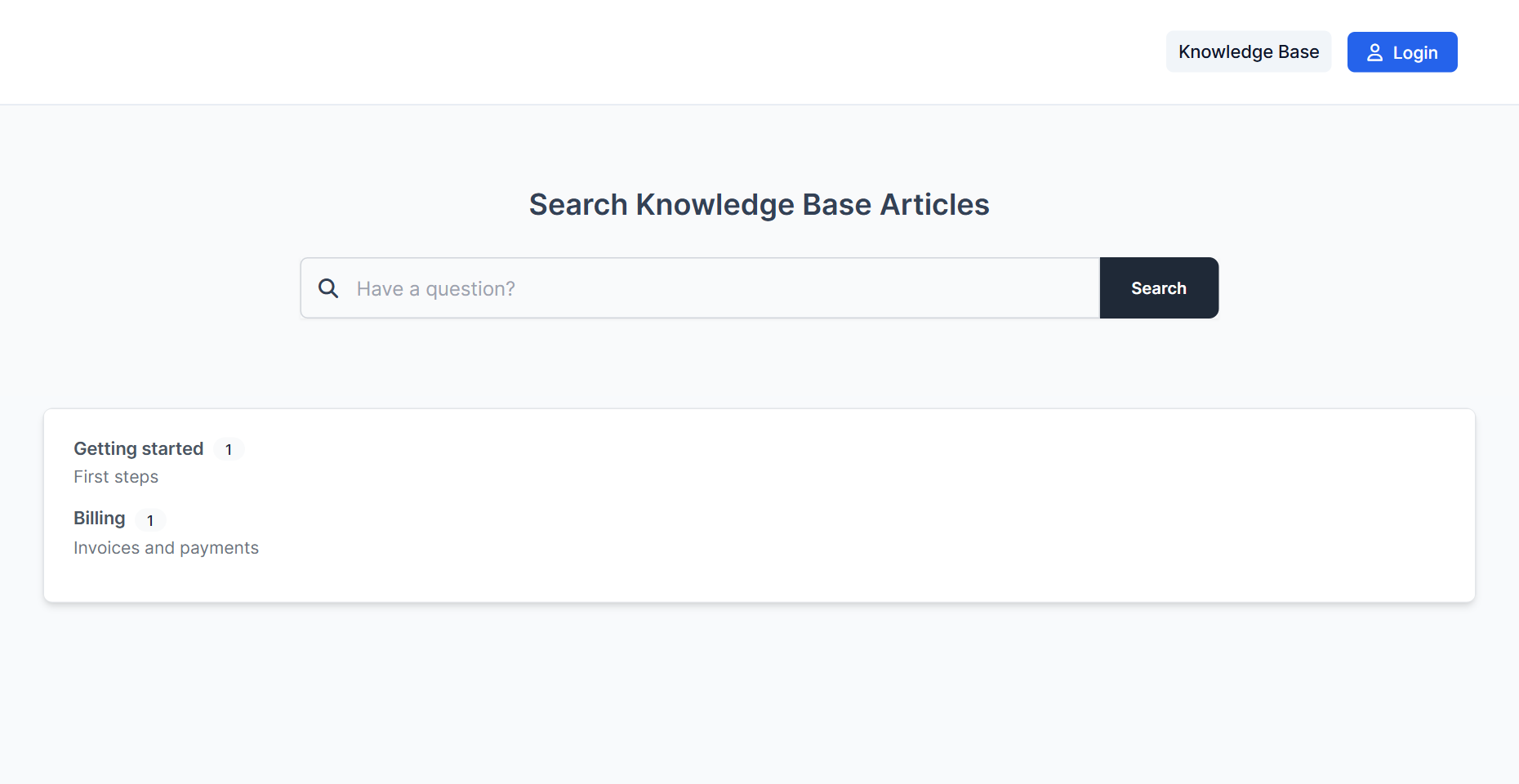
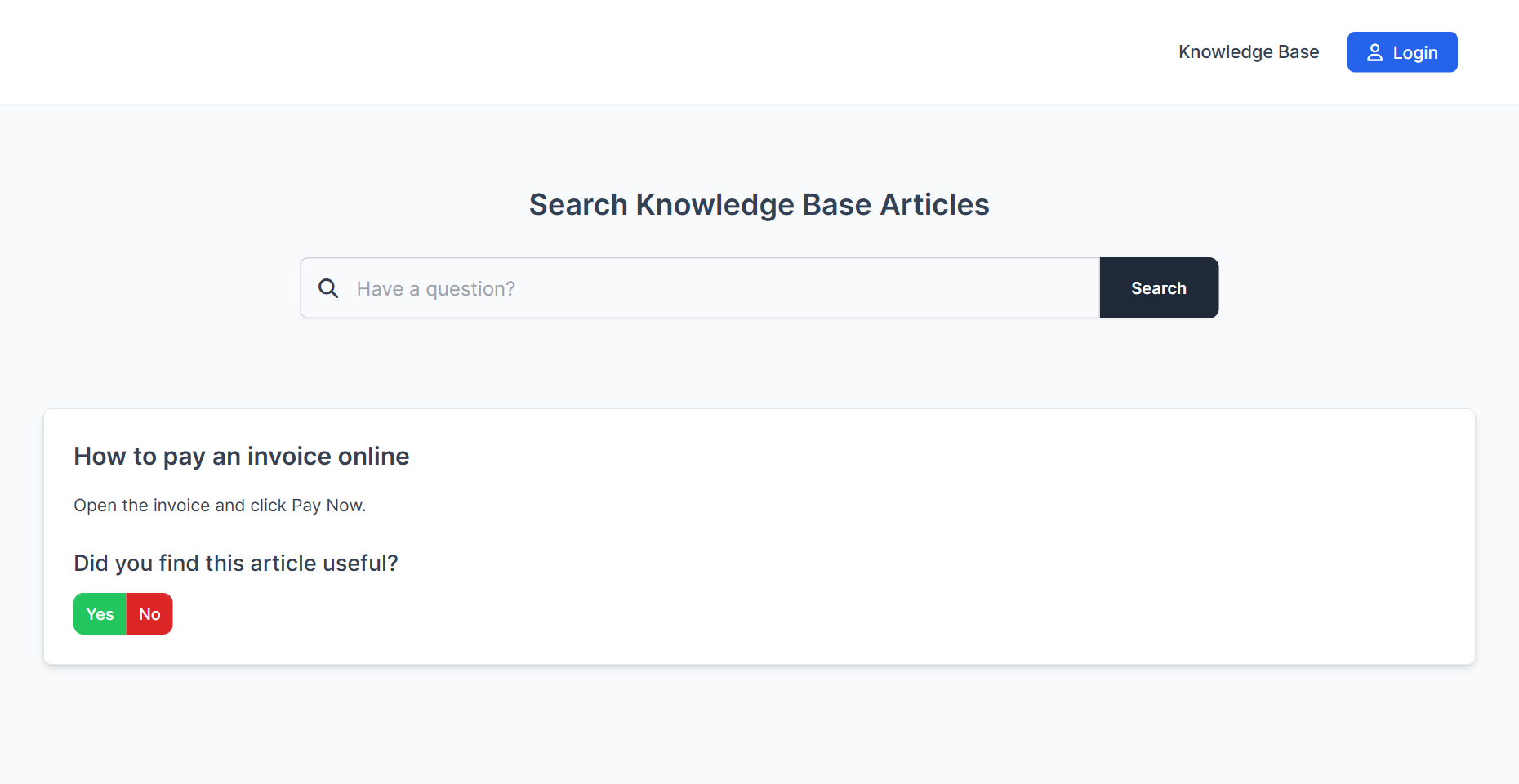
The public page of the Perfex CRM knowledge base lists the groups and the articles that are not internal or disabled. Open it in a private window to see the customer’s view. Customers can also open it from the customer area before they send a ticket.
Step 6: Link articles in tickets #
When staff write a reply, they can insert a link to an article from the ticket form, which saves time and teaches customers to look there first. Tickets arrive by email through Perfex CRM email piping.
Tips for a useful Perfex CRM knowledge base #
- Write one article per question.
- Use the customer’s wording in titles for better search results.
- Keep refund rules or internal checklists as internal articles.
- Delete or disable articles that are out of date.
- Add the top five ticket questions first.
Perfex CRM knowledge base FAQ #
Can I hide an article from customers? #
Yes. Use Internal Article for staff only or Disabled to hide it for everyone.
Can customers search the articles? #
Yes, the public page has a search box.
Do I need a separate website for it? #
No. The knowledge base is part of Perfex CRM and has its own public page.
How many articles should I start with? #
Ten good articles that answer your most common tickets are enough to begin.
Modules that help support #
Add live conversations with the Perfex CRM Chat Module and keep email threads together with the Mailbox module.
Summary #
A good Perfex CRM knowledge base has clear groups, short articles in the customer’s words and a clean split between public and internal pages. Start from your most common tickets and review articles often. More information is on the official Perfex CRM website, and a Perfex CRM knowledge base pays back with every ticket you do not receive. Every article you add to your Perfex CRM knowledge base answers a question once instead of many times.


