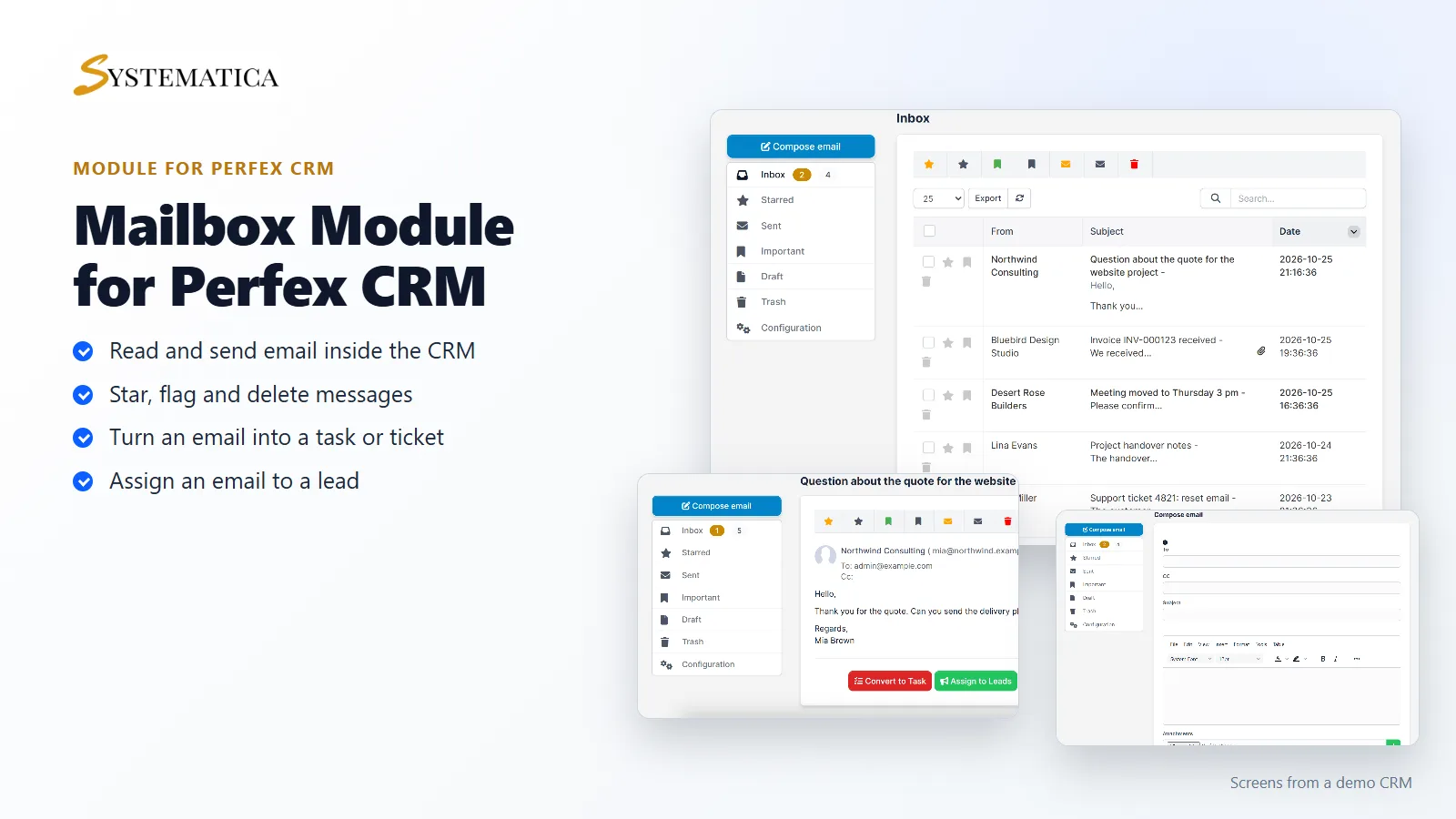
The Mailbox module for Perfex CRM puts a webmail client inside your CRM. Each staff member connects their own mailbox over IMAP, reads and writes email in Perfex CRM, and turns an email into a task, a ticket or a lead without copying anything. Your customers’ messages stay next to their records.
What you get with the Mailbox module for Perfex CRM
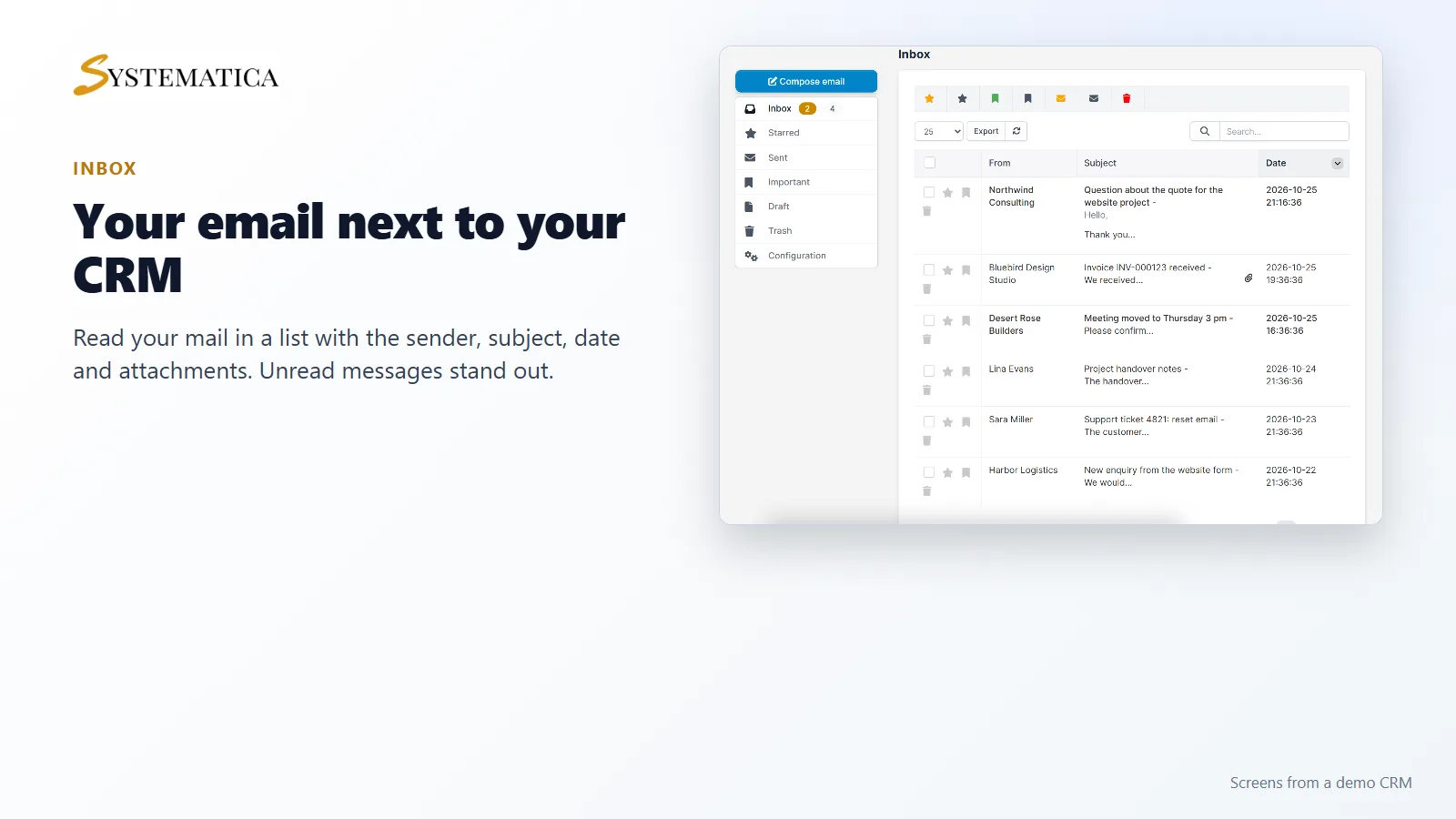
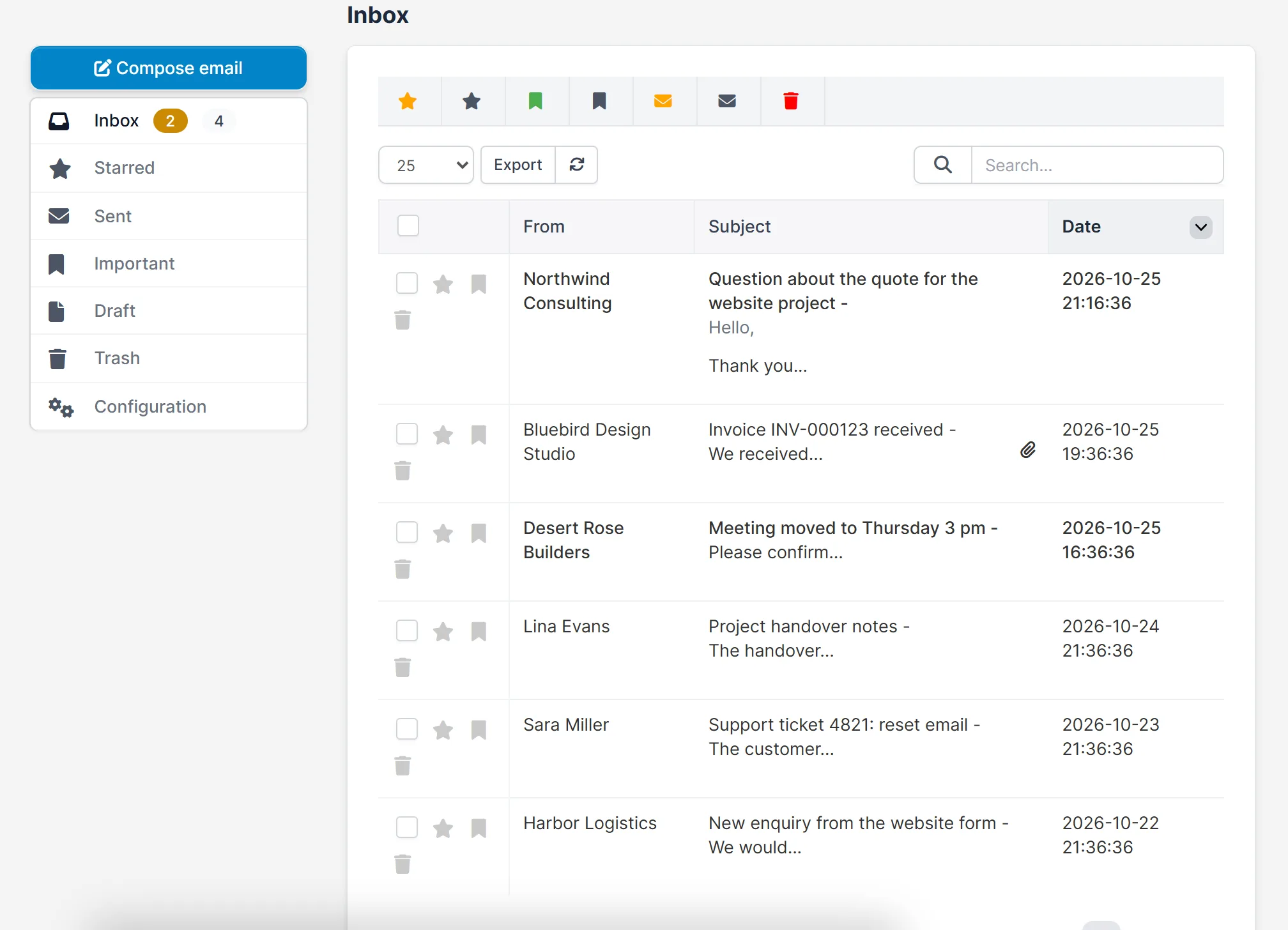
- Folders for Inbox, Starred, Sent, Important, Draft and Trash, with a count of unread mail
- A mail list with sender, subject, date, a paper clip for attachments and quick star, flag and delete buttons
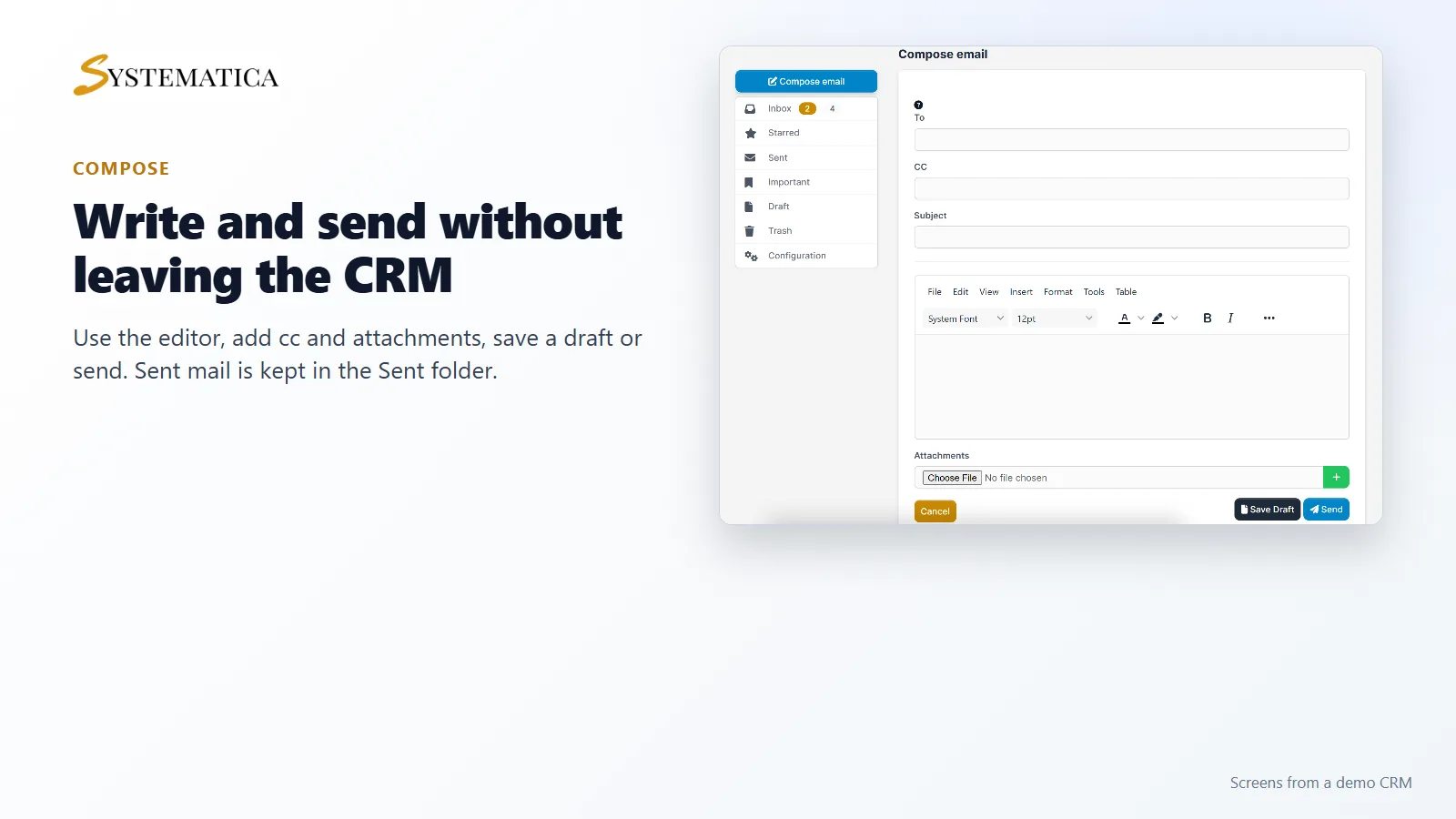
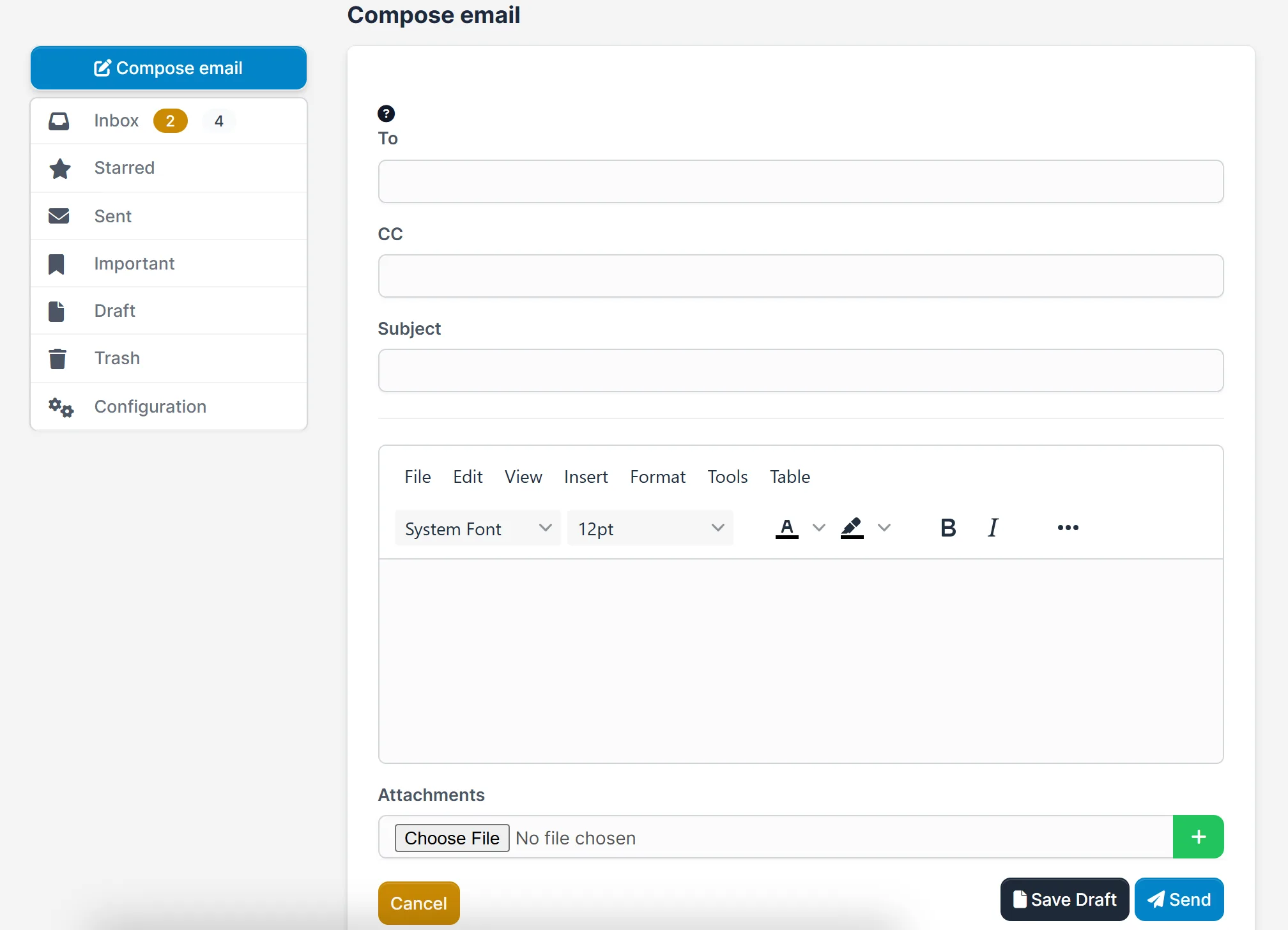
- A compose screen with To, CC, subject, a text editor, attachments, Save Draft and Send
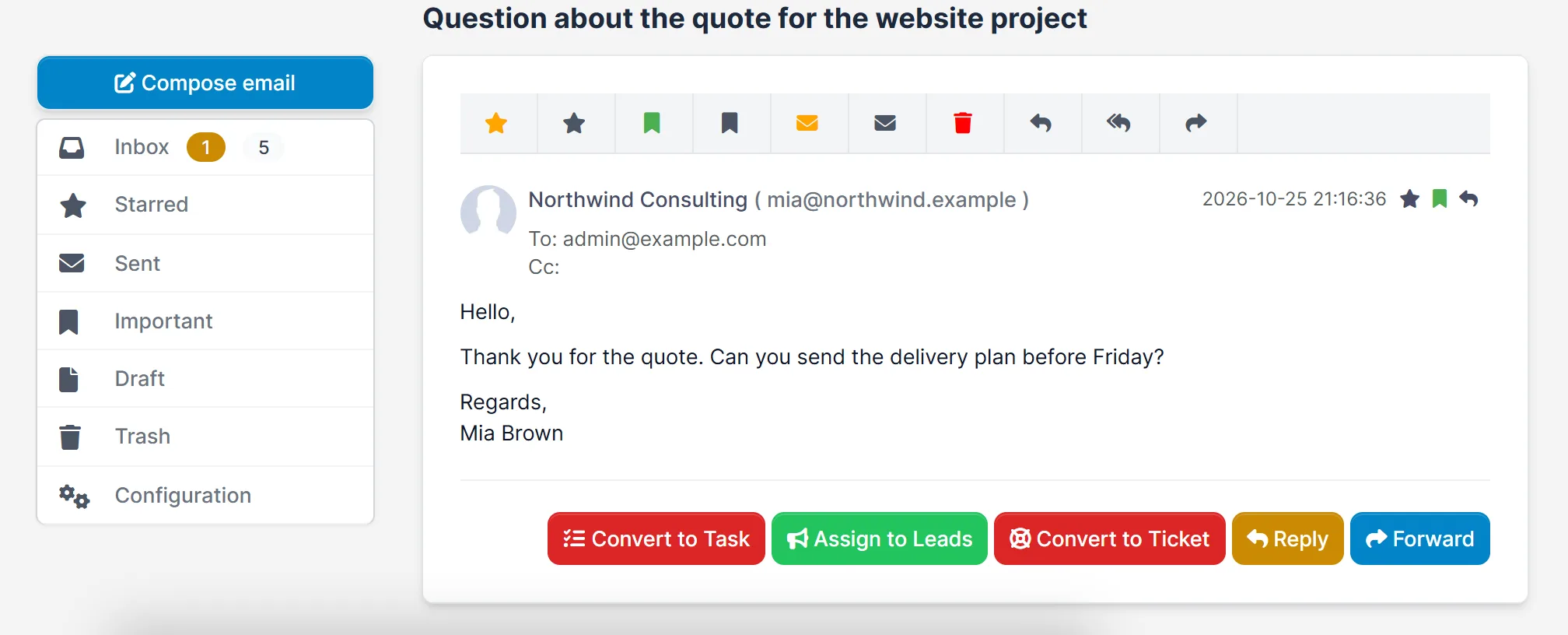
- Reply, reply all and forward
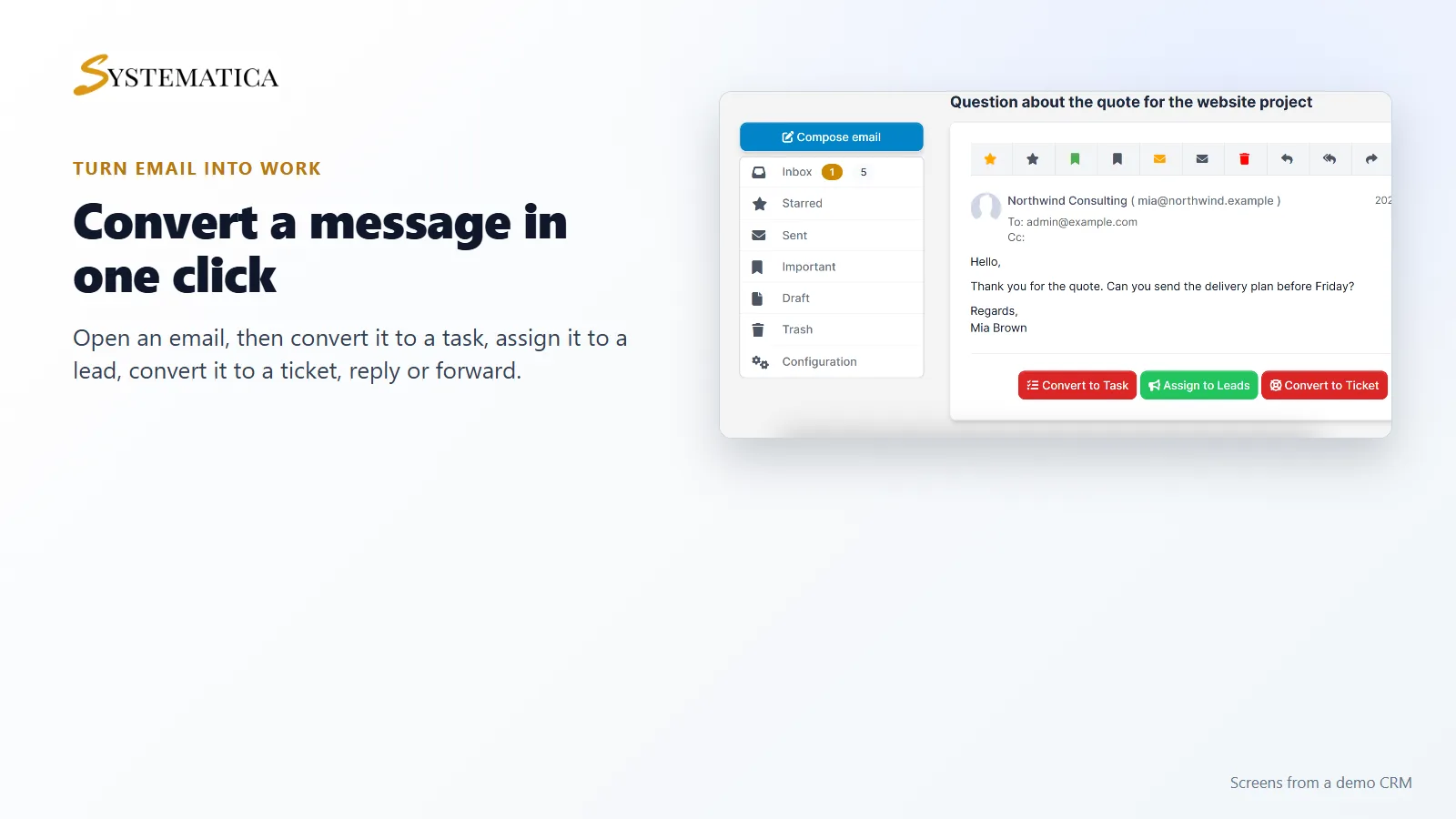
- Convert an email to a task, assign it to leads or convert it to a ticket
- Per-staff mailbox settings with an IMAP user name, password and signature
- Screens for tags, contacts, email templates and auto replies
Your email next to your CRM
Open Mailbox in the menu. The inbox lists your messages with the newest first. Unread mail is in bold. Click a message to read it, star it, mark it as important or move it to the trash.
Turn an email into work
An open email has buttons for the next step: Convert to Task, Assign to Leads, Convert to Ticket, Reply and Forward. The Mailbox module for Perfex CRM saves you from pasting text between screens.
Write and send without leaving the CRM
Click Compose email, fill in the address, subject and message, add attachments and click Send. Use Save Draft to finish later. Your signature from the mailbox settings is added to your mail.
Set it up
- Upload the module under Setup > Modules and activate it.
- Open Mailbox > License Management and enter your license key.
- Open Mailbox > Configuration and enter your IMAP user name, password and signature.
- Enter your mail server details under Setup > Settings > Mailbox.
- Open Inbox to see your mail.
Requirements
- Perfex CRM 3.0 or newer for the Mailbox module for Perfex CRM (tested on 3.4.1)
- An email account with IMAP access, and its server details
- The PHP IMAP extension on your server
- A connection from your server to systematica.app over HTTPS
Good to know
- The pictures show a demo CRM with sample emails.
- The module reads and sends mail through your own mail account, so your provider’s limits and rules apply.
- Test with one mailbox before you give it to your whole team.
License, support and updates
After purchase you receive a license key by email. One license key activates the module on one website. To move it, deactivate the license under Mailbox > License Management and activate it on the new site. You get 1 year of use, support through our ticket system and free updates through your Systematica account. The Mailbox module for Perfex CRM runs inside Perfex CRM, which you need to own.
Frequently asked questions
What does the Mailbox module for Perfex CRM do?
It adds a webmail client to Perfex CRM so your staff can read, write and send email, and turn emails into tasks, tickets or leads.
Which email accounts can I use?
Any account that offers IMAP access. Each staff member enters their own user name and password.
Can I turn an email into a support ticket?
Yes. Open the email and click Convert to Ticket. You can also convert it to a task or assign it to a lead.
Does it need anything on my server?
Your PHP needs the IMAP extension, and your server must be able to reach your mail server.
Can I use one license on more than one website?
One license key activates the module on one website. You can move it by deactivating it on the old site and activating it on the new one.
Need help with this module?
Every license is valid for 1 year and includes support through our ticket system and free updates. To keep using the module after that, renew your license.