The Sales Commission Program for Perfex CRM works out what your sales team earns from the invoices in your CRM. You set the rules once, pick who they apply to, and the module lists the commission for each invoice. When you pay your team, you record the payout and can turn it into an expense.
What you get with the Sales Commission Program for Perfex CRM
- Commission programs with a name and a start and end date
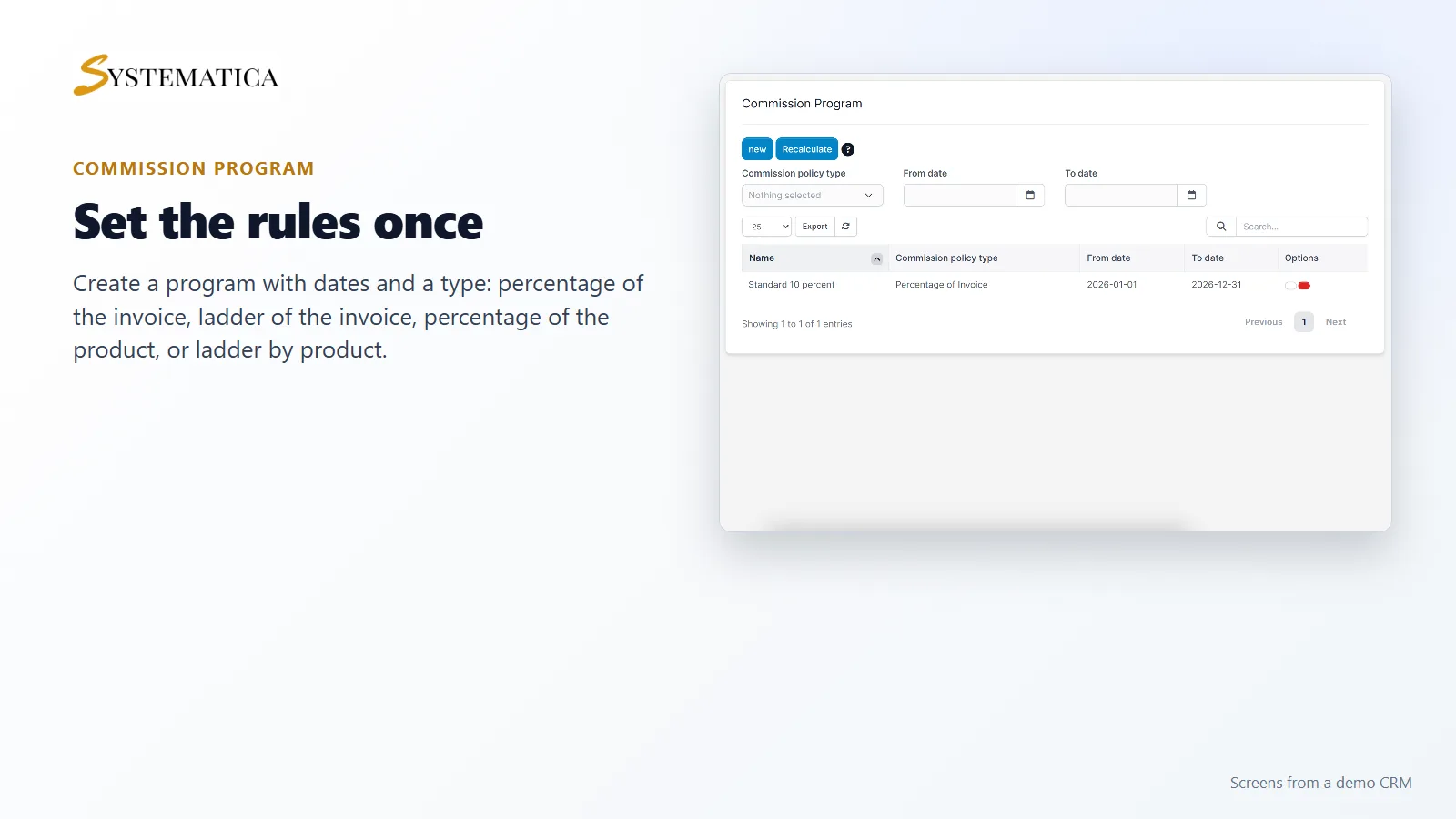
- Four program types: percentage of the invoice, ladder of the invoice, percentage of the product and ladder by product
- An option to pay a different rate on a customer’s first invoices
- Applicable staff and applicable clients for each program
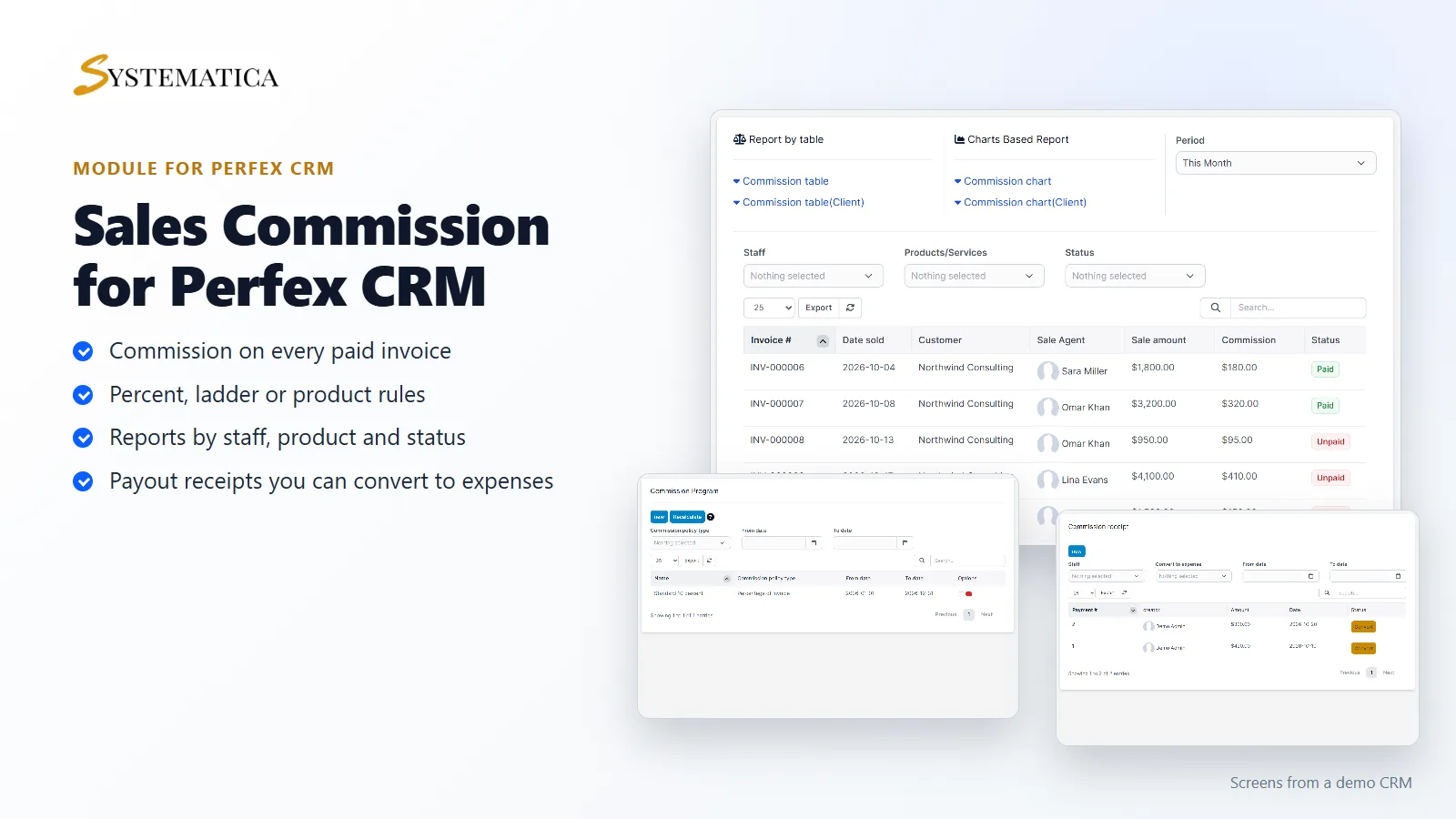
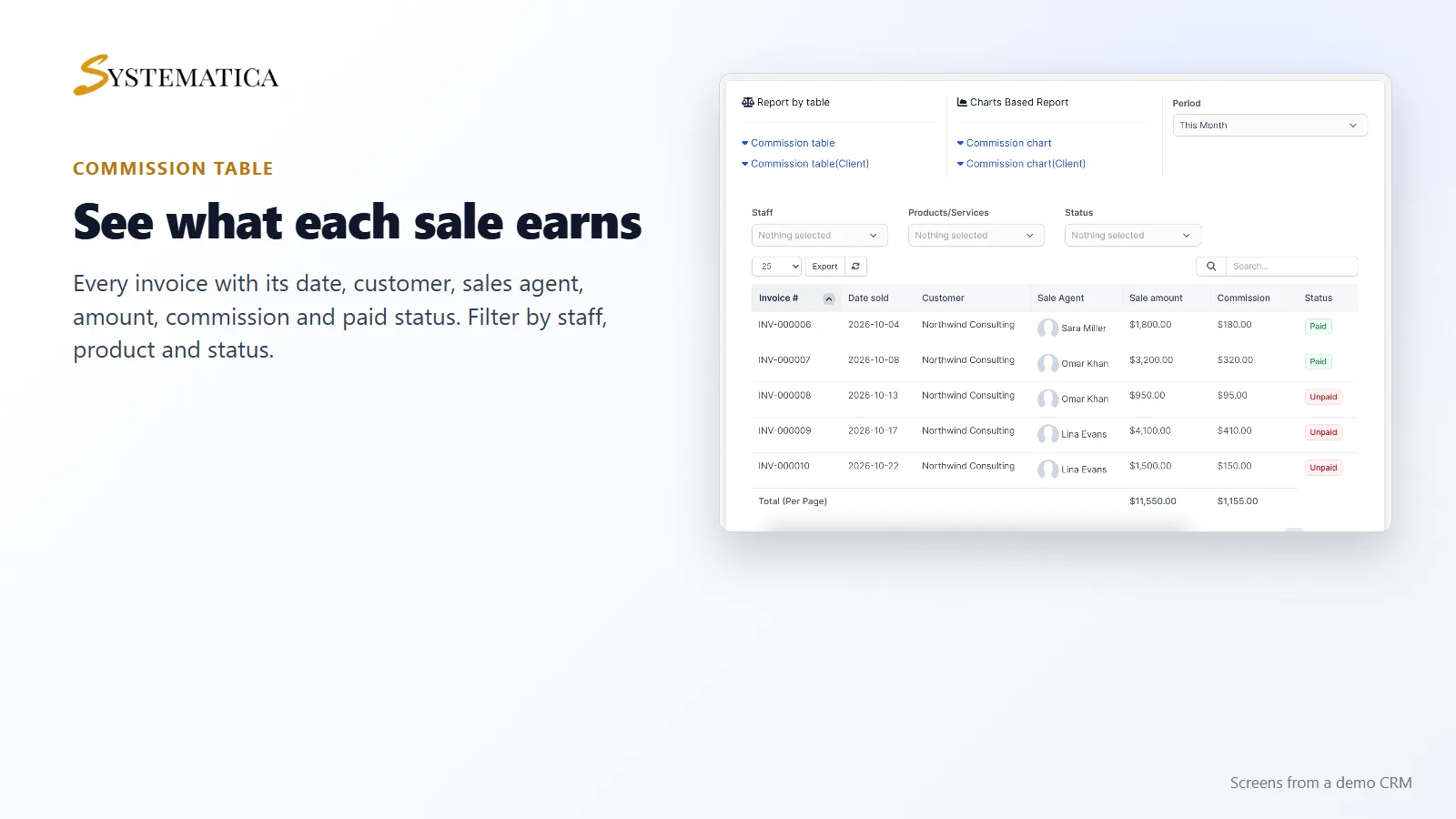
- A commission table with invoice, date, customer, sales agent, sale amount, commission and paid status
- Charts and tables for staff and for clients, filtered by period, staff, product and status
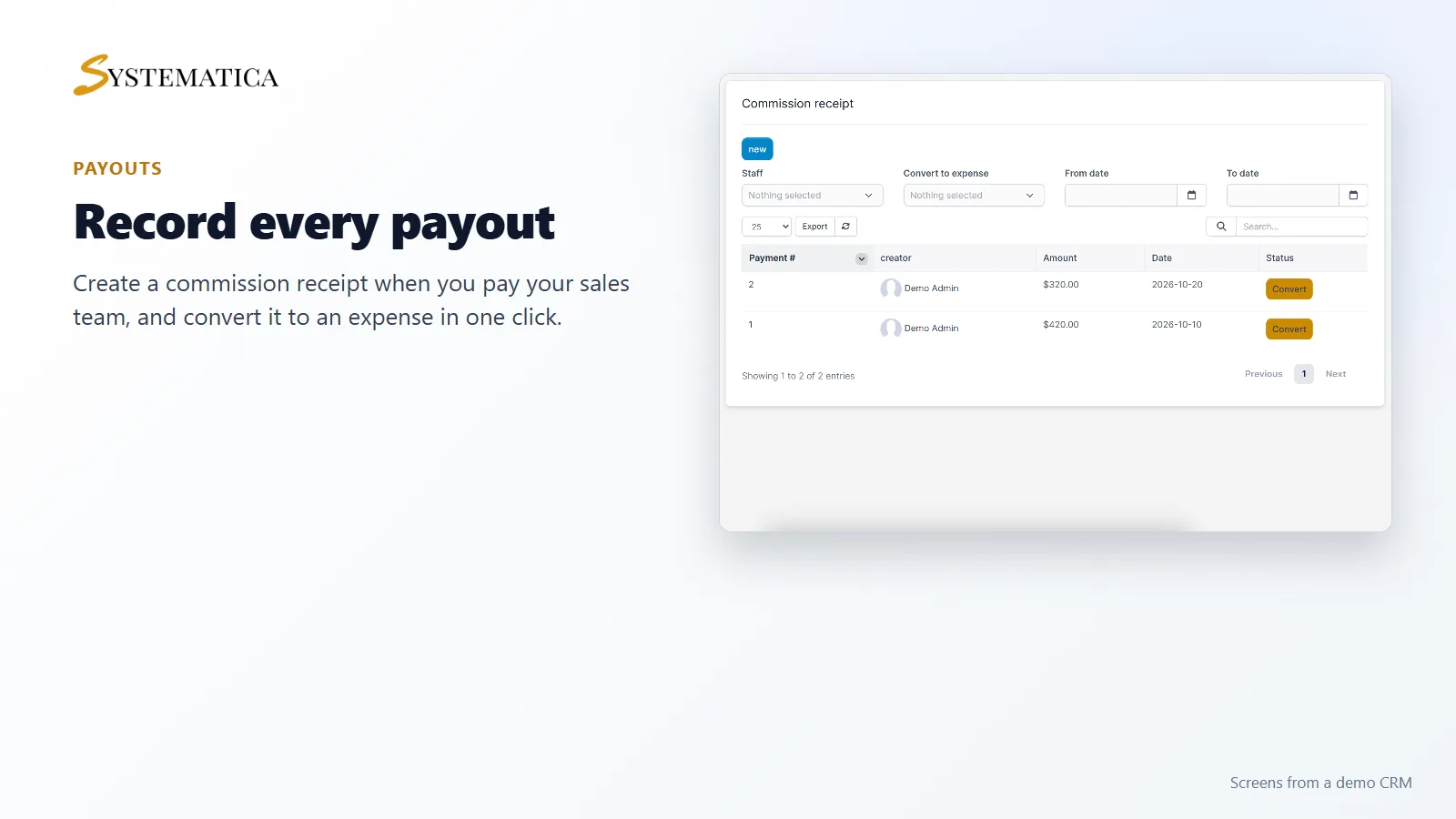
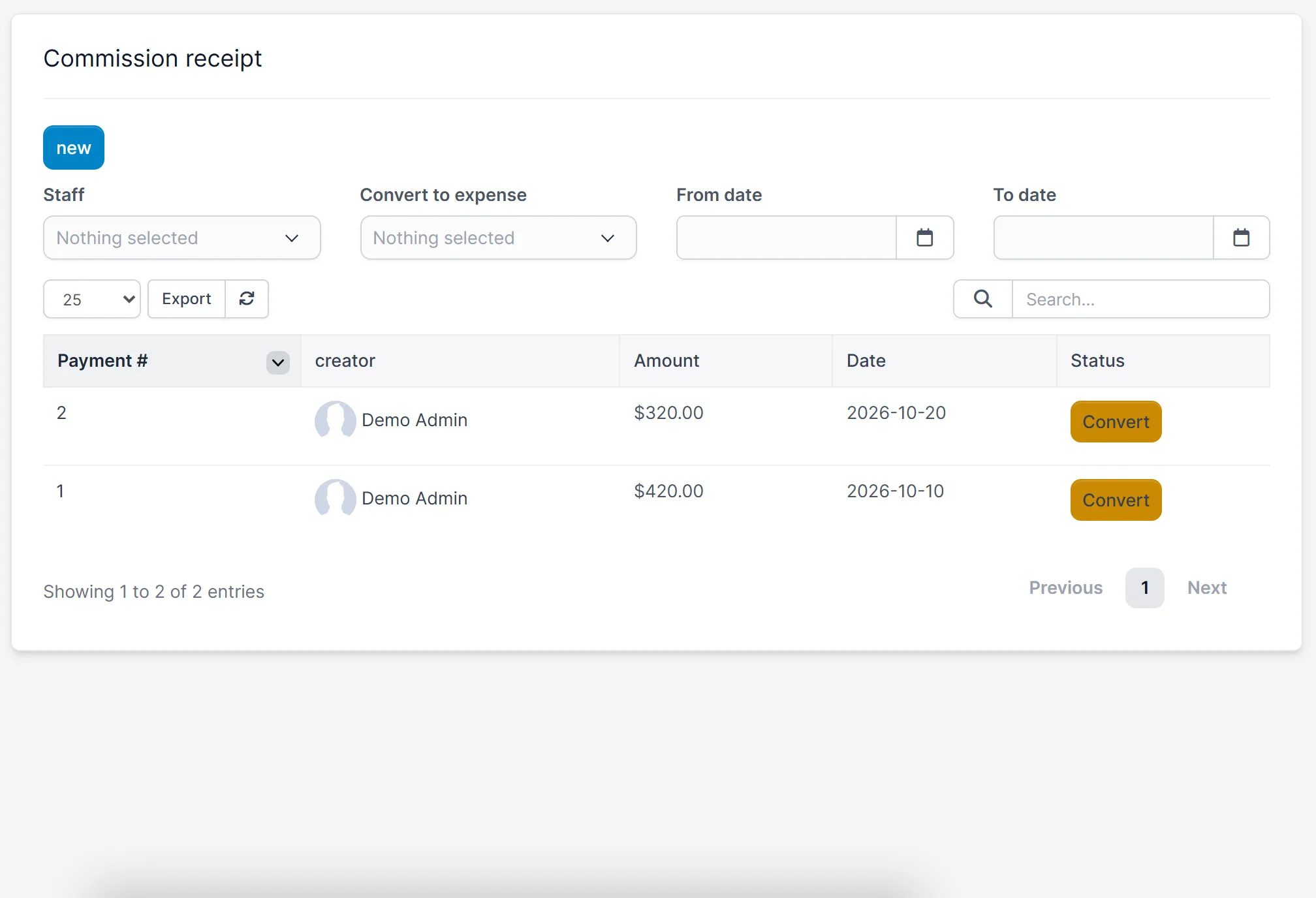
- Commission receipts for payouts, with a button that converts a receipt to an expense
- Hierarchy settings and a sales admin for customer groups
Set the rules once
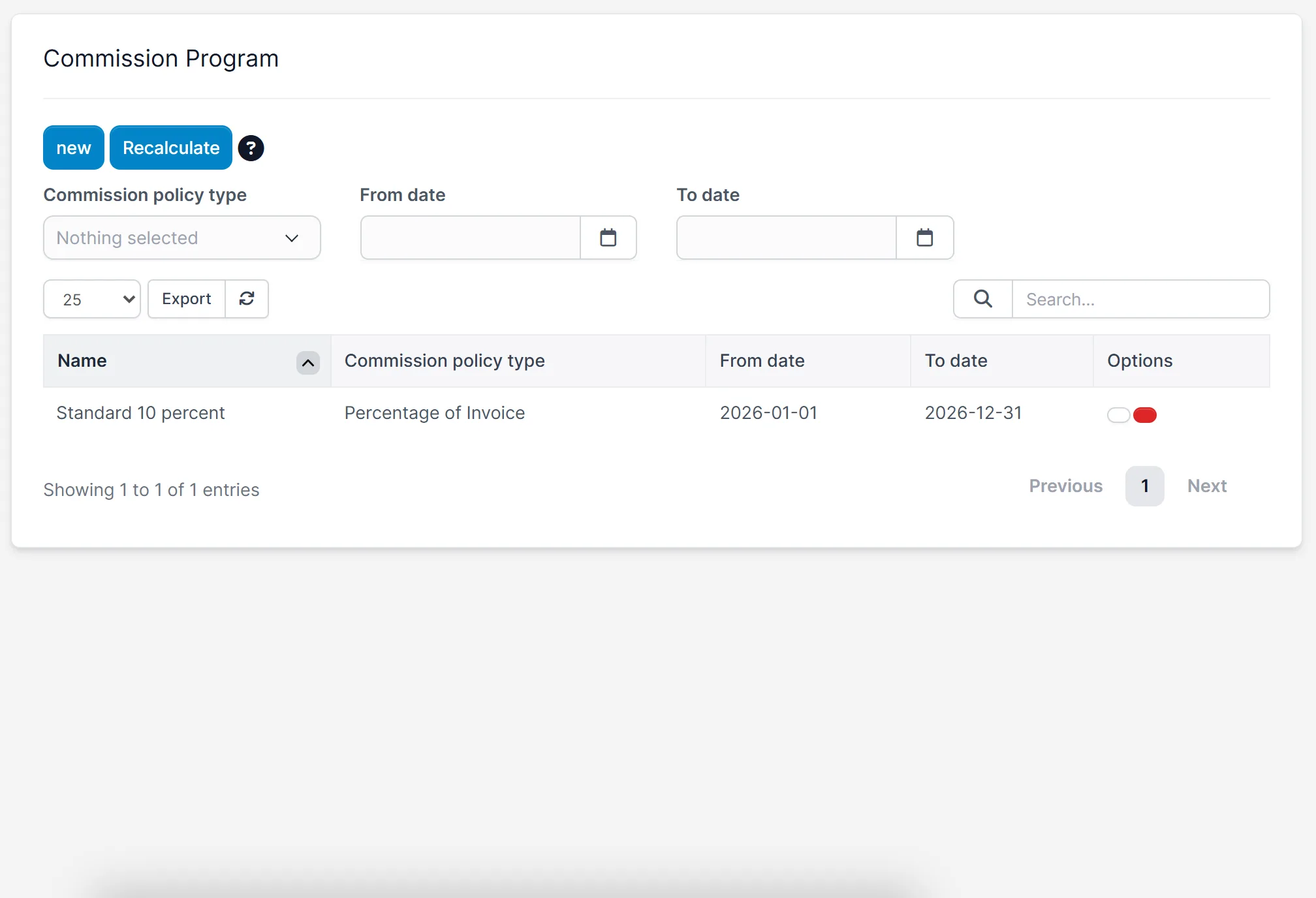
Open Commission > Commission Program and click new. Name the program, choose its dates and type, and enter the rates. The Sales Commission Program for Perfex CRM keeps all your programs in one list, so you can see which one is running.
Choose who earns commission
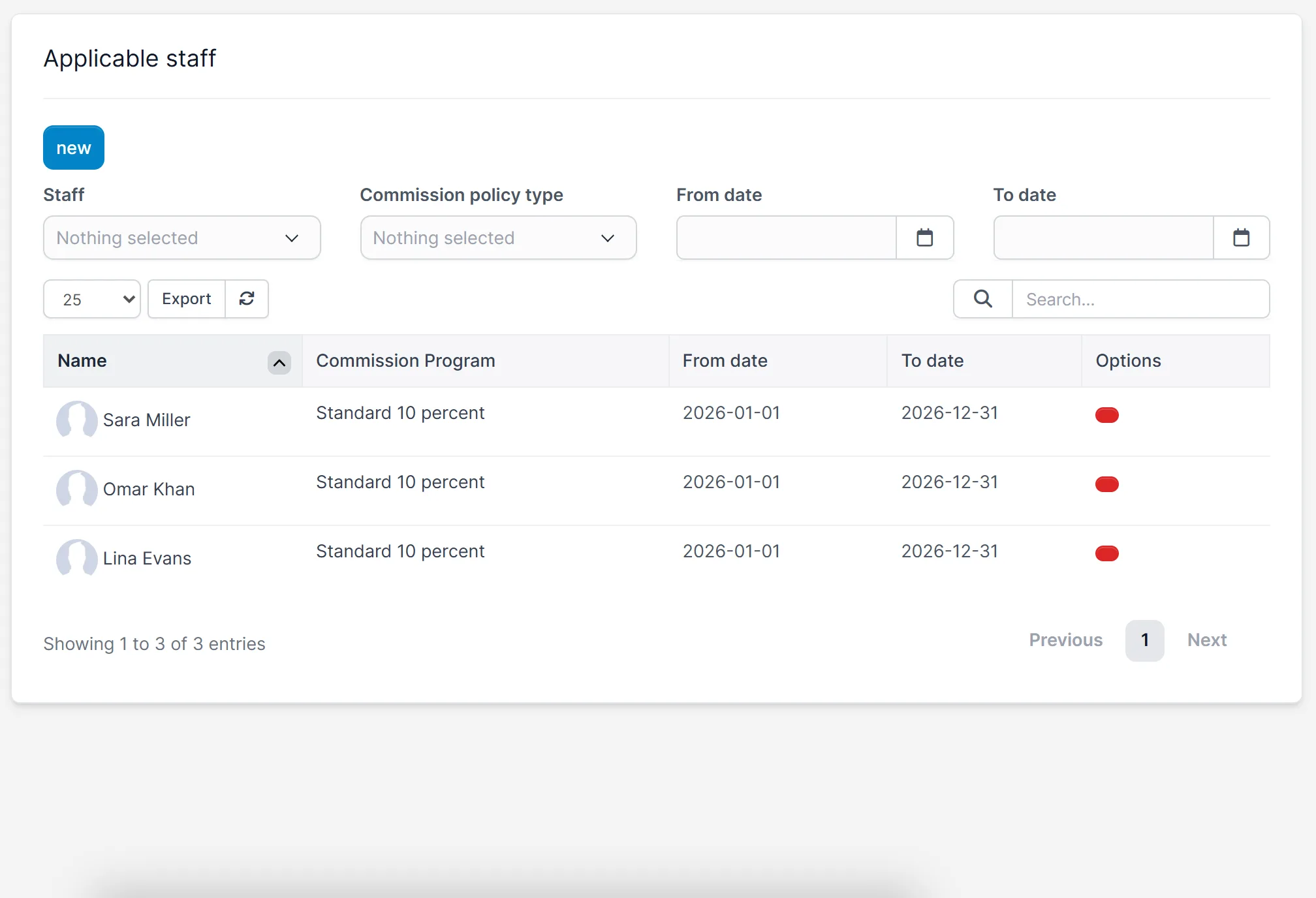
Under Applicable staff, assign a program to each salesperson. You can set the same for clients with Applicable Client. If you have more than one program, the dates decide which one counts for an invoice.
See what each sale earns
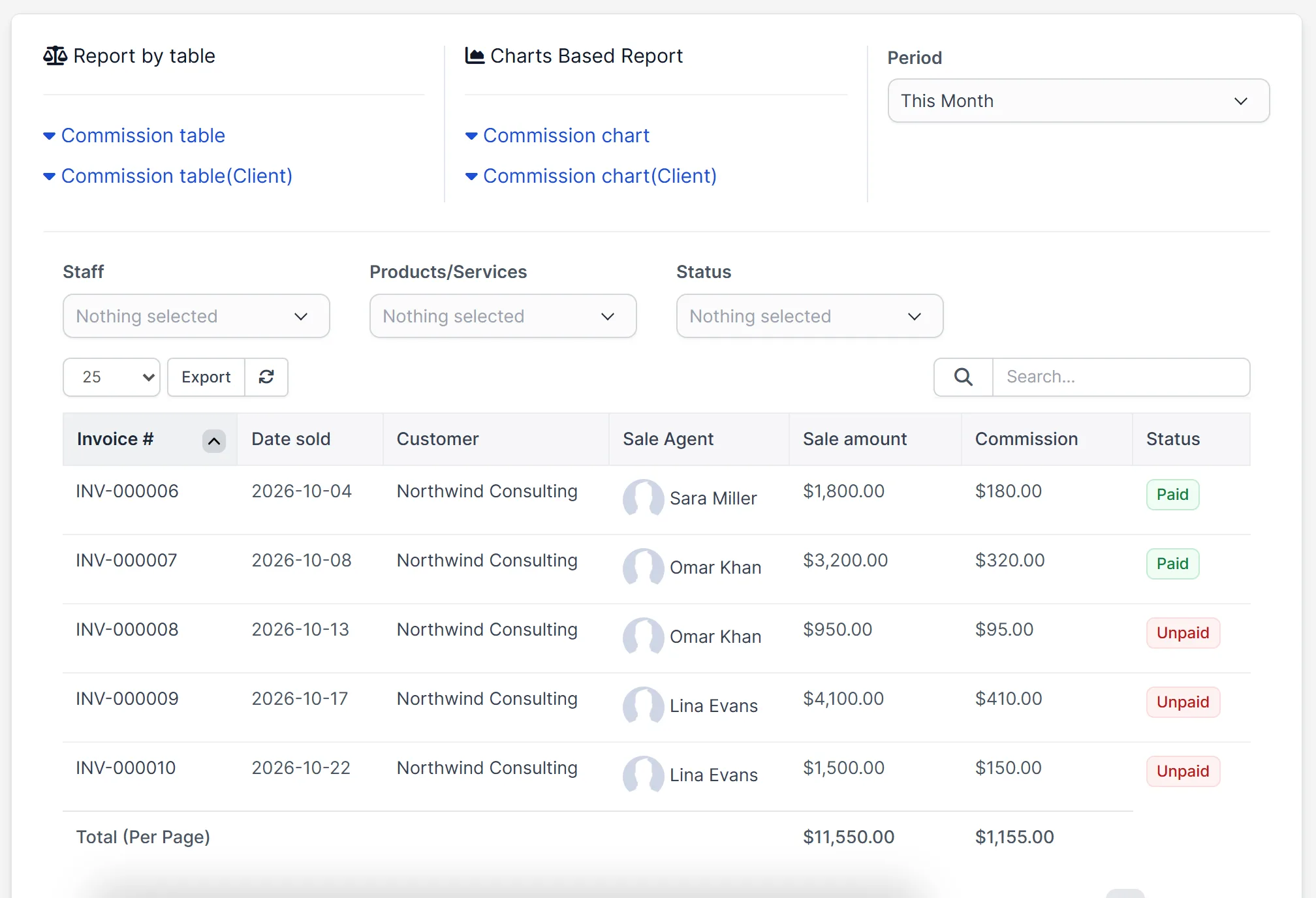
The statistics page lists every invoice with its sales agent, the sale amount, the commission and whether it is paid. Filter by staff, product or status, change the period, or switch to a chart.
Record every payout
When you pay your team, add a commission receipt. The list shows the payment number, who created it, the amount and the date, with a Convert button that turns the payout into an expense.
Set it up
- Upload the module under Setup > Modules and activate it.
- Open Commission > License and enter your license key.
- Create a program under Commission Program.
- Add your sales staff under Applicable staff.
- Open Statistics to see the commission on your invoices.
Requirements
- Perfex CRM 3.4 or newer for the Sales Commission Program for Perfex CRM (tested on 3.4.1)
- Invoices with a sales agent set
- A connection from your server to systematica.app over HTTPS
Good to know
- The pictures show a demo CRM with sample staff, invoices and a 10 percent program.
- The module calculates and records commission. It does not send money to anyone.
- Check the commission on a few invoices against your own numbers before you pay your team.
License, support and updates
After purchase you receive a license key by email. One license key activates the module on one website. To move it, deactivate the license under Commission > License and activate it on the new site. You get 1 year of use, support through our ticket system and free updates through your Systematica account. The Sales Commission Program for Perfex CRM runs inside Perfex CRM, which you need to own.
Frequently asked questions
What does the Sales Commission Program for Perfex CRM do?
It calculates commission for your sales team from your invoices, shows it in a table and charts, and records your payouts.
What kinds of commission rules can I set?
You can pay a percentage of the invoice, a ladder of the invoice, a percentage of the product, or a ladder by product.
Can I pay commission to clients too?
Yes. The module has an Applicable Client screen and a client commission table next to the staff ones.
Can I turn a payout into an expense?
Yes. Each commission receipt has a Convert button that records it as an expense.
Can I use one license on more than one website?
One license key activates the module on one website. You can move it by deactivating it on the old site and activating it on the new one.
Need help with this module?
Every license is valid for 1 year and includes support through our ticket system and free updates. To keep using the module after that, renew your license.