
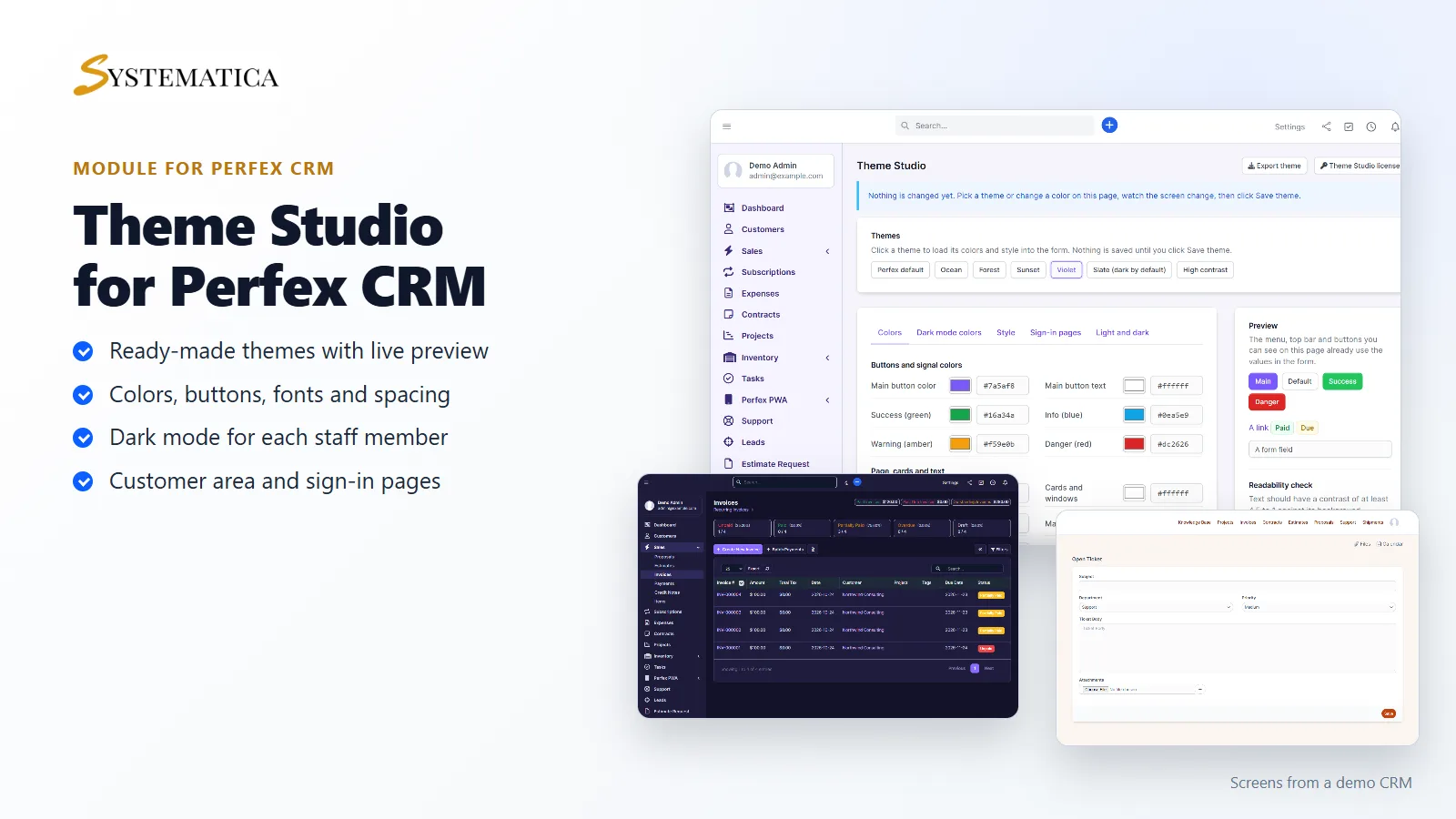
A Perfex CRM custom theme should take minutes, not a developer. Theme Studio lets you change the colors, buttons, fonts and style of Perfex CRM from one screen, and you see the result on the page while you work. It styles the staff area, the customer area and the sign-in pages, and every staff member can switch between light and dark mode.
Build a Perfex CRM custom theme without code
- Seven ready-made themes to start from, and up to 20 themes of your own
- 26 colors for the page, cards, forms, links, tables, buttons, menu, top bar, customer area and sign-in pages
- Button shape (square, rounded or pill), corner radius, shadows, spacing, text size and hover effect
- A choice of fonts that every computer already has, so nothing is loaded from another website
- A second set of colors for dark mode
- A background color or picture for the staff and customer sign-in pages
- A readability check that warns when text is hard to read on its background
- Export your theme as a file and import it on another site
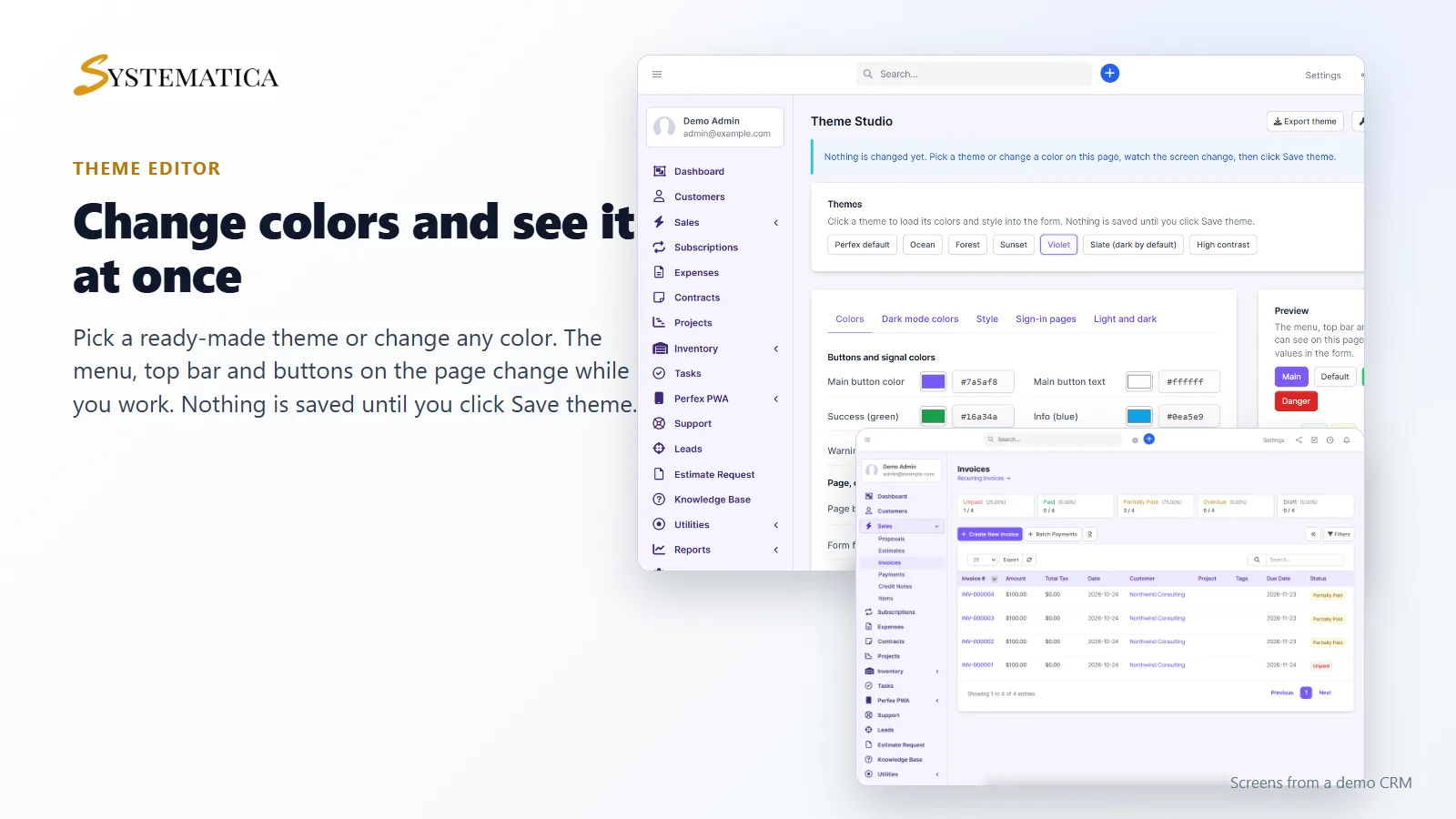
See every change as you make it
Open Setup > Theme Studio, click a theme or change a color, and the menu, top bar, buttons and tables on the same page change at once. Nothing is saved until you click Save theme, so you can try ideas freely.
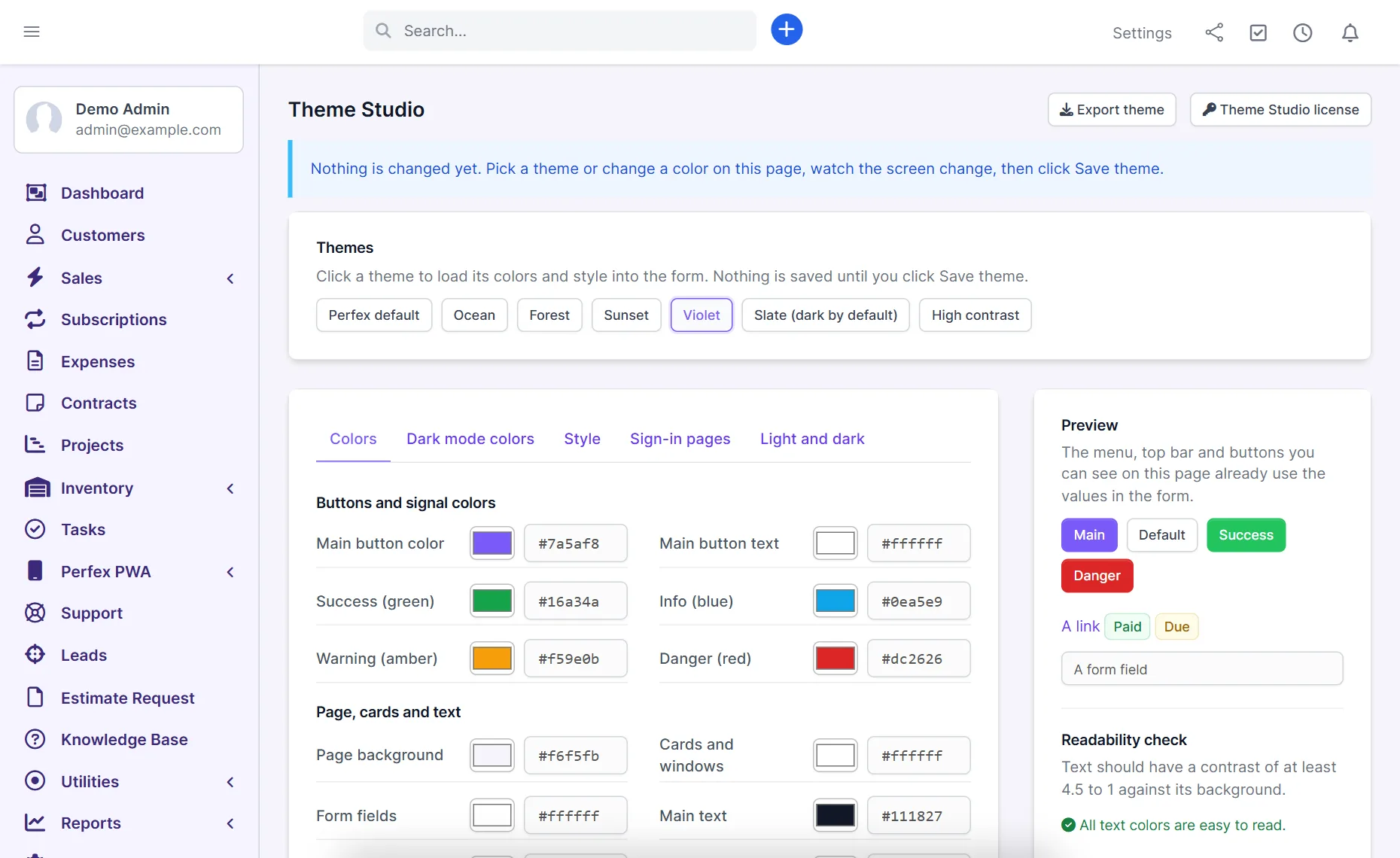
Colors and style for your Perfex CRM custom theme
Set the main button color, the menu, the top bar, table headings and links. Pick a button shape and a corner radius, and choose how much space tables and buttons use.
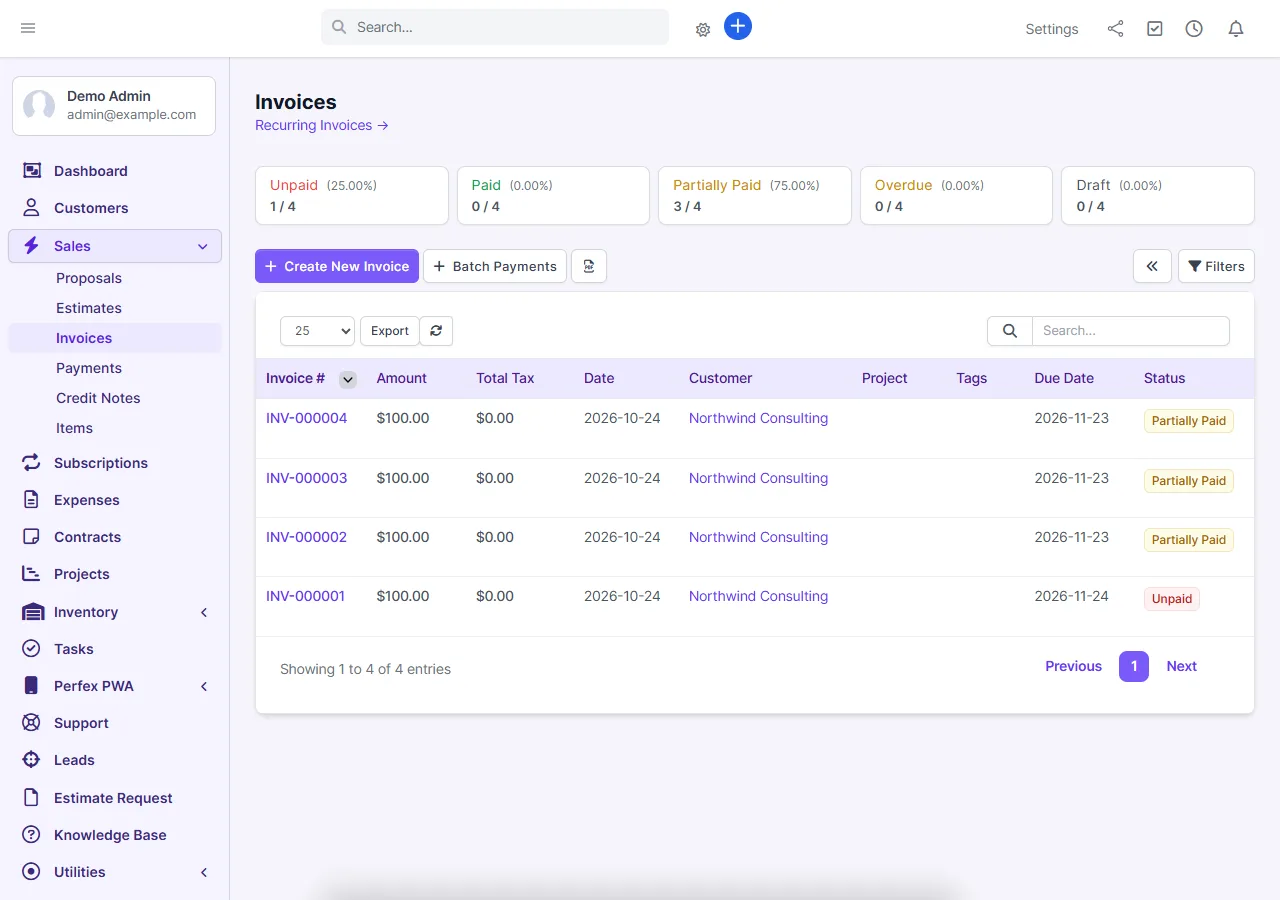
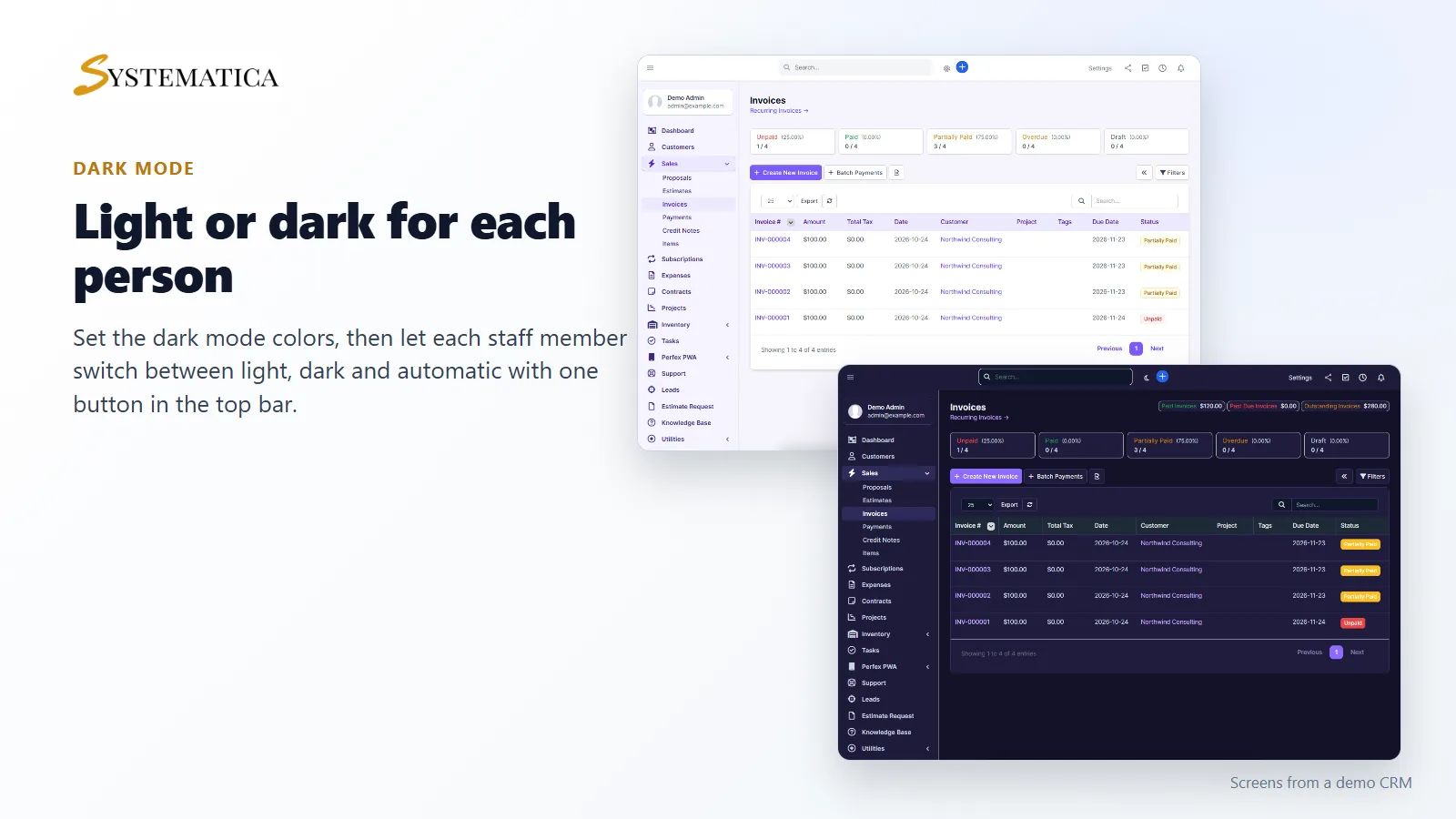
Dark mode in your Perfex CRM custom theme
Choose the colors used in dark mode, and decide whether staff get a switch in the top bar. Each person can pick light, dark or automatic (follows the device), and the choice is remembered for that person. On a phone the same switch is in the menu behind the arrow at the top right.
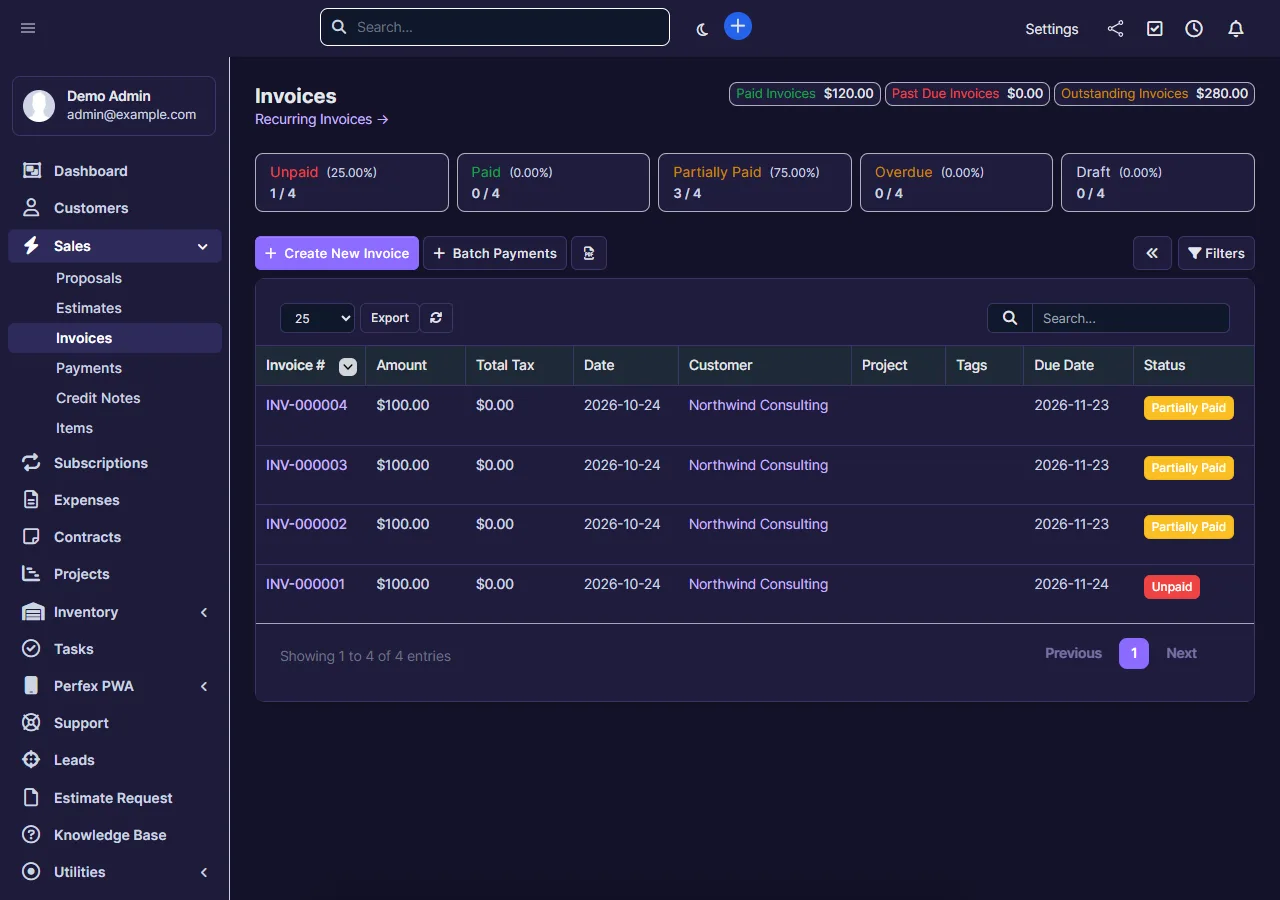
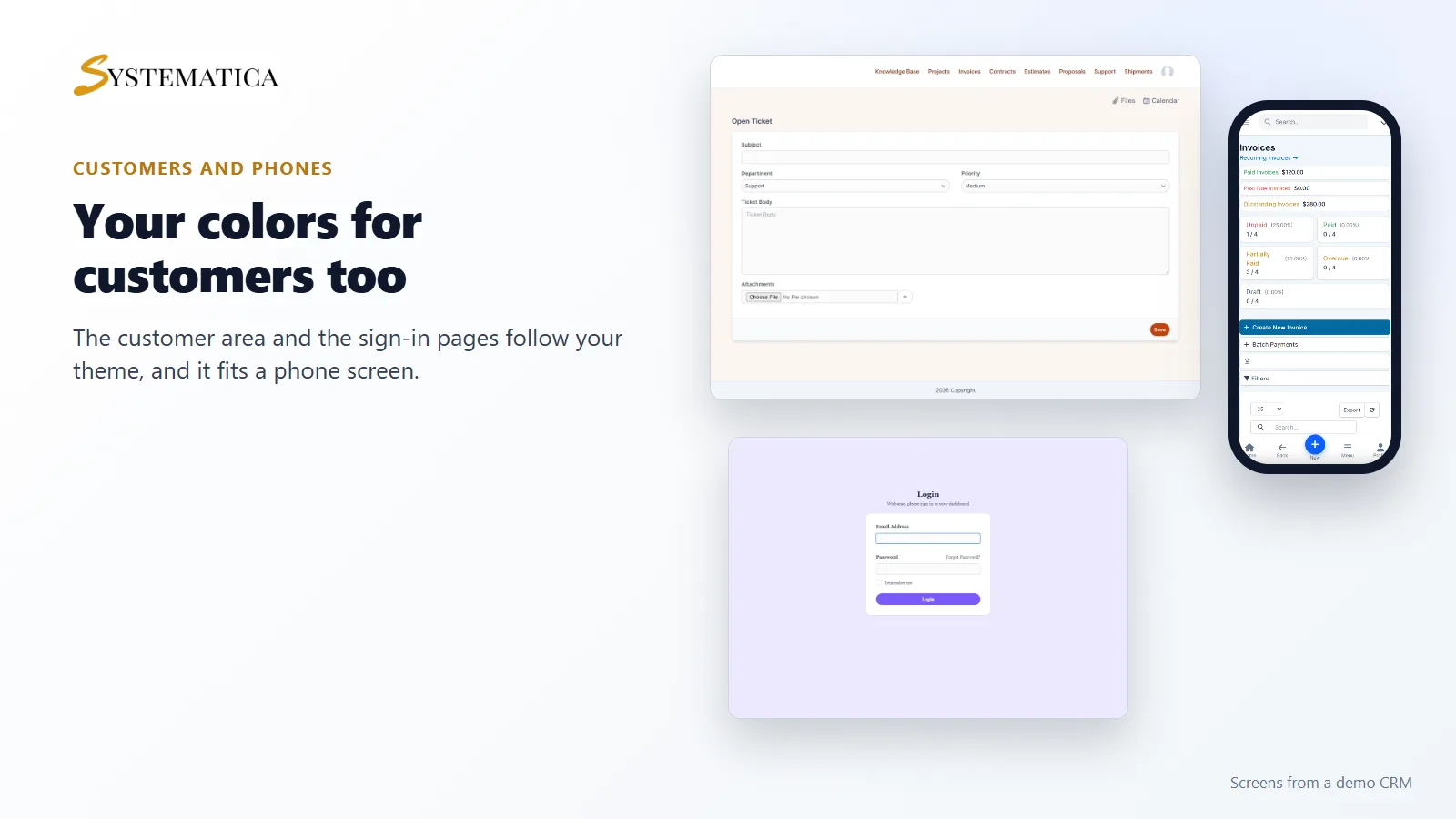
A Perfex CRM custom theme for your customers too
Your customers see your colors too: the page, menu bar, buttons, tables and footer of the customer area follow the theme, and you can give customers dark mode as their default.
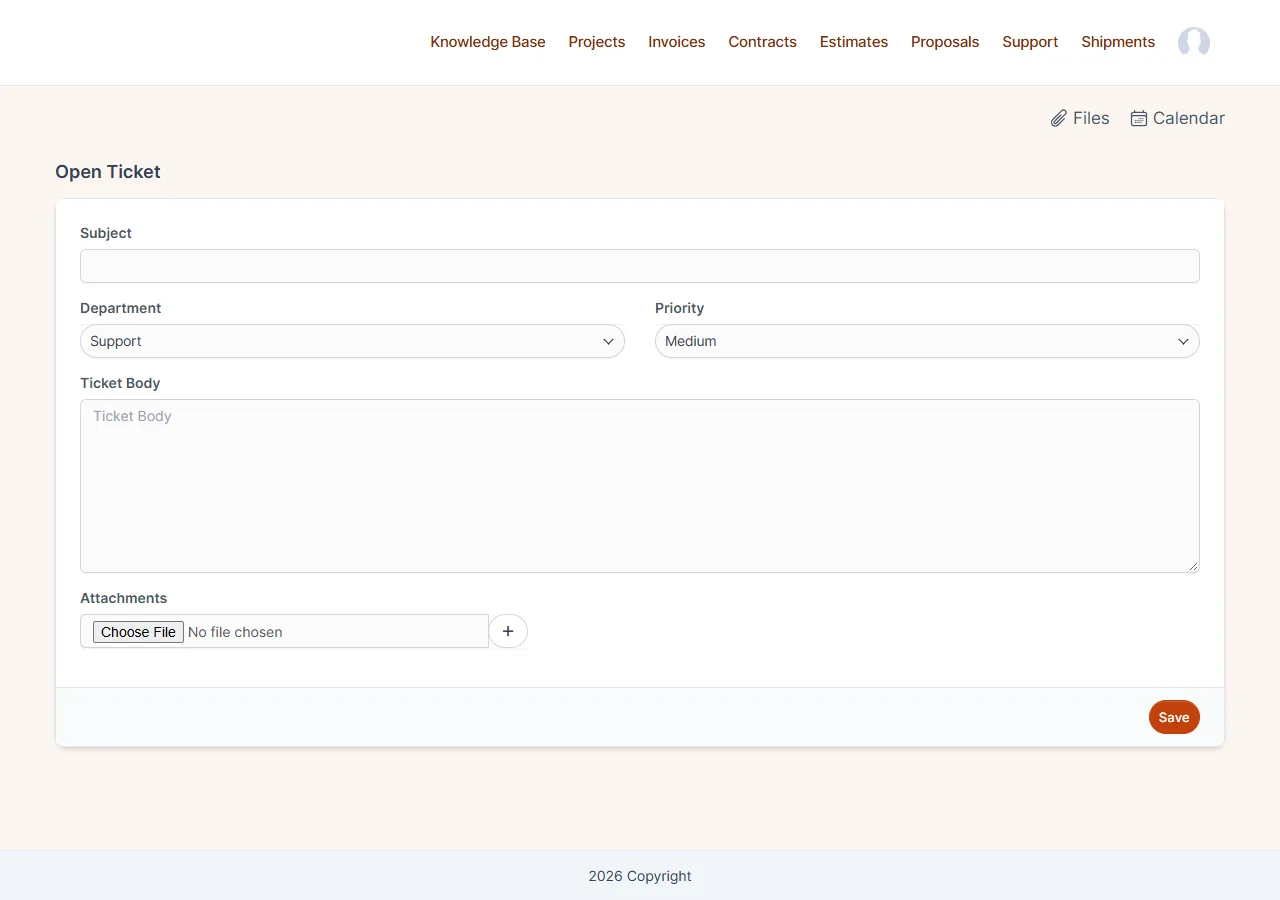
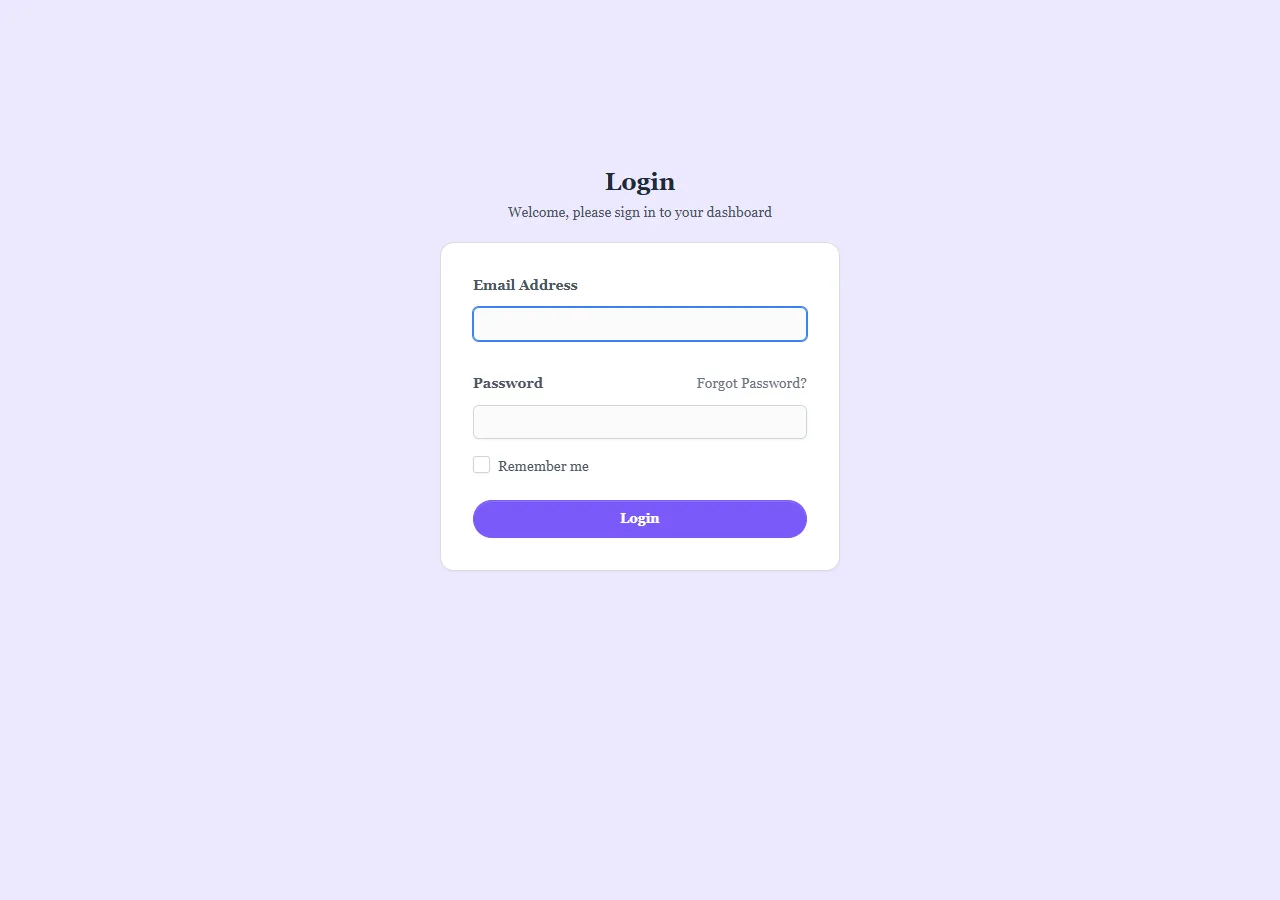
Sign-in pages that look like your company
Set a background color or upload a picture for the staff and the customer sign-in pages. The picture can be a PNG, JPG or WebP file up to 2 MB.
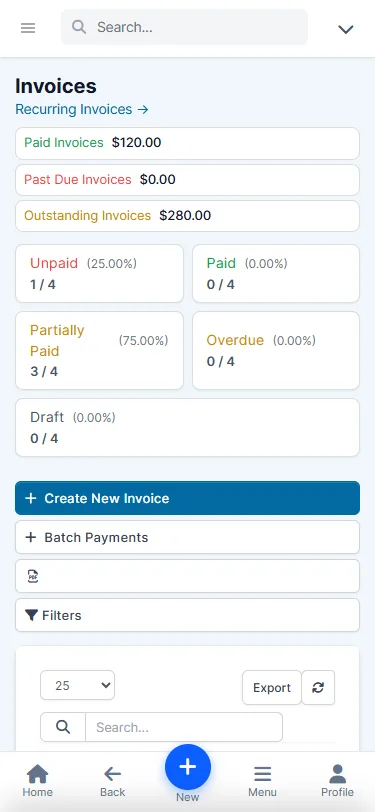
Works on phones
The editor and the themed screens fit a phone-width screen with no sideways scrolling.
Set it up
- Upload the module under Setup > Modules and activate it.
- Open Setup > Theme Studio and enter your license key.
- Pick a theme or change the colors, then click Save theme.
Nothing on your site changes until you save your Perfex CRM custom theme. Remove theme takes you back to the standard look at any time.
Requirements
- Perfex CRM 3.4 (tested on 3.4.1)
- PHP with the sodium extension, which is included with PHP since 7.2
- A connection from your server to systematica.app over HTTPS when you activate the license
Good to know
- The pictures show a demo CRM with sample data.
- A Perfex CRM custom theme applies to the screens shown above. PDFs and emails keep their own design.
- Dark mode covers the main screens of Perfex CRM. A few add-on widgets from other makers can stay light.
- A new Perfex CRM version can add screens with colors that were not part of your theme. Open Theme Studio and check your main screens after an update.
- If you also use the built-in Theme Style module of Perfex CRM, use one or the other for the same area, because both set colors.
License, support and updates
After purchase you receive a license key by email. One license key activates the module on one website. To move it, deactivate the license under Setup > Theme Studio > Theme Studio license and activate it on the new site. You get 6 months of support through our ticket system and free updates through your Systematica account. Theme Studio works inside Perfex CRM, which you need to own. Looking for more guides? See the Perfex CRM documentation.
Frequently asked questions
How do I make a Perfex CRM custom theme?
Install Theme Studio, open Setup, then Theme Studio, pick a ready-made theme or change the colors yourself, check the live preview and click Save theme.
Does Theme Studio change the customer area too?
Yes. The customer area, the customer menu bar, the footer and the sign-in pages follow your theme.
Can staff use dark mode?
Yes. Each staff member can switch between light, dark and automatic, and you choose the dark mode colors.
Can I go back to the standard look?
Yes. Click Remove theme and your Perfex CRM custom theme is gone, so Perfex CRM looks as it did before. The Perfex default theme also keeps the standard look in the normal state.
Will a Perfex CRM update break my theme?
Your saved theme stays, but a new Perfex CRM version can add screens with colors that were not part of it. Check your main screens after an update.
Reviews
There are no reviews yet.