
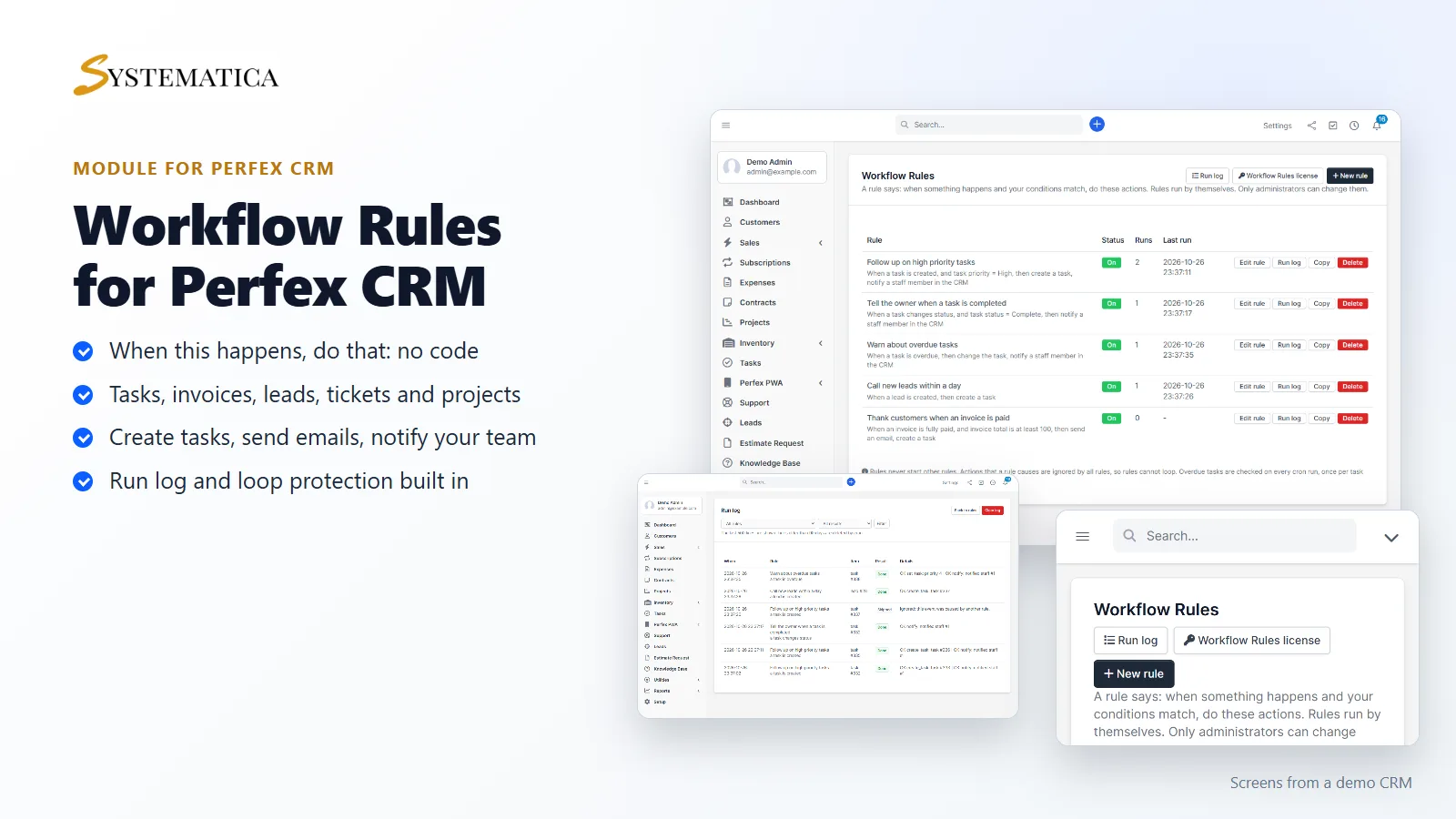
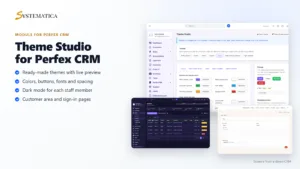
Perfex CRM workflow automation should not need a developer. Workflow Rules lets you write simple “when this happens, do that” rules from one screen: when a task is created, a lead comes in or an invoice is paid, Perfex CRM creates the follow-up task, sends the email and notifies your team by itself.
Perfex CRM workflow automation without code
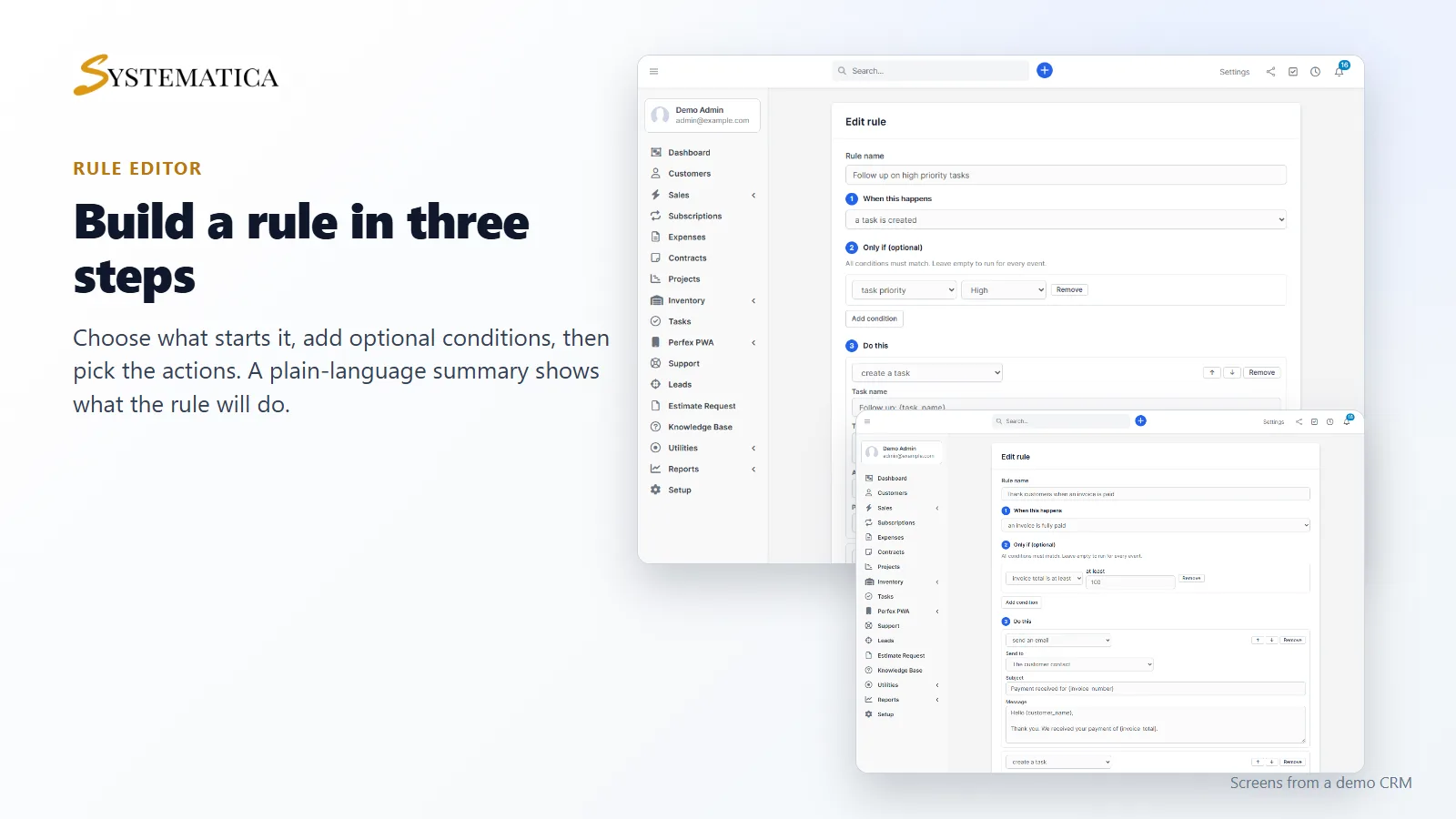
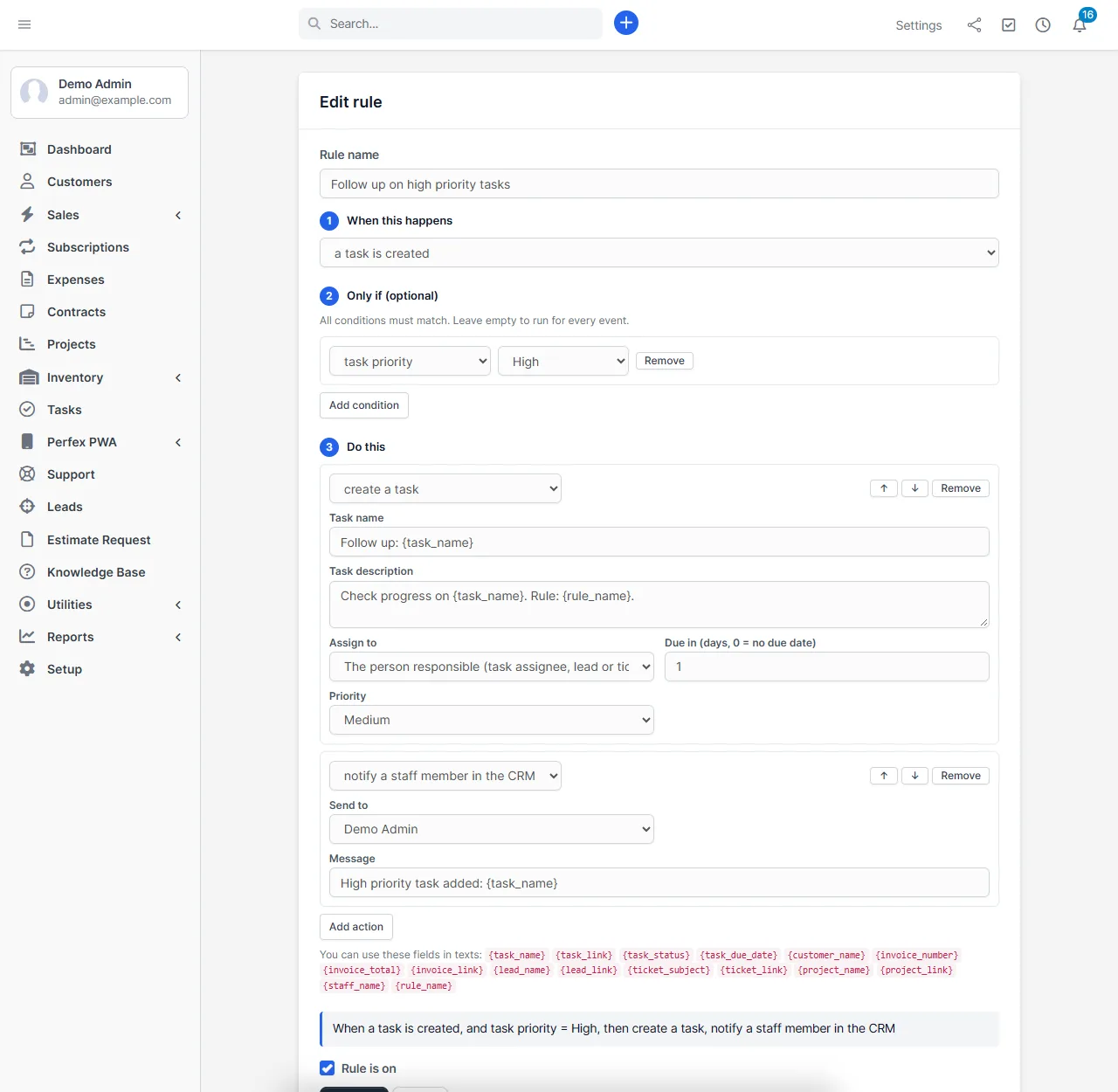
Every rule has three parts: what starts it, optional conditions, and one to four actions. A plain-language summary shows what the rule will do before you save it.
Seven triggers for Perfex CRM workflow automation
- Task created and task status changed
- Task overdue, checked on every cron run, once per task and rule
- Invoice fully paid, only the payment that completes the invoice starts the rule
- Lead created from a web form, an import or by hand
- Ticket created
- Project status changed
Conditions and actions
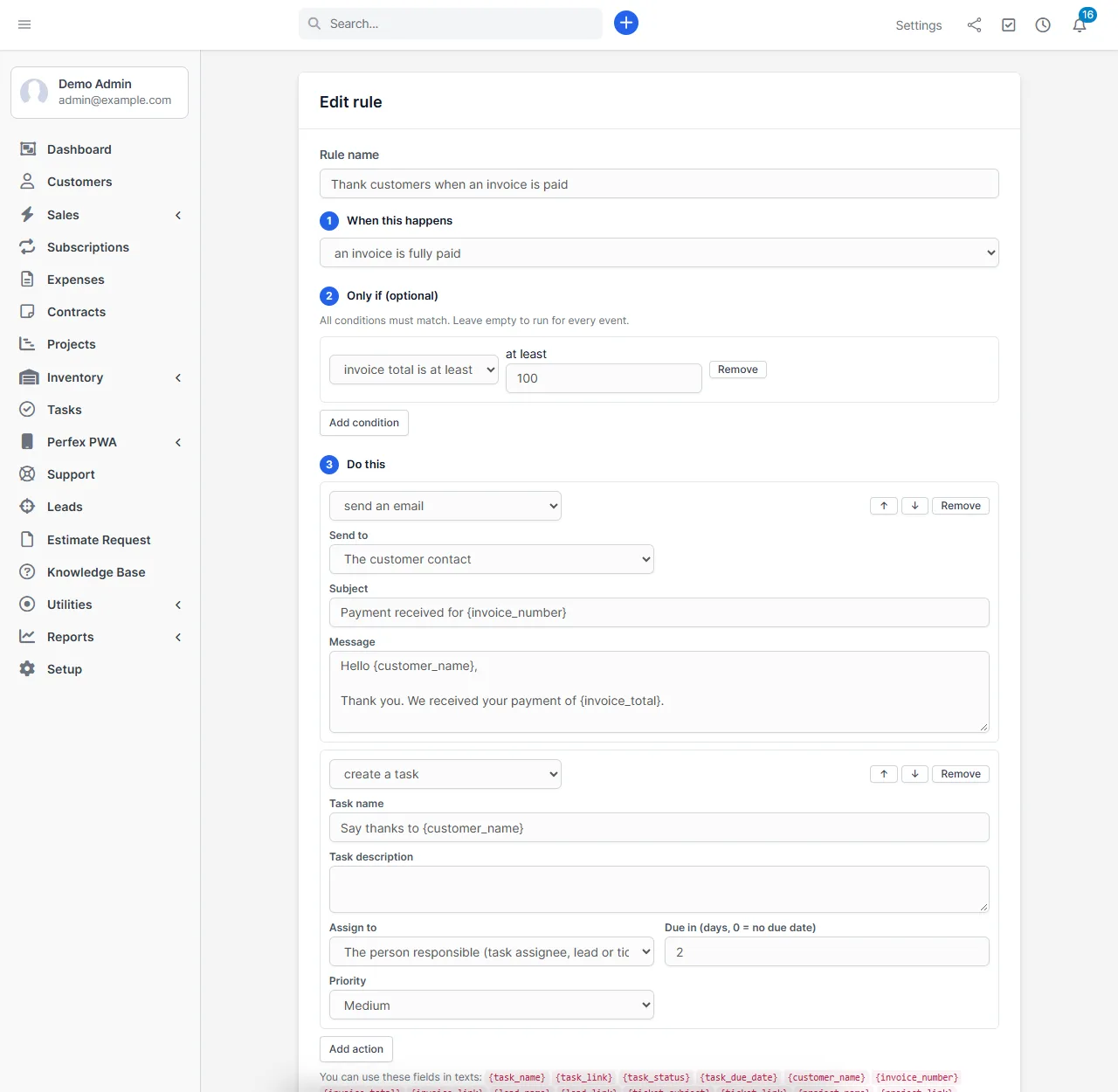
Narrow a rule with up to three conditions, such as task priority, assignee, lead source, ticket department, invoice total or project status. Then choose what happens:
- Create a task with a name, description, assignee, due date and priority
- Send an email to the person responsible, the customer contact, a staff member or a fixed address
- Notify a staff member under the bell icon in Perfex CRM
- Change a task: set its status or priority
- Add an assignee or follower to a task
Texts can use merge fields such as {task_name}, {customer_name}, {invoice_total}, {lead_name}, {ticket_subject} and {project_name}. Values put into emails are escaped, so a customer name with HTML cannot change the message.
See every rule in one list
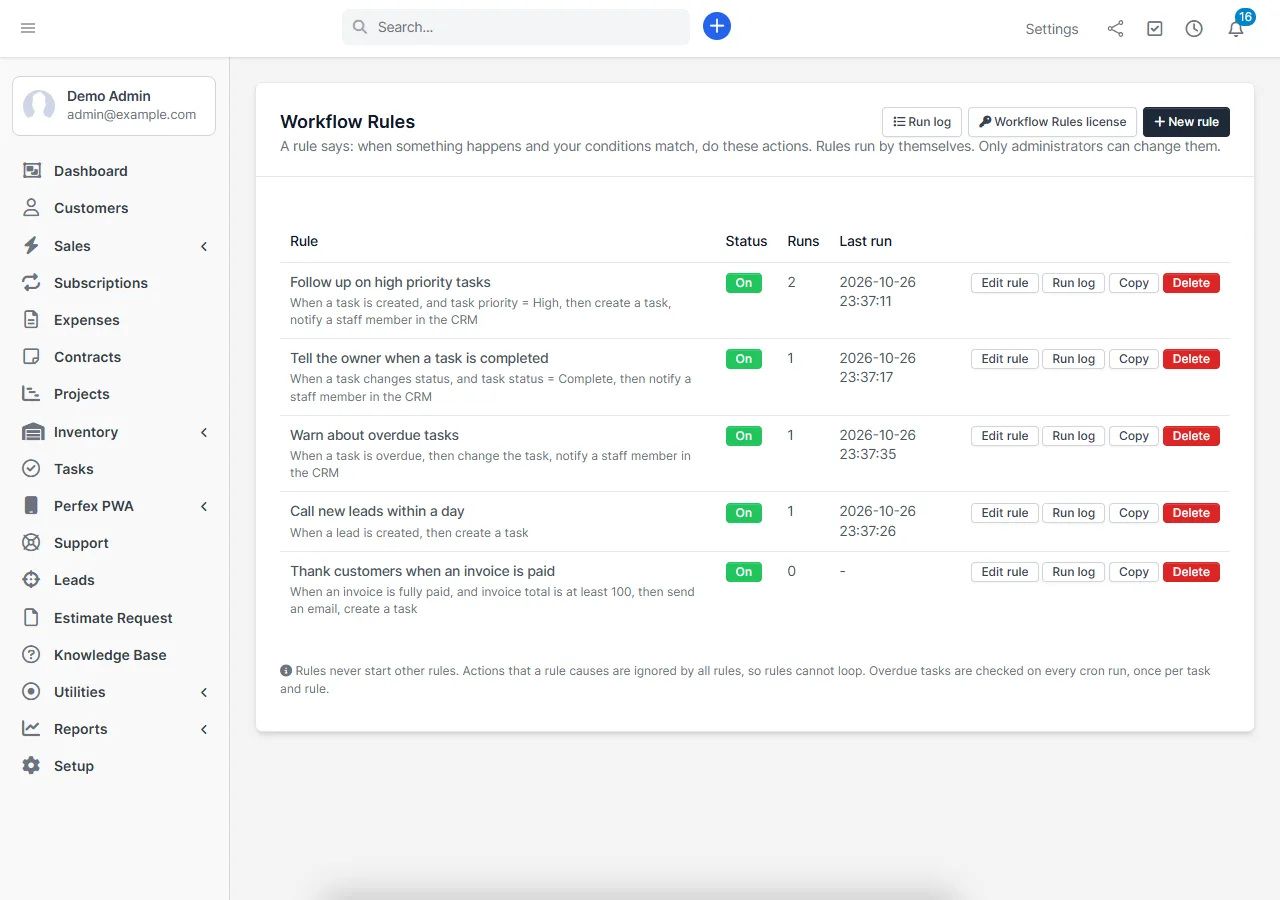
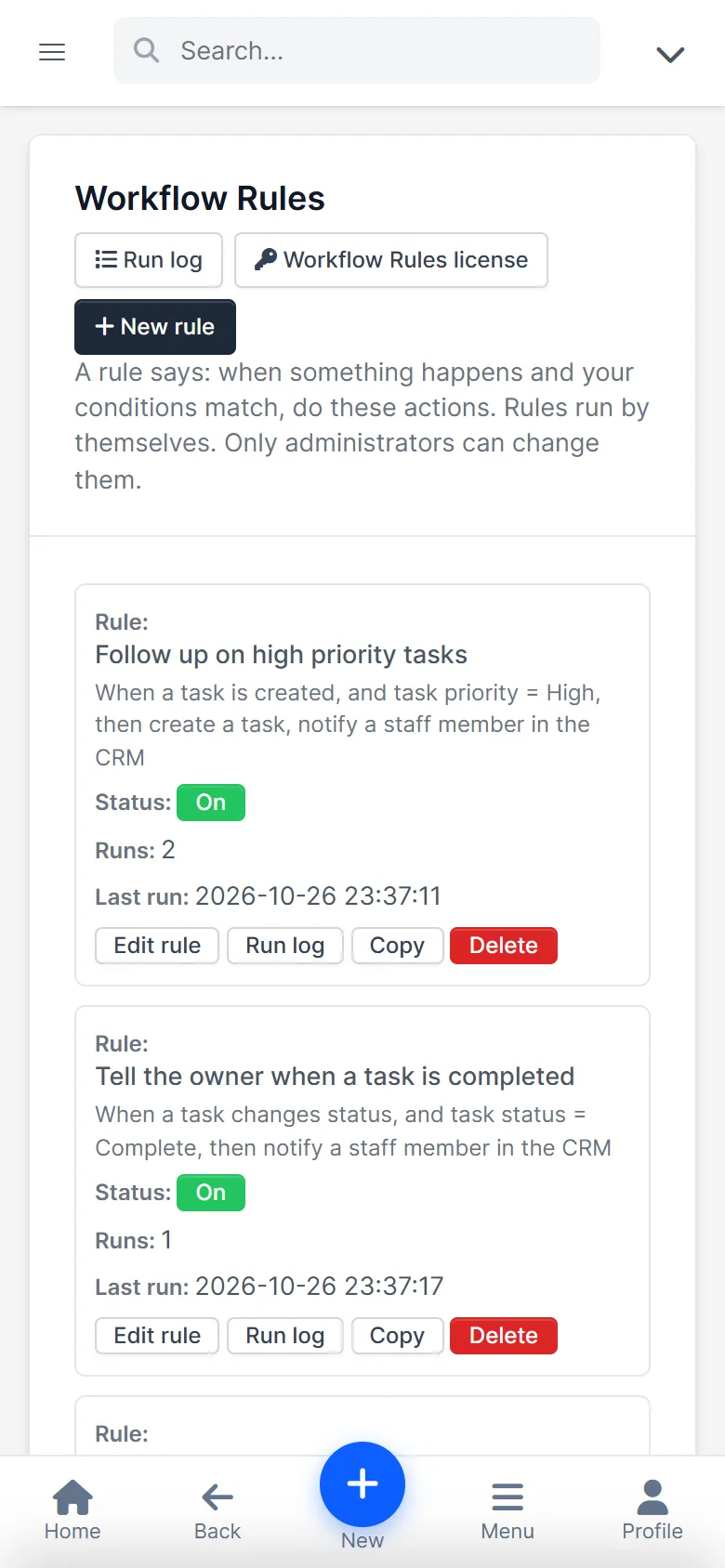
The rules list shows what each rule does in plain words, with an on/off switch, how often it ran and when. Copy a rule to start a similar one, or switch it off without deleting it.
A run log you can trust
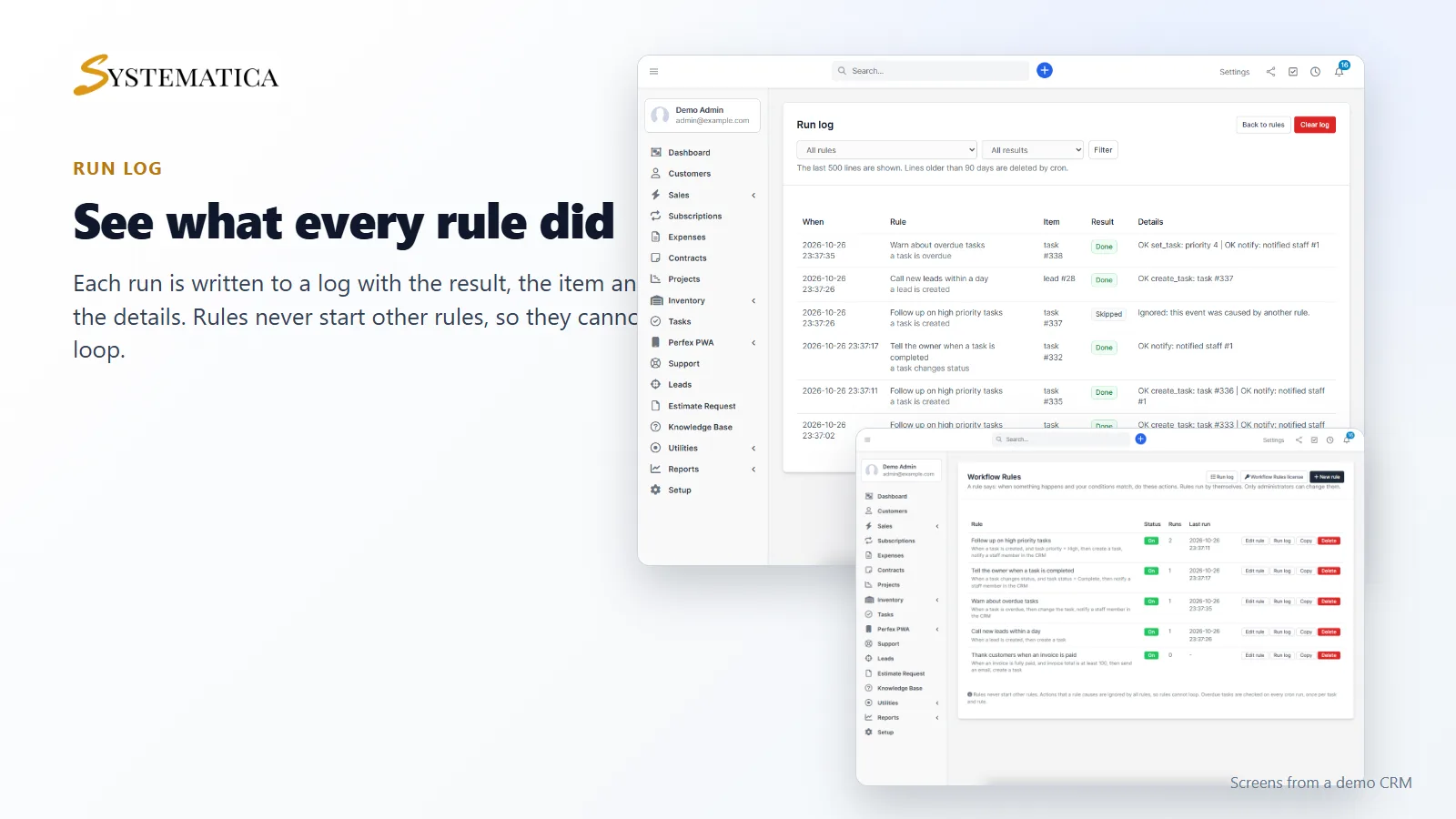
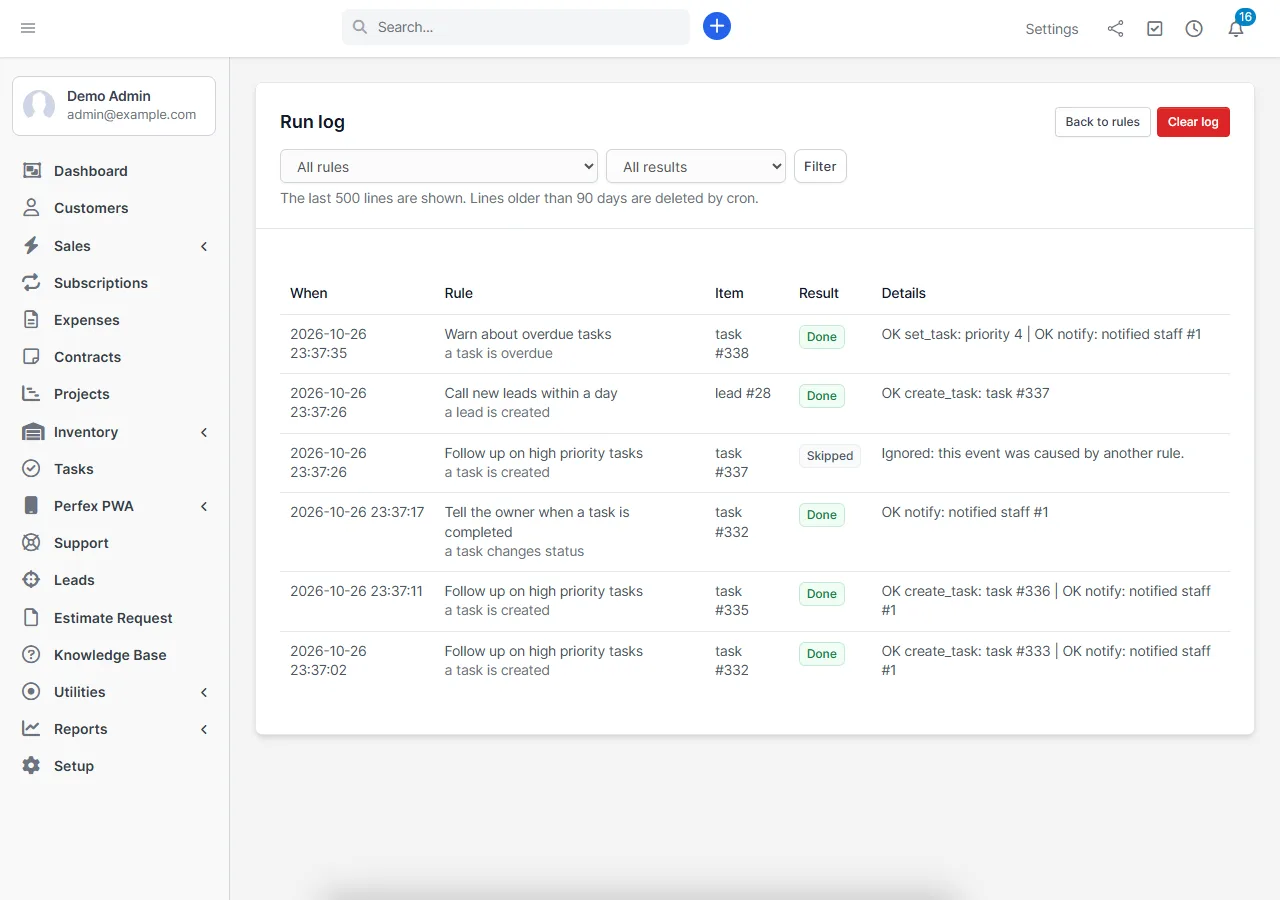
Each run is written to a log with the result (done, failed or skipped), the item and the details. You can filter by rule or by result. The log keeps the last 90 days.
Built to be safe
Good Perfex CRM workflow automation needs guard rails, so Workflow Rules has them:
- No loops. Rules never start other rules. If a rule creates a task, no rule reacts to that task, and the log shows “skipped”.
- One failure does not stop the rest. If an action fails, the next actions and the next rules still run, and the log shows the error.
- Overdue runs once. A task triggers an overdue rule once per rule, and at most 200 tasks are handled per cron run.
- Administrators only. Only administrators can create or change rules.
- Your rules stay if you deactivate. Without a valid license nothing runs, and your saved rules are kept.
Results where your team works
Rules for Perfex CRM workflow automation do their work in the screens your team already uses.
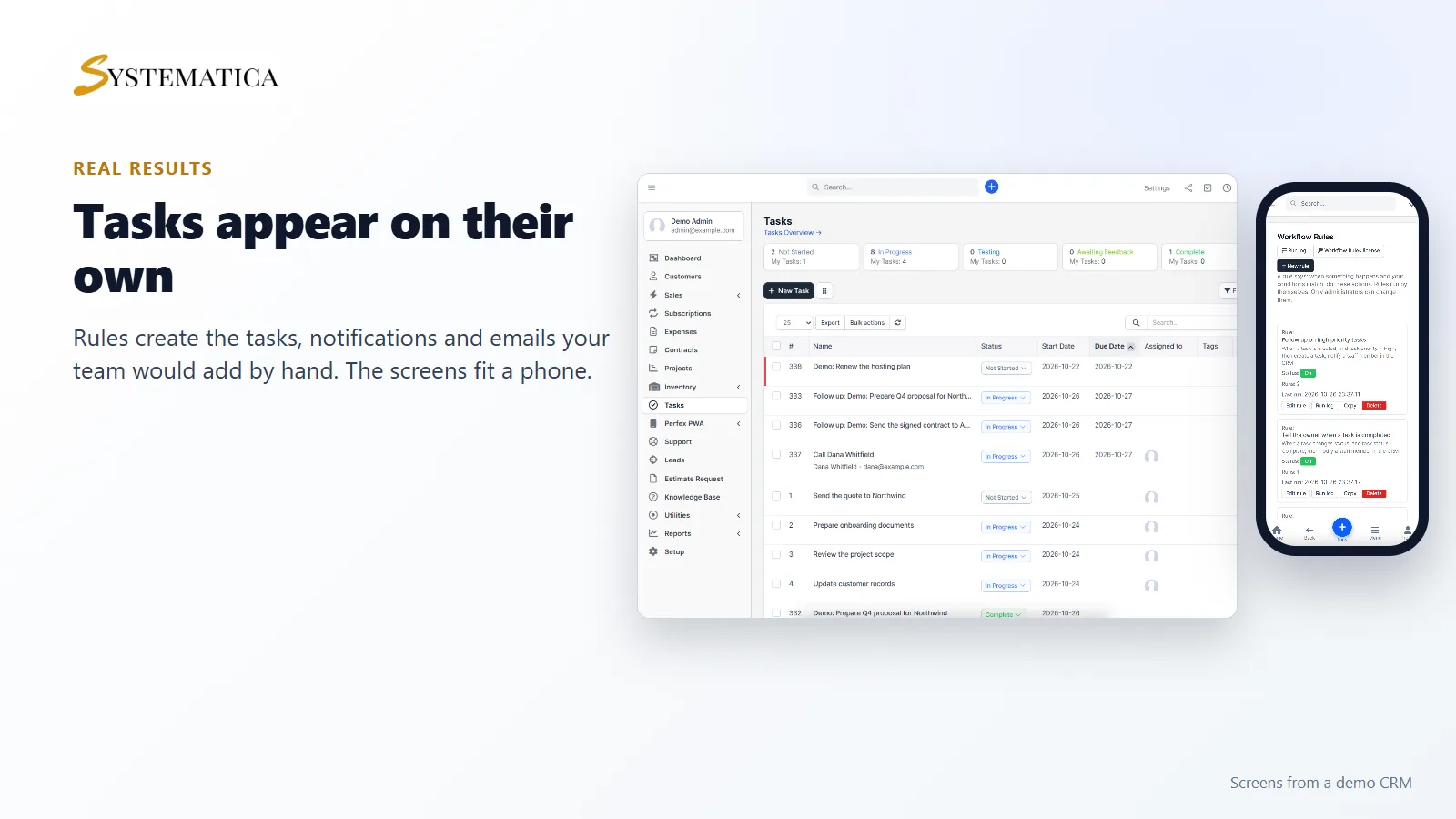
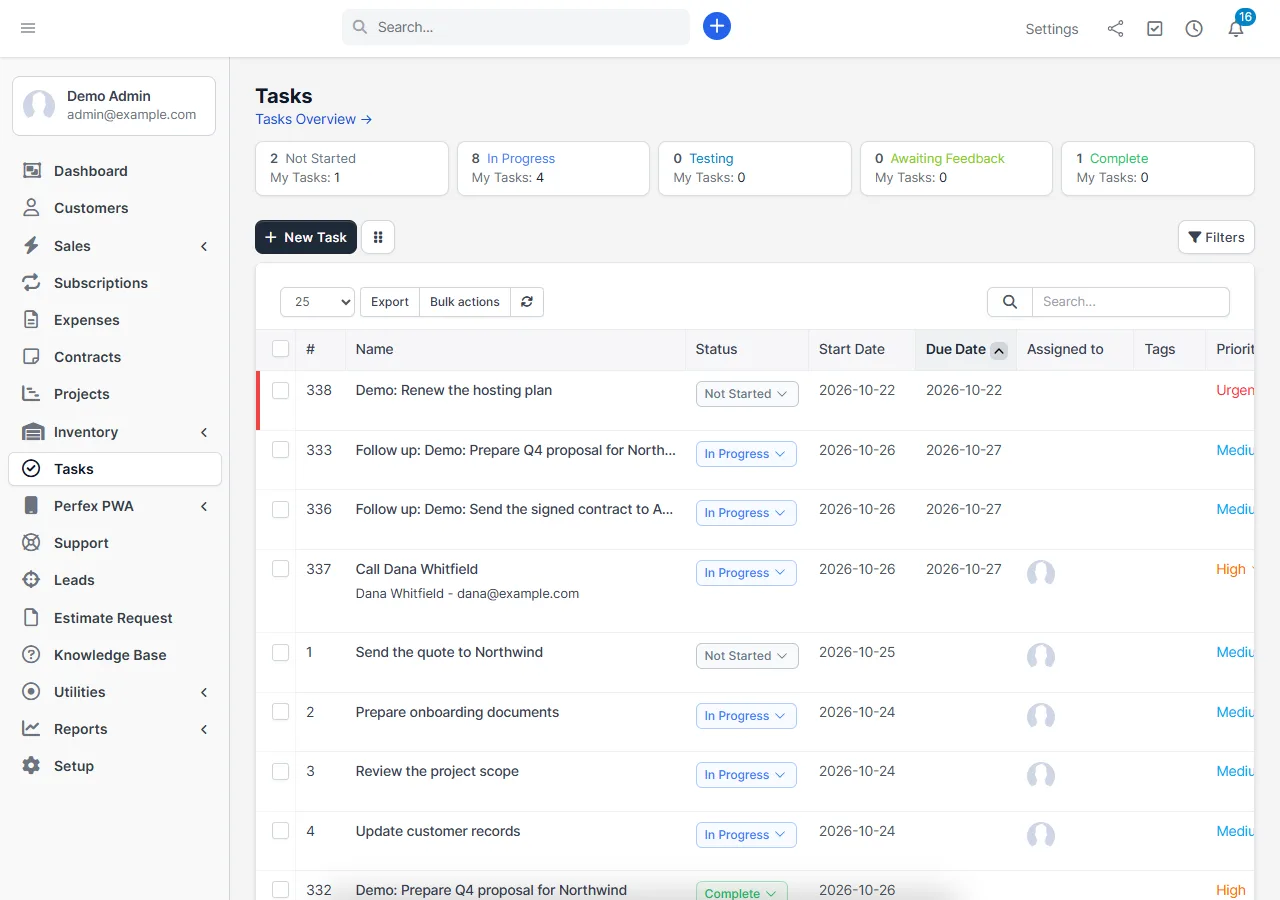
The tasks that rules create appear in the normal task list, linked to the same project, customer, lead, ticket or invoice where Perfex CRM allows it. The screens also fit a phone.
Set it up
- Upload the module under Setup > Modules and activate it.
- Open Setup > Workflow Rules and enter your license key.
- Click New rule, choose the trigger and actions, and save.
Nothing runs until you create a rule, so you can add Perfex CRM workflow automation one rule at a time.
Requirements
- Perfex CRM 3.4 (tested on 3.4.1)
- PHP with the sodium extension, which is included with PHP since 7.2
- The Perfex CRM cron job, needed for overdue tasks and log clean-up
- Working email settings if you use the send email action
- A connection from your server to systematica.app over HTTPS when you activate the license
Good to know
- The pictures show a demo CRM with sample data.
- Perfex CRM workflow automation here covers tasks, invoices, leads, tickets and projects.
- Version 1 has no rule chaining, no time delays (“wait 3 days, then …”), no custom code and no calls to other websites. It has no triggers for estimates, proposals, contracts or ticket replies.
- Rules run with the rights of the system, not of the person who caused the event. That is why only administrators can edit them.
License, support and updates
After purchase you receive a license key by email. One license key activates the module on one website. To move it, deactivate the license under Setup > Workflow Rules > Workflow Rules license and activate it on the new site. You get 6 months of support through our ticket system and free updates through your Systematica account. Workflow Rules works inside Perfex CRM, which you need to own. Looking for more guides? See the Perfex CRM documentation.
Frequently asked questions
What is Perfex CRM workflow automation?
It means Perfex CRM does routine steps for you when something happens, such as creating a follow-up task when a lead arrives. Workflow Rules adds this with simple rules and no code.
Can a rule start another rule?
No. This is on purpose, so rules cannot loop. The log shows such events as skipped.
Can a rule send emails to customers?
Yes. A rule can email the customer contact of an invoice, ticket or customer-related task, using your Perfex CRM email settings. Values in the email are escaped.
Does Workflow Rules need the cron job?
Only for the overdue task trigger and for deleting old log lines. The other triggers run when the event happens.
What happens if a rule fails?
The log shows a failed line with the reason, and the next actions and the next rules still run.
Reviews
There are no reviews yet.